
Products compared
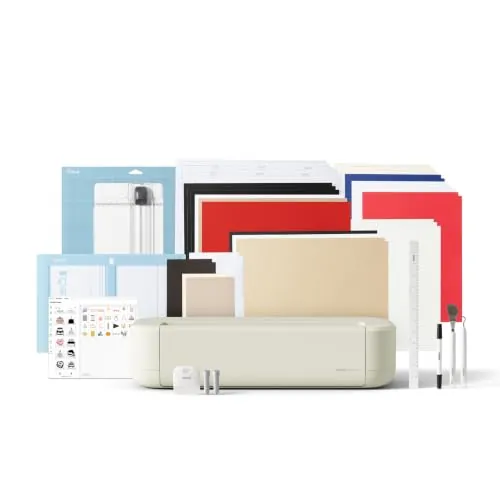
Cricut
Cricut Explore 5 Essential Bundle + Digital Content (Taupe)
The listing identifies the taupe Explore 5 as model/part 8003147 and labels it an Essential Bundle with 65 projects. Check the exact offer’s box list to confirm which tools and materials are included.
Model 8003147
Amazon ASIN B0GJFL3WHS
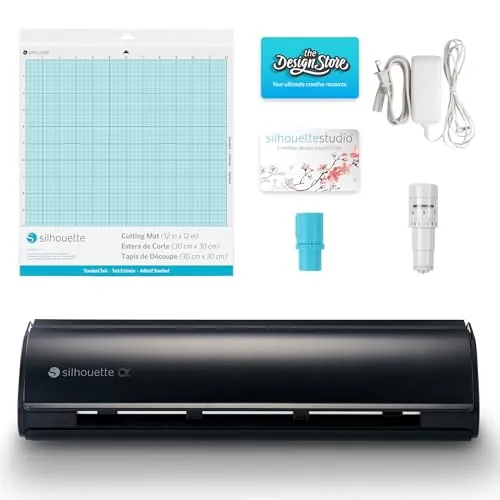
Silhouette America
Silhouette CAMEO 5 Alpha
Exact Silhouette model/SKU SILH-CAMEO-5A. Its machine page lists a 12-inch standard-tack mat, Type B AutoBlade and sketch-pen adapter, along with downloadable Silhouette Studio; verify any retailer-added supplies separately.
Model SILH-CAMEO-5A
Amazon ASIN B0FQFYVF8B
Differences that matter
What matters most to you?
Choose a priority to see what it changes.
Sources for Long, matless feed
Sources for Mat-backed project area
Sources for Software and outside SVGs
Start with the roll you expect to feed
The headline numbers describe different setups. Cricut says Explore 5 can run Smart Vinyl and Smart Iron-On without a mat up to 12 ft; its 12 × 12- and 12 × 24-inch mats serve other compatible materials. Silhouette’s CAMEO 5 Alpha lists a 12 × 24-inch area with a mat, or 11.6 inches wide and up to 16 ft with lined material. Neither figure compares cut quality or speed.
A useful pre-buy check is to measure both the artwork and the material path: mark your longest one-piece design, choose the exact supported material, then leave room for the feed to travel through the cutter. If projects are only cardstock or short vinyl pieces, compare the mat-backed area and exact mat instead of deciding by a roll limit.
Match the software to your source files and computer
Design Space is Cricut’s free app for Windows and Mac computers and iOS or Android devices. Cricut documents SVG upload; its install guide says Chromebook and Linux computers are unsupported. Explore 5 can connect to a computer over USB-C or use Bluetooth; mobile connects over Bluetooth.
CAMEO 5 Alpha’s maker page specifies Silhouette Studio 5.0.402 or later and Windows 10+ or macOS 13+ minimums. Silhouette Studio Basic is free, but its file chart does not include SVG opening until the paid Designer Edition. The exact Alpha machine page lists a Studio download without naming an upgraded edition. If SVG is a must-have, confirm this license before choosing Alpha.
Count the contents of the exact carton
The offer identifies the taupe Cricut as model 8003147 and labels it an Essential Bundle with 65 projects. Cricut’s current guide lists several bundle configurations but does not confirm the tools and supplies in this retail package. Check the seller’s included-items list against the materials and accessories you expect to use.
For CAMEO 5 Alpha, the exact Silhouette machine page lists a standard-tack 12-inch mat, Type B AutoBlade, sketch-pen adapter, power cable and downloadable Studio. The included-items list does not list a roll feeder; check any retailer-added bundle separately. Its four-point Print & Cut registration is a stated feature, not evidence of better alignment than the other machine.
Make the choice by a concrete project
For outside SVG designs and ordinary short mat-based work, Explore 5 is the simpler documented upload path, provided the computer or mobile device you plan to use is supported. For a single lined-material cut that needs more than 12 ft but no more than 16 ft, the CAMEO 5 Alpha’s published material condition may fit—provided that material, width and feed setup work for your project.
If neither preference describes your work, compare the exact supplies you already own, your computer’s OS, and the cost or licensing of your preferred file workflow. No controlled pair test establishes a faster or cleaner cut.
Product details
Cricut Explore 5 Essential Bundle + Digital Content (Taupe)
- Matless material and length
- Cricut lists Smart Vinyl and Smart Iron-On cuts up to 12 ft without a mat; other compatible materials use a mat. The Explore 5 supports 12 × 12 in and 12 × 24 in mats. Source
- SVG workflow
- Design Space documents SVG upload; check file behavior and device requirements before relying on a particular project. Source
- Machine connection
- USB-C connects directly to a computer; mobile devices use Bluetooth through Design Space. Source
Silhouette CAMEO 5 Alpha
- Lined-material capacity
- Listed operating area is 12 × 24 in with a mat; for lined material the listed width is 11.6 in and maximum length is 16 ft. Source
- Machine-box items
- Maker lists a 12-inch standard-tack mat, Type B AutoBlade and sketch-pen adapter; roll feeder is not in the exact machine-page included-items list. Source
- Desktop software baseline
- CAMEO 5 Alpha requires Silhouette Studio 5.0.402 or later; maker lists Windows 10+ and macOS 13+ minimums. Source
Before you buy
Community discussions
Matching a starter bundle to planned craft materials
Cricut Explore 5 Essential Bundle + Digital Content (Taupe)
A first-time Explore 5 shopper planned to make iron-on apparel designs, vinyl decals, stickers and paper crafts. They asked whether to buy a bundle or choose supplies separately.
What to check
List the materials you plan to cut and check which mats and tools the exact bundle includes.
Common questions
Does the Silhouette CAMEO 5 Alpha cut 16 feet on a mat?
No such mat-backed maximum is stated on the exact Alpha page. It lists a 12 × 24-inch operating area with a mat, and a maximum 16-foot length with lined material.Silhouette CAMEO 5 Alpha (SKU SILH-CAMEO-5A), included items and specifications
Can Silhouette Studio Basic open an SVG?
Silhouette’s file-format chart lists SVG opening for Designer Edition, a paid upgrade, not Basic. The exact Alpha machine listing names Silhouette Studio but does not specify an upgraded edition, so check the license in the offer.Silhouette Studio File Types and FeaturesSilhouette CAMEO 5 Alpha (SKU SILH-CAMEO-5A), included items and specifications
Does the Explore 5 Essential Bundle listing include the exact tools shown in Cricut’s guide?
The listing identifies model 8003147 as an Essential Bundle labeled with 65 projects. Cricut’s Explore 5 guide shows multiple bundle configurations but does not match a contents list to this exact retail package. Check the seller’s box list for any tool or material you expect to receive.Cricut Explore 5 Quick Start Guide and bundle/mat/tool notes
Sources and scope
This compares manufacturer-listed features and workflows, not cut quality, alignment, speed or reliability. The length figures describe different material-feed conditions. Cricut lists several Explore 5 bundle configurations but does not match them to model 8003147’s exact retail package. Silhouette’s CAMEO 5 Alpha machine page describes its standard contents; it does not confirm extra retailer supplies or an upgraded Studio license.
- Cricut Explore 5 US product page
- Cricut Explore 5 Quick Start Guide and bundle/mat/tool notes
- How to upload images into Design Space
- Design Space Download and Installation Instructions
- Silhouette CAMEO 5 Alpha (SKU SILH-CAMEO-5A), included items and specifications
- Silhouette America Minimum Product Requirements (CAMEO 5α row)
- Silhouette Studio File Types and Features
Related comparisons
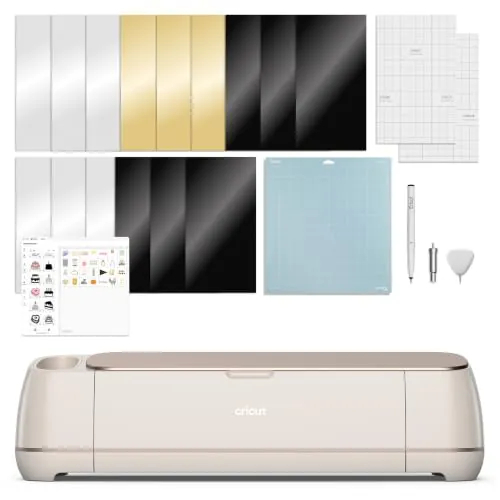
Cricut Maker 4 vs Explore 5: Match the Tool Path to Your Projects
This U.S. comparison is for the Maker 4 Seashell Digital Content Bundle and Explore 5 Taupe Essential Bundle + Digital Content. Match the actual material and tool first: Maker 4 has Cricut-listed engraving and Knife Blade paths, while Explore 5 is documented for common vinyl, paper, printable, and card workflows. Both list matless cuts up to 12 ft, so check width and exact kit contents before choosing.
Read comparisonCricut Maker 4 vs Silhouette CAMEO 5 Alpha: Match the Machine to Your Craft Workflow
For Cricut Maker 4 (8002707, Seashell) versus Silhouette CAMEO 5 Alpha (SILH-CAMEO-5A, matte black), start with the exact project material and tool. Maker 4 documents its Adaptive Tool operations and matless Cricut Smart Materials workflow; CAMEO 5 Alpha lists a longer matless run with lined material and four-point Print & Cut registration. Software tiers and what comes in the exact seller box can also change the choice.
Read comparison