
Products compared
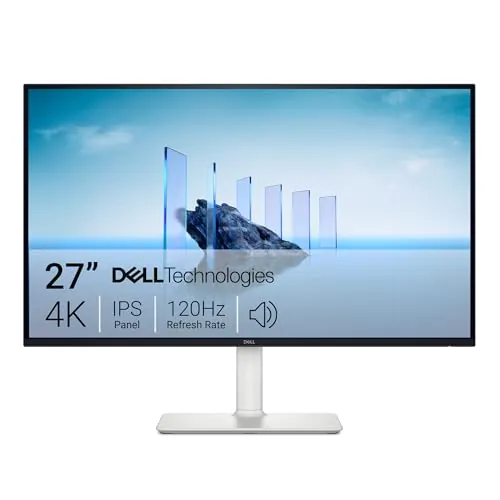
Dell
Dell S 27 4K Monitor S2725QS — Ash White
The selected listing identifies the Ash White Dell S2725QS listing and manufacturer part T4CNF. Dell lists 3840×2160 up to 120Hz on its two HDMI inputs and one DisplayPort input.
Model S2725QS / Dell manufacturer part T4CNF
Amazon ASIN B0F1GF1KFC
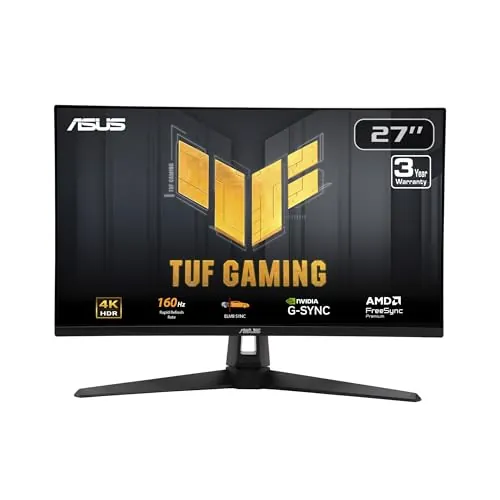
ASUS
ASUS TUF Gaming VG27UQ1A 27-inch 4K Monitor — Black
The selected listing identifies the black ASUS TUF Gaming VG27UQ1A. ASUS’s exact-model manual documents HDMI and DisplayPort inputs, per-input supported modes, a tilt-only stock stand, and a separately purchased VESA mount kit.
Model VG27UQ1A
Amazon ASIN B0DHG1GTG2
Differences that matter
What matters most to you?
Choose a priority to see what it changes.
Sources for 4K refresh modes by input
Sources for Stock-stand positioning
Sources for A practical source check
Before you buy: map the source and the stand
Start with the device you will connect. If it is a console or PC intended for 4K120 over HDMI, both makers document that mode. If you want ASUS’s 4K160 mode, its manual lists that supported mode on HDMI and DisplayPort, but the graphics source, cable, input and settings must all support it. This comparison does not test any configuration or promise game performance.
The ASUS manual identifies two HDMI connections and one DisplayPort input, and explicitly calls USB-C service-only. Dell lists two HDMI 2.1 ports and one DisplayPort 1.4 input, each up to 4K120. Check your source output and cable before deciding which input you will use.
Then check how you position the panel. Dell’s included stand is listed for height, pivot, swivel and tilt. ASUS’s stock stand tilts; the manual marks height, pivot and swivel unavailable and documents a separate 100×100mm VESA mounting kit. If the display must rise or rotate on its included stand, that requirement points to Dell; if you have an appropriate VESA mount already, verify the mount fit and load details before selecting ASUS.
Product details
Dell S 27 4K Monitor S2725QS — Ash White
ASUS TUF Gaming VG27UQ1A 27-inch 4K Monitor — Black
- Documented maximum input mode
- ASUS’s supported-mode table lists 3840×2160 at 160Hz for both DisplayPort and HDMI; its video-timing table separately lists 4K120 for both. Source
- Inputs
- One DisplayPort 1.4 DSC and two HDMI 2.1 FRL inputs; the manual identifies USB-C as service-only. Source
- Stock stand and mount
- Tilt adjustment (+20° to -5°); height, pivot, and swivel adjustment are listed as unavailable. VESA pattern is 100×100mm and the mount kit is separately purchased. Source
Before you buy
Community discussions
Sharing one display between spreadsheets and a PS5 Pro
Dell S 27 4K Monitor S2725QS — Ash White
A Dell S2725QS owner used it for spreadsheets and PS5 Pro games. They considered upgrading because they wanted better motion clarity and a different HDR experience for console use.
What to check
Test the console at its supported mode and use the faster refresh mode on the PC separately. Review desk placement and stand movement for your workday position.
Common questions
Can both monitors display 4K at 120Hz over HDMI?
Their manufacturer documents list that mode: Dell specifies up to UHD 3840×2160 at 120Hz on its HDMI inputs; ASUS lists 3840×2160p at 119.88/120Hz in its HDMI video timings. Your source, cable and settings must also support it.Dell S 27 4K Monitor — S2725QS (Dell U.S.)TUF Gaming Monitor VG27UQ1A Series User Guide (English)
Does the ASUS VG27UQ1A have USB-C video input?
No. Its exact-model user guide labels the USB Type-C port as service-only and identifies HDMI and DisplayPort as the video connections.TUF Gaming VG27UQ1A — Tech Specs (ASUS)TUF Gaming Monitor VG27UQ1A Series User Guide (English)
Which stock stand lets me adjust height or rotate the screen?
Dell lists height, pivot, swivel and tilt for its included stand. ASUS’s manual lists tilt and marks height, pivot and swivel unavailable; it documents a separately purchased 100×100mm VESA mount kit.Dell S 27 4K Monitor — S2725QS (Dell U.S.)TUF Gaming VG27UQ1A — Tech Specs (ASUS)TUF Gaming Monitor VG27UQ1A Series User Guide (English)
Sources and scope
This is a documentation-based input-mode and stand-fit comparison, not hands-on testing. Actual modes depend on the computer or console, graphics output, cable, selected port, and settings. ASUS documentation notes regional variation in specifications/accessories; confirm the exact U.S. package at checkout. No image-quality, HDR, latency, gaming, or value winner is claimed.
Related comparisons

Dell S2725QS vs ASUS ProArt PA279CRV: Pick the Right Laptop Connection
Both are 27-inch 4K monitors, but their port layouts answer different desk needs. Dell S2725QS lists two HDMI 2.1 inputs and DisplayPort 1.4, with supported signals up to 120 Hz. ASUS PA279CRV supports 60 Hz and adds USB-C DisplayPort video with up to 96 W power delivery, a USB hub and DisplayPort daisy-chain output. Check your computer's ports and charging needs before buying; a retailer listing title that calls the S2725QS USB-C is not supported by Dell's exact-model port list.
Read comparison
Dell S2725QS vs ASUS ROG Strix XG27ACS: 4K or USB-C Video?
Dell S2725QS is the 4K option, with a published 3840 × 2160 resolution and up to 120 Hz through its listed HDMI and DisplayPort inputs. ASUS ROG Strix XG27ACS is QHD and accepts DisplayPort video over USB-C from a compatible host; ASUS lists up to 180 Hz on USB-C/DisplayPort and 144 Hz on HDMI. Check the source device, cable and desired mode before choosing: a monitor's input limit does not guarantee that a laptop, desktop or console can output it.
Read comparison