
Products compared
Dell
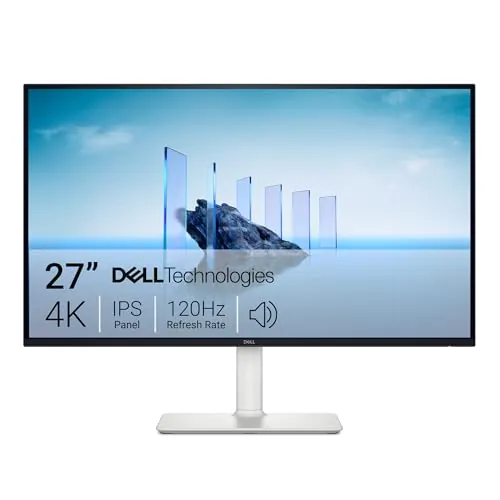
Dell 27 Plus 4K Monitor
Exact assigned US listing: S2725QS, Dell manufacturer part T4CNF, Ash White. Dell lists a maximum preset mode of 3840 × 2160 at up to 120Hz, two HDMI inputs and one DisplayPort 1.4 input, integrated 2 × 5W speakers, and an included adjustable stand with up to 130mm height travel. The listed mode is a monitor specification; check whether your own source device and cable path support it.
Model S2725QS
Amazon ASIN B0F1GF1KFC
Dell
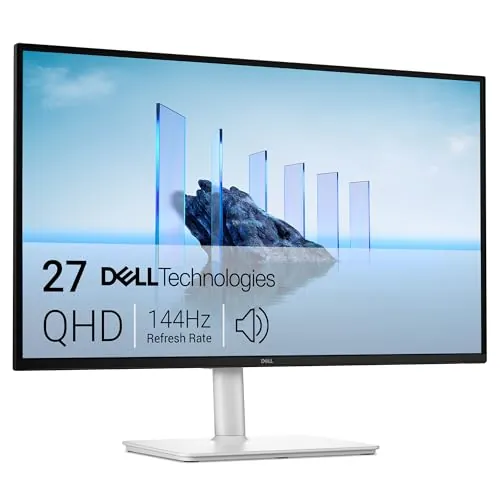
Dell 27 Plus QHD Monitor
Exact assigned US listing: S2725DSM, Dell manufacturer part GTT45, Ash White. Dell lists a maximum preset mode of 2560 × 1440 at up to 144Hz, one HDMI input and one DisplayPort 1.4 input, integrated 2 × 3W speakers, and an included adjustable stand with up to 110mm height travel. The listed mode is a monitor specification; check whether your own source device and cable path support it.
Model S2725DSM
Amazon ASIN B0GD1LMWH3
Differences that matter
What matters most to you?
Choose a priority to see what it changes.
Sources for Maximum preset display mode listed by Dell
Sources for HDMI input count and source connections
Sources for Integrated speaker ratings
Sources for Included stand height travel
Start with the mode your computer or console can actually output
Dell's S2725QS manual lists 3840 × 2160 at up to 120Hz; its S2725DSM manual lists 2560 × 1440 at up to 144Hz. Treat those as monitor preset modes. Before selecting one, check the exact source device's supported combinations at the output you plan to use, then confirm the model-specific monitor timing table and connection path. This comparison does not test image quality, response, motion handling or gaming results.
The practical question is what you will connect and run. If your setup needs the QS's listed 4K mode, confirm your source and cable/adapter path can provide it. If you are considering the DSM's listed QHD 144Hz mode, confirm that exact combination for your computer or console too. A headline maximum alone does not settle source compatibility.
Count the video sources you want to leave connected
The S2725QS lists two HDMI 2.1 inputs and one DisplayPort 1.4 input. The S2725DSM lists one HDMI input and one DisplayPort 1.4 input. Make a short list of your devices and their outputs before choosing; one extra HDMI input may matter if you routinely keep multiple HDMI sources attached.
This port comparison does not establish input switching behavior, simultaneous multi-source display, adapter compatibility or the exact cable contents of the selected listing. Check the device connector, any adapter you plan to use and the live seller's included items separately.
Measure the stand range and treat speaker watts as a specification
Both guides list tilt from -5° to 21°, swivel 30° each way and ±90° pivot. Dell lists up to 130mm of height adjustment for S2725QS and 110mm for S2725DSM. Measure your desk and viewing position against those travel ranges; the numbers do not guarantee ergonomic fit.
The manuals list integrated 2 × 5W speakers on S2725QS and 2 × 3W on S2725DSM. That is a hardware rating, not a sound-quality comparison. If built-in audio is central to your decision, consider the listening task and whether external speakers or headphones are part of your setup rather than assuming wattage predicts the experience.
Product details
Dell 27 Plus 4K Monitor
- Maximum preset mode
- 3840 × 2160 at up to 120Hz, as listed by Dell for the monitor; the source device and connection path must also support the intended mode. Source
- Video inputs
- Two HDMI 2.1 inputs and one DisplayPort 1.4 input. Source
- Integrated speakers
- Two 5W speakers (2 × 5W); wattage does not establish perceived sound quality or loudness. Source
- Stand adjustment
- Included stand; up to 130mm height adjustment, -5° to 21° tilt, -30° to +30° swivel and ±90° pivot. Source
Dell 27 Plus QHD Monitor
- Maximum preset mode
- 2560 × 1440 at up to 144Hz, as listed by Dell for the monitor; the source device and connection path must also support the intended mode. Source
- Video inputs
- One HDMI input and one DisplayPort 1.4 input. Source
- Integrated speakers
- Two 3W speakers (2 × 3W); wattage does not establish perceived sound quality or loudness. Source
- Stand adjustment
- Included stand; up to 110mm height adjustment, -5° to 21° tilt, -30° to +30° swivel and ±90° pivot. Source
Before you buy
Community discussions
Sharing one display between spreadsheets and a PS5 Pro
Dell 27 Plus 4K Monitor
A Dell S2725QS owner used it for spreadsheets and PS5 Pro games. They considered upgrading because they wanted better motion clarity and a different HDR experience for console use.
What to check
Check the PS5’s actual resolution and refresh settings, then test the same game and a spreadsheet. Choose the resolution and motion trade-off from the work you do on both devices.
Common questions
Does the S2725DSM's 144Hz figure mean it is faster or better for every setup?
No. Dell's manual lists up to 144Hz at 2560 × 1440 for the S2725DSM and up to 120Hz at 3840 × 2160 for the S2725QS. The source device and connection path must support the intended mode, and the listed specifications do not establish comparative motion quality or gaming performance.Dell S2725QS User's GuideDell S2725DSM User's Guide
Which monitor has more HDMI inputs?
Dell lists two HDMI 2.1 inputs on S2725QS and one HDMI input on S2725DSM. Both listings also specify one DisplayPort 1.4 input. Count your devices and confirm their output connectors before choosing.Dell 27 Plus 4K Monitor S2725QS — U.S. product pageDell 27 Plus QHD Monitor S2725DSM — U.S. product page
Do the published speaker wattages tell me which has better sound?
No. The manuals list 2 × 5W for S2725QS and 2 × 3W for S2725DSM, but wattage alone does not establish perceived loudness or sound quality.Dell S2725QS User's GuideDell S2725DSM User's Guide
Do their stands have the same adjustments?
Dell lists tilt, swivel and pivot ranges for both. The S2725QS stand adjusts up to 130mm in height, while the S2725DSM adjusts up to 110mm. Measure the range you need at your desk.Dell S2725QS User's GuideDell S2725DSM User's Guide
Sources and scope
This guide compares Dell's published specifications and preset timing tables only. It does not test image quality, motion handling, gaming performance, sound quality or device compatibility. A monitor's listed maximum mode does not establish that a connected computer, console, cable or adapter can output that mode. Confirm the exact source device and connection path before purchase.
Related comparisons

Dell S2725QS vs ASUS ProArt PA279CRV: Pick the Right Laptop Connection
Both are 27-inch 4K monitors, but their port layouts answer different desk needs. Dell S2725QS lists two HDMI 2.1 inputs and DisplayPort 1.4, with supported signals up to 120 Hz. ASUS PA279CRV supports 60 Hz and adds USB-C DisplayPort video with up to 96 W power delivery, a USB hub and DisplayPort daisy-chain output. Check your computer's ports and charging needs before buying; a retailer listing title that calls the S2725QS USB-C is not supported by Dell's exact-model port list.
Read comparison
Dell S2725QS vs ASUS ROG Strix XG27ACS: 4K or USB-C Video?
Dell S2725QS is the 4K option, with a published 3840 × 2160 resolution and up to 120 Hz through its listed HDMI and DisplayPort inputs. ASUS ROG Strix XG27ACS is QHD and accepts DisplayPort video over USB-C from a compatible host; ASUS lists up to 180 Hz on USB-C/DisplayPort and 144 Hz on HDMI. Check the source device, cable and desired mode before choosing: a monitor's input limit does not guarantee that a laptop, desktop or console can output it.
Read comparison