
Products compared
Dell
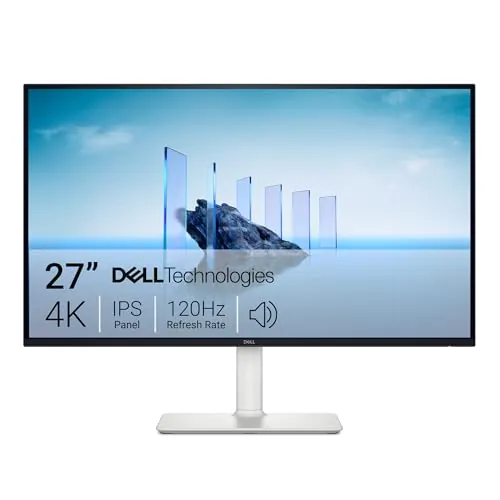
Dell 27 Plus 4K Monitor
Dell S2725QS, Ash White, manufacturer part T4CNF. Match the S2725QS model code and part T4CNF on the seller listing; do not substitute another Dell 27-inch model.
Model S2725QS (T4CNF)
Amazon ASIN B0F1GF1KFC
Dell
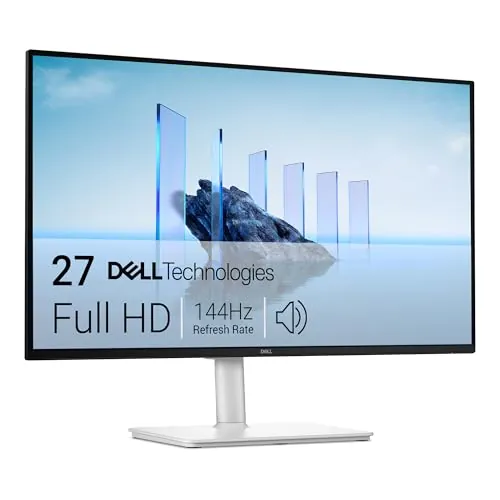
Dell 27 Plus Monitor
Dell S2725HSM, Ash White, manufacturer part M80H5. Match the HSM suffix and part M80H5 on the seller listing; this is not the S2725QS or another similar 27-inch model.
Model S2725HSM (M80H5)
Amazon ASIN B0G4MVZMT6
Differences that matter
What matters most to you?
Choose a priority to see what it changes.
Sources for Resolution and listed pixel density
Sources for Video inputs and host connection
Sources for Stand adjustment and desk space
Start with the output you need
At the same listed 27-inch size, the S2725QS is the 4K option: Dell lists 3840 × 2160 and 163 PPI. The S2725HSM is Full HD at 1920 × 1080 and 82 PPI. This gives you a concrete choice about desktop resolution and scaling; it is not a claim that one panel has better image quality.
Their refresh ceilings belong to different modes. Dell lists the QS up to 4K/120Hz on HDMI 2.1 and DisplayPort 1.4. Dell lists the HSM up to FHD/144Hz through HDMI 1.4. Check your PC, console, dock and cable for support of the exact resolution-refresh combination before purchase.
Count the inputs before you plan a desk setup
The QS lists two HDMI 2.1 inputs and one DisplayPort 1.4 input. The HSM lists two HDMI 1.4 inputs, with no DisplayPort listed. If you plan to leave a computer and console connected, count their outputs and decide whether you want both connected at once or are willing to switch cables.
For a USB-C-only laptop, plan a compatible video adapter. Dell’s S2725QS rear connector diagram lists HDMI and DisplayPort, while S2725HSM lists HDMI.
Plan the actual stand and desktop footprint
The included stands for both list height, tilt, swivel and pivot adjustment. The QS is listed at 24.08 inches wide with a 7.89-inch stand depth; the HSM at 24.00 inches wide and 7.95 inches deep. Their total height ranges are also close. Use those dimensions to mark the area on your desktop, then leave space for cables and your preferred screen position.
Dell lists 100 × 100 mm VESA mounting for both models. That confirms the hole pattern only; check a separate arm's weight rating, supported orientation, clearance and included mounting hardware yourself.
Treat speaker ratings as a spec, not a sound test
Dell lists two 5W speakers in the S2725QS and two 3W speakers in the S2725HSM. This is useful if you want to know what is built in, but watt ratings alone do not compare clarity, volume or suitability for your room. If sound is a deciding factor, listen to the exact monitor or plan separate audio.
Before you order
Confirm the exact monitor model and the video mode your source, cable and any dock can deliver. Match S2725QS to HDMI 2.1 or DisplayPort 1.4 for 4K/120. Match S2725HSM to HDMI for FHD/144.
Product details
Dell 27 Plus 4K Monitor
- Display
- 27-inch IPS; 3840 × 2160; 163 PPI; listed up to 120Hz Source
- Video inputs and listed ceiling
- 2 × HDMI 2.1 and 1 × DisplayPort 1.4; Dell lists up to UHD 3840 × 2160 at 120Hz on each input type Source
- Stand and desk envelope
- Included height/pivot/swivel/tilt stand; listed overall width 24.08 in, depth with stand 7.89 in, height 15.30–20.42 in Source
- Speakers
- Two built-in speakers, listed 2 × 5W; rating does not establish sound quality Source
Dell 27 Plus Monitor
- Display
- 27-inch IPS; 1920 × 1080; 82 PPI; listed up to 144Hz Source
- Video inputs and listed ceiling
- 2 × HDMI 1.4; Dell lists support up to 1920 × 1080 at 144Hz over HDMI 1.4. No DisplayPort input is listed. Source
- USB-C
- Dell's exact model specifications say USB Type-C: No Source
- Stand and desk envelope
- Included height/pivot/swivel/tilt stand; listed overall width 24.00 in, depth with stand 7.95 in, height 15.32–19.65 in Source
- Speakers
- Two built-in speakers, listed 2 × 3W; rating does not establish sound quality Source
Before you buy
Community discussions
Separating a third work display from the gaming monitors
Dell 27 Plus Monitor
The owner says the possible third S2725HSM would mainly show text and GIS pages while gaming and streaming remain on two other displays; they also name an RTX 4070 Ti but do not verify support for a particular display mode.
What to check
Decide whether the monitor will be a side display or your new primary, then check your computer’s available outputs against the resolution and refresh mode you intend to use.
Common questions
Which model is 4K?
The S2725QS is listed as 3840 × 2160 at 27 inches. The S2725HSM is Full HD at 1920 × 1080. Dell lists 163 PPI for the QS and 82 PPI for the HSM.Dell 27 Plus 4K Monitor S2725QS — Dell US specifications and dimensionsDell 27 Plus Monitor S2725HSM — Dell US specifications and dimensions
Does the S2725QS reach 120Hz over either video input?
Dell lists up to 3840 × 2160 at 120Hz for its two HDMI 2.1 ports and one DisplayPort 1.4 port. Your source device and cable must also support the selected timing.Dell 27 Plus 4K Monitor S2725QS — Dell US specifications and dimensions
Can the S2725HSM connect to a USB-C-only laptop?
Dell says the HSM has no USB-C input and lists two HDMI 1.4 inputs. A USB-C laptop would need a compatible video output adapter or dock that supports the desired mode; confirm the laptop and adapter documentation.Dell 27 Plus Monitor S2725HSM — Dell US specifications and dimensions
How can I connect a USB-C laptop to S2725QS?
Dell shows HDMI and DisplayPort inputs on the S2725QS. Use a compatible USB-C-to-HDMI or USB-C-to-DisplayPort video adapter, and verify the laptop’s video output and adapter modes.Dell S2725QS exact T4CNF rear port diagram and stand dimensions
Do the included stands differ substantially for desk fit?
Both Dell pages list height, tilt, swivel and pivot adjustment. Their listed stand depth is about 7.9 inches and width with stand is about 24 inches. Measure your specific usable desk area and leave room for cable routing; the figures do not establish fit at your workstation.Dell 27 Plus 4K Monitor S2725QS — Dell US specifications and dimensionsDell 27 Plus Monitor S2725HSM — Dell US specifications and dimensions
Sources and scope
Maximum modes are from Dell’s specifications. Check the source device, cable and input for the mode you want. Dell’s S2725QS rear connector diagram lists HDMI and DisplayPort, and the S2725HSM specifications list HDMI. Use a compatible video adapter if your source has USB-C video output only.
Related comparisons

Dell S2725QS vs ASUS ProArt PA279CRV: Pick the Right Laptop Connection
Both are 27-inch 4K monitors, but their port layouts answer different desk needs. Dell S2725QS lists two HDMI 2.1 inputs and DisplayPort 1.4, with supported signals up to 120 Hz. ASUS PA279CRV supports 60 Hz and adds USB-C DisplayPort video with up to 96 W power delivery, a USB hub and DisplayPort daisy-chain output. Check your computer's ports and charging needs before buying; a retailer listing title that calls the S2725QS USB-C is not supported by Dell's exact-model port list.
Read comparison
Dell S2725QS vs ASUS ROG Strix XG27ACS: 4K or USB-C Video?
Dell S2725QS is the 4K option, with a published 3840 × 2160 resolution and up to 120 Hz through its listed HDMI and DisplayPort inputs. ASUS ROG Strix XG27ACS is QHD and accepts DisplayPort video over USB-C from a compatible host; ASUS lists up to 180 Hz on USB-C/DisplayPort and 144 Hz on HDMI. Check the source device, cable and desired mode before choosing: a monitor's input limit does not guarantee that a laptop, desktop or console can output it.
Read comparison