
Products compared
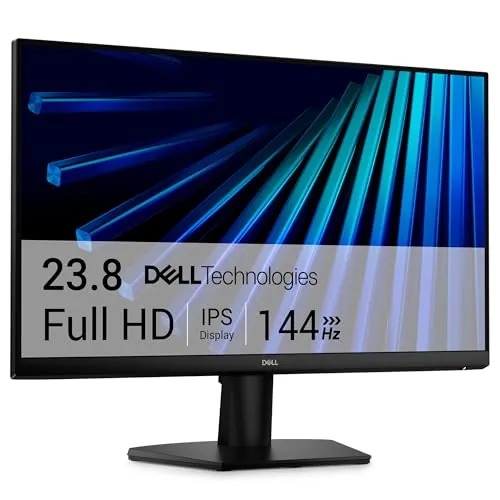
Dell
Dell SE2426H 23.8-inch Monitor
23.8-inch Full HD IPS monitor, listed at 1920 × 1080 and up to 144 Hz, with two HDMI 1.4 inputs and a tilt-only included stand.
Model SE2426H
Amazon ASIN B0GLQXKKVY
Dell
Dell SE2726H 27-inch Monitor
27-inch Full HD IPS monitor, listed at 1920 × 1080 and up to 144 Hz, with two HDMI 1.4 inputs and a tilt-only included stand.
Model SE2726H
Amazon ASIN B0GLRCN2SW
Differences that matter
What matters most to you?
Choose a priority to see what it changes.
Sources for Panel size and listed pixel density
Sources for Desk fit with the included stand
Sources for Computer connection and listed mode
Sources for Stand positioning
Start with screen size and the space available
Both monitors are Full HD IPS models, and Dell lists 1920 × 1080 at up to 144 Hz for each. The SE2426H has a 23.8-inch viewable diagonal; the SE2726H is 27 inches. The larger screen does not increase the listed pixel count, so decide by the physical screen size you want rather than expecting a higher resolution.
Dell lists 93 PPI for the SE2426H and 81 PPI for the SE2726H. Treat these as the manufacturer's pixel-density specifications, not a tested image-quality result. Viewing distance and operating-system scaling also affect how a screen fits your setup.
The with-stand measurements give a practical pre-buy check: the SE2426H is 21.21 inches wide and 7.04 inches deep, while the SE2726H is 24.06 inches wide and 7.87 inches deep. Measure the actual desk area and account for cable access and nearby objects.
Check the computer connection and refresh-rate path
Dell lists two HDMI 1.4 inputs on each monitor and specifies support up to Full HD 1920 × 1080 at 144 Hz. Neither product's listed inputs add a DisplayPort or USB-C connection, so check the computer or dock you plan to connect and the cable you will use.
A monitor's published maximum mode does not establish that a particular host, dock, adapter or cable will provide it. Verify the output capabilities and selected resolution and refresh rate on your own setup before treating 144 Hz as available.
Plan for the included stand or a separate mount
Dell lists tilt adjustment and a 100 × 100 mm VESA pattern for both. The included stand does not list height adjustment, swivel or pivot. If the screen needs to sit higher or rotate, check a separately selected compatible mount and its load and clearance specifications for the exact monitor.
Dell lists a power cable and 1.8 m HDMI cable in the package contents for both models. If the included cable length matters, confirm that the current seller listing matches the exact SE2426H or SE2726H package.
Product details
Dell SE2426H 23.8-inch Monitor
- Panel and resolution
- 23.8 inches; IPS; 1920 × 1080; 93 PPI Source
- Listed maximum mode and inputs
- 1920 × 1080 at 144 Hz; 2 × HDMI 1.4 (HDCP 1.4), listed to support FHD at 144 Hz Source
- Dimensions with stand
- 16.23 in H × 21.21 in W × 7.04 in D; stand base 9.47 in W × 7.04 in D Source
- Stand and mounting
- Tilt stand; 100 × 100 mm VESA mount pattern Source
Dell SE2726H 27-inch Monitor
- Panel and resolution
- 27 inches; IPS; 1920 × 1080; 81 PPI Source
- Listed maximum mode and inputs
- 1920 × 1080 at 144 Hz; 2 × HDMI 1.4 (HDCP 1.4), listed to support FHD at 144 Hz Source
- Dimensions with stand
- 17.86 in H × 24.06 in W × 7.87 in D; stand base 11.42 in W × 7.87 in D Source
- Stand and mounting
- Tilt stand; 100 × 100 mm VESA mount pattern Source
Before you buy
Community discussions
Choosing displays for several gaming stations
Dell SE2426H 23.8-inch Monitor
A buyer building three gaming stations from older PCs put the Dell SE2426H on a shortlist.
What to check
Check the space and available video outputs at each station before ordering multiple monitors.
Replacing a 27-inch monitor for casual gaming
Dell SE2726H 27-inch Monitor
A shopper replacing a 27-inch Asus monitor considered the Dell SE2726H for casual games and browsing.
What to check
Measure your desk at the distance you sit. Check that your graphics card and the connection you plan to use support the display settings you want.
Common questions
Does the SE2726H have a higher resolution than the SE2426H?
No. Dell lists both at 1920 × 1080. The SE2726H is the larger 27-inch panel; the SE2426H is listed as 23.8 inches.Dell 24 Monitor - SE2426H: Product specificationsDell 27 Monitor - SE2726H: Product specifications
Which one needs less desk space with its included stand?
Dell lists the SE2426H at 21.21 inches wide by 7.04 inches deep with its stand, and the SE2726H at 24.06 inches wide by 7.87 inches deep. Measure your available area and cable clearance before choosing.Dell 24 Monitor - SE2426H: Product specificationsDell 27 Monitor - SE2726H: Product specifications
Do both have HDMI and support a 144 Hz mode?
Dell lists two HDMI 1.4 inputs on each and a maximum preset mode of 1920 × 1080 at 144 Hz. Your computer, cable and selected settings must also support the mode.Dell 24 Monitor - SE2426H: Product specificationsDell 27 Monitor - SE2726H: Product specifications
Can the included stands raise or rotate the screens?
Dell lists tilt adjustment for both models and a 100 × 100 mm VESA mounting pattern. The listed included stands do not provide height adjustment, swivel or pivot; check a separately selected compatible mount if you need those movements.Dell 24 Monitor - SE2426H: Product specificationsDell 27 Monitor - SE2726H: Product specifications
Sources and scope
This guide uses Dell's published specifications for the exact SE2426H (manufacturer part 9PK72) and SE2726H (manufacturer part 1JVR9). It does not test image quality, motion, gaming performance or a particular computer, dock, cable or adapter. Dell lists up to 1920 × 1080 at 144 Hz over HDMI 1.4 for both; the host and connection must also support the selected mode. Prices and current offers are not assessed.
Related comparisons
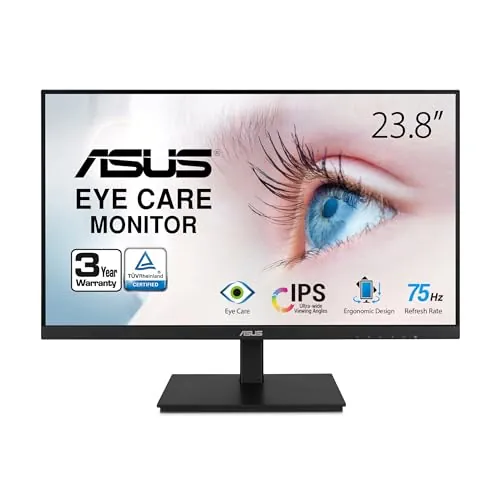
ASUS VA24DQSB vs Dell SE2426H: Stand Movement or 144 Hz HDMI?
Both are 23.8-inch Full HD IPS monitors, but the included stands and inputs answer different setup needs. ASUS documents height, pivot and swivel adjustment plus HDMI, DisplayPort, VGA and a USB hub; Dell's SE2426H lists two HDMI inputs supporting Full HD up to 144 Hz and a tilt-only stand. Check your computer's output mode and mount before ordering.
Read comparison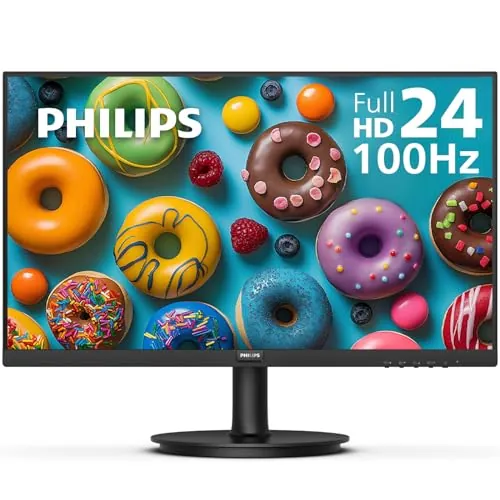
Philips 241V8LB/27 vs Dell SE2426H: Inputs, Refresh Modes and Desk Fit
Both are listed as 23.8-inch Full HD monitors, but their connections differ: the Philips 241V8LB/27 has VGA plus one HDMI input, while Dell's SE2426H has two HDMI inputs. Philips lists a 100Hz Full HD maximum with an HDMI-only maximum-resolution note; Dell lists 1920×1080 at 144Hz over its HDMI ports. Check your computer's output, cable and settings before choosing a target mode.
Read comparison