
Products compared
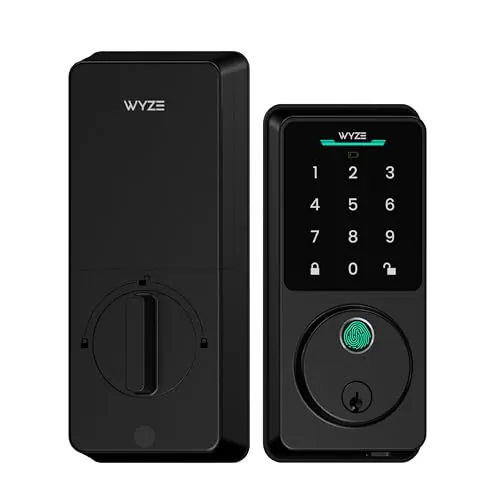
Wyze
Wyze Lock Bolt v2 — Black
The black WLCKB2 includes eight AA batteries and a mechanical key. Check that the seller's listing identifies this exact version.
Model WLCKB2
Amazon ASIN B0FD3WMV2T
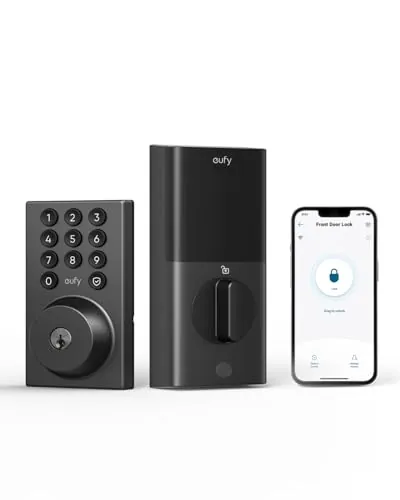
eufy Security
eufy Smart Lock C30 Contemporary — Black
The black C30 Contemporary is cataloged under T85D0. eufy lists a physical-key fallback and calls for separately purchased batteries.
Model T85D0
Amazon ASIN B0D8XZBR5R
Differences that matter
Sources for Exact models covered
Sources for Ways to enter and manage codes
Sources for Door and deadbolt fit check
Sources for App and network setup
Sources for Battery supply and backup entry
Check the model and door fit first
This comparison covers the black Wyze Lock Bolt v2 WLCKB2 and black eufy Smart Lock C30 Contemporary. Before ordering, confirm those exact model and variant names on the listing.
These are separate replacement deadbolt products. Before weighing app or entry features, compare each manufacturer's current fit guidance against the actual door and lock. The product records and maker pages identify their own models; a shared smart-lock category does not prove compatibility with a particular door.
Choose the entry routine and code setup
Wyze documents a fingerprint scanner and an illuminated keypad, up to 50 unique access codes and scheduled one-time guest passcodes. A mechanical key is also listed. These details can fit a household deciding whether it needs fingerprint entry or temporary guest access that expires on a schedule.
For the C30, eufy documents app, physical-key, Alexa/Google voice and physical-button operation, and its FAQ states the lock can store up to 100 passcodes. Choose it when those listed controls or that stated capacity answer your household's actual entry-management need. The number of codes does not establish a security outcome, and the manufacturer pages do not support a tested usability winner.
Check the door before ordering
Wyze describes the Bolt v2 as a replacement for a single-cylinder deadbolt on most standard U.S. doors 35–55 mm thick. Its compatibility page says mortise and multipoint locks are not recommended, and points buyers to check the door template/backset before installation.
eufy describes the C30 as compatible with most standard deadbolts but directs buyers to its compatibility infographic. Its FAQ specifically says the C30 does not fit a rounded latch hole and recommends using the supplied eufy deadbolt. The available page does not provide a full dimensional match for every door, so check the maker's current diagram rather than assuming your existing hardware will fit.
Compare app and network setup
Wyze documents Bluetooth 5.3 for setup and 2.4 GHz Wi-Fi for network connectivity. Its setup flow uses the Wyze app, Bluetooth permissions and a nearby phone connection before choosing a 2.4 GHz network. The published setup range is 16 feet; that figure describes Bluetooth setup, not a promise about Wi-Fi coverage or lock control at the door.
eufy says the C30 uses built-in Wi-Fi and the eufy Security app for remote control without a bridge. Its cited product page does not specify a Wi-Fi band, so check current eufy setup guidance and the home's network if that detail matters. Verify any required voice-assistant or doorbell integration directly with each maker for the exact household devices.
Plan battery replacements and backup entry
Wyze lists eight included AA batteries. Its current technical specification says up to 8 months under normal use at 10 lock/unlock events per day. Wyze also documents a USB-C emergency power port that can take power from a power bank so a code can be entered; the USB-C cable is not included.
eufy says batteries are not included, estimates roughly 5 months based on 20–30 unlocks per day, and lists a low-battery notification and physical-key fallback if the batteries die. Those are different maker-stated use conditions, not a controlled comparison. Choose based on which supply and backup-entry routine you can maintain, not the number of months alone.
A short pre-buy check
1. Match the exact offer to WLCKB2 or C30 Contemporary and confirm the exact listing. 2. Check your existing lock and door measurements against the specific maker's compatibility guide. 3. Decide whether fingerprint entry, scheduled guest codes, a larger stated passcode capacity, physical-key access or a specific app/voice path is required. 4. Note the included versus separately sourced batteries and the documented backup-entry route. 5. Verify current packaging and phone/app requirements in the retailer listing and manufacturer's latest guide before ordering.
Product details
Wyze Lock Bolt v2 — Black
- Entry and codes
- Fingerprint scanner; illuminated keypad; up to 50 unique access codes and scheduled one-time guest passcodes. Source
- Power and emergency entry
- Eight AA batteries included; up to 8 months is stated for normal use at 10 lock/unlock events per day; USB-C emergency port supports power-bank power for code entry. A USB-C cable is not included. Source
- Door check
- Wyze specifies most standard U.S. doors 35–55 mm thick and a single-cylinder deadbolt replacement; it does not recommend mortise or multipoint locks. Source
eufy Smart Lock C30 Contemporary — Black
- Entry and passcodes
- eufy lists app, physical key, Alexa/Google voice and physical-button operation; its C30 FAQ states up to 100 passcodes. Source
- App and network
- Built-in Wi-Fi and remote control in the eufy Security app; the product page says no bridge is required. Source
- Battery and fallback
- eufy estimates roughly 5 months at 20–30 unlocks per day, provides a low-battery notification and says physical keys can unlock if batteries die; batteries are not included. Source
- Door check
- eufy says to review its compatibility infographic; the C30 does not fit a rounded latch hole and the page recommends using the supplied eufy deadbolt. Source
Before you buy
Community discussions
Will the keypad work before Wi-Fi is installed?
Wyze Lock Bolt v2 — Black
A buyer building a new home expected to have doors installed before the internet service was ready. They asked whether they could use the Lock Bolt v2 keypad during that gap.
What to check
If you need keypad entry before home internet is ready, confirm the WLCKB2's exact offline code behavior with Wyze before buying. Compare the two makers' published setup and network requirements, but do not infer keypad behavior from app connectivity details.
C30 owner on an older home's door fit
eufy Smart Lock C30 Contemporary — Black
A C30 owner says they use it on a front door in a 125-year-old house and that getting deadbolts to line up can be challenging. They do not report a specific fit problem with the C30 or evaluate the Wyze lock.
What to check
Check the actual door against the current fit guidance for the exact C30 and WLCKB2 before choosing; this owner's older-home context does not establish whether either lock fits your door.
Common questions
Which models and versions are compared here?
Wyze Lock Bolt v2 WLCKB2 in black is ASIN B0FD3WMV2T. The eufy C30 Contemporary in black, model T85D0, is ASIN B0D8XZBR5R.Wyze Lock Bolt v2 Tech SpecsSmart Lock C30 Contemporary — eufy U.S.
What should I verify about my existing door?
Wyze specifies a single-cylinder deadbolt replacement and a 35–55 mm door-thickness range for most standard U.S. doors, with mortise and multipoint locks not recommended. eufy directs C30 buyers to its fit infographic, warns about rounded latch holes and recommends using the supplied eufy deadbolt. Follow the exact current instructions; neither page confirms your particular door.Is my door compatible with Wyze Lock Bolt v2?Smart Lock C30 Contemporary — eufy U.S.
Are the battery estimates directly comparable?
No. Wyze states up to 8 months at 10 lock/unlock events per day; eufy estimates roughly 5 months at 20–30 unlocks per day. Those conditions differ, and this comparison has no matching household test.Wyze Lock Bolt v2 Tech SpecsSmart Lock C30 Contemporary — eufy U.S.
What happens if the batteries need attention?
Wyze documents a USB-C port for emergency power from a power bank so the user can enter a code; the USB-C cable is not included. eufy documents a low-battery notification and says a physical key can unlock the C30 if its batteries die. These are documented fallback routes, not reliability guarantees.Wyze Lock Bolt v2 FeaturesWyze Lock Bolt v2 Tech SpecsSmart Lock C30 Contemporary — eufy U.S.
Do both locks work through a phone app?
Both manufacturers document app functions. Wyze's setup guide uses Bluetooth for initial pairing and a 2.4 GHz Wi-Fi network; eufy's C30 page says built-in Wi-Fi enables remote control in the eufy Security app without a bridge. Check current phone/app requirements and your network before buying.Wyze Lock Bolt v2 Setup GuideWyze Lock Bolt v2 Tech SpecsSmart Lock C30 Contemporary — eufy U.S.
Sources and scope
This is a feature and setup comparison from current U.S. manufacturer documentation, not an installation, security, reliability, or performance test. Wyze provides specific U.S. door thickness and lock-type criteria; eufy directs buyers to its compatibility infographic and says the C30 does not fit a rounded latch hole. Neither statement establishes fit at a particular door. The maker-stated battery estimates use different activity assumptions and cannot be ranked directly. Confirm the exact current retail offer and follow each maker's current instructions.
Related comparisons
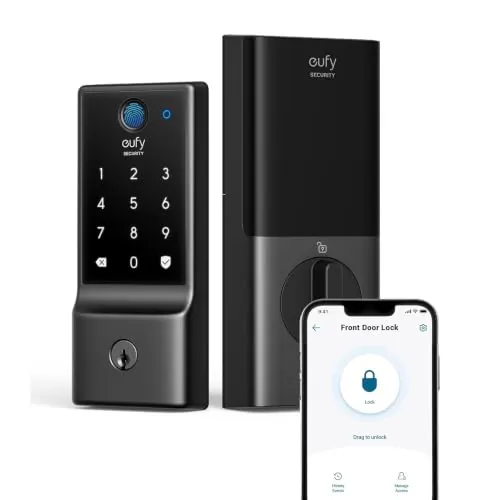
eufy Smart Lock C220 vs C30: Door Fit, Fingerprint Entry, and Wi-Fi
The C220 adds fingerprint access and has a C220-specific clearance requirement; the C30 buyer should verify its full US door measurements and supply batteries. Both are Wi-Fi locks without a required bridge, but neither is listed for Apple Home or Matter. Check the door before comparing convenience features.
Read comparison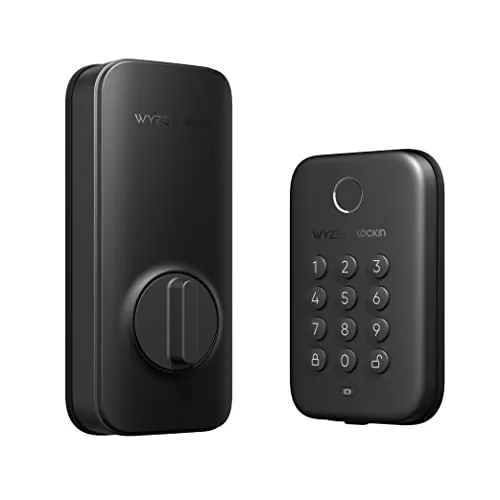
Wyze Auto-Lock Bolt WLCKB1 vs Bolt v2 WLCKB2: Remote Access, Batteries and Door Fit
The original Wyze Auto-Lock Bolt WLCKB1 is Bluetooth-only for ordinary app control, uses four AA cells and has a keypad USB-C port for brief emergency power. Bolt v2 WLCKB2 adds built-in 2.4 GHz Wi-Fi for remote app lock/unlock and status, but uses eight AA cells and its emergency USB-C cable is not included. Check your existing Wyze doorbell model and your deadbolt measurements before choosing: Wyze's current exact compatibility table is more specific than a broader chart that conflicts with it.
Read comparison