
Products compared
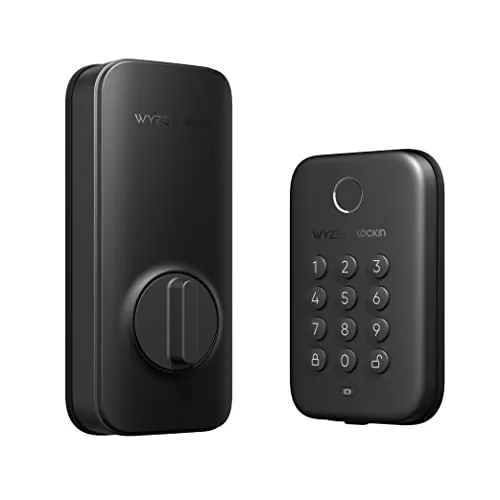
Wyze
Wyze Auto-Lock Bolt, Matte Black
Assigned U.S. Matte Black original Auto-Lock Bolt. Wyze identifies WLCKB1 in its Quick Start Guide and documents Bluetooth 5.0, four included AA batteries, a USB-C emergency-power port and the original door-measurement range.
Model WLCKB1
Amazon ASIN B09R38VVXF
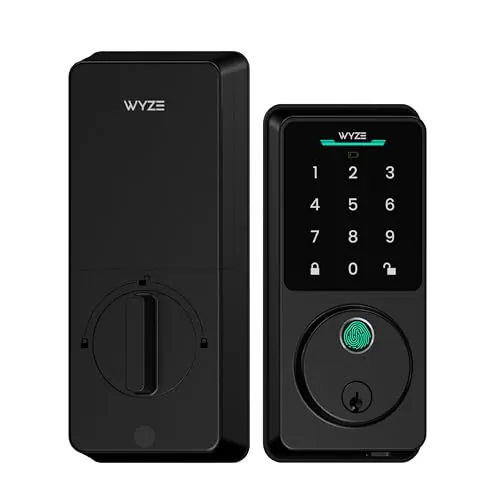
Wyze
Wyze Auto-Lock Bolt v2, Black
Assigned U.S. Black Bolt v2. Wyze's exact U.S. product page identifies model WLCKB2, built-in 2.4 GHz Wi-Fi, eight included AA batteries, USB-C emergency power (cable not included) and included mechanical keys.
Model WLCKB2
Amazon ASIN B0FD3WMV2T
Differences that matter
Sources for Existing Wyze doorbell
Sources for Battery replacement and backup plan
First decide whether away-from-home app control matters
Both are keypad/fingerprint deadbolt products, but their documented phone workflows differ. Wyze calls the original WLCKB1 Bluetooth-only: ordinary app lock/unlock and settings require the phone to be near the lock. Its remote one-time keypad-code feature is a separate option; do not mistake it for a remote app control path.
Wyze lists Wi-Fi in Bolt v2's specifications and says its app can lock or unlock the lock, check status and view activity from away. The setup guide says initial pairing uses Bluetooth and asks you to connect the lock to a 2.4 GHz Wi-Fi network. If you want to manage the lock from outside Bluetooth range, v2 is the documented fit, provided the required network and app setup suit your home.
Match the lock to your existing Wyze doorbell
If you want lock controls inside a Wyze doorbell live stream, use the current exact compatibility matrix, not the product-family name alone. It lists Bolt v2 with Battery Video Doorbell, Video Doorbell v2, Video Doorbell Pro and Duo Cam Doorbell for lock and unlock. For the original WLCKB1, that matrix lists Video Doorbell Pro as unlock-only and calls the other three not compatible.
A separate broad Wyze comparison chart lists wider support for the original, which conflicts with the detailed matrix. The more specific matrix is the safer basis for planning, but if that integration decides your purchase, confirm the current support for the exact doorbell and lock models with Wyze before checkout.
Compare cells and the emergency plan, not month estimates
The original's official materials list four included AA batteries and a USB-C port that can briefly power the keypad so you can enter a code. Bolt v2 lists eight included AA batteries, its own USB-C emergency-power port, and mechanical keys in the box; its page says the USB-C cable is not included. These differences change what you keep on hand and what backup items you can use.
Wyze's product pages publish battery-life estimates, but they do not give a shared test setup: the v2 pages themselves use differing daily-event counts, and the original spec table does not state an event count for its month range. This comparison therefore does not call either lock a longer-lasting winner.
Screen the door before buying
Both products are intended to replace a deadbolt, but use the correct model's dimensions and compatibility guidance. Wyze's original page lists its through-hole, backset, door thickness and deadbolt diameter; the WLCKB1 Quick Start Guide includes a measurement template. For v2, Wyze's support article lists a 35–55 mm thickness range and flags mortise and multipoint locks as unsupported; it also names bore, backset and nearby-hardware checks.
Compare those measurements with your existing hardware and consult the manufacturer materials for the exact model. A published compatibility range is a screening aid, not confirmation that a particular door, trim or installation will fit without alteration.
Product details
Wyze Auto-Lock Bolt, Matte Black
- Ordinary app connection
- Wyze describes the original as Bluetooth-only; its app controls require a nearby Bluetooth connection. The product page lists a 16 ft range. Source
- Cells and emergency entry power
- Four AA batteries are included. A USB-C port can provide brief emergency power to enter an access code; Wyze does not describe it as a rechargeable battery system. Source
- Published door dimensions
- Wyze lists a 2-1/8 in through-hole, 2-3/8 or 2-3/4 in backset, 1-3/8 or 1-3/4 in door thickness and 1 in deadbolt diameter; check the original model's template against your door. Source
Wyze Auto-Lock Bolt v2, Black
- Remote app connection
- Wyze documents built-in 2.4 GHz Wi-Fi for app lock/unlock, status and activity from away; initial setup uses Bluetooth and a 2.4 GHz Wi-Fi network. Source
- Cells, emergency power and keys
- Eight AA batteries are included. Emergency power is through USB-C, but the cable is not included; Wyze also lists mechanical keys in the box. Source
- Door eligibility
- Wyze lists a 35–55 mm door thickness and excludes mortise or multipoint locks; its compatibility guide also lists cross-bore, backset, face-bore and handle-clearance checks. Source
Before you buy
Community discussions
Battery planning for a key-free household routine
Wyze Auto-Lock Bolt v2, Black
After installing the Lock Bolt v2, an owner asks about battery life and says their main goal is to stop the household carrying keys. The thread records a purchase-use preference and question, not a measured battery interval or a confirmed way to extend it.
What to check
If reducing key-carrying is the main goal, compare the exact models' listed entry methods, included battery counts, and documented app requirements. Treat battery-life estimates as maker figures, not results from this household; do not assume that changing connectivity settings saves power or is supported.
Common questions
Can the original Wyze Auto-Lock Bolt be controlled remotely in the app?
Wyze describes WLCKB1 as Bluetooth-only, and says app lock/unlock and settings require a local Bluetooth connection. Wyze separately documents generating a one-time keypad code remotely; that is not remote app lock/unlock.Wyze Lock Bolt | Biometric Bluetooth Smart Lock (U.S. product page)
What Wi-Fi does Wyze Lock Bolt v2 need?
Wyze's setup guide says to pair over Bluetooth and connect the lock to a 2.4 GHz Wi-Fi network. The v2 product page lists built-in 2.4 GHz Wi-Fi and remote app control.Wyze Lock Bolt v2 Smart Door Lock (U.S. product page)Wyze Lock Bolt v2 Setup Guide
Does Bolt v2 work with the same Wyze doorbells as the original?
Wyze's current exact matrix lists four supported doorbells for v2 and says the original is not compatible with Battery, Duo Cam or Video Doorbell v2; it lists unlock-only with Video Doorbell Pro. A broader Wyze chart conflicts about original support, so confirm current support for your exact models before buying for this integration.Which Wyze video doorbells does Wyze Lock Bolt v2 work with?Wyze Lock Comparison Chart
What should I measure before ordering either lock?
Check the existing deadbolt type, door thickness, bore, backset and nearby-hardware clearance against the model-specific Wyze materials. Bolt v2's guide excludes mortise and multipoint locks and gives a 35–55 mm thickness range; those published checks do not confirm a specific door will fit without changes.Is my door compatible with Wyze Lock Bolt v2?Wyze Lock Bolt | Biometric Bluetooth Smart Lock (U.S. product page)
Sources and scope
This is a source-based feature and fit guide, not a lock-security, reliability or installation test. Wyze's exact doorbell compatibility matrix says the original WLCKB1 is not compatible with Battery, Duo Cam or Video Doorbell v2, and supports unlock only with Video Doorbell Pro. A separate broader Wyze lock comparison chart lists broader support for the original, so confirm the current support status for your exact lock/doorbell combination before buying on that basis. Battery-life estimates are not treated as a head-to-head result: Wyze gives different use conditions for v2 across its official pages, while the original's 10–12-month listing has no matched event-rate condition on the cited spec table. Door dimensions are screening checks, not a fit guarantee.
- Wyze Lock Bolt | Biometric Bluetooth Smart Lock (U.S. product page)
- Wyze Lock Bolt Quick Start Guide (WLCKB1)
- Wyze Lock Bolt v2 Smart Door Lock (U.S. product page)
- Wyze Lock Bolt v2 Setup Guide
- Is my door compatible with Wyze Lock Bolt v2?
- Which Wyze video doorbells does Wyze Lock Bolt v2 work with?
- Wyze Lock Comparison Chart
- Wyze Lock Bolt v2 Tech Specs
Related comparisons
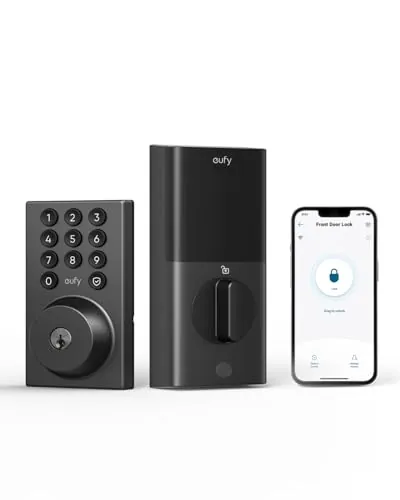
Wyze Lock Bolt v2 vs eufy Smart Lock C30 Contemporary: Entry and Fit
Wyze Lock Bolt v2 adds fingerprint entry and scheduled one-time guest codes. It comes with eight AA batteries and accepts USB-C emergency power for code entry. The eufy C30 Contemporary offers keypad, app, key and voice access and stores up to 100 passcodes. Budget for batteries with the eufy, and check your door against each maker's fit guide before choosing.
Read comparison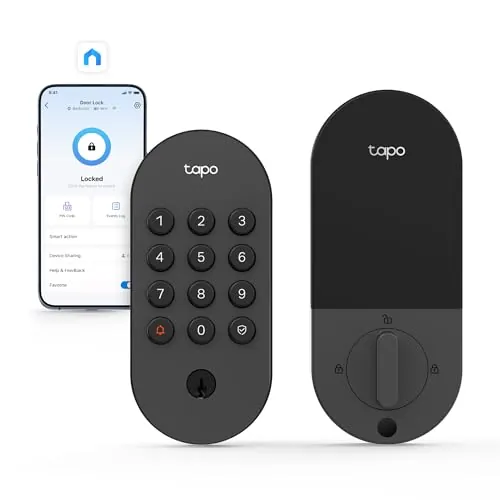
Tapo DL100 vs Wyze Lock Bolt v2: Door Fit, Entry and App Requirements
The Tapo DL100 and Wyze Lock Bolt v2 are both keypad deadbolts, but their documented routines differ: DL100 adds nearby Bluetooth, Tapo-app remote control, PIN-confirmed voice control and permanent, one-time or scheduled PIN categories; Wyze lists fingerprint entry alongside keypad, app and key access. Before picking a workflow, compare your actual door with each maker’s separate checks. Both list a 35–55 mm door thickness and 60 or 70 mm backset, but Wyze also specifies bore, latch and nearby-hardware measurements. App setup is not interchangeable: Tapo requires its app, TP-Link ID and internet, while Wyze lists its own app and OS requirements plus Bluetooth and 2.4 GHz Wi-Fi setup.
Read comparison