
Products compared
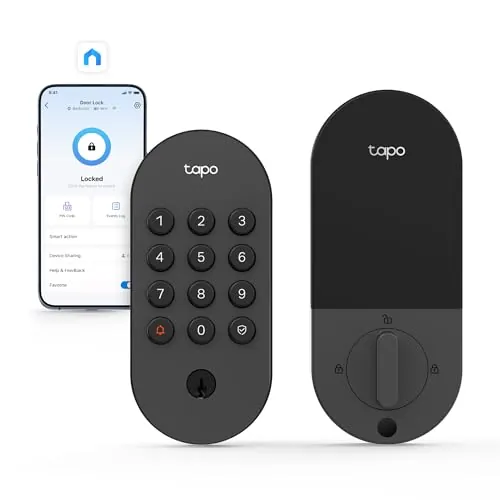
Tapo
Tapo DL100 Smart Wi-Fi Door Lock, Black
Assigned U.S. Black Tapo DL100. TP-Link’s U.S. product page identifies the DL100 and documents keypad PIN, nearby Bluetooth, Tapo-app remote access, PIN-confirmed voice commands and two backup keys.
Model DL100
Amazon ASIN B0F5BH3HDV
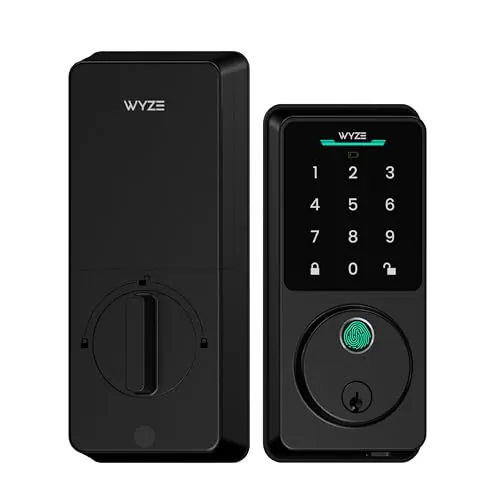
Wyze
Wyze Lock Bolt v2, Black
Assigned U.S. Black Wyze Lock Bolt v2, model WLCKB2. Wyze documents fingerprint, keypad, app and mechanical-key access; the model has built-in 2.4 GHz Wi-Fi and uses the Wyze app.
Model WLCKB2
Amazon ASIN B0FD3WMV2T
Differences that matter
What matters most to you?
Choose a priority to see what it changes.
Sources for Door type and measurement checklist
Sources for People’s documented entry options
Sources for App, account and network prerequisites
Sources for Assembly space around the door hardware
Measure the door before you choose a routine
Start with the existing lock type, door thickness and backset. TP-Link’s DL100 quick guide accepts a single-cylinder deadbolt and gives 35–55 mm thickness, 60 or 70 mm backset and a 40 mm minimum-distance check on its template. It excludes lever-handle, integrated and mortise types.
Wyze’s WLCKB2 fit article also covers wood exterior doors with a single-cylinder deadbolt and 35–55 mm thickness, but it publishes additional checks for cross-bore, edge/latch hole, faceplate and neighboring knob or handle clearance. A shared thickness range does not establish that both locks fit the same door. Use each product’s own template and compatibility page before purchase.
Match the entry options to the people using the door
DL100 documents keypad PINs, nearby Bluetooth, Tapo-app control, PIN-confirmed assistant commands and backup keys. TP-Link names permanent, one-time and scheduled code categories, which gives the clearest documented fit when you want to distinguish resident, guest and service PIN routines.
Wyze lists fingerprint entry in addition to keypad codes, Wyze-app control and a mechanical key. Choose it if the fingerprint option is useful in your household; the listed feature does not establish recognition accuracy or a security advantage.
Check network and phone support
Both makers list 2.4 GHz Wi-Fi. For DL100, TP-Link says the Tapo app is required, its quick guide directs setup through a TP-Link ID, and the product page says an internet connection is required. DL100 also lists BLE 5.0 for nearby operation.
Wyze lists app version 3.8 or later and Android 10 or later or iOS 16 or later for WLCKB2. Its setup guide uses Bluetooth for first pairing, with mobile data or Wi-Fi available during that step, then asks you to connect the lock to a 2.4 GHz network. Confirm your phone and network can meet the chosen maker’s listed prerequisites.
Check physical clearance on both sides
TP-Link lists separate exterior and interior assembly dimensions for DL100. Wyze likewise publishes dimensions for both WLCKB2 assemblies. Their published dimension order is not labeled identically, so use the figures as a prompt to measure room around your current lock, trim and adjacent handle rather than declaring one unit smaller.
Product details
Tapo DL100 Smart Wi-Fi Door Lock, Black
- Entry workflow
- Keypad PIN, nearby Bluetooth, Tapo-app control, PIN-confirmed voice commands and two backup keys; TP-Link names permanent, one-time and scheduled code categories. Source
- Network and app setup
- TP-Link lists 2.4 GHz Wi-Fi and BLE 5.0. Its DL100 Quick Installation Guide says the Tapo app is needed and prompts users to sign in with a TP-Link ID; TP-Link states the lock requires an internet connection. Source
- Published assembly dimensions
- TP-Link lists the exterior assembly as 5.88 × 2.65 × 2.20 in and interior assembly as 6.57 × 2.85 × 1.81 in, in H × W × D order. Source
Wyze Lock Bolt v2, Black
- Entry workflow
- Wyze lists fingerprint, keypad, app and mechanical-key access. The choice here is the documented fingerprint option alongside shared keypad-style access, not a recognition-performance claim. Source
- Network and app setup
- Wyze lists app version 3.8 or later, Android 10 or later, or iOS 16 or later. Its setup guide uses Bluetooth for initial pairing and connects the lock to 2.4 GHz Wi-Fi; mobile data or Wi-Fi is needed for initial pairing. Source
- Published assembly dimensions
- Wyze lists the external assembly as 6.16 × 2.83 × 0.68 in and the internal assembly as 7.09 × 2.93 × 1.41 in. Compare the listed figures with space around your existing hardware; the manufacturers do not present these two sets in an identical labeled axis convention. Source
Before you buy
Community discussions
Will the keypad work before Wi-Fi is installed?
Wyze Lock Bolt v2, Black
A buyer building a new home expected to have doors installed before the internet service was ready. They asked whether they could use the Lock Bolt v2 keypad during that gap.
What to check
If code entry is important before home internet is ready, confirm the WLCKB2's exact offline keypad behavior with Wyze. Separately compare the Tapo and Wyze app/network setup requirements; those requirements do not by themselves answer how either keypad works offline.
Common questions
Which door measurements should I check before ordering?
Start with deadbolt type, door thickness and backset, then use the exact maker template for the other dimensions. Both models list 35–55 mm thickness and 60 or 70 mm backset. Wyze also specifies cross-bore, face-bore, faceplate and adjacent-hardware clearance; TP-Link’s DL100 template lists its own minimum-distance check. These are screening checks, not a fit guarantee.Tapo DL100 Quick Installation Guide (U.S.)What kind of doors are compatible with Wyze Lock Bolt v2?
Do both locks require 2.4 GHz Wi-Fi?
Yes, both makers list 2.4 GHz Wi-Fi for these models. TP-Link also lists BLE 5.0 and says DL100 requires internet and the Tapo app. Wyze’s setup guide uses Bluetooth for initial pairing and asks you to connect the lock to 2.4 GHz Wi-Fi; Wyze lists its app and supported phone OS versions in its tech specs.Tapo DL100 Smart Wi-Fi Door Lock (U.S. product page)Wyze Lock Bolt v2 Setup GuideWyze Lock Bolt v2 Tech Specs
Which model documents fingerprint entry and which names scheduled PINs?
Wyze lists fingerprint entry for Lock Bolt v2 WLCKB2. TP-Link lists permanent, one-time and scheduled PIN categories for DL100. This comparison describes listed functions only; it does not rank biometric accuracy or security.Wyze Lock Bolt v2 (U.S. product page)Tapo DL100 Smart Wi-Fi Door Lock (U.S. product page)
Sources and scope
This is a manufacturer-source feature and measurement guide, not an installation, security, reliability or biometric-performance test. Door measurements screen for compatibility; they do not confirm that a particular lock will fit or operate on a specific door. Tapo and Wyze publish different sets of geometry checks, so use each exact model’s template and compatibility guidance. No battery runtime, security ranking, fingerprint success rate or current price is compared.
Related comparisons
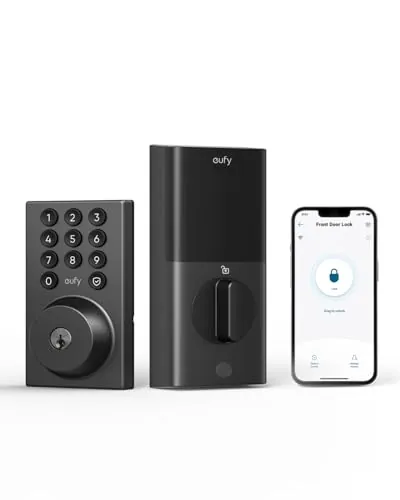
Wyze Lock Bolt v2 vs eufy Smart Lock C30 Contemporary: Entry and Fit
Wyze Lock Bolt v2 adds fingerprint entry and scheduled one-time guest codes. It comes with eight AA batteries and accepts USB-C emergency power for code entry. The eufy C30 Contemporary offers keypad, app, key and voice access and stores up to 100 passcodes. Budget for batteries with the eufy, and check your door against each maker's fit guide before choosing.
Read comparison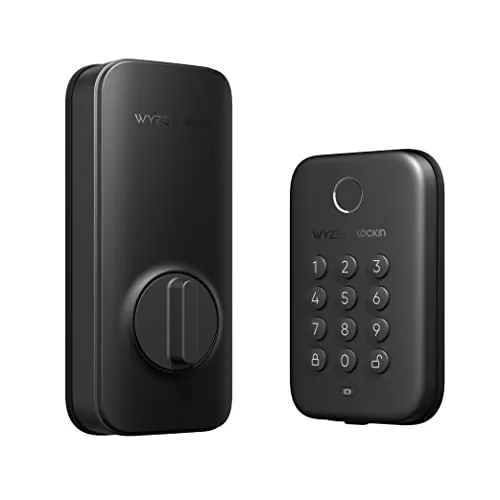
Wyze Auto-Lock Bolt WLCKB1 vs Bolt v2 WLCKB2: Remote Access, Batteries and Door Fit
The original Wyze Auto-Lock Bolt WLCKB1 is Bluetooth-only for ordinary app control, uses four AA cells and has a keypad USB-C port for brief emergency power. Bolt v2 WLCKB2 adds built-in 2.4 GHz Wi-Fi for remote app lock/unlock and status, but uses eight AA cells and its emergency USB-C cable is not included. Check your existing Wyze doorbell model and your deadbolt measurements before choosing: Wyze's current exact compatibility table is more specific than a broader chart that conflicts with it.
Read comparison