
Products compared
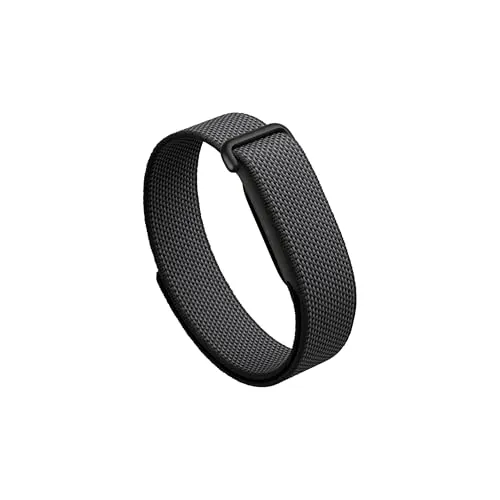
Google Fitbit
Google Fitbit Air (Obsidian)
listing data-listed Obsidian US item; screenless tracker; Google lists a one-size textile band for 130–210 mm wrists on the standard configuration.
Model GA09509
Amazon ASIN B0GTMTZF3V
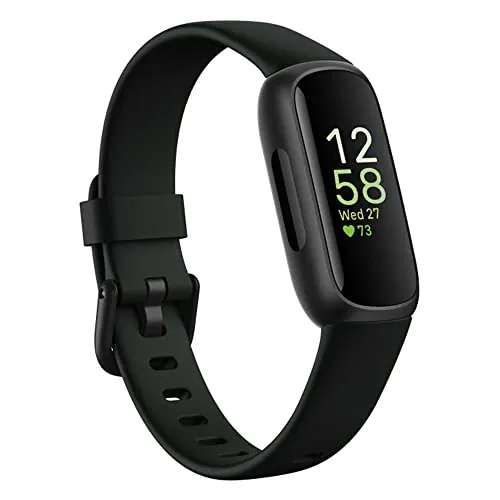
Fitbit
Fitbit Inspire 3 (Midnight Zen/Black)
listing data-listed Midnight Zen/Black US item; touchscreen tracker; Google's standard box lists both small and large classic bands.
Model FB424BKBK
Amazon ASIN B0B6WRFY5S
Differences that matter
What matters most to you?
Choose a priority to see what it changes.
Sources for Where you check information
Sources for Band size to check before ordering
Sources for Charging connection and box check
Quick answer: screenless or on-device navigation
The clearest difference is where you check information. Google's Fitbit Air is screenless, showing status with a light and using the Google Health phone app for data review. Inspire 3 has an AMOLED screen; Google documents tapping, swiping and using its buttons to navigate and see stats.
If you do not want to check a phone whenever you want to view information, Inspire 3 is the more direct interface match. If you prefer a screenless tracker and accept app-based review, Air is the fit. Neither choice says anything about which device tracks better; the sources reviewed do not provide a controlled comparison.
Check the band against your wrist measurement
For the Obsidian Fitbit Air, Google lists the included textile band for wrists 130–210 mm. Other band materials and special editions have different size ranges, so check the exact band on the offer if you are considering another configuration.
For Inspire 3, Google says both small and large classic bands come in the standard box: small for 5.1–7.5 inches and large for 6.3–8.7 inches around. Measure your wrist, then check the exact offer and its included band. These published ranges overlap and use different units; this guide does not convert them or promise a comfortable fit.
Both rely on a compatible phone and Google Health
A screenless design does not mean setup without a phone. Google's Fitbit Air getting-started guide says to install and sign in to Google Health, connect the tracker and check that it syncs. Google's Inspire 3 guide describes the same app-based setup and sync path.
The reviewed US specifications for both products list Google Health and a Google Account, with Android 11 or higher or iOS 16.4 or higher. Check Google's current requirements for your specific phone before ordering; these version requirements and app features can change.
Charging is a small but practical setup difference
Google lists a charging cable in each standard box. Air's model-specific charging instructions describe a magnetic connection, with vibration and a status light to confirm it is attached. Inspire 3's instructions describe aligning the pins with the gold contacts on the back and pressing the tracker into the charger until it snaps into place.
Before buying, check the seller's package and make sure you have a compatible USB power source. The Google box lists reviewed here name a cable, not a wall adapter. Google's charging help calls the cable model-specific; do not assume the Air and Inspire 3 cables are interchangeable.
A three-step pre-buy check
1. Measure your wrist circumference. Match the measurement to the exact band material and size stated for the selected offer; do not rely only on the product family name.
2. Decide where you want to read information. Air is screenless and sends data review to the app; Inspire 3 has on-device touch and button navigation.
3. Check phone compatibility and the box. Both need Google Health for setup and syncing; confirm the retailer includes the band or bands and cable you expect, and plan for a compatible USB power source.
Product details
Google Fitbit Air (Obsidian)
- On-device display
- Screenless; Google describes a status light and directs users to the Google Health app to review data. Source
- Standard textile band sizing
- One size; Google lists wrist circumference 130–210 mm. Other Air band materials and special editions have separate size details. Source
- Manufacturer-listed box contents
- Tracker, wristband and charging cable; check the exact retailer offer for bundle variations. Source
Fitbit Inspire 3 (Midnight Zen/Black)
- On-device display
- AMOLED display; Google documents navigation by tapping, swiping and pressing the buttons. Source
- Included classic band sizing
- Both sizes listed: small fits 5.1–7.5 inches around; large fits 6.3–8.7 inches around. Source
- Manufacturer-listed box contents
- Tracker, both small and large classic wristbands, and charging cable; verify the selected offer contents. Source
Before you buy
Community discussions
Planning around a daily mechanical watch
Google Fitbit Air (Obsidian)
A Fitbit Air owner who already wore a regular watch was deciding whether a tracker on the other wrist would suit their routine.
What to check
Decide which wrist you would use for each device. Check your wrist measurement against the sizes offered with each tracker.
Common questions
Does Google Fitbit Air have a screen?
No. Google describes Air as screenless. Its status light reports device state, while Google directs users to the Google Health app to review information.Get started with Google Fitbit Air
Does the standard Fitbit Inspire 3 package include both band sizes?
Google's US specifications say both small and large classic bands are included. Check the selected offer's contents because retailer bundles can differ.Fitbit Inspire 3 Technical Specs
Do both trackers use the same charging attachment?
The instructions differ: Air's cable attaches magnetically, while Inspire 3 uses pins aligned to rear contacts and snaps into the charger. Each standard box listing reviewed includes its own charging cable; do not assume the two cables interchange.Charge your Fitbit deviceGet started with Google Fitbit AirFitbit Inspire 3 Technical Specs
Sources and scope
The two product pages and Google's general app help list different minimum Android versions. Check app availability and setup requirements for your phone. Match the exact model, finish and included wristband at checkout.
Related comparisons
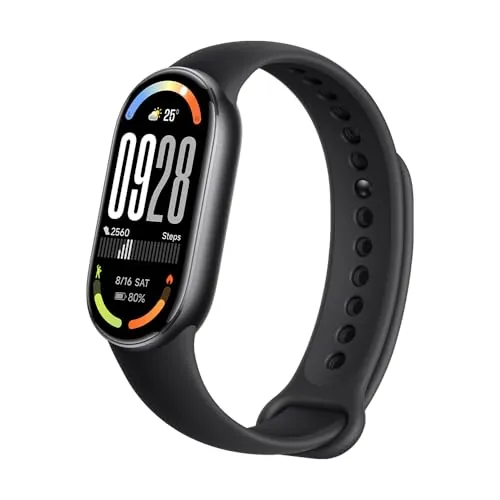
Xiaomi Smart Band 10 vs Google Fitbit Air: Screen, App and Fit
Xiaomi Smart Band 10 has a 1.72-inch touch display for on-wrist checks. Google Fitbit Air is screenless: it uses a status light for device status and Google Health on your phone for setup and data checks. Compare the companion-app requirements, wrist-size range and charging cable before you choose.
Read comparison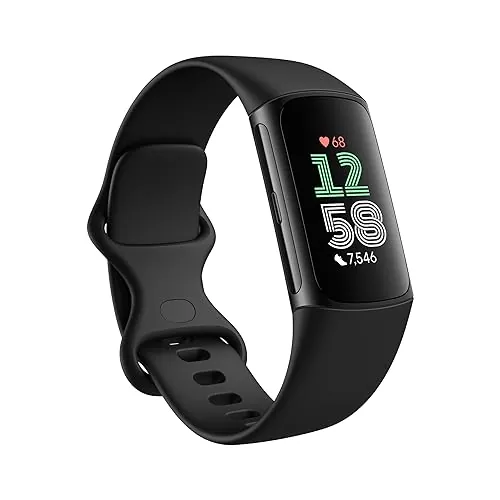
Google Fitbit Air vs Fitbit Charge 6: Workout Controls and Phone Use
The practical split is where you start and check a workout. Fitbit Air has no screen: Google puts its workout quick start and live exercise view in the Google Health phone app, and Air uses connected GPS, so bring your phone for a route. Charge 6 has an Exercise app, an on-wrist display with live stats, and built-in GPS; phone-free route capture does not remove the phone/app requirement for setup and syncing. Check the exact band fit and current Android app requirement before buying.
Read comparison