
Products compared
Xiaomi
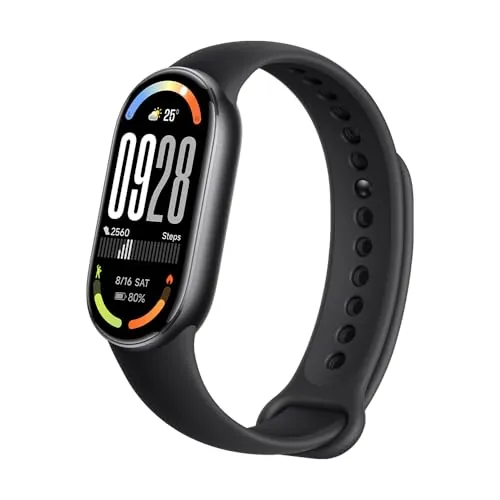
Xiaomi Smart Band 10 Global Version
Midnight Black standard Xiaomi Smart Band 10 Global Version, SKU BHR07PYGL. Confirm the region and exact package on the listing.
Model BHR07PYGL
Amazon ASIN B0DYF82545
Fitbit
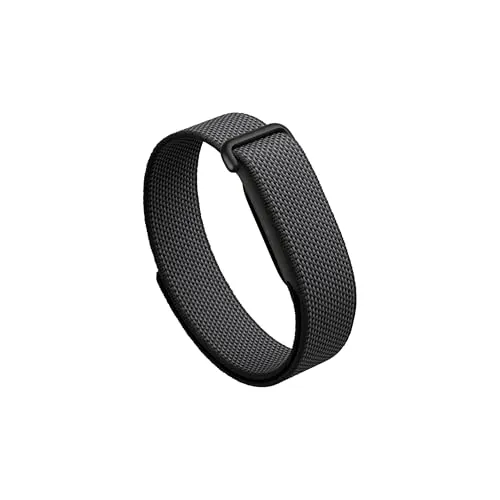
Google Fitbit Air
Obsidian listed variants; Google documents a standard-sized woven band for Fitbit Air. Confirm the seller's exact SKU and package contents.
Model GA09509
Amazon ASIN B0GTMTZF3V
Differences that matter
What matters most to you?
Choose a priority to see what it changes.
Sources for Where you check information and device state
Sources for Phone, account and companion-app check
Sources for Wrist sizing and included charging setup
Sources for Optional app features
Start with the screen question
The main distinction is where you expect to check information. Xiaomi specifies a 1.72-inch AMOLED touch display for the standard Smart Band 10. Fitbit Air has no screen: Google documents a status light, and directs setup and information review to Google Health on a phone. Choose Xiaomi if an on-wrist touch interface is a must; choose Fitbit Air only if you are content to use the phone for those checks.
Fitbit Air's status light can still report device state. Google says a firm double-tap wakes the light for a battery indication; it is a status control, not a miniature display.
Check your phone before choosing an app ecosystem
Xiaomi says Smart Band 10 pairs through Mi Fitness and does not support Zepp Life. Its Global FAQ lists Bluetooth 5.4 and Android 8.0 or iOS 12.0+, but the Global specifications page lists iOS 14.0+. Treat the iOS minimum as unresolved: confirm the current Mi Fitness listing and your exact phone instead of assuming either published number wins.
Fitbit Air setup uses Google Health and a Google Account. Google's Fitbit Air specs list Android 11 or later, but the current general Google Health setup page lists Android 14 or later; both list iOS 16.4 or later. Treat the Android difference as unresolved, compare current app compatibility with the phone you will pair, and check for device-specific caveats.
Google also says some app features require Google Health Premium. If a particular feature is decisive, check that feature's current access terms and any local trial conditions first.
Measure your wrist and check the cable in the box
For the standard Xiaomi band, Xiaomi lists a 135–210 mm wrist range; its package list includes one strap and a magnetic charging cable. Google lists 130–210 mm for the standard Fitbit Air textile band, plus a wristband and USB-C charging cable. Measure your wrist rather than relying on a size label, especially if you are near the lower end of the range.
The Fitbit Air cable attaches magnetically to the tracker, as does Xiaomi's listed magnetic charger, but the makers identify separate model-specific cables. Keep the included cable with its device; the shared magnetic idea does not establish interchangeability. Google provides a step-by-step woven-band adjustment, while Xiaomi's chart gives its numeric standard-band range.
At checkout, confirm the listing names the Fitbit Air in Obsidian and Smart Band 10 in Midnight Black. The manufacturer pages used here do not identify every retailer package, so check the offer's box contents before buying.
Product details
Xiaomi Smart Band 10 Global Version
- Display
- 1.72-inch AMOLED touch display Source
- App and phone requirements
- Mi Fitness; Android 8.0+ and iOS 14.0+ on specifications page. Xiaomi's FAQ instead lists iOS 12.0+; confirm current requirements for your phone. Source
- Standard-band wrist range
- 135–210 mm Source
- Charging and box contents
- Magnetic charging; Xiaomi lists one strap and a charging cable in the box. Source
Google Fitbit Air
- On-device interface
- Screenless tracker with a status light; information is reviewed in the Google Health app. Source
- App and phone requirements
- Google Account and Google Health app; the Google Store Fitbit Air specs list Android 11+/iOS 16.4+, while the Google Health setup page lists Android 14+/iOS 16.4+. Confirm the requirement for your phone. Source
- Standard textile-band wrist range
- 130–210 mm around Source
- Charging and box contents
- Magnetic Fitbit Air charging cable; Google lists a wristband and USB-C charging cable in the box. Source
Before you buy
Community discussions
An early owner's screenless preference
Google Fitbit Air
In their first days with Fitbit Air, one owner liked wearing a band without a screen or screen distractions.
What to check
Think about which information you want to glance at without taking out your phone.
Common questions
Can I check information on the tracker itself?
Xiaomi Smart Band 10 has a 1.72-inch touch display. Google Fitbit Air has no screen: its status light reports device state, while Google directs you to Google Health on your phone to review information.Xiaomi Smart Band 10 Specs - Xiaomi GlobalGet started with Google Fitbit Air - Google Health Help Center
Which phone requirements should I check?
Google's Fitbit Air specs list Android 11+/iOS 16.4+, but its Google Health setup requirements page lists Android 14+/iOS 16.4+. Xiaomi's specs list Android 8.0/iOS 14.0+, while its Global FAQ lists Android 8.0/iOS 12.0+ and Bluetooth 5.4. Both manufacturers' pages conflict on one phone requirement; verify current compatibility for your exact phone before purchase.Tech Specs & Battery Life of Google Fitbit AirGoogle Health app setup requirements - HelpXiaomi Smart Band 10 Specs - Xiaomi GlobalXiaomi Smart Band 10 FAQ - Xiaomi Global
Will either standard band fit my wrist?
The manufacturer pages list 135–210 mm for the standard Xiaomi Band 10 and 130–210 mm for Fitbit Air's standard textile band. Measure your wrist and verify the exact color/band bundle; the Fitbit guidance also explains how to adjust the woven band after fitting it.Xiaomi Smart Band 10 Specs - Xiaomi GlobalTech Specs & Battery Life of Google Fitbit AirHow to wear your Fitbit device - Google Health Help Center
Are their charging cables the same?
Both attach magnetically at the tracker, but the manufacturers list separate model charging cables; Google specifies a USB-C charging cable for Fitbit Air. Use the cable supplied for the exact model rather than relying on appearance alone.Xiaomi Smart Band 10 Specs - Xiaomi GlobalCharge your Fitbit device - Google Health Help CenterTech Specs & Battery Life of Google Fitbit Air
Does every Fitbit Air app feature come with the tracker?
Google says some Google Health features require Premium and describes an optional trial. Check the specific feature and current local terms before you treat it as part of the included setup.Get started with Google Fitbit Air - Google Health Help Center
Sources and scope
Xiaomi lists different minimum iOS versions across its Global sources. Google's Fitbit Air specifications and general Google Health help page give different minimum Android versions. Check the app store and support page for your exact phone before choosing.
- Xiaomi Smart Band 10 Specs - Xiaomi Global
- Xiaomi Smart Band 10 FAQ - Xiaomi Global
- Tech Specs & Battery Life of Google Fitbit Air
- Get started with Google Fitbit Air - Google Health Help Center
- Google Health app setup requirements - Help
- Charge your Fitbit device - Google Health Help Center
- How to wear your Fitbit device - Google Health Help Center
Related comparisons
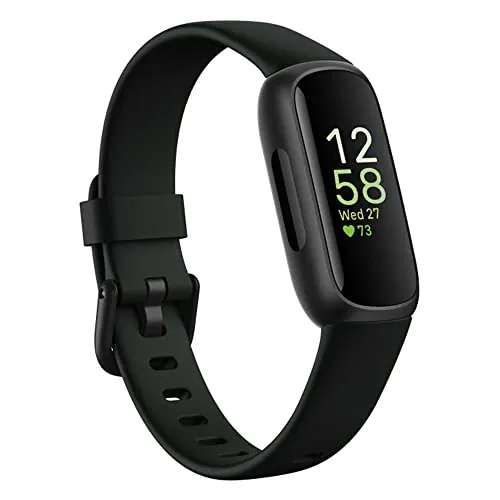
Fitbit Air vs Inspire 3: Screen, Band Fit and Charging
Google Fitbit Air is screenless: Google directs you to the Google Health app for data and uses a status light on the tracker. Inspire 3 adds an AMOLED touchscreen with tap, swipe and button navigation. Their included bands also differ: Google lists one 130–210 mm textile band for the standard Air configuration and both small and large classic bands for Inspire 3. Measure your wrist and check the exact retailer bundle before choosing.
Read comparison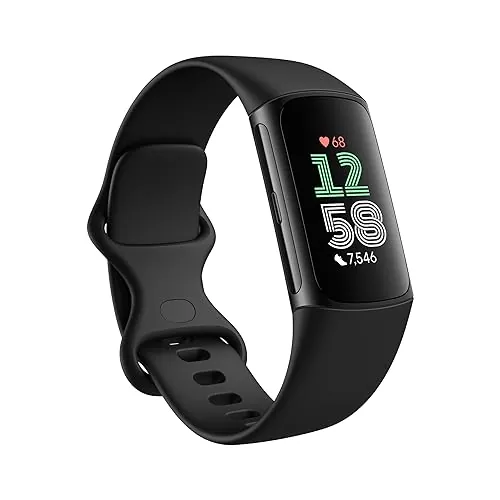
Google Fitbit Air vs Fitbit Charge 6: Workout Controls and Phone Use
The practical split is where you start and check a workout. Fitbit Air has no screen: Google puts its workout quick start and live exercise view in the Google Health phone app, and Air uses connected GPS, so bring your phone for a route. Charge 6 has an Exercise app, an on-wrist display with live stats, and built-in GPS; phone-free route capture does not remove the phone/app requirement for setup and syncing. Check the exact band fit and current Android app requirement before buying.
Read comparison