
Products compared
Fujifilm
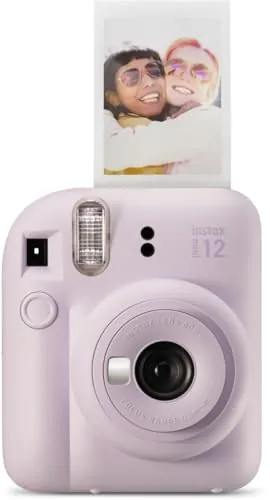
Fujifilm Instax Mini 12 Instant Camera (Lilac Purple)
The Lilac Purple instax mini 12, model 16806286, uses an analog camera workflow with automatic film ejection, a twist lens control and two AA alkaline batteries.
Model 16806286
Amazon ASIN B0BWNYPCT1
Fujifilm
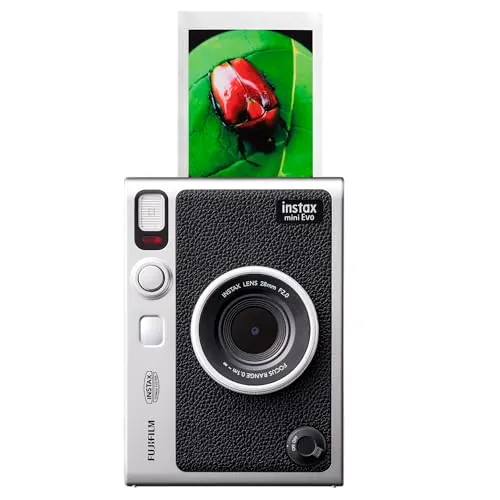
Fujifilm Instax Mini EVO Hybrid Instant Camera (Black)
The black instax mini Evo, part 16812493, adds LCD preview, stored digital images and a print lever. Fujifilm's U.S. page lists Micro-B, and separate Mini Evo units use USB Type-C; check the port on the exact camera.
Model 16812493
Amazon ASIN B09M4DKBQ9
Differences that matter
What matters most to you?
Choose a priority to see what it changes.
Sources for When the camera commits a sheet of film
Sources for Controls and phone-origin pictures
Sources for Film and image-selection steps before leaving home
Choose when you want to decide whether to print
The Mini 12 is built around the instant part of instant photography: Fujifilm lists automatic film ejection, and its U.S. product page describes taking a picture and watching the print eject. It uses Instax Mini film, sold separately. This makes the camera-to-print step simple, but you should be ready for a sheet to leave the pack whenever you take a shot.
The Mini EVO adds a digital decision step. Its manual says you can view a captured image on the LCD, save camera images to internal memory or a separate microSD card, then print the displayed image with the print lever. Fujifilm also documents a print-history list for earlier printed images. That control helps you choose which stored frame to print; it does not prove lower film spending or better photo results.
Match the phone workflow and controls to your routine
Mini 12 controls stay on the lens: twist to power on, twist farther for close-up mode, and turn back to switch off. Fujifilm lists automatic exposure and flash control. Its instax UP app is for scanning an already printed Mini photo to your phone. The reviewed Mini 12 documentation does not confirm printing a phone camera-roll photo directly from the camera, so check that feature with Fujifilm if it is essential.
Mini EVO has an LCD, menu/select buttons, a playback control and a print lever, plus separate lens-effect and film-effect dials. For phone-origin prints, Fujifilm shows the app selecting a camera-roll image, cropping it and sending it to the camera for printing. Its transfer feature sends printed images back to the app; Fujifilm's FAQ limits transfers to printed photos and print-history images.
Check batteries, film and the Mini EVO port before you buy
Mini 12 uses two AA alkaline batteries, which Fujifilm lists as user-replaceable. Mini EVO instead has a built-in, non-removable rechargeable lithium-ion battery. Fujifilm gives approximate capacity and charge-time figures for each, but both depend on use; this comparison does not convert them into a matched battery-life result.
If you plan to reuse a cable, check the exact Mini Evo. Fujifilm's U.S. page lists Micro-B, while support pages also document USB Type-C versions. The black 16812493 part number does not identify which port is on a particular unit. Inspect the camera or box. Both cameras use separately sold Instax Mini film, so check how many prints you expect to carry.
Product details
Fujifilm Instax Mini 12 Instant Camera (Lilac Purple)
Fujifilm Instax Mini EVO Hybrid Instant Camera (Black)
- Preview and print selection
- The manual says images can be previewed on the LCD and printed using the print lever; camera photos can be saved to internal memory or a separate microSD card. Source
- Power and connector
- Built-in, non-removable lithium-ion battery. Fujifilm documents Micro-B and USB Type-C charging-only versions across a manufacturing transition; check the exact camera if the connector matters. Source
Before you buy
Community discussions
One Mini Evo buyer checks the port on a black unit
Fujifilm Instax Mini EVO Hybrid Instant Camera (Black)
The OP says a new black Mini Evo ordered from Amazon arrived with Micro-B, while they had expected Type-C after reading that the connector was changing. The post reports that one unit; it does not identify a part or serial number or establish which port all black or brown units have.
What to check
If cable type matters, ask about or inspect the exact Mini Evo unit or box before ordering. This report is a reminder to verify the shipped camera, not evidence that every black or brown unit uses a particular port.
A Mini Evo owner prints a photo already on their phone
Fujifilm Instax Mini EVO Hybrid Instant Camera (Black)
In a follow-up, the original poster reported printing an edited image from their iPhone photo library through the Mini Evo app’s Direct Print option.
What to check
Decide whether you want to print only what the camera shoots or also turn existing phone photos into film prints. Check the app and phone you plan to use.
Common questions
Can I review a Mini 12 photo before it uses film?
Fujifilm describes the Mini 12 as an analog camera with automatic film ejection. The sources reviewed do not document a digital preview-and-select workflow. Mini EVO's manual does document preview on its LCD and printing the displayed image with the lever.Product Specifications | instax mini 12User's Guide (Full version), North America, Type-C interface | instax mini Evo
Can I print a phone photo with the Mini EVO?
Yes, Fujifilm documents its Direct Print function: choose a photo from the phone camera roll and send it to the camera for printing on Instax Mini film through the Mini EVO app.Other features of mini EvoUser's Guide (Full version), North America, Type-C interface | instax mini Evo
Does the black Mini EVO use USB-C?
Fujifilm's U.S. page lists Micro-B, and its support materials also document USB Type-C Mini Evo units. The black color and 16812493 part number do not identify the charging port. Check the exact camera or box if you need a particular connector.instax mini Evo — U.S. product pageSpecifications | instax mini EvoManual | Support | instax mini Evo (connector versions)
Do both cameras use the same film?
Yes. Fujifilm's specifications identify Instax Mini instant film for Mini 12 and Mini EVO; the film is sold separately.Product Specifications | instax mini 12Specifications | instax mini Evo
Can every Mini EVO camera photo transfer to a phone?
Fujifilm says only printed photos and images in the print history can transfer through the app. The print history saves up to 50 printed photos, with the oldest removed when the limit is exceeded; this is separate from the camera's internal-image capacity.FAQ | instax mini EvoSpecifications | instax mini Evo
Sources and scope
Fujifilm documents the Mini 12 in Lilac Purple, model 16806286, and the black Mini Evo, part 16812493. The Mini Evo's U.S. page lists Micro-B, while separate units use USB Type-C during a manufacturing transition; check the exact camera if connector type matters. This comparison covers documented workflow and controls, not image quality, reliability, film waste or comparative operating cost. Instax Mini film is sold separately for both cameras.
- instax mini 12 Instant Camera — U.S. product page
- Product Specifications | instax mini 12
- instax mini 12
- Other features of mini Evo
- instax mini Evo — U.S. product page
- Specifications | instax mini Evo
- FAQ | instax mini Evo
- User's Guide (Full version), North America, Type-C interface | instax mini Evo
- Manual | Support | instax mini Evo (connector versions)
Related comparisons
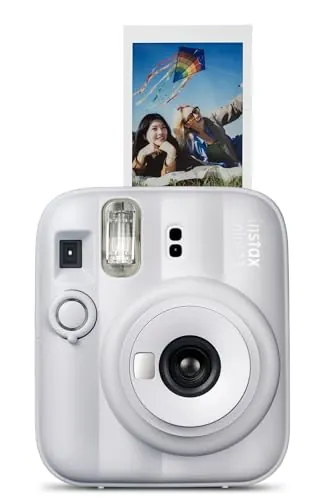
Fujifilm instax mini 13 Clay White vs mini Evo Black: Print Workflow Compared
This compares the Clay White instax mini 13 (part 16963137) with the black instax mini Evo (part 16812493), not mini Evo 2. Mini 13 uses a viewfinder and ejects film after a shot; Mini Evo adds LCD review and stored images that you can choose to print, plus documented lens/film effects and phone-app functions. Both use separately sold instax mini film. Fujifilm documents FI019/Micro-B and FI038/USB Type-C Evo versions; check the exact unit if cable type matters.
Read comparison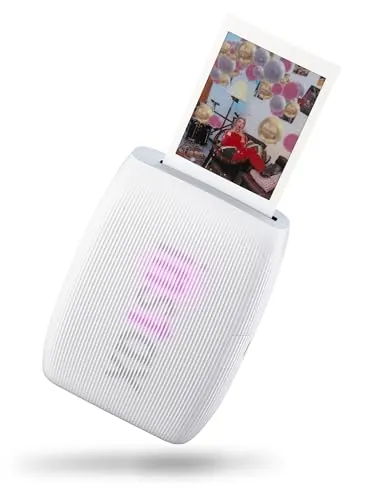
Fujifilm instax mini Evo Black vs mini Link 3 Clay White: Camera or Phone-Photo Workflow
These exact U.S. listings put two different photo paths side by side: the Black mini Evo (part 16812493) is a hybrid camera that stores shots for review and selected printing, while the Clay White mini Link 3 (part 16832194) is a phone-photo printer that requires the mini Link app. Both use separately sold instax mini film. The practical checks are whether your pictures start on the camera or phone, whether you need every original transferred, and whether the current Evo unit has the charging port you expect.
Read comparison