
Products compared
Fujifilm
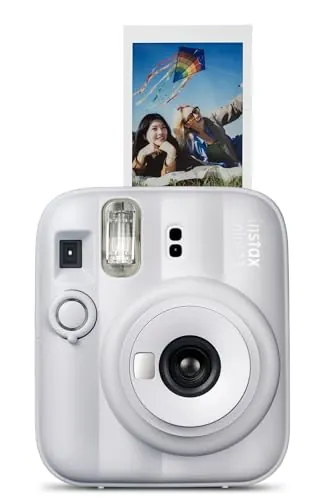
Fujifilm instax mini 13 Instant Film Camera - Clay White
The Clay White instax mini 13 is an analog instant camera. Fujifilm's North American manual describes its camera operation, and the official product announcement lists Clay White as a color.
Model instax mini 13; Clay White, listing data part 16963137
Amazon ASIN B0GRHR77S3
Fujifilm
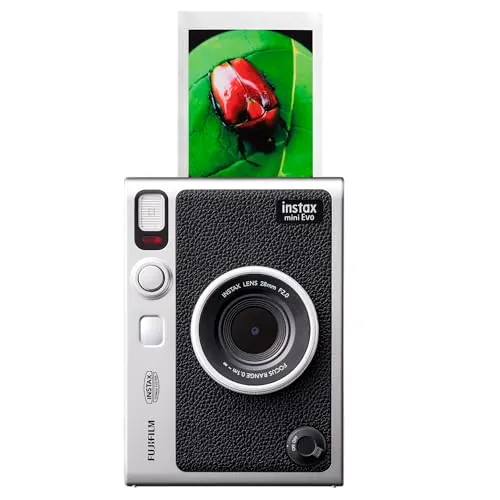
Fujifilm instax mini Evo Instant Camera - Black
The black instax mini Evo, part 16812493, is distinct from mini Evo 2 and mini Evo Cinema. Fujifilm provides FI019/Micro-B and FI038/USB Type-C manuals; check the exact camera or box because part 16812493 does not identify the port.
Model instax mini Evo; Black, listing data part 16812493; charging-interface version not established for this exact part
Amazon ASIN B09M4DKBQ9
Differences that matter
What matters most to you?
Choose a priority to see what it changes.
Sources for Power and charging cable
Sources for What the box does and does not establish
The main difference is when the camera prints
With the mini 13, Fujifilm's North American manual describes a viewfinder-and-shutter routine followed by the exposed film sheet ejecting from the camera. Its film pack is separately sold. For a casual event where you want the camera to produce a physical sheet as part of the capture routine, that is the simpler documented path.
The mini Evo captures to its LCD and storage first. Its manual describes playback and selecting stored images to print; the specifications list internal memory and optional microSD storage. That can suit someone who wants a review step before using a film sheet. No fixed savings or waste rate follows from the feature: actual film use depends on how the owner chooses to shoot and print. Both cameras take instax mini film.
Choose the controls you will actually use
The mini 13 manual documents viewfinder framing, Close-Up mode, a selfie mirror and a physical self-timer lever with two- or ten-second options. These are camera-side controls for framing and timing. The manual describes where to set the close-up lens ring and how the timer lamp indicates a countdown.
The mini Evo puts captured-image playback on an LCD and uses lens and film effect dials. Fujifilm also documents phone-linked remote shooting and direct printing of phone images through the INSTAX MINI EVO app. Check your phone's current operating-system compatibility in the app store if those functions are part of the purchase decision. These are different operation paths, not evidence that one camera produces better photographs.
Check film and charging before checkout
Both manufacturers' specifications identify instax mini film as sold separately. Check the seller's exact offer if you expect a starter pack; a different listing or bundle should not be assumed to include one. The mini 13 North American guide lists two AA alkaline batteries among its supplied accessories.
If you share cables, check the black mini Evo itself. Fujifilm provides North American manuals for FI019/Micro-B and FI038/USB Type-C and describes a manufacturing transition, but part 16812493 does not identify which port a specific camera has. Inspect the port or box rather than inferring it from color or family name.
A quick purchase-fit checklist
First, confirm the name and color on the offer: instax mini 13 Clay White part 16963137 or instax mini Evo Black part 16812493. Fujifilm's current camera listing data distinguishes the mini Evo from the newer mini Evo 2; do not let a family-level search result substitute a newer camera for this comparison.
Then answer three concrete questions: do you want film to eject after each mini 13 shutter release or saved-image review before choosing a mini Evo print; will you use the Evo app or memory-card workflow; and, if cable matching matters, what connector is on the exact mini Evo unit? Finally confirm film and other bundle contents in the seller listing.
Product details
Fujifilm instax mini 13 Instant Film Camera - Clay White
The mini 13 is the straightforward camera-side sequence in this pair: frame through its viewfinder, take a photo, and handle the ejected film sheet. Treat each exposure as using a sheet from separately sold instax mini film; verify film is included only if a seller lists a bundle.
- Film and print routine
- Uses separately sold FUJIFILM instax mini instant film; the North American manual describes pressing the shutter and then collecting the ejected sheet. Source
- Framing and timing controls
- Optical viewfinder; Close-Up mode and selfie mirror; 2-second or 10-second self-timer. Source
- Power
- Two AA batteries; the North American manual lists two AA alkaline batteries among supplied accessories. Source
Fujifilm instax mini Evo Instant Camera - Black
The mini Evo is the flexible stored-image workflow: capture and review on the LCD, then choose whether to print a saved frame. Its official source set documents two charging-interface versions, so confirm the connector on the exact unit if you need to share a cable.
- Review before printing
- The mini Evo manual describes LCD playback and selecting a saved image for printing; storage can use internal memory or a separately sold microSD card. Source
- Creative and phone controls
- Fujifilm documents lens and film effect dials, remote shooting and phone-image direct printing through the INSTAX MINI EVO app; app compatibility depends on the phone OS. Source
- Charging-port version
- Fujifilm support lists FI019 with Micro-B and FI038 with USB Type-C; both interfaces are for charging. Check the exact mini Evo unit to identify its port. Source
- Film
- Uses FUJIFILM instax mini instant film, sold separately. Source
Before you buy
Community discussions
One Mini Evo buyer checks the port on a black unit
Fujifilm instax mini Evo Instant Camera - Black
The OP says a new black Mini Evo ordered from Amazon arrived with Micro-B, while they had expected Type-C after reading that the connector was changing. The post reports that one unit; it does not identify a part or serial number or establish which port all black or brown units have.
What to check
If cable type matters, ask about or inspect the exact Mini Evo unit or box before ordering. This report is a reminder to verify the shipped camera, not evidence that every black or brown unit uses a particular port.
A shopper wants an instant print and a digital original
Fujifilm instax mini Evo Instant Camera - Black
A shopper asked for both a film print and a digital file. A Mini Evo user described separately sharing printed images in the app and copying unprinted images from a microSD card.
What to check
Decide whether you need a saved original before committing a film sheet, and check the app and card workflow for the files you want to keep.
Common questions
Can the mini Evo let me review an image before printing it?
Yes. Fujifilm's FI019 North American manual describes viewing captured images on the LCD and selecting stored photos for printing. It lists internal memory and a separately sold microSD card as storage options.instax mini Evo User's Guide (Full Version), Model FI019, North America English, Micro-BSpecifications | instax mini Evo
Does the mini Evo Black use USB-C or Micro-B?
Fujifilm provides separate manuals for FI019 with Micro-B and FI038 with USB Type-C and documents both interfaces during a manufacturing transition. The black mini Evo part number 16812493 does not identify which port is on a particular camera. Verify the exact unit or box.Manual | Support | instax mini EvoSpecifications | instax mini Evoinstax mini Evo User's Guide (Full Version), Model FI019, North America English, Micro-Binstax mini Evo User's Guide (Full Version), Model FI038, North America English, USB Type-C
Is film included with the mini 13 or mini Evo?
Fujifilm lists instax mini film as sold separately for both. A seller may offer an added bundle, so check the box contents on the exact listing.Product Specifications | instax mini 13Specifications | instax mini Evo
Can the mini Evo print a picture from my phone?
Fujifilm documents direct printing of phone images and remote shooting through the INSTAX MINI EVO app. App availability or compatibility depends on the phone's operating system, so check its current app-store listing.Specifications | instax mini Evoinstax mini Evo, Fujifilm United States
Sources and scope
This guide compares the Clay White instax mini 13, part 16963137, with the black instax mini Evo, part 16812493, not the mini Evo 2. Fujifilm documents both FI019/Micro-B and FI038/USB Type-C Evo versions during a manufacturing transition; check the exact camera if the connector matters. The guide compares documented operation and makes no photo-quality, exposure, durability, reliability or film-saving claim.
- instax mini 13 User's Guide / Safety Precautions (North America, English)
- instax mini 13 Specifications, Fujifilm United States
- Product Specifications | instax mini 13
- Joy and Creativity in the Palm of Your Hand: Fujifilm Introduces instax mini 13 Instant Camera
- Manual | Support | instax mini Evo
- instax mini Evo User's Guide (Full Version), Model FI019, North America English, Micro-B
- instax mini Evo User's Guide (Full Version), Model FI038, North America English, USB Type-C
- Specifications | instax mini Evo
- instax mini Evo product page and current mini-camera listing data
- instax mini Evo, Fujifilm United States
Related comparisons
Fujifilm Instax Mini 12 vs Mini EVO: Film Workflow, Controls and Charging
The Lilac Purple instax mini 12 (16806286) and black mini Evo (16812493) use separately sold Instax Mini film but differ in when you choose to print. Mini 12 ejects film after a camera shot; Mini Evo stores digital captures for LCD review and prints the displayed image, and its app can print a phone camera-roll image. Mini 12 uses two AA batteries; Mini Evo has a built-in rechargeable battery. Fujifilm documents Micro-B and USB Type-C Mini Evo units, so check the exact camera if you need a particular cable. This is a workflow comparison, not a picture-quality or film-cost test.
Read comparison
Fujifilm instax mini Evo Black vs mini Link 3 Clay White: Camera or Phone-Photo Workflow
These exact U.S. listings put two different photo paths side by side: the Black mini Evo (part 16812493) is a hybrid camera that stores shots for review and selected printing, while the Clay White mini Link 3 (part 16832194) is a phone-photo printer that requires the mini Link app. Both use separately sold instax mini film. The practical checks are whether your pictures start on the camera or phone, whether you need every original transferred, and whether the current Evo unit has the charging port you expect.
Read comparison