
Products compared
Garmin
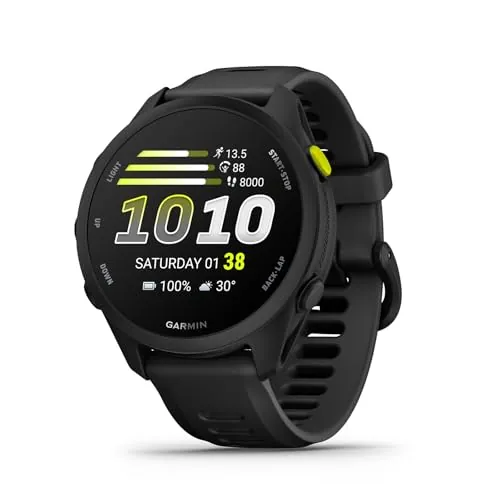
Garmin Forerunner 70 GPS Running Smartwatch
U.S. Black single-watch model; confirm part number 010-04307-00 on the listing.
Model 010-04307-00 (Forerunner 70, Black)
Amazon ASIN B0H1FBRQD9
Garmin
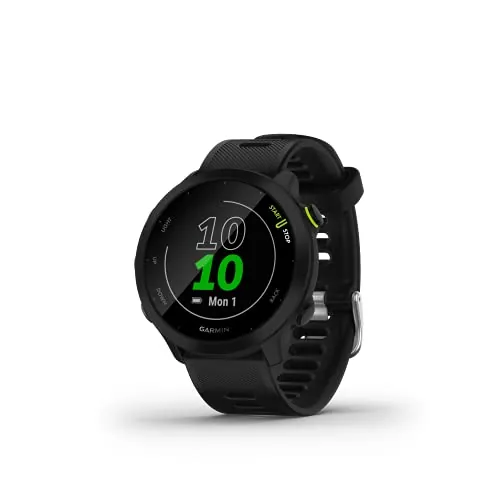
Garmin Forerunner 55 GPS Running Watch
U.S. Black single-watch model; confirm part number 010-02562-00 on the listing.
Model 010-02562-00 (Forerunner 55, Black)
Amazon ASIN B092RCLKHN
Differences that matter
What matters most to you?
Choose a priority to see what it changes.
Sources for Starting a suggested or planned workout
Sources for Phone setup for training plans
Sources for Track-run activity setup
Sources for PacePro and Connect training plans
Choose the interface you actually want to use
Garmin describes the Forerunner 70 with an AMOLED touchscreen and five physical buttons. Its manual lists tap and swipe actions and lets you enable or disable touch, so you can use the buttons without treating the 70 as touch-only. Garmin's direct 70/55 table lists the 55 as a MIP display with no touchscreen; the 55 manual documents five-button navigation.
That gives the 70 an interaction option the official comparison table does not list for the 55. It does not prove that the 70 is easier to read outdoors or easier to operate while running. Pick by whether you want touch available at all, and check a current Garmin demo if display visibility is decisive.
Both support planned workouts; the documented entry points differ
The Forerunner 70 manual shows a watch-first Quick Workout path: select a run activity, open Training, then choose the workout suggestion after setting time and intensity targets. It also documents saved workouts and workouts scheduled from the Garmin Connect calendar.
The Forerunner 55 manual describes Garmin Connect adaptive Coach plans, the training calendar, PacePro and starting a scheduled workout from its Coach widget. Garmin documents Connect plans and PacePro on both models, so those features alone do not select a winner. The 55 manual does not describe the same Quick Workout entry named in the Forerunner 70 manual. Ask Garmin whether the 55 has an equivalent route if that exact setup matters; the wording difference does not prove it is absent.
Check your phone and track setup before choosing
Garmin Connect plans on both models require an account and a compatible paired phone. The two manuals show a direct Garmin Connect pairing flow; the 55 plan instructions also show how a scheduled workout appears in its calendar and Coach widget. Check current phone compatibility for your own device rather than assuming an app requirement from the watch's product name.
For track sessions, each manual includes a Track Run activity for a standard 400 m track and lane selection. Their documented calibration steps differ: the 55 manual says the watch records track dimensions after three laps, while the 70 manual describes four laps if the watch does not recognize the track. These are instructions, not evidence one device is more accurate.
Product details
Garmin Forerunner 70 GPS Running Smartwatch
- Display and controls
- Garmin describes an AMOLED touchscreen and a traditional five-button design; the manual says touchscreen controls can be customized or disabled. Source
- On-watch workout route
- Manual documents Quick Workout after selecting time and intensity targets, plus saved, interval, and scheduled workouts. Source
- Track running
- Manual documents a Track Run activity for a standard 400 m track and lane selection. Source
Garmin Forerunner 55 GPS Running Watch
- Display and controls
- Garmin's direct 70/55 feature table lists MIP and no touchscreen for Forerunner 55; its manual documents five physical buttons. Source
- Phone-paired training
- Manual documents Garmin Connect adaptive plans and a training calendar; plan download and use require a Garmin Connect account and compatible phone. Source
- Track running
- Manual documents a Track Run activity for a standard 400 m track, lane selection, and track-distance calibration steps. Source
Before you buy
Community discussions
Shopping for a familiar watch size
Garmin Forerunner 55 GPS Running Watch
A former Forerunner 55 owner liked how its case fit on their small wrist and wanted a similar size with touch controls.
What to check
Compare the listed case dimensions, strap fit and control style to a watch you already wear comfortably.
Choosing a watch with physical buttons
Garmin Forerunner 55 GPS Running Watch
An owner who moved to the Forerunner 55 from two older watches said physical buttons were one of the features they wanted.
What to check
Think through the settings you change most often and check how each watch lets you reach them.
Common questions
Does the Forerunner 55 have a touchscreen?
Garmin's direct comparison table lists the Forerunner 55 as MIP with no touchscreen. Its manual describes five physical buttons. The Forerunner 70 also has five buttons, plus a touchscreen that can be disabled.Garmin comparison: Forerunner 70 vs Forerunner 55 (French Garmin site)Garmin Forerunner 70 Owner's Manual (English, U.S. manual page)Garmin Forerunner 55 Owner's Manual (English, U.S. manual page)
Do both watches support Garmin Connect training plans?
Yes. Both manuals document Garmin Connect plans and scheduled workouts; both require an account and a compatible paired phone for plan use. The 70 manual also documents a Quick Workout route that starts with on-watch time and intensity targets.Garmin Forerunner 70 Owner's Manual (English, U.S. manual page)Garmin Forerunner 55 Owner's Manual (English, U.S. manual page)
Can both watches be used for track running?
Both manuals include a Track Run activity for a standard 400 m track and instructions for choosing a lane. Their stated calibration steps differ; follow the exact model manual. This comparison does not test or rank track-distance accuracy.Garmin Forerunner 70 Owner's Manual (English, U.S. manual page)Garmin Forerunner 55 Owner's Manual (English, U.S. manual page)
Sources and scope
This comparison covers the U.S. Black Forerunner 70 (010-04307-00, ASIN B0H1FBRQD9) and Forerunner 55 (010-02562-00, ASIN B092RCLKHN). Garmin's 70/55 feature table lists 42 mm for both, while the selected Forerunner 70 listing reports 43 mm, so case diameter is not compared here. Garmin's manuals and product materials do not establish matched screen readability, touch response, GPS or heart-rate accuracy, battery performance, medical interpretation, reliability or training benefit. No price or price-timing recommendation is included.
- Garmin Forerunner 70 U.S. Product Page (part 010-04307-00)
- Garmin Forerunner 55 U.S. Product Page (part 010-02562-00)
- Garmin Forerunner 70 Owner's Manual (English, U.S. manual page)
- Garmin Forerunner 55 Owner's Manual (English, U.S. manual page)
- Garmin U.S. announcement: Forerunner 70 and Forerunner 170
- Garmin comparison: Forerunner 70 vs Forerunner 55 (French Garmin site)
Related comparisons
Garmin Forerunner 55 vs 165: Music, Controls and Routes
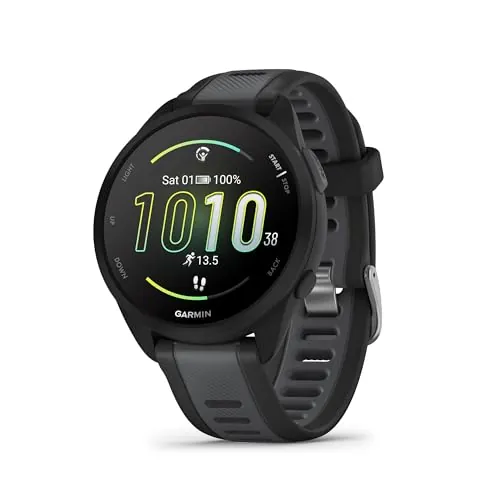
The standard Forerunner 165 (010-02863-20) is not the Music edition. Both it and the Forerunner 55 can control music playing on a paired phone, but phone-free on-watch music belongs to the separate 165 Music model. The 165 can follow a course synced from Garmin Connect; the 55 does not support on-device courses, although PacePro can give GPS-based pace guidance for a selected course or distance.
Read comparisonGarmin Forerunner 70 vs 165: Display, Navigation, Training and Garmin Pay
Garmin documents the Forerunner 70 and standard Forerunner 165 with a 1.2-inch AMOLED touchscreen and five-button layout. Both manuals describe following courses and Garmin Coach/daily suggested workouts. The 165 Series manual documents Garmin Pay for supported cards and locations; Garmin says Pay is added on the Forerunner 170 relative to the 70. The 70 manual also has sections for Training Readiness and Training Status. Those sections are not proof that the 165 lacks the features.
Read comparison