
Products compared
Apple
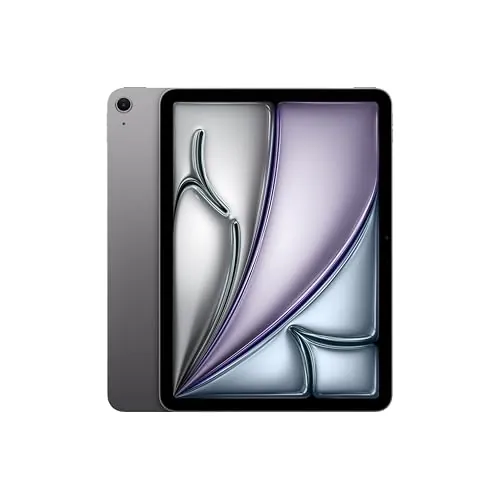
Apple iPad Air 11-inch (M4)
Space Gray, Wi-Fi, 128GB. The listing data and assigned Amazon identity specify part MH304LL/A.
Model iPad Air 11-inch (M4), MH304LL/A
Amazon ASIN B0GQVPX1PJ
Apple
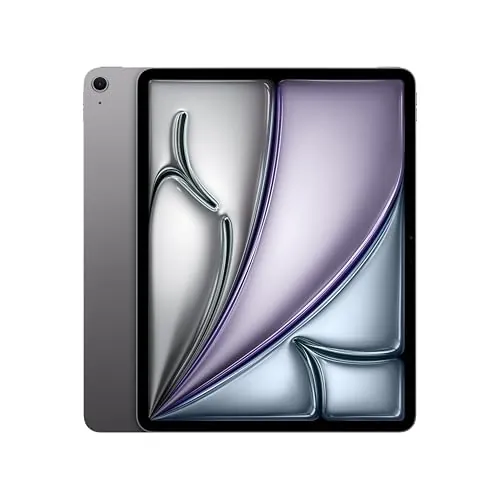
Apple iPad Air 13-inch (M4)
Space Gray, Wi-Fi, 128GB. The listing data and assigned Amazon identity specify part MH5N4LL/A.
Model iPad Air 13-inch (M4), MH5N4LL/A
Amazon ASIN B0GQVLJGJH
Differences that matter
What matters most to you?
Choose a priority to see what it changes.
Sources for Screen workspace
Sources for Handheld weight and body footprint
Sources for Keyboard and case matching
Sources for Same assigned core configuration
Start with where and how you use the iPad
The 11-inch M4 suits a routine that involves carrying the iPad between rooms, reading while holding it, or slipping it into a smaller sleeve. Apple lists the Wi-Fi tablet at 464 g and 9.74 × 7.02 inches. The 13-inch M4 suits a desk-first routine when you regularly want more room for two documents, a larger drawing canvas or full-page reading; it measures 11.04 × 8.46 inches and weighs 616 g. Neither listed tablet is thicker: both are 0.24 inch deep.
The 13-inch weighs 152 g more based on those Apple figures. This gives you a concrete handling comparison, but it is not a comfort test. If possible, hold devices of similar dimensions before deciding how much that difference matters to you.
Check the actual screen and the space it needs
Apple measures the 11-inch display as 10.86 inches diagonally as a rectangle and the 13-inch display as 12.9 inches; the actual viewable area is less on both. The 11-inch panel is 2360 × 1640 at 264 ppi, while the 13-inch is 2732 × 2048 at the same 264 ppi. Apple rates them at 500 and 600 nits, respectively. These are display specifications, not a guarantee of identical visibility in every room or a benchmark result.
Before choosing 13-inch, measure the area where the tablet will sit and the inside of the sleeve you use. If you will add a keyboard case, use the accessory's folded dimensions too—the iPad body dimensions alone do not describe that complete setup.
Make the keyboard part of the size decision
Apple lists Magic Keyboard for iPad Air 11-inch as compatible with the 11-inch M4 model and a separate 13-inch Magic Keyboard for the 13-inch M4. If a keyboard is part of your setup, pick the size with the tablet, then check the exact accessory compatibility list and budget for the matching keyboard. A name that includes 'Magic Keyboard for iPad Air' by itself does not identify which size you need.
For a portable setup, compare the combined tablet, keyboard and case weight and dimensions. The figures in Apple's tablet specifications cover the iPad only, and this guide does not infer third-party case or keyboard compatibility.
What these two sizes have in common
Both selected tablets are Space Gray, Wi-Fi, 128GB iPad Air M4 models: MH304LL/A at 11 inches and MH5N4LL/A at 13 inches. Apple identifies both as M4 iPad Air products. The supported buying differences here are screen size, listed weight and dimensions, and the matching keyboard size; this guide does not compare benchmark or battery-test results.
Product details
Apple iPad Air 11-inch (M4)
The smaller body and lighter listed weight favor buyers who often hold the tablet or pack it into a compact sleeve. The recommendation is about physical handling, not measured comfort.
- Body and weight
- Wi-Fi: 9.74 × 7.02 × 0.24 inches (247.6 × 178.5 × 6.1 mm); 464 g. Source
- Display
- 10.86 inches measured diagonally as a rectangle; 2360 × 1640, 264 ppi, rated 500 nits. Actual viewable area is less. Source
- Keyboard fit
- Apple lists the 11-inch Magic Keyboard for iPad Air as compatible with iPad Air 11-inch (M4); it is a separate size-specific accessory. Source
Apple iPad Air 13-inch (M4)
The larger body gives more screen workspace for side-by-side documents, drawing or desk use, while adding 152 g to the tablet itself. That weight difference excludes any keyboard or case.
- Body and weight
- Wi-Fi: 11.04 × 8.46 × 0.24 inches (280.6 × 214.9 × 6.1 mm); 616 g. Source
- Display
- 12.9 inches measured diagonally as a rectangle; 2732 × 2048, 264 ppi, rated 600 nits. Actual viewable area is less. Source
- Keyboard fit
- Apple lists the 13-inch Magic Keyboard for iPad Air as compatible with iPad Air 13-inch (M4); it is a separate size-specific accessory. Source
Before you buy
Community discussions
Choosing a size for notes away from your desk
Apple iPad Air 11-inch (M4)
A student choosing between the 11-inch and 13-inch iPad Air M4 wanted room for notes but had trouble carrying their existing laptop setup.
What to check
Try your usual note layout on both sizes. Compare the total space and weight once you include the cover and any accessories you carry.
Checking how much room you have for PDFs and handwriting
Apple iPad Air 13-inch (M4)
A student deciding between iPad Air M4 sizes wanted to annotate PDFs and read textbooks while keeping the tablet easy to move between workspaces.
What to check
Open a page like the ones you read and try adding notes on both sizes. Check how each fits on a small desk or in the space where you would use it.
Common questions
How much heavier is the 13-inch iPad Air M4?
Apple lists the Wi-Fi 13-inch at 616 g and the Wi-Fi 11-inch at 464 g, a 152 g difference by subtraction. Those are tablet weights; an attached keyboard or case adds more.iPad Air 11-inch (M4) Technical SpecificationsiPad Air 13-inch (M4) Technical Specifications
Can one Magic Keyboard fit both iPad Air M4 sizes?
Apple lists separate 11-inch and 13-inch Magic Keyboard models, each compatible with its matching iPad Air M4 size. Confirm the accessory size and exact iPad model on the listing before buying.Magic Keyboard for iPad Air 11-inch (M4), compatibilityMagic Keyboard for iPad Air 13-inch (M4), compatibility
Is the 13-inch iPad Air M4 faster because it has a bigger screen?
No size-based speed advantage is established here. Apple's specifications identify both as M4 iPad Air models. The supported reason to choose the 13-inch is its larger display area, not an assumed performance difference.iPad Air 11-inch (M4) Technical SpecificationsiPad Air 13-inch (M4) Technical Specifications
Will the 13-inch fit in my current bag or desk setup?
Compare your bag's usable inside dimensions or desk space with the tablet's 11.04 × 8.46-inch body. If adding a keyboard or case, check that accessory's complete folded dimensions too; Apple’s tablet specifications do not describe the combined setup.iPad Air 13-inch (M4) Technical Specifications
Sources and scope
This guide compares the specified 128GB Wi-Fi Space Gray size variants using Apple specifications and compatibility pages. It does not establish a performance, battery-runtime, durability or comfort winner. The body dimensions describe the tablet, not a keyboard, sleeve or usable desk footprint; measure your intended accessory and workspace separately.
Related comparisons
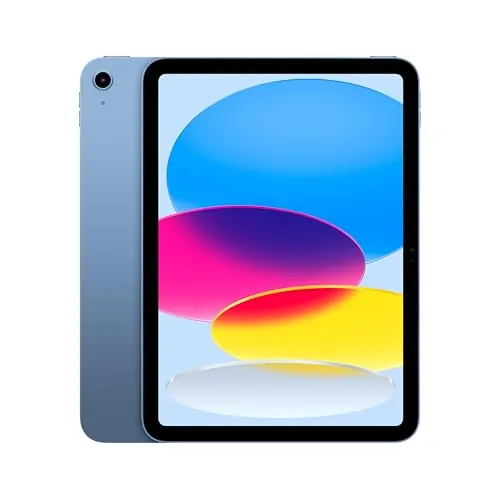
Apple iPad 11-inch (A16) vs iPad Air 11-inch (M4): Which Pencil and Keyboard Setup Fits?
For a desk setup built around handwritten notes and typing, start with your existing accessories. The 11-inch iPad (A16) supports Apple Pencil USB-C or first-generation Pencil and Magic Keyboard Folio; the 11-inch iPad Air (M4) supports Apple Pencil Pro or USB-C and Magic Keyboard for iPad Air. Both are 128GB Wi-Fi models here. The Air adds a fully laminated P3 display and Pencil hover for drawing and annotation workflows.
Read comparison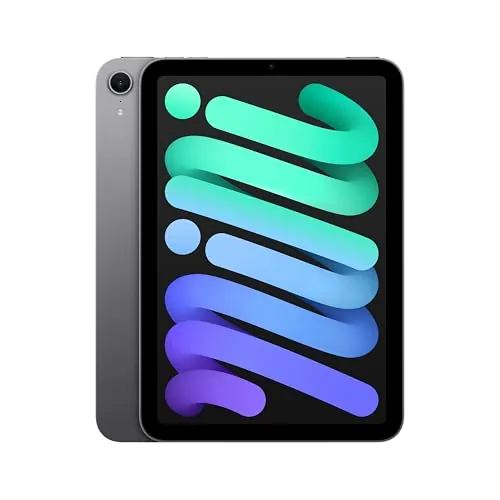
iPad Air 11-inch M4 vs iPad mini A17 Pro: Desk Tablet or Handheld?
The 128GB Wi-Fi Space Gray iPad Air 11-inch M4 has a listed 11-inch display, a 464 g body, an Apple Magic Keyboard accessory path, and support for one external display up to 6K/60Hz. The iPad mini A17 Pro is listed at 293 g with an 8.3-inch display and up to 4K/60Hz external display support. Both support Apple Pencil Pro and Apple Pencil (USB-C). Compare the actual desk and handheld routine, then verify accessories on the exact offer.
Read comparison