
Products compared
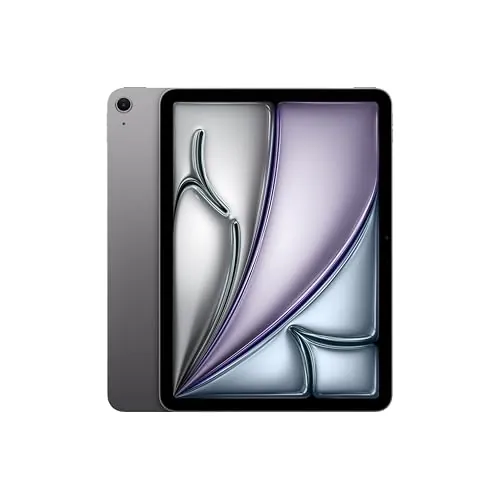
Apple
Apple iPad Air 11-inch (M4), 128GB, Wi-Fi, Space Gray
Exact US listing identity from the listing data: 128GB, Wi-Fi, Space Gray, model MH304LL/A. Apple lists the 11-inch M4 Wi-Fi model at 464 g; retailer bundle contents should be checked on the offer itself.
Model MH304LL/A
Amazon ASIN B0GQVPX1PJ
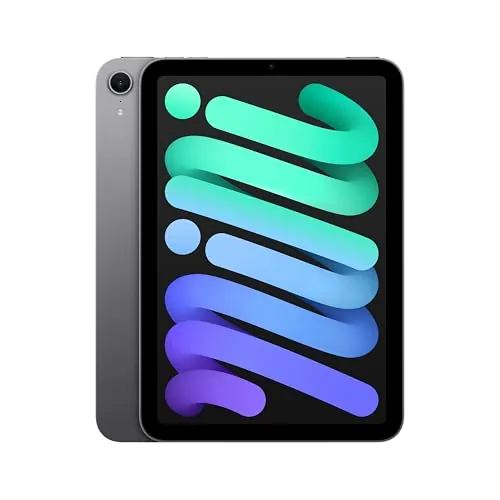
Apple
Apple iPad mini (A17 Pro), 128GB, Wi-Fi, Space Gray
Exact US listing identity from the listing data: 128GB, Wi-Fi, Space Gray, model MXN63LL/A. Apple lists the Wi-Fi A17 Pro mini at 293 g; the Magic Keyboard for iPad Air is not listed as compatible with this mini model.
Model MXN63LL/A
Amazon ASIN B0DK3W6TV6
Differences that matter
What matters most to you?
Choose a priority to see what it changes.
Sources for Built-in display canvas
Sources for Wi-Fi body size and weight
Sources for Pencil and stand workflow
Start with where you use the tablet
For a desk-first routine, imagine the Air open beside your laptop: a document on one side, reference material on the other, with a keyboard or external screen when needed. Its listed 11-inch display and Magic Keyboard compatibility make that arrangement possible, but you still need to check your app layout and the full accessory footprint.
For a carry-first routine, imagine reading or annotating while standing, commuting or walking between rooms. The mini's listed body is much smaller and 171 g lighter than the Air before accessories. Its lower mass can matter in a small bag, while the smaller screen may require more scrolling or zooming for wide documents. These are use-case implications of size, not a comfort test.
Compare the actual display space, not only the diagonal label
Apple lists the Air's 11-inch Liquid Retina panel at 2360 × 1640 pixels and 264 ppi. The mini's 8.3-inch panel is 2266 × 1488 pixels at 326 ppi. The Air offers a larger physical canvas for parallel panes, broad timelines or a full-page view. The mini's pixels are denser on a smaller panel; resolution and density alone do not determine color preference, reflections or how easy a particular app is to use.
Both models are listed with P3 wide color and True Tone. If drawing or photo review is your main task, test your own canvas, brush controls and reference-image layout on the exact screen sizes instead of treating the listed chip as a substitute for a display or app test.
Plan the desk setup and accessories
The Air 11-inch M4 has an Apple Magic Keyboard made for that model, with a keyboard and trackpad arrangement. Apple lists the Air for one external display up to 6K at 60Hz; the mini A17 Pro is listed for one external display up to 4K at 60Hz. Account for a monitor cable or adapter, stand and keyboard, and verify that the app you use supports your intended display workflow.
Both devices support Apple Pencil Pro and Apple Pencil (USB-C), according to Apple's current compatibility page. Apple lists a separate Smart Folio for the mini A17 Pro that folds into viewing and typing positions. Confirm the Pencil generation and exact case fit; neither the product identity here nor a compatibility listing means the accessory comes in the retailer's box.
Test the apps you rely on
If you work with large drawings, timelines or gaming sessions, compare the exact generations using the same project or settings. A useful comparison should name the app, the task and the conditions for both tablets.
A practical two-part fit check
Desk check: mark 247.6 × 178.5 mm and 195.4 × 134.8 mm on paper, then lay each outline where you would work. Add the Air keyboard or the stand and keyboard you would use with the mini. Open a typical document or drawing reference on your current tablet or borrow a demo; check that the controls and visible workspace suit you.
Carry check: compare the tablet body in a bag you use every day, then add a case and Pencil to the weight and volume. Try reading and marking up one long page on each screen if possible. If only one of these tasks is central to your week, give that task more weight in the final choice.
Product details
Apple iPad Air 11-inch (M4), 128GB, Wi-Fi, Space Gray
- Listed display
- 11-inch Liquid Retina; 2360 × 1640 pixels, 264 ppi, P3 and True Tone Source
- Listed Wi-Fi body size and weight
- 247.6 × 178.5 × 6.1 mm; 464 g Source
- External display support
- One external display up to 6K at 60Hz; USB-C DisplayPort output Source
- Apple Pencil compatibility
- Apple Pencil Pro and Apple Pencil (USB-C); sold separately Source
Apple iPad mini (A17 Pro), 128GB, Wi-Fi, Space Gray
- Listed display
- 8.3-inch Liquid Retina; 2266 × 1488 pixels, 326 ppi, P3 and True Tone Source
- Listed Wi-Fi body size and weight
- 195.4 × 134.8 × 6.3 mm; 293 g Source
- External display support
- One external display up to 4K at 60Hz Source
- Apple Pencil compatibility
- Apple Pencil Pro and Apple Pencil (USB-C); sold separately Source
Before you buy
Community discussions
Matching an older keyboard to the tablet
Apple iPad Air 11-inch (M4), 128GB, Wi-Fi, Space Gray
An iPad Air 5th-generation owner considering an M4 upgrade wanted to keep their existing Magic Keyboard. They linked their keyboard listing, and the discussion began with a compatibility question.
What to check
If a keyboard is part of your portable setup, find the exact accessory model and its supported iPad sizes before comparing what you would carry.
Trying a stylus in Freeform
Apple iPad Air 11-inch (M4), 128GB, Wi-Fi, Space Gray
An iPad Air M4 owner reported delays and disappearing strokes with an aftermarket stylus in Freeform and asked about Apple Pencil options.
What to check
Check which Pencil models work with each tablet and test a quick sketch in the app you use.
Common questions
Which is lighter, the iPad Air 11-inch M4 or iPad mini A17 Pro?
For Wi-Fi models, Apple lists the Air at 464 g and the A17 Pro mini at 293 g. Cases, keyboard, Pencil and other accessories add weight, and the published numbers do not predict what will feel comfortable for an individual.iPad Air 11-inch (M4) - Tech SpecsiPad mini (A17 Pro) - Tech Specs
Can I use Apple Pencil Pro with both iPads?
Yes. Apple's compatibility guide lists Apple Pencil Pro and Apple Pencil (USB-C) for both iPad Air 11-inch (M4) and iPad mini (A17 Pro). The Pencil is a separate accessory; check your existing Pencil model before relying on compatibility.Apple Pencil compatibility
Can I attach an Apple Magic Keyboard to the iPad mini A17 Pro?
Apple's Magic Keyboard for iPad Air 11-inch (M4) compatibility list names Air models, not the iPad mini. Apple sells a Smart Folio specifically for the mini A17 Pro. A separate Bluetooth keyboard is another setup choice, but include its size and weight in the carry plan.Magic Keyboard for iPad Air 11-inch (M4) - CompatibilitySmart Folio for iPad mini (A17 Pro)
Does the Air's M4 mean it is always faster than the A17 Pro mini?
It depends on the app and workload. If editing, gaming or another demanding app decides the purchase, check a test of the Air M4 and mini A17 Pro under the same conditions, or try your own files on each.iPad Air 11-inch (M4) - Tech SpecsiPad mini (A17 Pro) - Tech SpecsApple iPad mini A17 Pro technical specifications
Sources and scope
This guide compares manufacturer-listed specifications and accessory compatibility. It does not report the product listing performance, battery, comfort, drawing-latency or screen-quality tests. App behavior varies by app, iPadOS version and workload. Accessories are separate unless the exact retailer offer says otherwise; measure the full setup you plan to carry or place on your desk.
Related comparisons
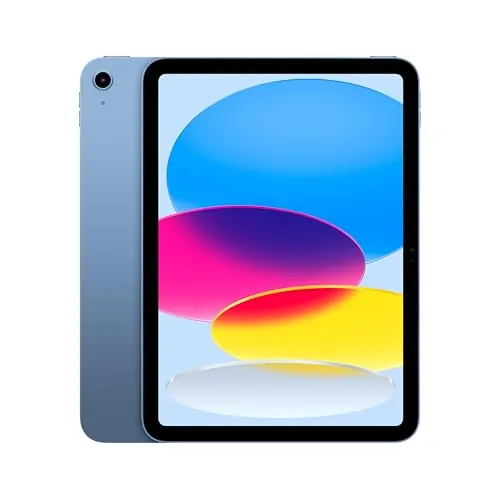
Apple iPad 11-inch (A16) vs iPad Air 11-inch (M4): Which Pencil and Keyboard Setup Fits?
For a desk setup built around handwritten notes and typing, start with your existing accessories. The 11-inch iPad (A16) supports Apple Pencil USB-C or first-generation Pencil and Magic Keyboard Folio; the 11-inch iPad Air (M4) supports Apple Pencil Pro or USB-C and Magic Keyboard for iPad Air. Both are 128GB Wi-Fi models here. The Air adds a fully laminated P3 display and Pencil hover for drawing and annotation workflows.
Read comparison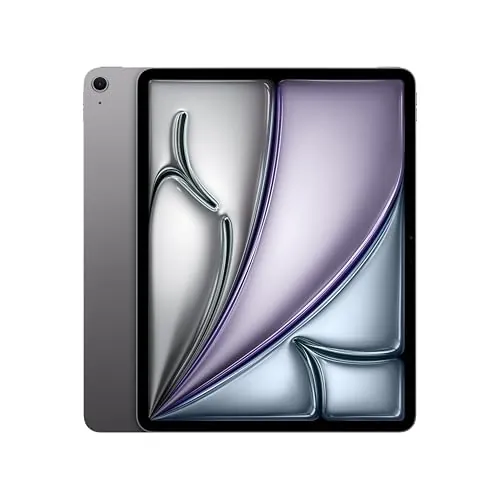
iPad Air 11-inch M4 vs 13-inch M4: Pick a Size for Your Desk and Bag
These exact Space Gray 128GB Wi-Fi models share the M4 generation. The size decision is about workspace, carrying weight and matching accessories: Apple lists the 11-inch at 464 g and 9.74 × 7.02 inches, versus 616 g and 11.04 × 8.46 inches for the 13-inch. Apple lists separate Magic Keyboard sizes. Measure your sleeve and desk area, and budget for the keyboard that matches the model.
Read comparison