
Products compared
JBL
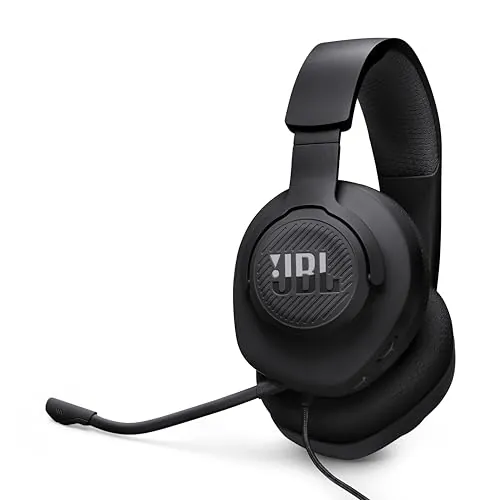
JBL Quantum 100M2 Wired Gaming Headset — Black
Black JBL Quantum 100M2, item JBLQTUM100M2BLKAM. JBL's specification sheet lists a 1.2 m cable, 3.5 mm platform compatibility and detachable directional boom microphone. JBL's listed box contents include the headset, detachable microphone and microphone windshield foam.
Model Quantum 100M2 / JBLQTUM100M2BLKAM
Amazon ASIN B0DRM949PC
Logitech G
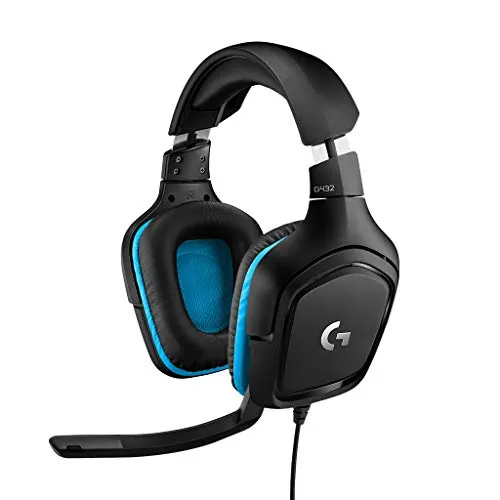
Logitech G432 Wired Gaming Headset — Black/Blue
Logitech G432, part 981-000769. Logitech documents an included USB DAC for PC, PlayStation 4 and docked Nintendo Switch, plus 3.5 mm use on compatible consoles or mobile devices. Its boom microphone flips up to mute. DTS Headphone:X 2.0 and EQ presets are listed for Windows with Logitech G HUB. Logitech's product page does not confirm microphone detachability or a complete in-box accessory list beyond the included DAC.
Model G432 / 981-000769
Amazon ASIN B07MRMHML9
Differences that matter
Sources for Host connection path
Sources for Spatial-audio software conditions
Sources for Microphone handling during and after play
Sources for Cable and what the cited package lists
Match the headset to the device port first
For a simple wired connection, JBL documents a 3.5 mm jack for its Quantum 100M2 and lists PC, PlayStation, Xbox, Nintendo Switch, mobile, Mac and VR. Its sheet specifies a 1.2 m cable. Logitech documents two G432 routes: its included USB DAC with PC, PS4 or docked Switch, and 3.5 mm use on consoles or mobile. That is enough to choose a connection path, but not enough to confirm every console controller, adapter or chat setup.
Before ordering, check the port on the exact device you will use and trace where voice chat enters the setup. If the headset will connect to a controller, confirm that controller has the needed port and supports headset chat. If the cable runs to a PC, measure the distance from the jack or USB port to your seat. The official pages do not list a G432 cable length, so do not assume the two cables reach equally far.
Treat software audio modes as separate setup requirements
JBL's Quantum 100M2 sheet names Windows Sonic Spatial Sound compatibility for Windows 10 PCs and Xbox One. Logitech says G432 DTS Headphone:X 2.0 and EQ presets are only available on Windows and require Logitech G HUB. Decide whether you will use the named mode, then confirm your operating system, game's audio setting and connection path before buying.
These manufacturer descriptions answer whether a feature is documented for a setup; they do not tell us which headset sounds better or places game audio more accurately. The checked Logitech source does not establish whether the G432 can also be used with Windows Sonic, so this guide does not make a claim either way.
Pick the mic control that fits your play routine
JBL identifies the Quantum 100M2 as having a detachable directional boom. The U.S. Black product page lists the detachable mic and windshield foam in the box; the quick-start guide shows a 2.5 mm boom-mic socket and a mute/unmute control. If you want to remove the mic between chat sessions, that is a concrete manufacturer-documented distinction.
Logitech documents the G432's 6 mm microphone boom flipping up to mute. The official G432 product page checked for this guide does not say whether that boom detaches, so treat detachability as unknown rather than assuming it is fixed or removable. If this requirement decides your purchase, ask Logitech or inspect documentation for exact part 981-000769 before ordering.
Product details
JBL Quantum 100M2 Wired Gaming Headset — Black
- Connection and cable
- Wired 3.5 mm jack; JBL lists a 1.2 m cable. Source
- Microphone and included items
- Detachable directional boom microphone with mute features. JBL lists the headset, detachable mic, microphone windshield foam and printed documents in the box. Source
- Listed platform and spatial-audio scope
- JBL lists 3.5 mm use with PC, PlayStation, Xbox, Nintendo Switch, mobile, Mac and VR. Its spec sheet names Windows Sonic compatibility for Windows 10 PCs and Xbox One. Source
Logitech G432 Wired Gaming Headset — Black/Blue
- Connection choices
- Logitech says the included USB DAC works with PC, PS4 and docked Nintendo Switch; a 3.5 mm cable is used on consoles or mobile devices. Source
- Spatial-audio software condition
- DTS Headphone:X 2.0 surround sound and EQ presets are available only on Windows and require Logitech G HUB. Source
- Microphone control
- The 6 mm boom flips up to mute. Detachability is not established by the reviewed official product page. Source
Before you buy
Community discussions
Finding the G432 mute control when moving from another headset
Logitech G432 Wired Gaming Headset — Black/Blue
A buyer using a G432 on PS4 and PC says their older headset had a separate mute switch and asks where the mute control is on the G432. They do not identify the older model or compare mic controls between the two headsets in the guide.
What to check
If physical mic control matters for console and PC use, compare the exact headsets' mute-control layouts and the connection you plan to use. This post records a buyer's question, not a compatibility or mute-performance result.
Common questions
Does the Logitech G432 require its USB DAC?
Logitech lists an included USB DAC for PC, PS4 and docked Nintendo Switch. It also says the headset can connect to consoles or mobile devices by 3.5 mm cable. The DAC is one documented path, not a requirement for every listed use.Logitech G432 U.S. product page — part 981-000769
Can I remove both microphones?
JBL explicitly describes the Quantum 100M2 microphone as detachable and includes it in the listed box contents. Logitech documents the G432 boom flipping up to mute, but the official product page checked here does not confirm whether it detaches.JBL Quantum 100M2 U.S. product page — Black item JBLQTUM100M2BLKAMLogitech G432 U.S. product page — part 981-000769
Which headset's spatial-audio mode works with my setup?
JBL's Quantum 100M2 sheet names Windows Sonic compatibility for Windows 10 PCs and Xbox One. Logitech lists DTS Headphone:X 2.0 and EQ presets for Windows with G HUB. Check your own device, OS, game and audio settings; the different published feature names do not show which sounds better.JBL Quantum 100M2 Spec Sheet (English)Logitech G432 U.S. product page — part 981-000769
Are these wireless gaming headsets?
No. JBL identifies the Quantum 100M2 as a wired 3.5 mm headset, and Logitech identifies the G432 as wired and documents USB DAC or 3.5 mm connections.JBL Quantum 100M2 Spec Sheet (English)Logitech G432 U.S. product page — part 981-000769
Sources and scope
This is a manufacturer-document comparison, not a listening or microphone-quality test. The JBL documents its mic as detachable and includes it in the listed box contents. Logitech documents the G432 boom flipping up to mute; the official G432 product page used here does not establish whether the mic detaches, so this guide leaves that question open. Logitech lists USB-DAC use for PC, PS4 and docked Switch and 3.5 mm use on consoles or mobile; do not infer unlisted platform support or lack of support. DTS Headphone:X 2.0 and EQ are Windows/G HUB-only per Logitech. Neither headset is wireless.
Related comparisons
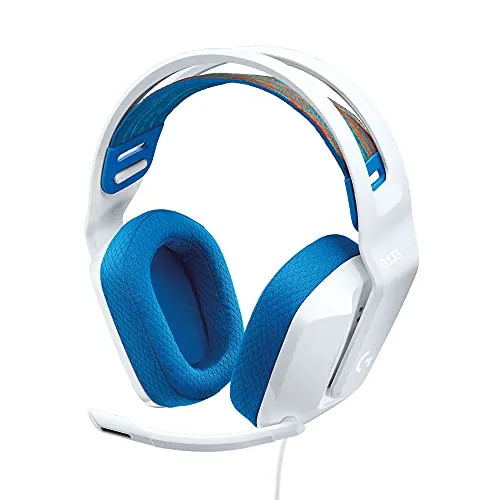
Logitech G335 vs G432: 3.5 mm Simplicity or USB DAC Setup?
Both assigned headsets are wired and use a flip-up boom mic to mute. The Logitech G335 is documented around a 3.5 mm connection and adjustable suspension strap. The G432 adds an included USB audio adapter for Logitech's listed PC, PS4 and docked Nintendo Switch setup, plus a 3.5 mm route for consoles or mobile devices. Its DTS Headphone:X 2.0 and EQ presets require Windows and Logitech G HUB; the adapter is also required to enable surround in G HUB. Match your host's ports and the features you actually plan to use before choosing.
Read comparison
HyperX Cloud III Wired vs Logitech G432: Ports, Mic Mute, and PC Software
The black HyperX Cloud III Wired (727A8AA) offers USB-C, USB-A through its included adapter, and 3.5 mm, with an earcup mic-mute button and LED indicator. Logitech G432 (981-000769) uses its included USB DAC for PC, PS4, and docked Switch, or 3.5 mm for consoles and mobile; its boom flips up to mute. G432 DTS Headphone:X 2.0 and EQ presets require Windows and Logitech G HUB. Neither headset was tested for sound or microphone quality.
Read comparison