Pickagu

Gaming Headsets

Find your model below to compare what is included and how the differences affect everyday use.

47 comparisons

Gaming Headsets comparisons

SteelSeries Arctis Nova 5 Wireless (Black) · 61670
SteelSeries Arctis Nova 5 Wireless (Black)
CORSAIR VOID Wireless v2 Gaming Headset - Carbon · CA-9011379-WW
CORSAIR VOID Wireless v2 Gaming Headset - Carbon

SteelSeries Arctis Nova 5 vs CORSAIR VOID Wireless v2

For Nintendo Switch, the Nova 5 has clearer USB-dongle guidance: SteelSeries lists the Nova 5 family for Switch and Switch 2, with a firmware/USB-audio caveat on Switch 2. CORSAIR's product page shows Switch compatibility, but its support chart does not list the VOID Wireless v2 for Switch. For PC or PlayStation, compare Bluetooth switching and mic controls: the Nova 5 changes between 2.4GHz and Bluetooth; the VOID v2 can take phone calls in RF mode but requires Bluetooth mode for Bluetooth media.

Read comparison


HyperX Cloud III Wired Gaming Headset (Black) · 727A8AA
HyperX Cloud III Wired Gaming Headset (Black)
HyperX Cloud Alpha Wired Gaming Headset (Black-Red) · 4P5L1AA#ABL
HyperX Cloud Alpha Wired Gaming Headset (Black-Red)

HyperX Cloud III Wired vs Cloud Alpha Wired: Ports, Adapters and Controls

The black HyperX Cloud III Wired (727A8AA) has documented USB-C, USB-A via its included adapter, and 3.5mm connection options, with USB NGENUITY features on supported Windows PCs. The Black-Red Cloud Alpha Wired (4P5L1AA#ABL) is documented around a 3.5mm connection and includes a detachable headset cable, inline controls, and a PC extension cable. Check the port and cable you will actually use before choosing; this guide compares setup features, not sound or comfort results.

Read comparison
SteelSeries Arctis Nova 5 Wireless Gaming Headset, Black · Arctis Nova 5 / 61670 (standard U.S. version; not Nova 5X)
SteelSeries Arctis Nova 5 Wireless Gaming Headset, Black
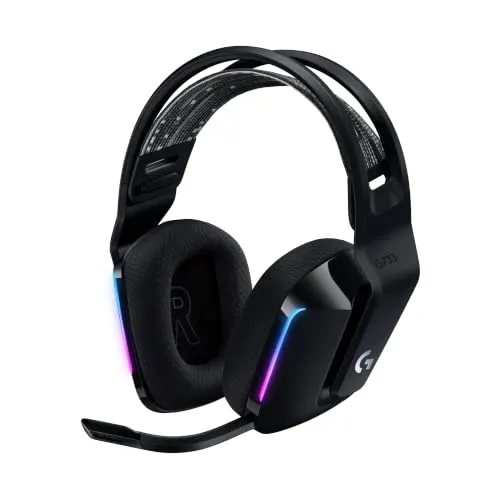
Logitech G522 LIGHTSPEED Wireless Gaming Headset, Black · G522 / 981-001491
Logitech G522 LIGHTSPEED Wireless Gaming Headset, Black

SteelSeries Arctis Nova 5 vs Logitech G522: Console, Audio Switching and Setup

This U.S. comparison is for the black Arctis Nova 5 model 61670 (B0D2YBQQ1P) and Logitech G522 black model 981-001491 (B0FFM5SP6M). Both offer a headset control to switch between gaming wireless and Bluetooth. SteelSeries describes QuickSwitch between the USB-C dongle and Bluetooth; Logitech explicitly says G522 cannot mix LIGHTSPEED and Bluetooth audio. G522 also supports wired USB audio, which disables LIGHTSPEED while connected. Check the console, available USB port, app settings and exact mic preference before buying.

Read comparison
Logitech G522 LIGHTSPEED Gaming Headset, Black · 981-001491
Logitech G522 LIGHTSPEED Gaming Headset, Black
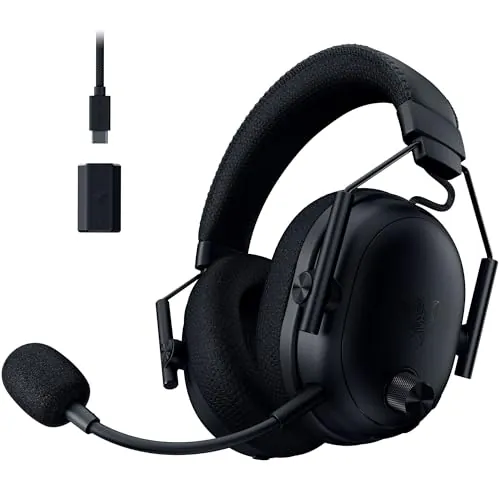
Razer BlackShark V3 Pro Wireless ANC Gaming Headset for PC, Black · RZ04-05400100-R3U1
Razer BlackShark V3 Pro Wireless ANC Gaming Headset for PC, Black

Logitech G522 vs Razer BlackShark V3 Pro: Dual Audio, USB, and ANC

This comparison is about how the exact black Logitech G522 (981-001491) and black PC Razer BlackShark V3 Pro (RZ04-05400100-R3U1) route audio. Logitech says the G522 switches between LIGHTSPEED and Bluetooth rather than mixing them, and USB wired audio disables LIGHTSPEED. Razer documents simultaneous 2.4 GHz plus Bluetooth listening, along with USB and 3.5 mm modes. Razer also documents hybrid ANC controls; the sources reviewed do not establish whether G522 has headphone ANC. No sound, microphone, comfort, latency, or ANC-effectiveness winner is claimed.

Read comparison
Logitech G733 LIGHTSPEED Wireless Gaming Headset (Black) · G733, 981-000863
Logitech G733 LIGHTSPEED Wireless Gaming Headset (Black)
Logitech G522 LIGHTSPEED Gaming Headset (Black) · G522, 981-001491
Logitech G522 LIGHTSPEED Gaming Headset (Black)

Logitech G733 vs G522: Wireless Modes, USB Setup and Mic Controls

For the exact US black G733 (981-000863) versus G522 (981-001491), the practical difference is how you connect and manage the headset. Logitech lists the G733 with LIGHTSPEED wireless through its USB receiver; the G522 adds LIGHTSPEED, Bluetooth and USB wired audio. G522 switches between Bluetooth and LIGHTSPEED rather than mixing their audio, and USB wired mode disables LIGHTSPEED. Its headset mic EQ and signal-cleanup options work across its listed modes, while voice modulation still depends on G HUB. Pick G733 if your setup is a receiver-based PC/console workflow and you do not need Bluetooth; choose G522 if you want to switch among receiver, phone Bluetooth and USB audio. Check your platform, available USB port and the exact listing's box contents before ordering.

Read comparison
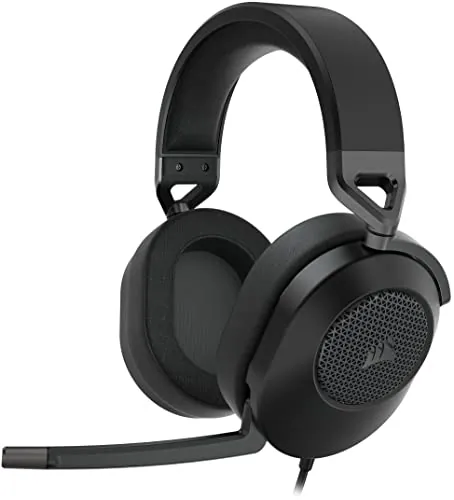
CORSAIR HS65 SURROUND Wired Gaming Headset — Carbon · HS65 SURROUND (CA-9011270-NA)
CORSAIR HS65 SURROUND Wired Gaming Headset — Carbon
HyperX Cloud III Wired Gaming Headset — Black · Cloud III Wired (727A8AA)
HyperX Cloud III Wired Gaming Headset — Black

Corsair HS65 Surround vs HyperX Cloud III: Ports, PC Features and Mic Controls

Both wired headsets can connect over 3.5 mm, but their USB paths differ: the exact Corsair HS65 adds an included adapter for iCUE SoundID/Dolby features, while the exact black Cloud III includes a USB dongle and USB-A adapter and lists NGENUITY access on supported Windows PCs. The HS65 boom stays attached and flips to mute; Cloud III's mic detaches and its mute LED shows state.

Read comparison
Corsair HS65 Surround Wired Gaming Headset - Carbon · CA-9011270-NA
Corsair HS65 Surround Wired Gaming Headset - Carbon
HyperX Cloud Alpha Wired Gaming Headset - Black-Red · HX-HSCA-RD/AM (SKU 4P5L1AA#ABL)
HyperX Cloud Alpha Wired Gaming Headset - Black-Red

Corsair HS65 Surround vs HyperX Cloud Alpha: USB Audio, Mic and Cable Setup

These are wired gaming headsets with different setup and handling choices. Corsair's HS65 Surround CA-9011270-NA connects by 3.5 mm and includes a USB surround adapter for iCUE options; its current U.S. product page says PC and Mac, while the model Quick Start Guide scopes virtual 7.1 to PC and iCUE setup to Windows 10+, so confirm Mac support before relying on those USB features. HyperX Cloud Alpha Red SKU 4P5L1AA#ABL uses 3.5 mm and lists a detachable headset cable, detachable mic, inline volume/mic controls and a PC extension cable. Choose based on your host ports, OS and preferred mic/cable routine; no sound or microphone-performance winner is established.

Read comparison
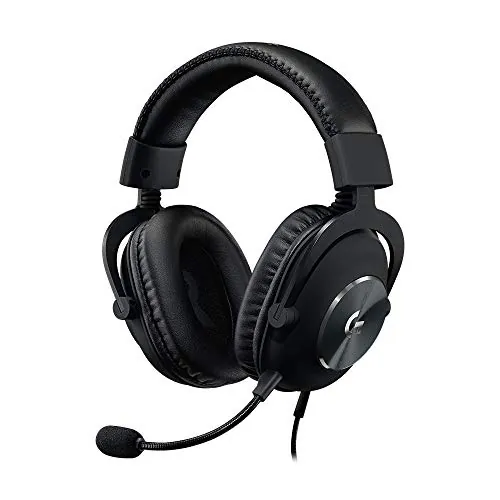
Logitech G PRO X Wired Gaming Headset · 981-000817
Logitech G PRO X Wired Gaming Headset
Logitech G733 LIGHTSPEED Wireless Gaming Headset · 981-000863
Logitech G733 LIGHTSPEED Wireless Gaming Headset

Logitech PRO X Wired vs G733: Connection, PC Features, and Fit Adjustments

The black Logitech PRO X (981-000817) connects by cable and can use its USB DAC for PC features; the black G733 (981-000863) uses a LIGHTSPEED USB receiver and has a rechargeable, non-user-replaceable battery. Compare the connection your device can use, the features that require G HUB, and the fit adjustments you prefer.

Read comparison
Logitech G PRO X Wired Gaming Headset, Black · 981-000817
Logitech G PRO X Wired Gaming Headset, Black
HyperX Cloud Alpha Gaming Headset, Black-Red · 4P5L1AA#ABL
HyperX Cloud Alpha Gaming Headset, Black-Red

Logitech G PRO X vs HyperX Cloud Alpha: USB DAC or 3.5 mm Setup?

The black Logitech G PRO X wired headset (981-000817) and black-red HyperX Cloud Alpha (4P5L1AA#ABL) are both wired, detachable-mic headsets, but their setup paths differ. Logitech documents a USB DAC that enables Blue VO!CE, five-band EQ, and DTS Headphone:X 2.0 on a PC using G HUB; using the PC's analog sound-card splitter does not enable those features. HyperX documents a 3.5 mm connection, inline volume and mic-mute controls, and a detachable headset cable, mic, and PC extension cable in the box. Logitech also specifies included leatherette and velour ear-pad sets. These are setup and package choices, not sound or comfort results.

Read comparison
Logitech G733 LIGHTSPEED Wireless Gaming Headset, Black · 981-000863
Logitech G733 LIGHTSPEED Wireless Gaming Headset, Black
SteelSeries Arctis Nova 5 Wireless Gaming Headset, Black · 61670
SteelSeries Arctis Nova 5 Wireless Gaming Headset, Black

Logitech G733 vs SteelSeries Arctis Nova 5: Wireless Modes and Mic Setup

The black Logitech G733 (981-000863) is documented around a USB LIGHTSPEED receiver workflow on PC, with a detachable boom mic and earcup mute/volume controls. The black SteelSeries Arctis Nova 5 (61670) includes a USB-C wireless dongle plus a USB-C-to-USB-A adapter and lets you switch between 2.4 GHz and Bluetooth from the headset; SteelSeries lists PC, PS5, PS4, mobile, Switch and Mac. Pick by your host and daily switching routine. The reviewed Logitech sources do not settle Bluetooth support or every console pairing, so verify those before buying if they are required.

Read comparison
Corsair HS65 Surround Wired Gaming Headset — Carbon · CA-9011270-NA
Corsair HS65 Surround Wired Gaming Headset — Carbon
Logitech G733 LIGHTSPEED Wireless RGB Gaming Headset — Black · 981-000863
Logitech G733 LIGHTSPEED Wireless RGB Gaming Headset — Black

Corsair HS65 Surround vs Logitech G733: 3.5mm, USB Receiver and Mic Controls

The US Corsair HS65 Surround Carbon CA-9011270-NA uses a 3.5mm wired connection and includes a USB adapter for specified PC/Mac features. Its attached boom mutes when flipped up. The black Logitech G733 981-000863 sends audio over its LIGHTSPEED USB receiver, uses USB-C for charging, and has a detachable boom with a separate mute button. Choose by the ports on your actual host and the mic motion you prefer; verify console compatibility before relying on a USB receiver. This guide compares documented setup and controls, not sound, voice quality, comfort or latency.

Read comparison
SteelSeries Arctis Nova 5 Wireless (Black) · 61670
SteelSeries Arctis Nova 5 Wireless (Black)
HyperX Cloud III Wired Gaming Headset (Black) · 727A8AA
HyperX Cloud III Wired Gaming Headset (Black)

SteelSeries Arctis Nova 5 vs HyperX Cloud III: Wireless Switching or Wired Connections?

The black Arctis Nova 5 Wireless (model 61670) connects through its USB-C wireless dongle or Bluetooth and switches between those sources; it is not the Xbox-compatible Nova 5X. The black HyperX Cloud III Wired (727A8AA) uses a cable, with 3.5 mm, USB-C, and USB-A paths listed by HyperX. Choose after checking the exact console port and whether you want wireless source switching or a wired setup.

Read comparison
Corsair HS65 Surround Wired Gaming Headset — Carbon · CA-9011270-NA
Corsair HS65 Surround Wired Gaming Headset — Carbon
Logitech G PRO X Wired Gaming Headset — Black · 981-000817
Logitech G PRO X Wired Gaming Headset — Black

Corsair HS65 Surround vs Logitech G PRO X Wired: USB Setup, 3.5mm and Mic Workflow

This US comparison covers the Corsair HS65 Surround Carbon CA-9011270-NA and the original wired Logitech G PRO X Black 981-000817. Both offer a wired 3.5 mm route, but their included USB paths and PC software features differ. HS65 uses its included USB surround adapter with Corsair iCUE for SoundID and Dolby Audio features; PRO X uses its included USB DAC with Logitech G HUB for Blue VO!CE, EQ and DTS Headphone:X 2.0. HS65's boom is fixed and flips up to mute; PRO X's boom can be removed, and Logitech shows a separate mobile-cable setup without establishing that cable's box inclusion. This is a documented setup and control comparison, not a sound or microphone test.

Read comparison
CORSAIR HS65 SURROUND Wired Gaming Headset - Carbon · CA-9011270-NA
CORSAIR HS65 SURROUND Wired Gaming Headset - Carbon
SteelSeries Arctis Nova 5 Wireless Gaming Headset - Black · 61670
SteelSeries Arctis Nova 5 Wireless Gaming Headset - Black

Corsair HS65 Surround vs SteelSeries Arctis Nova 5: Wired, Dongle, or Bluetooth?

The Carbon HS65 Surround (CA-9011270-NA) is a wired 3.5 mm headset, with an included USB surround adapter for its documented iCUE feature path. Standard Arctis Nova 5 Wireless (61670) uses a USB-C wireless dongle and can switch to Bluetooth 5.3. For PS4/PS5, SteelSeries documents the dongle plus included USB-C-to-USB-A adapter; for Xbox, Corsair lists the HS65's wired compatibility while the reviewed Nova 5 guide does not list an Xbox wireless route. Verify your exact host and desired audio features before buying. Neither headset is ranked for sound or mic quality.

Read comparison
Logitech G733 LIGHTSPEED Wireless Gaming Headset — Black · G733 / 981-000863
Logitech G733 LIGHTSPEED Wireless Gaming Headset — Black
HyperX Cloud Alpha Gaming Headset — Black-Red · HX-HSCA-RD/AM (current part 4P5L1AA#ABL)
HyperX Cloud Alpha Gaming Headset — Black-Red

Logitech G733 vs HyperX Cloud Alpha: USB Wireless or 3.5mm Wired?

The black Logitech G733 uses LIGHTSPEED wireless through USB; the original black-red HyperX Cloud Alpha uses a detachable 3.5mm cable. Check your console or PC ports first, then compare where you want audio and microphone controls and what the selected box includes.

Read comparison
SteelSeries Arctis Nova 5 Wireless Gaming Headset, Black · 61670
SteelSeries Arctis Nova 5 Wireless Gaming Headset, Black
HyperX Cloud Alpha Wired Gaming Headset, Black-Red · 4P5L1AA#ABL
HyperX Cloud Alpha Wired Gaming Headset, Black-Red

SteelSeries Arctis Nova 5 vs HyperX Cloud Alpha: USB-C Wireless or 3.5mm Wired?

The black standard Arctis Nova 5 (61670) pairs a USB-C 2.4 GHz dongle with Bluetooth QuickSwitch, a retractable mic, and SteelSeries app/PC software options. The black-red original HyperX Cloud Alpha (4P5L1AA#ABL) is wired over 3.5mm, has a detachable mic and cable controls, and is listed for Xbox when the device has a compatible connection. Standard Nova 5 is not Xbox-compatible; do not confuse it with Nova 5X.

Read comparison
Logitech G PRO X Wired Gaming Headset (Black) · 981-000817
Logitech G PRO X Wired Gaming Headset (Black)
SteelSeries Arctis Nova 5 Wireless Gaming Headset (Black) · 61670
SteelSeries Arctis Nova 5 Wireless Gaming Headset (Black)

Logitech G PRO X Wired vs SteelSeries Arctis Nova 5 Wireless: PC DAC or Dongle?

The Logitech G PRO X is a wired headset whose included USB DAC and G HUB unlock named features on PC; its analog splitter path does not. The standard Arctis Nova 5 Wireless uses a USB-C dongle with a USB-A adapter or Bluetooth QuickSwitch. Check the port and software route you will use, then decide whether you prefer a detachable boom or one that retracts into the earcup.

Read comparison
CORSAIR HS65 SURROUND Wired Gaming Headset — Carbon · CA-9011270-NA
CORSAIR HS65 SURROUND Wired Gaming Headset — Carbon
Logitech G522 LIGHTSPEED Wireless Gaming Headset — Black · 981-001491
Logitech G522 LIGHTSPEED Wireless Gaming Headset — Black

CORSAIR HS65 SURROUND vs Logitech G522 LIGHTSPEED: Connections and Mic Controls

The black CORSAIR HS65 SURROUND (CA-9011270-NA) is a wired headset with a 3.5 mm path and an included USB adapter for documented PC features. The black Logitech G522 LIGHTSPEED (981-001491) offers LIGHTSPEED, Bluetooth, and USB-wired options, but USB-wired and LIGHTSPEED cannot run together. Their mic controls differ too: flip the HS65 boom up to mute, or press the G522 mute button and use its red indicators. Match the exact host, cable path, and mute control to your setup; these documented differences do not establish an audio or mic-performance winner.

Read comparison
Logitech G733 LIGHTSPEED Wireless Gaming Headset - Black · 981-000863
Logitech G733 LIGHTSPEED Wireless Gaming Headset - Black
HyperX Cloud III Wired Gaming Headset - Black · 727A8AA
HyperX Cloud III Wired Gaming Headset - Black

Logitech G733 vs HyperX Cloud III Wired: USB Wireless or Wired Ports?

The black G733 (981-000863) sends game audio through a LIGHTSPEED USB connection; its built-in USB-C port is for charging. Black HyperX Cloud III Wired (727A8AA) is a wired alternative with USB-C, USB-A and 3.5 mm paths. HyperX specifically says to connect Cloud III Wired to an Xbox controller through 3.5 mm, while Logitech's reviewed G733 documents do not establish an Xbox route. For PC voice tools, Logitech names Blue VO!CE through G HUB; HyperX lists Cloud III Wired under NGENUITY Legacy, which is Windows-only and has limited maintenance. Choose around your host ports and software needs, not an untested sound or mic-quality ranking.

Read comparison
Logitech G522 LIGHTSPEED Wireless Gaming Headset — Black · 981-001491
Logitech G522 LIGHTSPEED Wireless Gaming Headset — Black
HyperX Cloud III Wired Gaming Headset — Black · 727A8AA
HyperX Cloud III Wired Gaming Headset — Black

Logitech G522 vs HyperX Cloud III Wired: Wireless Modes or More Cable Choices?

This comparison covers the black Logitech G522 LIGHTSPEED (981-001491) and black HyperX Cloud III Wired (727A8AA). The G522 can use LIGHTSPEED, Bluetooth, or USB wired audio, but plugging in USB disables LIGHTSPEED; its manual does not document a 3.5 mm input. Cloud III Wired is fully wired and includes 3.5 mm, USB-C and USB-A connection options through its USB dongle/adapter kit. Their mute workflows also differ: G522 has a mic button with red status indicators on the button and boom; Cloud III has earcup mute and volume controls plus an LED mute indicator, and its microphone detaches. Pick by the host ports and connection mode you will actually use, not a sound-quality claim.

Read comparison
Logitech G PRO X Wired Gaming Headset · 981-000817
Logitech G PRO X Wired Gaming Headset
Logitech G522 LIGHTSPEED Wireless Gaming Headset · 981-001491
Logitech G522 LIGHTSPEED Wireless Gaming Headset

Logitech PRO X vs G522 LIGHTSPEED: Wired PC Control or Wireless Flexibility?

These are different connection workflows, not a tested sound-quality ranking. The black PRO X (981-000817) is a wired headset whose included USB DAC unlocks Blue VO!CE, DTS Headphone:X 2.0 and EQ through G HUB on PC. The black G522 (981-001491) offers LIGHTSPEED wireless, Bluetooth and USB-wired modes, but wired USB and LIGHTSPEED cannot operate together. Check the mode and console connection you actually plan to use.

Read comparison
Logitech G522 LIGHTSPEED Wireless Gaming Headset — Black · G522 / 981-001491
Logitech G522 LIGHTSPEED Wireless Gaming Headset — Black
HyperX Cloud Alpha Gaming Headset — Black-Red · HX-HSCA-RD/AM (current part 4P5L1AA#ABL)
HyperX Cloud Alpha Gaming Headset — Black-Red

Logitech G522 vs HyperX Cloud Alpha: Wireless Modes or 3.5mm Cable?

The black Logitech G522 offers LIGHTSPEED and Bluetooth wireless modes plus USB wired audio; its USB wired mode turns LIGHTSPEED off. The black-red wired HyperX Cloud Alpha uses a 3.5 mm headset plug and includes a PC extension with separate audio and mic plugs. Check your host ports and how you want to control mute before buying.

Read comparison
Logitech G PRO X Wired Gaming Headset · 981-000817
Logitech G PRO X Wired Gaming Headset
Razer BlackShark V2 X for Xbox · RZ04-03240900-R3U1
Razer BlackShark V2 X for Xbox

Logitech G PRO X vs Razer BlackShark V2 X for Xbox: PC USB Features or 3.5mm Controls?

Both are wired headsets, but they connect and place controls differently. Logitech’s G PRO X (981-000817) adds a USB DAC for PC features in G HUB and puts mute and rotary volume on its PC cable. Razer’s Xbox edition (RZ04-03240900-R3U1) uses analog 3.5mm, with volume and mic mute on the earcup. Check the actual ports on your console, controller or computer before buying.

Read comparison
CORSAIR HS65 SURROUND Wired Gaming Headset - Carbon · CA-9011270-NA
CORSAIR HS65 SURROUND Wired Gaming Headset - Carbon
Razer BlackShark V2 X for Xbox Gaming Headset - Black · RZ04-03240900-R3U1
Razer BlackShark V2 X for Xbox Gaming Headset - Black

Corsair HS65 SURROUND vs Razer BlackShark V2 X for Xbox: Setup and Mic Controls

Both are wired headsets with a 3.5 mm route. The Corsair HS65 SURROUND (Carbon, CA-9011270-NA) adds an included USB audio adapter for its iCUE features, while the Razer BlackShark V2 X for Xbox (black, RZ04-03240900-R3U1) is documented as an analog 3.5 mm headset with Windows Sonic support on Xbox and Windows. Their microphone mute routines differ: flip the HS65 boom up, or press the Razer earcup button. This is a setup and control comparison, not a sound-quality test.

Read comparison