
Products compared

SteelSeries
SteelSeries Arctis Nova 5 Wireless (Black)
Black Arctis Nova 5 Wireless; listed model and part number 61670. This is the Nova 5, not the 5P or 5X variant.
Model 61670
Amazon ASIN B0D2YBQQ1P
CORSAIR
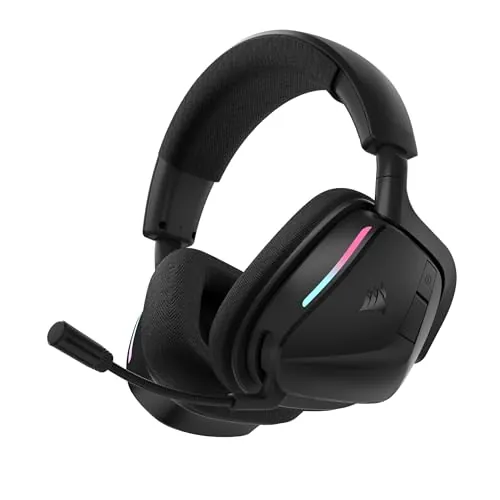
CORSAIR VOID Wireless v2 Gaming Headset - Carbon
Carbon/black CORSAIR VOID Wireless v2; exact US product SKU CA-9011379-WW.
Model CA-9011379-WW
Amazon ASIN B0DYVD72P2
Differences that matter
What matters most to you?
Choose a priority to see what it changes.
Sources for Bluetooth while game wireless is active
Start with the console and dongle, not the wireless label
These are two different black wireless gaming headsets: SteelSeries Arctis Nova 5 Wireless, listed model 61670 and Amazon ASIN B0D2YBQQ1P; and CORSAIR VOID Wireless v2 Carbon, SKU CA-9011379-WW and ASIN B0DYVD72P2. This comparison is about those models, not the Nova 5P/5X or a VOID v2 MAX edition.
For Nintendo Switch, SteelSeries Support lists the Nova 5 family and gives setup steps for the USB-C wireless dongle: plug it directly into the console in handheld mode, or into a USB port on the dock (using a USB-A adapter if necessary). Its Switch 2 entry is qualified by firmware, connection method, and USB audio support. CORSAIR's Carbon product page displays a Nintendo Switch tile, but CORSAIR's headset compatibility chart lists the VOID Wireless v2 for mobile, PC, PS4, and PS5 with USB receiver/Bluetooth and does not list Switch; the Quick Start Guide gives USB-receiver instructions only for PC and PlayStation. Treat this as an unresolved manufacturer-document mismatch, not a guaranteed Switch receiver feature.
If Switch play is essential, Nova 5 is the more clearly documented USB-dongle choice. For Switch 2, still check the latest system and headset firmware instructions before purchase.
Know what happens when Bluetooth is connected
The Nova 5 Quick Switch button changes between 2.4GHz and Bluetooth. SteelSeries says one connection is active while the other remains on standby. A phone can stay paired for calls or media, but the support wording does not describe mixing Bluetooth music into active game audio.
The VOID v2 uses the power button to toggle between RF and Bluetooth modes. Its guide says a Bluetooth-paired phone can receive calls while the headset is in RF mode; to play Bluetooth music, switch the headset to Bluetooth mode. Neither guide establishes simultaneous Bluetooth music plus console game audio, so do not buy either on that assumption without direct confirmation.
Separate microphone controls from chat compatibility
The Nova 5 offers an on-headset mute control and a retractable mic. SteelSeries warns that Nintendo Switch and Switch 2 Bluetooth audio does not provide microphone input. It also says mic support depends on headset, connection method, console, and game or chat feature, so check your exact voice-chat app rather than inferring mic support from an audio connection.
On the VOID v2, lifting the boom mutes it and lowering the boom unmutes it. CORSAIR's Switch documentation conflict leaves the exact receiver-and-mic path unresolved, and its compatibility chart's Switch 3.5 mm note is not evidence for this USB receiver. Ask CORSAIR about this exact model and game-chat path before relying on it for Nintendo voice chat.
Plan charging without comparing advertised runtimes
Both headsets use USB charging. SteelSeries says Nova headsets charge through the headset's USB-C port from a USB power source. CORSAIR's exact Carbon product page lists a 0.5 m USB charging cable in the box, and its guide shows charging from a working USB port. This helps you plan cable reach and charging access; it does not establish which headset lasts longer in your own settings.
The VOID v2 power control also cycles RF and Bluetooth, and holding its volume/EQ wheel for one second cycles four presets. The Nova 5 has separate power, mute, volume, and Quick Switch controls. Choose by the operation you expect to do while playing, not by subjective audio rankings.
Product details
SteelSeries Arctis Nova 5 Wireless (Black)
- Wireless connections
- USB-C wireless dongle for 2.4GHz plus Bluetooth; SteelSeries says only one wireless connection is active at a time. Source
- Nintendo console guidance
- SteelSeries lists Nova 5 / 5P / 5X for Nintendo Switch; Switch 2 compatibility may depend on firmware, connection method, and USB audio support. Source
- Charging
- USB-C charging port; SteelSeries groups Nova headsets among models charged with a USB charging cable. Source
CORSAIR VOID Wireless v2 Gaming Headset - Carbon
- Wireless connections
- USB wireless receiver for RF gaming mode and Bluetooth; the quick-start guide describes switching between them. Source
- US manufacturer SKU
- CA-9011379-WW, Carbon. Source
- Nintendo Switch documentation
- CORSAIR product page includes a Switch platform tile, while its support compatibility chart lists VOID Wireless v2 for PC, PS4/PS5, and mobile, not Switch. Exact Switch receiver and mic support is unresolved in CORSAIR's current documents. Source
- Charging
- The exact Carbon product package lists a 0.5 m USB charging cable; the quick-start guide charges through a USB port. Source
Before you buy
Community discussions
Switching a gaming headset between a PC and a travel phone
SteelSeries Arctis Nova 5 Wireless (Black)
A shopper considering the standard Arctis Nova 5 wanted to play games and listen to music on a computer, then use the same headset with a phone while traveling. The post asks which model fits those uses.
What to check
Test switching from your PC game to phone audio before deciding. Check the Bluetooth and receiver modes on the exact headset and whether they switch or can play together.
Common questions
Does the Arctis Nova 5 USB dongle work with Nintendo Switch?
SteelSeries lists Nova 5 / 5P / 5X for Switch and describes connecting a compatible USB-C dongle directly in handheld mode or to the dock's USB port, with a USB-A adapter if needed. For Switch 2, it warns that firmware, connection method, and USB-audio support can affect compatibility.How do I connect my SteelSeries wireless headset to Nintendo Switch or Switch 2?
Is the CORSAIR VOID Wireless v2 confirmed for Switch through its USB receiver?
CORSAIR's US product page shows a Switch platform tile, but the support compatibility chart does not list Switch for VOID Wireless v2, and the quick-start receiver steps cover PC and PlayStation. Treat the exact Switch receiver path as unconfirmed until CORSAIR verifies it.VOID WIRELESS v2 Gaming Headset - Carbon, US product pageHeadset Compatibility and Console SupportVOID WIRELESS v2 Quick Start Guide
Can Bluetooth play music at the same time as game audio?
The cited documents do not establish that setup for either headset. SteelSeries says only one Nova 5 wireless connection can be active; CORSAIR switches the VOID v2 between RF and Bluetooth, requiring Bluetooth mode for media playback.How does Quick Switch on Nova 5 work?VOID WIRELESS v2 Quick Start Guide
How do I mute the microphone?
The Nova 5 has an on-headset mute control and a retractable microphone. On the VOID v2, raise the mic boom to mute and lower it to unmute. Console or game chat availability still depends on the connection path and game/app.Arctis Nova 5 Wireless, US product pageVOID WIRELESS v2 Quick Start Guide
Sources and scope
This is a model-specific setup and control comparison, not a headset performance test. SteelSeries groups Nova 5, 5P, and 5X in its Switch compatibility chart; follow the exact Arctis Nova 5 product instructions and firmware caveats. CORSAIR's current product page displays Switch support, but its support compatibility table omits Switch for the VOID Wireless v2 and its quick-start guide only gives RF setup steps for PC and PlayStation. Verify the exact console, chat feature, and listing before relying on that receiver. No sound, latency, mic-quality, comfort, or battery-life comparison is claimed.
- Arctis Nova 5 Wireless, US product page
- How does Quick Switch on Nova 5 work?
- How do I connect my SteelSeries wireless headset to Nintendo Switch or Switch 2?
- How do I know the battery level of my headset and how do I charge it?
- VOID WIRELESS v2 Gaming Headset - Carbon, US product page
- VOID WIRELESS v2 Quick Start Guide
- Headset Compatibility and Console Support
Related comparisons

SteelSeries Arctis Nova 5 vs Logitech G522: Console, Audio Switching and Setup
This U.S. comparison is for the black Arctis Nova 5 model 61670 (B0D2YBQQ1P) and Logitech G522 black model 981-001491 (B0FFM5SP6M). Both offer a headset control to switch between gaming wireless and Bluetooth. SteelSeries describes QuickSwitch between the USB-C dongle and Bluetooth; Logitech explicitly says G522 cannot mix LIGHTSPEED and Bluetooth audio. G522 also supports wired USB audio, which disables LIGHTSPEED while connected. Check the console, available USB port, app settings and exact mic preference before buying.
Read comparison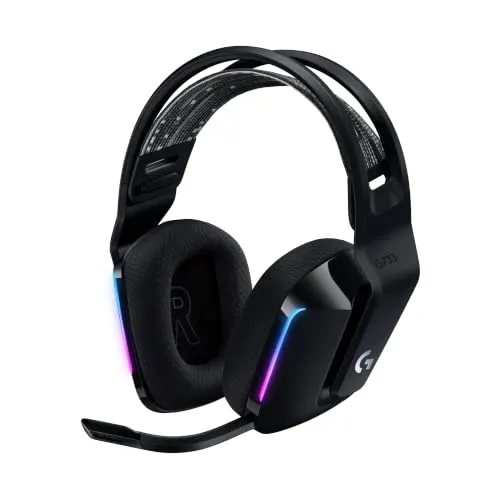
Logitech G733 vs SteelSeries Arctis Nova 5: Wireless Modes and Mic Setup
The black Logitech G733 (981-000863) is documented around a USB LIGHTSPEED receiver workflow on PC, with a detachable boom mic and earcup mute/volume controls. The black SteelSeries Arctis Nova 5 (61670) includes a USB-C wireless dongle plus a USB-C-to-USB-A adapter and lets you switch between 2.4 GHz and Bluetooth from the headset; SteelSeries lists PC, PS5, PS4, mobile, Switch and Mac. Pick by your host and daily switching routine. The reviewed Logitech sources do not settle Bluetooth support or every console pairing, so verify those before buying if they are required.
Read comparison