
Products compared

SteelSeries
SteelSeries Arctis Nova 5 Wireless Gaming Headset, Black
Standard Nova 5 black. The USB-C wireless dongle and USB-C-to-USB-A adapter cable are listed in the exact-model guide. SteelSeries distinguishes the Xbox-compatible Nova 5X from standard Nova 5.
Model Arctis Nova 5 / 61670 (standard U.S. version; not Nova 5X)
Amazon ASIN B0D2YBQQ1P

Logitech G
Logitech G522 LIGHTSPEED Wireless Gaming Headset, Black
Assigned black G522 identity. Logitech’s specifications list a USB-A LIGHTSPEED receiver and USB wired audio; its guide describes PlayStation and Nintendo Switch dock connections by included USB-A-to-USB-C cable.
Model G522 / 981-001491
Amazon ASIN B0FFM5SP6M
Differences that matter
What matters most to you?
Choose a priority to see what it changes.
Sources for Receiver and wired connection
Start with the console and USB port
The assigned Nova 5 is the standard black model 61670, not Nova 5X. SteelSeries lists PC, PlayStation 4/5, mobile, Nintendo Switch and Mac for Nova 5; its support page says standard Nova 5 is not Xbox-compatible. Logitech’s G522 spec sheet lists Windows, macOS and PlayStation 5; its user guide also describes connection to a PlayStation or a Nintendo Switch dock. The reviewed G522 sources do not confirm Xbox support, so check before ordering for Xbox.
The receiver shape matters too: Nova 5 lists a USB-C wireless dongle plus a USB-C-to-USB-A adapter; G522’s LIGHTSPEED receiver is USB-A. If you plan to use G522 wired instead, Logitech lists USB wired audio, with LIGHTSPEED disabled while the cable is connected.
A headset switch is not the same as audio mixing
Both headset guides show a control to switch between gaming wireless and Bluetooth. Nova 5 QuickSwitch toggles from the USB-C dongle’s 2.4GHz connection to Bluetooth. Logitech documents a similar LIGHTSPEED/Bluetooth mode switch for G522 and separately answers that G522 cannot mix those sources.
The Nova 5 manual and product page emphasize switching; the sources reviewed here do not establish that 2.4GHz game sound and Bluetooth phone sound play together. If you require simultaneous game audio plus phone chat/music, treat Nova 5 as unverified until SteelSeries confirms the exact behavior. Do not infer mixing from standby pairing or call-related mode controls.
Choose settings by the host where you will use them
SteelSeries documents the Nova Companion app for more than 100 game presets and Engine custom EQ/mic controls in SteelSeries GG. Its product page specifies Windows 10+ for ChatMix and says ChatMix is not supported on Mac. Confirm which controls apply to the console profile you plan to use.
Logitech lists G HUB/G Mobile support for G522; the exact product page describes BLUE VO!CE and LIGHTSYNC. Treat those as advertised setting paths, not evidence of better voice or game audio. Logitech’s G522 platform list covers PC, macOS and PS5; the cited documentation does not establish every desktop setting on consoles.
The microphone choice is about storage
Nova 5’s ClearCast microphone retracts into its earcup and must be extended to work. Logitech lists a detachable boom mic for G522. Both guides document physical mute controls and visible mute status. Pick the handling style that fits your desk or travel routine; the product descriptions do not establish which mic sounds clearer.
Pre-buy checklist
1) Write down the exact console and confirm support for the model number on the listing. 2) Check whether the host has USB-C or USB-A and whether the supplied adapter/cable covers it. 3) Decide whether wired USB audio is useful; on G522 it disables LIGHTSPEED. 4) If you need simultaneous phone and game audio, get an explicit Nova 5 answer from SteelSeries; G522 is documented not to mix. 5) Pick mic retraction or removal and check the desktop app/console setting you depend on.
Product details
SteelSeries Arctis Nova 5 Wireless Gaming Headset, Black
Best matched to a USB-C dongle setup across PC, PlayStation, Switch and mobile, when the standard Nova 5 platform list fits. Its mode button switches between dongle and Bluetooth; do not assume the two sources play together from the documents reviewed.
- Connections and contents
- 2.4GHz USB-C wireless dongle, USB-C-to-USB-A adapter cable, Bluetooth and USB-C charging cable. The cited guide describes switching between dongle and Bluetooth modes. Source
- Documented platform scope
- PC, PlayStation 4/5, mobile, Nintendo Switch and Mac in the product guide; SteelSeries support states standard Nova 5 is not Xbox-compatible (Nova 5X is the Xbox version). Source
- Software and presets
- SteelSeries lists the Nova Companion app and more than 100 game audio presets; Engine in SteelSeries GG provides custom EQ/mic settings. The product page lists Windows 10+ for ChatMix and says Mac does not support ChatMix. Source
Logitech G522 LIGHTSPEED Wireless Gaming Headset, Black
Best matched to a USB-A receiver setup or buyers who want a documented wired USB audio option. G522 cannot mix Bluetooth and LIGHTSPEED sources, and wired USB replaces LIGHTSPEED while connected.
- Connections and receiver
- LIGHTSPEED USB-A wireless receiver, Bluetooth and wired USB audio; the quick-start guide says LIGHTSPEED cannot be used while the USB cable is connected. Source
- Documented platform scope
- Logitech specifications list Windows 10/11, macOS 13–15 and PlayStation 5; the exact-model guide also documents use with a PlayStation or Nintendo Switch dock, and the product page identifies Switch/Switch 2 compatibility. Xbox support is not established by the sources cited here. Source
- Software and controls
- Logitech lists G HUB/G Mobile support; the product page describes BLUE VO!CE, and the headset has LIGHTSYNC RGB. These are feature descriptions, not a voice-quality comparison. Source
Before you buy
Community discussions
Switching a gaming headset between a PC and a travel phone
SteelSeries Arctis Nova 5 Wireless Gaming Headset, Black
A shopper considering the standard Arctis Nova 5 wanted to play games and listen to music on a computer, then use the same headset with a phone while traveling. The post asks which model fits those uses.
What to check
Plan a PC connection and a separate travel-phone connection. Compare the Nova 5 dongle and Bluetooth switch with the G522 wired and wireless modes you would actually use.
Common questions
Can both headsets play Bluetooth phone audio over game audio at once?
Logitech says G522 cannot mix LIGHTSPEED and Bluetooth audio and can only switch modes. SteelSeries’ Nova 5 materials reviewed here describe QuickSwitch between dongle and Bluetooth modes but do not confirm mixed, simultaneous audio. If this is essential, verify with SteelSeries before choosing Nova 5.Arctis Nova 5 Wireless Product Information GuideArctis Nova 5 Wireless official U.S. product pageCan I mix Bluetooth and LIGHTSPEED audio sources using my G522 LIGHTSPEED headset?
Does the standard Arctis Nova 5 work with Xbox?
No. SteelSeries states that only Nova 5X is built for Xbox; standard Nova 5 and Nova 5P are not Xbox-compatible. Do not confuse the assigned standard Nova 5 model with 5X.Nova 5 Connection Issues Troubleshooting
Can I use G522 while charging over USB and keep LIGHTSPEED?
No. Logitech documents wired USB audio as its own mode and says LIGHTSPEED cannot be used while the headset is connected by USB.G522 LIGHTSPEED web quick-start guideG522 USB wired-mode support article
What receiver ports do the listed models use?
The Nova 5 guide lists a USB-C wireless dongle and USB-C-to-USB-A adapter. Logitech’s G522 specifications list a USB-A LIGHTSPEED receiver. Check the host or dock ports and the included cable/adapter in the selected offer.Arctis Nova 5 Wireless Product Information GuideG522 LIGHTSPEED exact-model specifications
Sources and scope
Feature-fit guide for assigned U.S. black standard Arctis Nova 5 model 61670 and Logitech G522 model 981-001491. No audio-quality, microphone-quality, latency, range, battery or reliability testing was performed. Nova 5 official documentation describes mode switching but does not establish concurrent 2.4GHz-plus-Bluetooth audio mixing; G522 support explicitly says it cannot mix LIGHTSPEED and Bluetooth. For Xbox, standard Nova 5 is explicitly unsupported; the exact G522 sources reviewed do not establish Xbox support, so confirm before buying. No current price or live package condition is evaluated.
- Arctis Nova 5 Wireless Product Information Guide
- Nova 5 Connection Issues Troubleshooting
- Arctis Nova 5 Wireless official U.S. product page
- G522 LIGHTSPEED web quick-start guide
- G522 LIGHTSPEED exact-model specifications
- G522 LIGHTSPEED exact U.S. product page
- Quels sont les boutons du casque G522 LIGHTSPEED? (Logitech Support, French locale)
- G522 USB wired-mode support article
- Can I mix Bluetooth and LIGHTSPEED audio sources using my G522 LIGHTSPEED headset?
Related comparisons
SteelSeries Arctis Nova 5 vs CORSAIR VOID Wireless v2
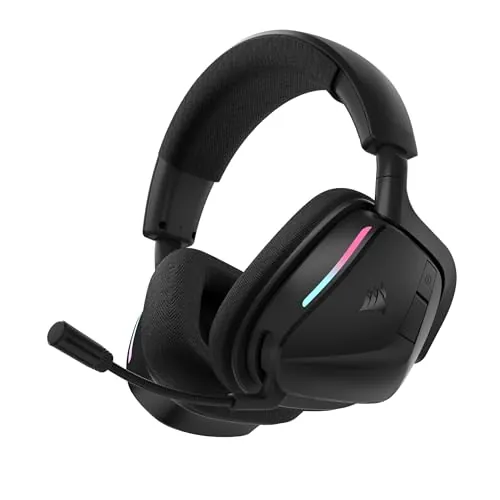
For Nintendo Switch, the Nova 5 has clearer USB-dongle guidance: SteelSeries lists the Nova 5 family for Switch and Switch 2, with a firmware/USB-audio caveat on Switch 2. CORSAIR's product page shows Switch compatibility, but its support chart does not list the VOID Wireless v2 for Switch. For PC or PlayStation, compare Bluetooth switching and mic controls: the Nova 5 changes between 2.4GHz and Bluetooth; the VOID v2 can take phone calls in RF mode but requires Bluetooth mode for Bluetooth media.
Read comparison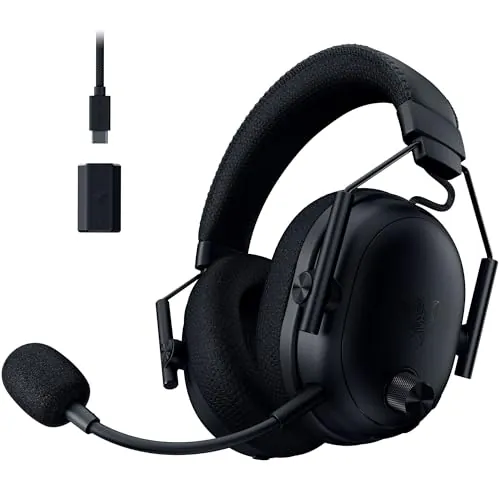
Logitech G522 vs Razer BlackShark V3 Pro: Dual Audio, USB, and ANC
This comparison is about how the exact black Logitech G522 (981-001491) and black PC Razer BlackShark V3 Pro (RZ04-05400100-R3U1) route audio. Logitech says the G522 switches between LIGHTSPEED and Bluetooth rather than mixing them, and USB wired audio disables LIGHTSPEED. Razer documents simultaneous 2.4 GHz plus Bluetooth listening, along with USB and 3.5 mm modes. Razer also documents hybrid ANC controls; the sources reviewed do not establish whether G522 has headphone ANC. No sound, microphone, comfort, latency, or ANC-effectiveness winner is claimed.
Read comparison