
Products compared
Logitech G
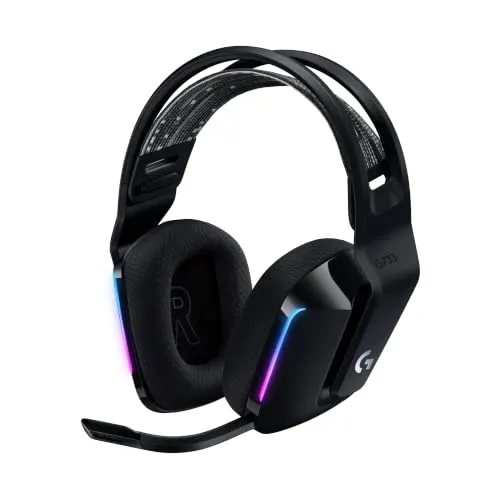
Logitech G733 LIGHTSPEED Wireless Gaming Headset, Black
Black U.S. Logitech G733; exact USB LIGHTSPEED headset variant.
Model 981-000863
Amazon ASIN B081415GCS

SteelSeries
SteelSeries Arctis Nova 5 Wireless Gaming Headset, Black
Black U.S. standard Arctis Nova 5 Wireless, model 61670; not Nova 5X or Nova 5P.
Model 61670
Amazon ASIN B0D2YBQQ1P
Differences that matter
What matters most to you?
Choose a priority to see what it changes.
Sources for Connection modes and host documentation
Sources for Included connection gear
Sources for Switching and volume/mute controls
Sources for Microphone storage
Start with the device and connection you actually need
The G733's official setup centers on its LIGHTSPEED USB receiver; Logitech's setup guide shows the receiver connected to a PC. The Nova 5 guide documents two modes, 2.4 GHz through the USB-C dongle and Bluetooth, plus a QuickSwitch button on the headset. SteelSeries lists PC, PS5, PS4, mobile, Nintendo Switch and Mac as compatible systems. If you require a particular host, check its port and exact support page before ordering rather than assuming a family-wide compatibility claim.
This distinction is most useful when you want to move between a low-latency dongle session and a phone or other Bluetooth device. Nova 5 documents that mode change. The G733 evidence cited here does not establish Bluetooth; confirm with Logitech if you expect to use that mode, and do not infer unsupported status solely from a spec page's omission.
Check the port and adapter before checkout
SteelSeries lists the Nova 5 package with a USB-C wireless dongle, a USB-C-to-USB-A adapter cable and a charging cable. That gives you a documented way to connect the dongle to a USB-A host when needed. Check the physical ports available on your console, computer or mobile device and whether its case or nearby hardware obstructs the port; the adapter is for the dongle connection, not proof that every host will support headset audio.
For the G733, Logitech's support page specifies LIGHTSPEED via USB and its setup guide demonstrates plugging the receiver into a PC. The retailer bundle's included cable/adapter can vary, so confirm the exact listing if you need a particular port adapter. For an unsupported or unlisted host, ask the manufacturer rather than extrapolating from the brand's other headsets.
Choose the microphone routine you will keep using
The Logitech boom microphone detaches and can be replaced. The Nova 5 mic remains attached but retracts into the headset, and SteelSeries instructs users to slide it fully out for use. Neither physical arrangement establishes voice quality; choose based on whether you want to remove a boom between sessions or tuck an attached mic away.
Both manuals document onboard mute and volume controls. Nova 5 adds a dedicated QuickSwitch button for its two connection modes. For software features such as equalizer, lighting or mic processing, check the exact platform and app requirements separately; this comparison does not treat software effects as built-in acoustic performance.
Product details
Logitech G733 LIGHTSPEED Wireless Gaming Headset, Black
G733 fits a PC setup where you plan to use its USB LIGHTSPEED receiver and want a boom mic that can be removed. Logitech's exact-model setup guide also shows adjustable headband and earcup fit pieces; it does not establish comfort for every wearer.
SteelSeries Arctis Nova 5 Wireless Gaming Headset, Black
Nova 5 fits a setup where you want both documented 2.4 GHz dongle and Bluetooth modes and a headset button to switch between them. Its box lists both USB-C and USB-A host connection options; use the included adapter where your device requires USB-A.
- Wireless modes and host list
- 2.4 GHz wireless through the USB-C dongle and Bluetooth; SteelSeries lists PC, PS5, PS4, mobile, Nintendo Switch and Mac as system compatibility. Source
- Included wireless connection gear
- USB-C wireless dongle, USB-C-to-USB-A adapter cable and charging cable are listed in the package contents. Source
- Microphone and switching controls
- Retractable ClearCast microphone with mute indicator; headset controls include a mode-switch button for 2.4 GHz/Bluetooth and a volume wheel. Source
Before you buy
Community discussions
A buyer asks about using Nova 5 across gaming, home office and TV
SteelSeries Arctis Nova 5 Wireless Gaming Headset, Black
A prospective Nova 5 buyer wants to use Bluetooth for home office and TV alongside the dongle for gaming. They ask whether several Bluetooth sources can stay paired without repeated pairing and whether the headset can switch between them; the post does not give an answer or report an owner's result.
What to check
If you expect to use Bluetooth for calls or TV and the dongle for gaming, confirm that the exact headset you choose supports your required source-switching routine. This question concerns the Nova 5 buyer's needs and does not establish Bluetooth support or behavior for the G733.
Common questions
Does the Logitech G733 support Bluetooth?
The Logitech G733 support specification and setup guide cited here document LIGHTSPEED via USB receiver but do not settle Bluetooth support. Do not treat that omission as proof either way; verify the exact model with Logitech if Bluetooth matters.Logitech G733 official specificationsLogitech G733 Wireless RGB Headset setup guide
Can I switch the Arctis Nova 5 between Bluetooth and its wireless dongle?
Yes. SteelSeries' exact-model guide describes its QuickSwitch control for moving between the 2.4 GHz dongle and Bluetooth. Call behavior after answering on Bluetooth depends on which mode the call was answered from, so check the guide for that sequence if it is part of your routine.SteelSeries Arctis Nova 5 Product Information Guide
Which headset's mic can I remove?
Logitech documents the G733 boom microphone as detachable/replaceable. The Nova 5's microphone is attached and retracts into the headset; its guide says to slide it fully out when using it.Logitech G733 Wireless RGB Headset setup guideSteelSeries Arctis Nova 5 Product Information Guide
Does the Nova 5 package include a USB-A adapter?
SteelSeries lists a USB-C-to-USB-A adapter cable along with the USB-C wireless dongle and charging cable in the Nova 5 package contents. Confirm the retailer listing is the same standard Nova 5 bundle.SteelSeries Arctis Nova 5 Product Information Guide
Sources and scope
This guide compares documented setup, included connection gear and physical microphone/control workflow, not measured sound, microphone, latency, comfort or durability performance. The Logitech sources reviewed establish a USB LIGHTSPEED receiver setup and PC installation example but do not settle Bluetooth support or all console compatibility. SteelSeries' system list and package contents apply to the standard Nova 5, model 61670, not Nova 5X or Nova 5P. Retailer bundle contents should be checked against the exact listing.
Related comparisons
SteelSeries Arctis Nova 5 vs CORSAIR VOID Wireless v2
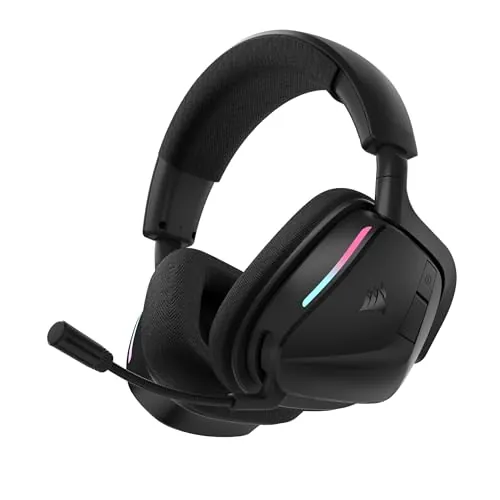
For Nintendo Switch, the Nova 5 has clearer USB-dongle guidance: SteelSeries lists the Nova 5 family for Switch and Switch 2, with a firmware/USB-audio caveat on Switch 2. CORSAIR's product page shows Switch compatibility, but its support chart does not list the VOID Wireless v2 for Switch. For PC or PlayStation, compare Bluetooth switching and mic controls: the Nova 5 changes between 2.4GHz and Bluetooth; the VOID v2 can take phone calls in RF mode but requires Bluetooth mode for Bluetooth media.
Read comparison
SteelSeries Arctis Nova 5 vs Logitech G522: Console, Audio Switching and Setup
This U.S. comparison is for the black Arctis Nova 5 model 61670 (B0D2YBQQ1P) and Logitech G522 black model 981-001491 (B0FFM5SP6M). Both offer a headset control to switch between gaming wireless and Bluetooth. SteelSeries describes QuickSwitch between the USB-C dongle and Bluetooth; Logitech explicitly says G522 cannot mix LIGHTSPEED and Bluetooth audio. G522 also supports wired USB audio, which disables LIGHTSPEED while connected. Check the console, available USB port, app settings and exact mic preference before buying.
Read comparison