
Products compared

SteelSeries
SteelSeries Arctis Nova 5 Wireless Gaming Headset, Black
Standard black Arctis Nova 5 Wireless, not the Xbox-compatible Nova 5X variant.
Model 61670
Amazon ASIN B0D2YBQQ1P

HyperX
HyperX Cloud Alpha Wired Gaming Headset, Black-Red
Original wired Black-Red Cloud Alpha, not Cloud Alpha Wireless or Cloud Alpha S.
Model 4P5L1AA#ABL
Amazon ASIN B074NBSF9N
Differences that matter
What matters most to you?
Choose a priority to see what it changes.
Sources for Host connection and console fit
Sources for Switching between game audio and another device
Sources for Software and on-head controls
Sources for Microphone storage and box contents
Start with the console, controller, or computer port
These two headsets start from different host connections. Nova 5 uses a USB-C wireless dongle for 2.4 GHz and pairs separately over Bluetooth; the included adapter cable provides a USB-A host path. Cloud Alpha is wired over 3.5mm and includes a PC extension cable. A console-family compatibility label does not tell you which controller or dock jack your setup needs, so verify that port before purchasing.
For Xbox, the product suffix matters: SteelSeries explicitly says standard Nova 5 is not compatible and reserves Xbox support for Nova 5X. The HyperX listing names Xbox Series X|S and Xbox One for Cloud Alpha, with the 3.5mm connection caveat.
Choose the controls and software routine you will actually use
Nova 5 documents a QuickSwitch button for changing between dongle and Bluetooth modes. Its information guide also describes the smartphone Companion App for custom audio settings and SteelSeries GG Engine for EQ and microphone control. Cloud Alpha puts volume and mic mute on its detachable cable. These are different control locations and setup workflows; the documentation does not compare sound quality or imply that one is easier for every buyer.
Microphone storage is also a daily-use distinction. Nova 5’s boom slides into the earcup but remains attached, and SteelSeries instructs users to extend it fully before speaking. Cloud Alpha’s mic can be unplugged. Pick the one that matches how you put the headset away between sessions.
Product details
SteelSeries Arctis Nova 5 Wireless Gaming Headset, Black
- Connection and included host adapters
- USB-C wireless dongle for 2.4 GHz plus Bluetooth. The box contents include a USB-C-to-USB-A adapter cable; the setup guide describes USB-A/USB-C host paths and Bluetooth pairing. Source
- Platform boundary
- The setup guide covers PC, PlayStation 5/4, mobile, Nintendo Switch and Mac. SteelSeries support says only Nova 5X is Xbox-compatible; standard Nova 5 does not work with Xbox. Source
- Controls, app and microphone
- QuickSwitch changes between dongle and Bluetooth modes. SteelSeries documents a Nova 5 Companion App for smartphone audio settings and SteelSeries GG Engine for PC equalizer/microphone control. The ClearCast boom retracts into the headset but must be fully extended before use. Source
HyperX Cloud Alpha Wired Gaming Headset, Black-Red
- Connection and included cable
- Wired headset using a 3.5mm path. The exact Black-Red product page lists a detachable headset cable and a PC extension cable in the box. Source
- Platform boundary
- HyperX lists PC, PS5/PS4, Xbox Series X|S/Xbox One, Nintendo Switch and mobile, and says the headset is designed for platforms with a 3.5mm port. Check the specific controller/device connection. Source
- Controls and microphone
- Volume and mic-mute controls are on the detachable cable; the microphone unplugs from the headset. Source
Before you buy
Community discussions
A buyer asks about using Nova 5 across gaming, home office and TV
SteelSeries Arctis Nova 5 Wireless Gaming Headset, Black
A prospective Nova 5 buyer wants to use Bluetooth for home office and TV alongside the dongle for gaming. They ask whether several Bluetooth sources can stay paired without repeated pairing and whether the headset can switch between them; the post does not give an answer or report an owner's result.
What to check
List the devices you plan to use and whether you need to move between Bluetooth sources or between Bluetooth and the dongle. Confirm the exact Nova 5 switching behavior for that routine before choosing it over a wired headset.
Common questions
Does the Arctis Nova 5 in this comparison work with Xbox?
No. This is standard black Arctis Nova 5 model 61670. SteelSeries says Nova 5X is the only Nova 5 model built for Xbox and standard Nova 5 does not work with Xbox, even with a separately purchased 5X dongle.Nova 5 Connection Issues Troubleshooting — SteelSeries Support
Can I use the Nova 5 with a USB-A-only PC?
Its box includes a USB-C-to-USB-A adapter cable, and the guide documents the dongle setup using that adapter with a PC. Confirm the included accessory in the exact listing before purchase.Arctis Nova 5 Wireless Product Information Guide
Does HyperX Cloud Alpha connect to Xbox wirelessly?
No. The exact Cloud Alpha listing here is wired and uses a 3.5mm connection. HyperX lists Xbox Series X|S and Xbox One compatibility for the headset, but your controller or console setup needs a compatible 3.5mm audio path.Cloud Alpha Gaming Headset — HyperX U.S. Black-Red listing
Which headset has an app for changing audio settings?
SteelSeries documents a phone Companion App for custom audio settings and SteelSeries GG Engine for PC EQ and mic control for Nova 5. HyperX’s Cloud Alpha product page instead documents inline cable controls; it does not establish that no other software feature can ever apply.Arctis Nova 5 Wireless Product Information GuideCloud Alpha Gaming Headset — HyperX U.S. Black-Red listing
How do the microphones stow?
Nova 5’s attached ClearCast mic slides into the earcup and must be extended fully before use. Cloud Alpha’s mic detaches from the headset. Neither fact compares voice quality.Arctis Nova 5 Wireless Product Information GuideCloud Alpha Gaming Headset — HyperX U.S. Black-Red listing
Sources and scope
This guide compares documented connection, control, software and microphone workflows. It is not a sound, microphone-quality, comfort, latency, battery-life or reliability test. Platform support is conditional on exact model and host connection; verify your console, controller, PC or phone ports and any required adapter.
Related comparisons
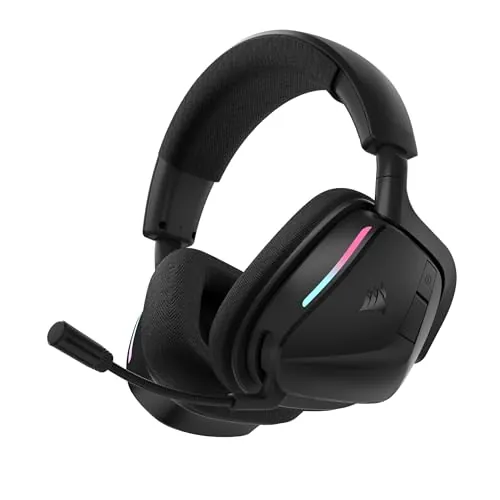
SteelSeries Arctis Nova 5 vs CORSAIR VOID Wireless v2
For Nintendo Switch, the Nova 5 has clearer USB-dongle guidance: SteelSeries lists the Nova 5 family for Switch and Switch 2, with a firmware/USB-audio caveat on Switch 2. CORSAIR's product page shows Switch compatibility, but its support chart does not list the VOID Wireless v2 for Switch. For PC or PlayStation, compare Bluetooth switching and mic controls: the Nova 5 changes between 2.4GHz and Bluetooth; the VOID v2 can take phone calls in RF mode but requires Bluetooth mode for Bluetooth media.
Read comparison
HyperX Cloud III Wired vs Cloud Alpha Wired: Ports, Adapters and Controls
The black HyperX Cloud III Wired (727A8AA) has documented USB-C, USB-A via its included adapter, and 3.5mm connection options, with USB NGENUITY features on supported Windows PCs. The Black-Red Cloud Alpha Wired (4P5L1AA#ABL) is documented around a 3.5mm connection and includes a detachable headset cable, inline controls, and a PC extension cable. Check the port and cable you will actually use before choosing; this guide compares setup features, not sound or comfort results.
Read comparison