
Products compared

HyperX
HyperX Cloud III Wired Gaming Headset (Black)
US Black wired headset; multi-connection options include USB and 3.5mm
Model 727A8AA
Amazon ASIN B0C3BSZ56D

HyperX
HyperX Cloud Alpha Wired Gaming Headset (Black-Red)
US Black-Red wired version; listing data also carries model alias HX-HSCA-RD/AM
Model 4P5L1AA#ABL
Amazon ASIN B074NBSF9N
Differences that matter
What matters most to you?
Choose a priority to see what it changes.
Sources for Connection path and host ports
Sources for Control and microphone handling
Sources for Cables and included adapters
Sources for Software and connection-dependent features
Start with the port on your controller or computer
Cloud III Wired has more documented connection routes: HyperX lists 3.5mm, USB-C, and USB-A using the included USB-C-to-USB-A adapter. HyperX's FAQ says to use the Xbox controller's 3.5mm headset jack; on a supported Windows PC, USB opens the compatible NGENUITY feature path. Software and spatial-audio features can vary with platform and connection.
The exact US Cloud Alpha Black-Red listing is narrower in its documented connection: wired 3.5mm (4-pole CTIA), for devices with a compatible headset jack. Make a simple pre-buy check: identify the port on the controller or device, confirm it carries both headset audio and mic input, and decide whether you specifically need USB-based software features. Do not assume a USB adapter is included with the Alpha or that an unlisted feature is impossible.
Pick the control location you prefer to reach
Cloud III puts volume and microphone mute on the earcup, with an LED indicator for mute status. Cloud Alpha places volume and mic-mute controls inline on its detachable braided cable. Both have a detachable microphone, so that shared feature does not pick a winner.
If you often adjust volume or mute while keeping your hands near the headset, the Cloud III's earcup controls are the documented option. If you want the controls where the cable runs, the Alpha is documented with inline control. These are layout differences only; the sources do not compare how easy either control is to reach in actual use.
Use the box list to plan cable routing
The Cloud III box list names the headset, detachable microphone, USB dongle, USB-C-to-USB-A adapter, and quick-start guide. Its product page documents the connector options and separate headset/USB-dongle cable lengths, but the material reviewed here does not say that the headset cable detaches.
For the selected Cloud Alpha US Black-Red SKU, HP lists a detachable headset cable, detachable microphone, and PC extension cable. Its specs give 4.26 feet for the headset cable and 6.56 feet for the extension. If you route a cable around a desk, compare those listed lengths with the path you need. For either model, check the current retailer package details and your device connection before checkout.
Treat software as a platform-specific requirement
HyperX says Cloud III Wired can access compatible NGENUITY features over USB on a supported Windows PC and that those settings do not carry over when the headset moves to another system. HyperX also notes software and spatial-audio features vary by platform and connection. That makes Cloud III the sourced choice if you specifically want this documented Windows USB workflow.
The sources reviewed do not establish Cloud Alpha Wired's current NGENUITY compatibility. If the app is essential, check HyperX's latest support list for SKU 4P5L1AA#ABL rather than interpreting missing documentation as proof of incompatibility.
Product details
HyperX Cloud III Wired Gaming Headset (Black)
- Connection choices
- 3.5mm headset jack, USB-C, or the included USB-C-to-USB-A adapter, depending on the device; Xbox use is through the controller's 3.5mm jack. Source
- Included items
- Gaming headset, detachable microphone, USB dongle, USB-C-to-USB-A adapter, and quick-start guide. Source
- Controls and supported software path
- Volume and mic mute controls are on the earcup, with an LED mute indicator. HyperX says USB on a supported Windows PC provides access to NGENUITY features; settings do not carry over when moved to another system. Source
HyperX Cloud Alpha Wired Gaming Headset (Black-Red)
- Connection
- Wired 3.5mm (4-pole CTIA); HyperX lists use on devices with a compatible 3.5mm headset port. Source
- Cable and box contents
- 4.26 ft detachable headset cable and 6.56 ft PC extension cable; the box list also includes a detachable mic and quick-start guide. Source
- Controls
- Volume and microphone mute controls are on the detachable braided cable. Source
Before you buy
Community discussions
Reaching the earcup controls
HyperX Cloud III Wired Gaming Headset (Black)
After a week using the Cloud III Wired over USB, an owner preferred its earcup volume wheel and mute button. They had accidentally changed settings on the inline controls of their previous headset.
What to check
Try muting and reaching the volume wheel while the headset is on. Compare the reach with the Cloud Alpha’s inline controls.
What Discord hears when you press mute
HyperX Cloud III Wired Gaming Headset (Black)
A Cloud III Wired user on USB reported that friends in Discord could hear computer playback even after the user pressed the headset’s mic mute. The post does not establish the cause.
What to check
If you choose Cloud III for the USB option, run Discord’s microphone test with a video playing and tap the physical mute button.
Common questions
Which headset has more connection choices?
HyperX documents Cloud III Wired for 3.5mm, USB-C, and USB-A through the included USB-C-to-USB-A adapter. The exact US Cloud Alpha Black-Red listing specifies a 4-pole CTIA 3.5mm wired connection. Match the connection to the actual port on your controller or device.Cloud III Wired Gaming Headset (US SKU 727A8AA)HyperX Cloud Alpha - Gaming Headset - Black-Red (US product 4P5L1AA#ABL)
Where are volume and microphone-mute controls?
Cloud III puts volume and mic mute on the earcup and has an LED mute indicator. Cloud Alpha puts volume and mic-mute controls on its detachable braided cable. Both product pages list a detachable microphone.Cloud III Wired Gaming Headset (US SKU 727A8AA)Cloud Alpha Gaming Headset (US SKU 4P5L1AA#ABL)
Does the Cloud Alpha include USB-C or USB-A adapters?
The selected US Black-Red Cloud Alpha listing reviewed here specifies wired 3.5mm and lists a detachable headset cable, detachable mic, PC extension cable, and quick-start guide in the box. It does not establish a USB adapter for this SKU. Check the current exact retailer listing if a USB connection is essential.HyperX Cloud Alpha - Gaming Headset - Black-Red (US product 4P5L1AA#ABL)
Does Cloud Alpha support NGENUITY?
The sources reviewed do not establish the Cloud Alpha Wired model's current NGENUITY support. HyperX documents NGENUITY access for Cloud III over USB on a supported Windows PC and says settings do not carry over to another system. Verify current Cloud Alpha support with HyperX if it affects your purchase.Cloud III Wired Gaming Headset (US SKU 727A8AA)Cloud Alpha Gaming Headset (US SKU 4P5L1AA#ABL)
Sources and scope
This is a model-specific setup comparison, not a listening or microphone test. The Cloud III page says its headset and USB-dongle cables are listed separately but does not establish here whether the headset cable detaches. Cloud Alpha Wired is documented with a detachable cable and inline controls; its current NGENUITY status is not established by the sources reviewed, so the article does not call it incompatible. Software and spatial-audio features vary by Cloud III platform and connection. Check the exact retailer listing for current package contents and confirm the device's actual port before ordering.
Related comparisons
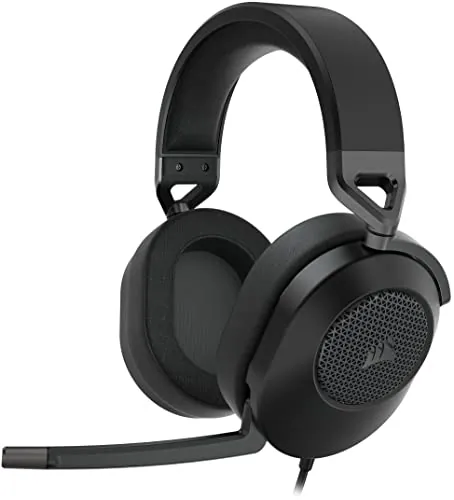
Corsair HS65 Surround vs HyperX Cloud III: Ports, PC Features and Mic Controls
Both wired headsets can connect over 3.5 mm, but their USB paths differ: the exact Corsair HS65 adds an included adapter for iCUE SoundID/Dolby features, while the exact black Cloud III includes a USB dongle and USB-A adapter and lists NGENUITY access on supported Windows PCs. The HS65 boom stays attached and flips to mute; Cloud III's mic detaches and its mute LED shows state.
Read comparisonCorsair HS65 Surround vs HyperX Cloud Alpha: USB Audio, Mic and Cable Setup
These are wired gaming headsets with different setup and handling choices. Corsair's HS65 Surround CA-9011270-NA connects by 3.5 mm and includes a USB surround adapter for iCUE options; its current U.S. product page says PC and Mac, while the model Quick Start Guide scopes virtual 7.1 to PC and iCUE setup to Windows 10+, so confirm Mac support before relying on those USB features. HyperX Cloud Alpha Red SKU 4P5L1AA#ABL uses 3.5 mm and lists a detachable headset cable, detachable mic, inline volume/mic controls and a PC extension cable. Choose based on your host ports, OS and preferred mic/cable routine; no sound or microphone-performance winner is established.
Read comparison