
Products compared
Logitech G
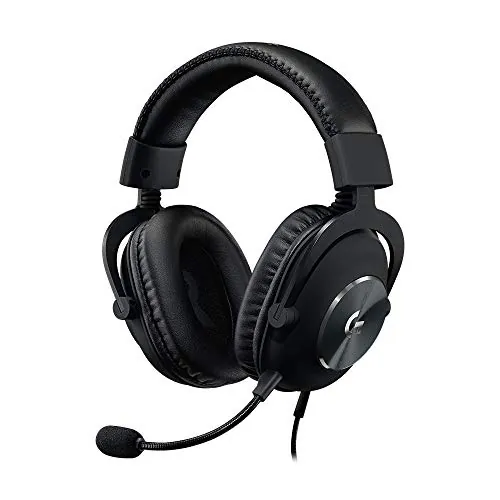
Logitech G PRO X Wired Gaming Headset
Black U.S. wired PRO X headset; confirm the exact 981-000817 listing and included USB DAC/cables.
Model 981-000817
Amazon ASIN B07PDFBJZD

Logitech G
Logitech G522 LIGHTSPEED Wireless Gaming Headset
Black U.S. G522 LIGHTSPEED headset; its three connection modes have different setup and simultaneous-use limits.
Model 981-001491
Amazon ASIN B0FFM5SP6M
Differences that matter
What matters most to you?
Choose a priority to see what it changes.
Sources for Connection workflow
Sources for PC software and audio controls
Sources for Microphone mute and volume workflow
Start with your connection routine
The black PRO X 981-000817 is explicitly wired. On a PC, its included USB DAC is the route to the documented G HUB EQ, DTS Headphone:X 2.0 and Blue VO!CE tools; the alternative splitter uses separate headphone and microphone jacks but does not expose those advanced features. It is therefore the clearer fit when your buying question is specifically about that PC control chain.
The black G522 981-001491 gives you LIGHTSPEED wireless, Bluetooth and wired USB choices. That flexibility comes with a real mode boundary: plug in USB audio and LIGHTSPEED wireless is not available at the same time. It may suit a desk-and-device routine that values switching modes, provided you are comfortable selecting one connection at a time.
Treat console support as a mode-specific check
The current PRO X product page lists Xbox, PS5, PC, Nintendo Switch and Switch 2. Its setup guide's analog console instructions specifically name Xbox One and PlayStation 4, and warns that the USB-DAC PC processing features are unavailable through a controller. Use the current console manual and exact product support for your generation and connection path.
For G522, the setup guide describes its included USB-A-to-USB-C cable connected to a PC, PlayStation or docked Nintendo Switch. The current product page lists Nintendo Switch and Switch 2. The materials checked here do not establish G522 Xbox support or that every connection mode works on every listed host, so confirm your precise pairing before checkout.
Use the mute and volume details that matter to your setup
Logitech lists microphone mute and rotary volume on the PRO X PC cable. For G522, the guide identifies a mic-mute button and a red visual indication at both the button base and boom LED when muted. The same guide says its own volume control is independent of system volume on PlayStation and docked Switch. These are documented control behaviors, not a test that one is easier to operate.
Product details
Logitech G PRO X Wired Gaming Headset
- Connection
- Wired; included USB DAC or PC sound-card splitter setup Source
- PC software features
- USB DAC enables 5-band EQ, DTS Headphone:X 2.0 and Blue VO!CE with Logitech G HUB; these features are unavailable through the PC sound-card splitter Source
- Cable controls
- PC cable has microphone mute and rotary volume controls Source
Logitech G522 LIGHTSPEED Wireless Gaming Headset
- Connection modes
- LIGHTSPEED wireless, Bluetooth and wired USB; wired USB and LIGHTSPEED wireless cannot be used at the same time Source
- Bluetooth setup
- Hold the Bluetooth/Wireless button to enter pairing; the headset remembers Bluetooth or LIGHTSPEED as its next power-on mode Source
- Documented wired console path
- Setup guide shows the included USB-A to USB-C cable connected to PC, PlayStation or a docked Nintendo Switch Source
Before you buy
Community discussions
Testing analog playback and mic with a splitter
Logitech G PRO X Wired Gaming Headset
A wired G PRO X owner reported that the headset worked with the USB adapter. Over their PC’s analog splitter, they could hear playback but could not use the mic.
What to check
Try the exact headphone and microphone inputs on your device. If you plan to keep a wired option, check what changes when you move from USB to the analog jack.
Common questions
Does the PRO X need G HUB for Blue VO!CE and DTS Headphone:X 2.0?
For the documented PC feature path, yes: Logitech says to use the included USB DAC and download G HUB. Those features are unavailable when using the PC sound-card splitter or a console controller.Logitech PRO X Setup GuideLogitech G PRO X Wired Gaming Headset (U.S. product page)
Can G522 use LIGHTSPEED wireless while connected by USB?
No. Logitech's G522 guide says USB-wired and USB-wireless modes cannot be used at the same time; with the USB cable connected, LIGHTSPEED cannot be selected or used.Logitech G522 LIGHTSPEED Setup Guide
Does Logitech document G522 for Xbox?
The current G522 product page reviewed here lists Nintendo Switch and Switch 2, and its setup guide documents PC, PlayStation and docked Nintendo Switch for USB-cable setup. These materials do not establish Xbox support, so verify directly with Logitech for the exact Xbox model and connection mode before buying.Logitech G522 LIGHTSPEED (U.S. product page)Logitech G522 LIGHTSPEED Setup Guide
Does PRO X's console setup include the PC processing features?
No. The setup guide says its 5-band EQ, DTS Headphone:X 2.0 and Blue VO!CE are unavailable when connected to a console controller.Logitech PRO X Setup Guide
Sources and scope
This guide compares documented connections, setup requirements and controls. It does not report listening tests, microphone tests, latency measurements or a sound-quality winner. Console support can depend on connection mode and host hardware; follow the exact current product page and setup guide for the mode you intend to use.
Related comparisons

SteelSeries Arctis Nova 5 vs Logitech G522: Console, Audio Switching and Setup
This U.S. comparison is for the black Arctis Nova 5 model 61670 (B0D2YBQQ1P) and Logitech G522 black model 981-001491 (B0FFM5SP6M). Both offer a headset control to switch between gaming wireless and Bluetooth. SteelSeries describes QuickSwitch between the USB-C dongle and Bluetooth; Logitech explicitly says G522 cannot mix LIGHTSPEED and Bluetooth audio. G522 also supports wired USB audio, which disables LIGHTSPEED while connected. Check the console, available USB port, app settings and exact mic preference before buying.
Read comparison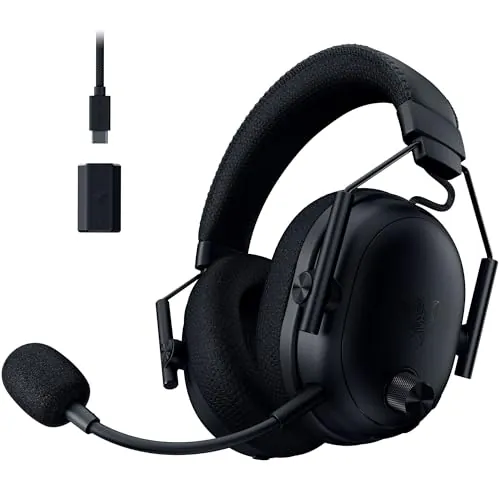
Logitech G522 vs Razer BlackShark V3 Pro: Dual Audio, USB, and ANC
This comparison is about how the exact black Logitech G522 (981-001491) and black PC Razer BlackShark V3 Pro (RZ04-05400100-R3U1) route audio. Logitech says the G522 switches between LIGHTSPEED and Bluetooth rather than mixing them, and USB wired audio disables LIGHTSPEED. Razer documents simultaneous 2.4 GHz plus Bluetooth listening, along with USB and 3.5 mm modes. Razer also documents hybrid ANC controls; the sources reviewed do not establish whether G522 has headphone ANC. No sound, microphone, comfort, latency, or ANC-effectiveness winner is claimed.
Read comparison