
Products compared
Corsair
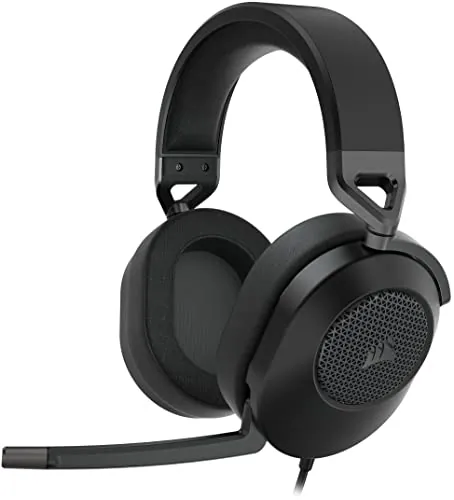
Corsair HS65 Surround Wired Gaming Headset — Carbon
Exact US Carbon SKU CA-9011270-NA. It connects over 3.5 mm; the included USB surround adapter is a separate path for specified PC/Mac iCUE features. Corsair lists the microphone as non-detachable and shows flip-up mute.
Model CA-9011270-NA
Amazon ASIN B09YHQ3Y61
Logitech G
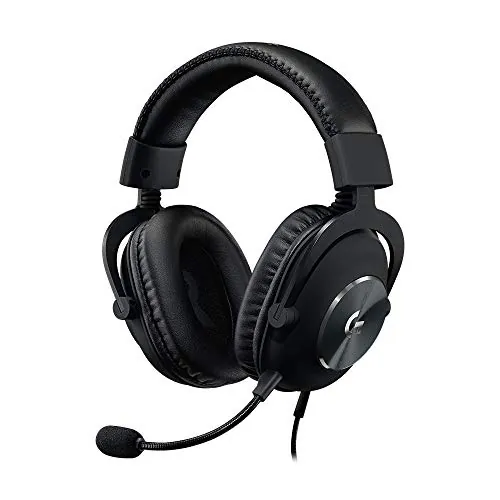
Logitech G PRO X Wired Gaming Headset — Black
Exact original wired PRO X, black US model 981-000817; this is not the PRO X 2. Logitech documents a 3.5 mm analog route and an included USB DAC for PC features through G HUB. The guide shows the boom being removed for a separate phone-cable setup; it does not establish mobile cable inclusion here.
Model 981-000817
Amazon ASIN B07PDFBJZD
Differences that matter
What matters most to you?
Choose a priority to see what it changes.
Sources for Wired route and included USB hardware
Sources for PC audio and microphone software
Sources for Microphone handling and phone setup
Which USB setup matches your PC?
The HS65's product page describes SoundID, equalizer and Dolby Audio controls through Corsair iCUE with its included USB adapter on PC/Mac. Its quick-start instructions describe the Windows USB setup. The original wired PRO X uses its included USB DAC for Blue VO!CE, five-band EQ and DTS Headphone:X 2.0 through Logitech G HUB on PC.
For a direct analog/controller connection, treat those computer-software features as unavailable unless the manufacturer documents them for your exact host. Logitech explicitly says its PC features are unavailable through the PC splitter and on mobile. No sound-quality result follows from these feature descriptions.
Choose the microphone action you will use
Corsair lists the HS65 microphone as non-detachable and documents flip-up mute. Logitech's guide depicts removing the PRO X boom before connecting a mobile cable to a phone. The guide distinguishes that mobile setup from the USB-DAC/G HUB PC feature path; confirm package contents if you require the cable.
A quick pre-buy check is to rehearse the connection you will use (3.5 mm or USB hardware), then decide whether you want a boom that stays attached and flips up to mute or one that can be removed. These are documented configuration differences, not microphone clarity or comfort findings.
Product details
Corsair HS65 Surround Wired Gaming Headset — Carbon
- Connections and included adapter
- Wired 3.5 mm audio; package contents list the headset and USB surround sound adapter. Corsair describes SoundID and Dolby Audio features through iCUE over the adapter on PC/Mac. Source
- Microphone control
- Non-detachable boom; flip up to mute and down to unmute. The product page also shows an on-ear volume roller. Source
Logitech G PRO X Wired Gaming Headset — Black
- PC software path
- The included USB DAC enables 5-band EQ, DTS Headphone:X 2.0 and Blue VO!CE microphone filters on PC when Logitech G HUB is installed. Logitech says these features are unavailable through the PC splitter/analog path. Source
- Alternate connection
- The setup guide shows the console/PC cable connected to a controller and a separate mobile cable connected to a phone; advanced PC features are unavailable on mobile. The guide is not used to claim that the mobile cable is included in this exact retail box. Source
Before you buy
Community discussions
An HS65 Surround owner prefers the 3.5 mm path on one computer
Corsair HS65 Surround Wired Gaming Headset — Carbon
One HS65 Surround user reports that audio from the USB adapter sounded muffled to them on a computer using a Realtek ALC892 sound chip, while the direct 3.5 mm connection sounded louder and clearer. The report is limited to that user's setup and does not establish a general difference between USB and analog sound.
What to check
If choosing the HS65 for its USB software features, try that path on your intended computer and compare it with the analog connection before relying on it. This report does not diagnose the cause or rank either headset's sound quality.
Common questions
Does the HS65 microphone detach?
No. Corsair's technical specifications list the microphone as non-detachable; its quick-start guide shows flipping it up to mute and down to unmute.HS65 SURROUND Wired Gaming Headset — Carbon (CA-9011270-NA)HS65 SURROUND Quick Start Guide
Does Blue VO!CE work through the Logitech PRO X analog connection?
Logitech says Blue VO!CE requires G HUB and the USB DAC on a PC; its setup guide says Blue VO!CE and DTS are unavailable with the PC sound-card splitter or on mobile.PRO X Wired Gaming Headset — Logitech G (Black original wired model)PRO X Setup Guide
Can I use the PRO X boom for a phone setup?
Logitech's setup guide shows removing the boom and connecting a mobile cable to a phone. This guide does not use that diagram to claim the cable is included in the exact retail package; check the listing's box contents if required.PRO X Setup Guide
Sources and scope
Based on the exact Corsair US Carbon SKU page and HS65 setup guide plus Logitech's wired PRO X product page and setup guide. No listening, microphone, comfort, latency, isolation, durability or gaming performance test was performed. The Logitech setup guide depicts a mobile-cable workflow but is not evidence that the cable is included in every exact retail package. PC software features are not presented as console or mobile features.
Related comparisons

Corsair HS65 Surround vs HyperX Cloud III: Ports, PC Features and Mic Controls
Both wired headsets can connect over 3.5 mm, but their USB paths differ: the exact Corsair HS65 adds an included adapter for iCUE SoundID/Dolby features, while the exact black Cloud III includes a USB dongle and USB-A adapter and lists NGENUITY access on supported Windows PCs. The HS65 boom stays attached and flips to mute; Cloud III's mic detaches and its mute LED shows state.
Read comparison
Corsair HS65 Surround vs HyperX Cloud Alpha: USB Audio, Mic and Cable Setup
These are wired gaming headsets with different setup and handling choices. Corsair's HS65 Surround CA-9011270-NA connects by 3.5 mm and includes a USB surround adapter for iCUE options; its current U.S. product page says PC and Mac, while the model Quick Start Guide scopes virtual 7.1 to PC and iCUE setup to Windows 10+, so confirm Mac support before relying on those USB features. HyperX Cloud Alpha Red SKU 4P5L1AA#ABL uses 3.5 mm and lists a detachable headset cable, detachable mic, inline volume/mic controls and a PC extension cable. Choose based on your host ports, OS and preferred mic/cable routine; no sound or microphone-performance winner is established.
Read comparison