
Products compared
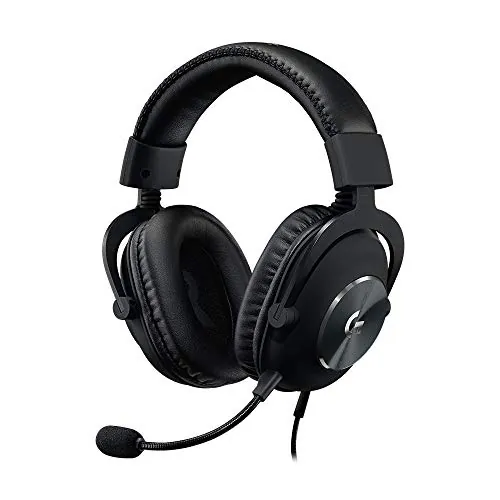
Logitech G
Logitech G PRO X Wired Gaming Headset, Black
Black wired PRO X. Logitech documents a 3.5 mm headset cable with an inline mic mute and volume control, analog PC/console paths, and an included USB DAC that enables Blue VO!CE, five-band EQ, and DTS Headphone:X 2.0 on PC through G HUB. Its exact product specifications list leatherette and velour ear-pad sets.
Model 981-000817
Amazon ASIN B07PDFBJZD

HyperX
HyperX Cloud Alpha Gaming Headset, Black-Red
Black-red wired Cloud Alpha. HyperX documents use with platforms that have a 3.5 mm port, inline volume and mic-mute controls, a detachable boom mic, a detachable headset cable, and a PC extension cable in the listed box contents.
Model 4P5L1AA#ABL
Amazon ASIN B074NBSF9N
Differences that matter
What matters most to you?
Choose a priority to see what it changes.
Sources for PC audio features and connection chain
Sources for Analog host and platform setup
Sources for Inline controls and detachable microphone
Sources for Included ear pads and cables
Decide whether the USB feature chain is useful to you
The PRO X's main setup question is whether you will actually use its USB DAC on a PC. Logitech's guide says the DAC enables five-band EQ, Blue VO!CE microphone filters, and DTS Headphone:X 2.0 when Logitech G HUB is installed. The same guide shows an analog PC splitter as a separate connection path and says those features are unavailable with that analog sound-card setup. On a controller, Logitech describes analog stereo and the G HUB features are unavailable.
Cloud Alpha is presented by HyperX as a 3.5 mm wired headset for a PC, console, or other listed platform with a 3.5 mm port. Its page specifies inline volume and mic-mute controls and lists a detachable headset cable, mic, and PC extension cable in the box. HyperX's reviewed product page does not specify a matching PC software feature set, so treat that as unverified rather than absent.
Match the cable to your computer, controller, or phone
Before ordering, look at the port on the device you will use. A combined headset jack is different from a PC with separate headphone and microphone ports. Logitech's guide shows a Y-splitter for separate PC ports and an analog cable to a console controller. The PRO X's advanced G HUB features are tied to the USB DAC path, not the analog controller path.
HyperX lists the Cloud Alpha as compatible with platforms that have a 3.5 mm port and includes a PC extension cable. Confirm whether your laptop, console controller, phone, or dock has the matching connection and whether a separate adapter is required. Published compatibility does not establish that every feature works identically on every device.
Compare the controls and accessories you will handle
Both products document inline controls and a detachable microphone. Logitech's PRO X setup guide shows mic mute and volume controls on the PC cable; its mobile cable is shown with playback and call controls. HyperX describes volume adjustment and microphone mute on the detachable braided Cloud Alpha cable. These descriptions help distinguish cable workflows but do not prove one microphone sounds clearer or one control is easier to reach.
The package lists also differ in the available ear-pad information. Logitech's technical specifications list one leatherette and one velour set. HyperX describes memory-foam/leatherette cushions and lists a detachable cable, mic, PC extension cable, and quick-start guide, but not a second cushion set. If alternate pads are important, use the exact model/SKU on the product listing and verify the box contents before checkout.
Product details
Logitech G PRO X Wired Gaming Headset, Black
- PC feature connection
- Included USB DAC plus Logitech G HUB on PC enables five-band EQ, DTS Headphone:X 2.0, and Blue VO!CE; the analog PC splitter does not Source
- Analog setup
- 3.5 mm headset cable; the quick-start guide documents a PC splitter and controller analog connection Source
- Listed ear-pad options
- One leatherette set and one velour set Source
HyperX Cloud Alpha Gaming Headset, Black-Red
- Analog setup and controls
- Designed for platforms with a 3.5 mm port; inline cable controls adjust volume and mute the microphone Source
- Listed box contents
- Headset, detachable headset cable, detachable mic, PC extension cable, and quick-start guide Source
- Listed ear cushions
- Memory foam and premium leatherette; HyperX's listed box contents do not identify an alternate cushion set Source
Before you buy
Community discussions
A wired PRO X user could hear audio through the splitter but not use the microphone
Logitech G PRO X Wired Gaming Headset, Black
A purchaser of the wired Logitech G PRO X reported that audio worked through the PC audio/mic splitter, but the computer did not recognize the headset and the microphone did not work. The same person said the USB dongle path worked. This is one setup report and does not establish a fault or fix.
What to check
Before choosing a connection, confirm whether your computer has a combined headset jack or separate headphone and microphone ports, and check the mic on the exact USB or splitter path you plan to use. Logitech's listed USB-DAC software features also depend on using the USB path.
Checking which microphone a replacement cable uses
HyperX Cloud Alpha Gaming Headset, Black-Red
A Cloud Alpha owner tried a cable with its own microphone and said the input switched away from the headset’s boom mic.
What to check
Check the cable that came with each headset and which microphone it uses. If you need a spare, match it to the exact headset and host.
Common questions
Does the Logitech G PRO X need USB for Blue VO!CE and DTS Headphone:X 2.0?
Yes. Logitech says the included USB DAC enables five-band EQ, DTS Headphone:X 2.0 and Blue VO!CE on PC, with G HUB. The analog PC splitter and controller connection do not provide those features.PRO X Setup Guide — Logitech GLogitech G PRO X Wired Gaming Headset, Black — U.S. product page for model 981-000817
Can either headset connect through an analog 3.5 mm path?
Yes. Logitech's guide shows the PRO X console/PC cable and a 3.5 mm controller connection; HyperX describes Cloud Alpha use on platforms with a 3.5 mm port. Logitech's PC-only G HUB features require the USB DAC rather than the analog controller path.PRO X Setup Guide — Logitech GCloud Alpha Gaming Headset, Black-Red — HyperX U.S. SKU 4P5L1AA#ABL
Which cable and microphone items does HyperX list in the Cloud Alpha box?
HyperX lists the headset, detachable headset cable, detachable microphone, PC extension cable, and quick-start guide. Its product page identifies the exact Black-Red SKU as 4P5L1AA#ABL.Cloud Alpha Gaming Headset, Black-Red — HyperX U.S. SKU 4P5L1AA#ABL
Does the Logitech G PRO X include more than one ear-pad material?
Logitech's technical specifications list one leatherette set and one velour set. This guide does not infer a comfort or breathability winner from those materials.PRO X Gaming Headset — Technical Specifications
Sources and scope
This guide uses manufacturer materials for the black Logitech G PRO X wired model 981-000817 and black-red HyperX Cloud Alpha 4P5L1AA#ABL. Logitech's named Blue VO!CE, five-band EQ and DTS Headphone:X 2.0 features require the included USB DAC, a PC and G HUB; the analog PC splitter and controller connection do not provide those features. HyperX's reviewed product page documents its 3.5 mm setup and listed box contents but does not establish an equivalent PC software feature set; that is an evidence limit, not proof that no software exists. No controlled listening, microphone, latency, durability, or comfort comparison is claimed.
Related comparisons

HyperX Cloud III Wired vs Cloud Alpha Wired: Ports, Adapters and Controls
The black HyperX Cloud III Wired (727A8AA) has documented USB-C, USB-A via its included adapter, and 3.5mm connection options, with USB NGENUITY features on supported Windows PCs. The Black-Red Cloud Alpha Wired (4P5L1AA#ABL) is documented around a 3.5mm connection and includes a detachable headset cable, inline controls, and a PC extension cable. Check the port and cable you will actually use before choosing; this guide compares setup features, not sound or comfort results.
Read comparison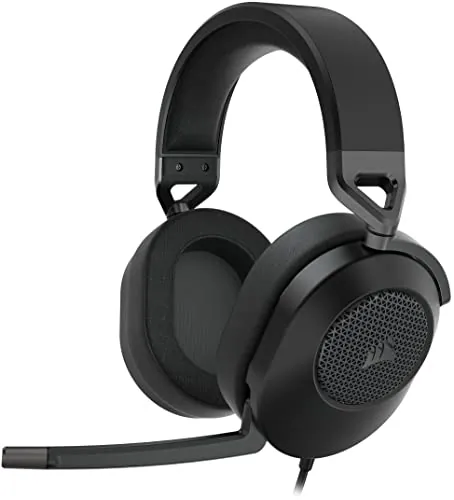
Corsair HS65 Surround vs HyperX Cloud Alpha: USB Audio, Mic and Cable Setup
These are wired gaming headsets with different setup and handling choices. Corsair's HS65 Surround CA-9011270-NA connects by 3.5 mm and includes a USB surround adapter for iCUE options; its current U.S. product page says PC and Mac, while the model Quick Start Guide scopes virtual 7.1 to PC and iCUE setup to Windows 10+, so confirm Mac support before relying on those USB features. HyperX Cloud Alpha Red SKU 4P5L1AA#ABL uses 3.5 mm and lists a detachable headset cable, detachable mic, inline volume/mic controls and a PC extension cable. Choose based on your host ports, OS and preferred mic/cable routine; no sound or microphone-performance winner is established.
Read comparison