Pickagu

Gaming Headsets

Find your model below to compare what is included and how the differences affect everyday use.

47 comparisons

Gaming Headsets comparisons

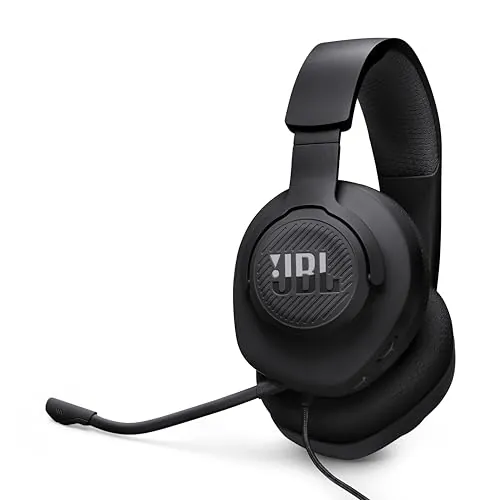
JBL Quantum 100M2 Wired Gaming Headset — Black · Quantum 100M2 / JBLQTUM100M2BLKAM
JBL Quantum 100M2 Wired Gaming Headset — Black
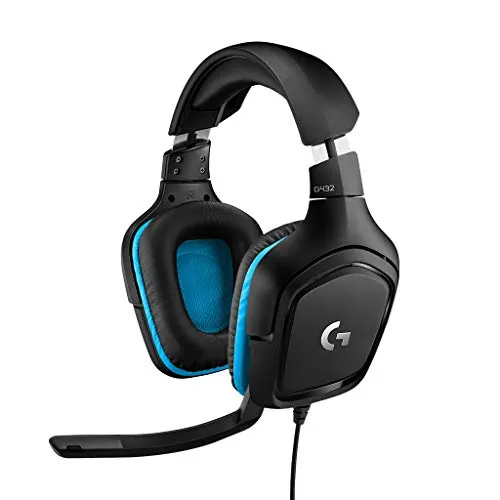
Logitech G432 Wired Gaming Headset — Black/Blue · G432 / 981-000769
Logitech G432 Wired Gaming Headset — Black/Blue

JBL Quantum 100M2 vs Logitech G432: Host Connections and Mic Controls

These are wired headsets with different documented setup choices. JBL's exact black Quantum 100M2 listing uses a 1.2 m cable and 3.5 mm connection; JBL lists PC, PlayStation, Xbox, Switch, mobile, Mac and VR, and says the boom microphone detaches. Logitech's G432 page documents an included USB DAC for PC, PS4 and docked Switch, plus 3.5 mm use on consoles or mobile. Its DTS Headphone:X 2.0 and EQ presets require Windows and G HUB, while the boom flips up to mute. Pick by host, connection, software and whether removing the mic matters. No listening, mic-capture or comfort test was performed.

Read comparison
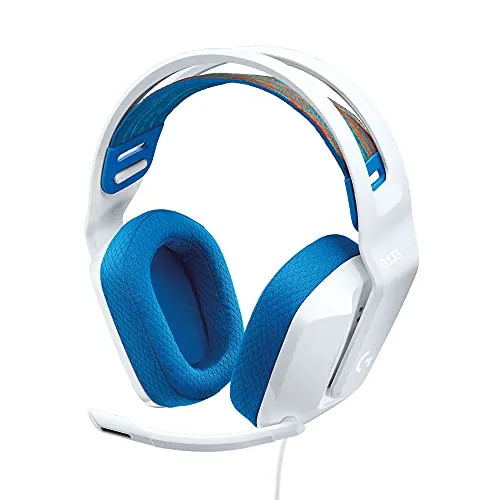

Logitech G335 Wired Gaming Headset (White) · G335 (981-001017)
Logitech G335 Wired Gaming Headset (White)
Logitech G432 Wired Gaming Headset (Black/Blue) · G432 (981-000769)
Logitech G432 Wired Gaming Headset (Black/Blue)

Logitech G335 vs G432: 3.5 mm Simplicity or USB DAC Setup?

Both assigned headsets are wired and use a flip-up boom mic to mute. The Logitech G335 is documented around a 3.5 mm connection and adjustable suspension strap. The G432 adds an included USB audio adapter for Logitech's listed PC, PS4 and docked Nintendo Switch setup, plus a 3.5 mm route for consoles or mobile devices. Its DTS Headphone:X 2.0 and EQ presets require Windows and Logitech G HUB; the adapter is also required to enable surround in G HUB. Match your host's ports and the features you actually plan to use before choosing.

Read comparison
HyperX Cloud III Wired Gaming Headset, Black · 727A8AA
HyperX Cloud III Wired Gaming Headset, Black
Logitech G432 Wired Gaming Headset, Black · 981-000769
Logitech G432 Wired Gaming Headset, Black

HyperX Cloud III Wired vs Logitech G432: Ports, Mic Mute, and PC Software

The black HyperX Cloud III Wired (727A8AA) offers USB-C, USB-A through its included adapter, and 3.5 mm, with an earcup mic-mute button and LED indicator. Logitech G432 (981-000769) uses its included USB DAC for PC, PS4, and docked Switch, or 3.5 mm for consoles and mobile; its boom flips up to mute. G432 DTS Headphone:X 2.0 and EQ presets require Windows and Logitech G HUB. Neither headset was tested for sound or microphone quality.

Read comparison
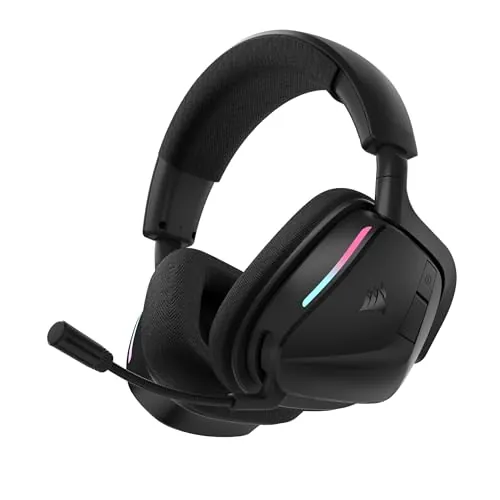
Corsair VOID WIRELESS v2 Gaming Headset (Black) · VOID WIRELESS v2, CA-9011379-WW
Corsair VOID WIRELESS v2 Gaming Headset (Black)
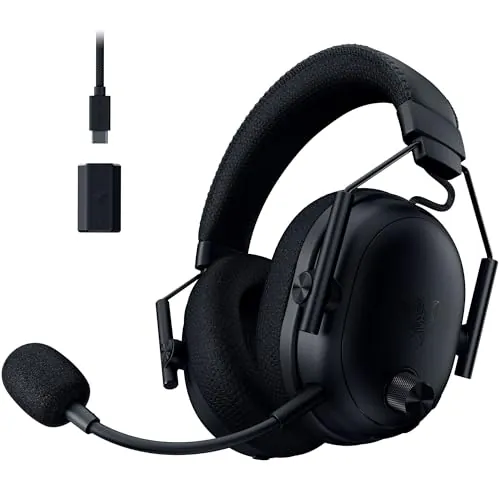
Razer BlackShark V3 Pro Wireless ANC Gaming Headset (Black, PC version) · BlackShark V3 Pro PC, RZ04-05400100-R3U1
Razer BlackShark V3 Pro Wireless ANC Gaming Headset (Black, PC version)

Corsair VOID WIRELESS v2 vs Razer BlackShark V3 Pro: switching or simultaneous audio?

For a PC setup where you alternate between game audio and Bluetooth, Corsair documents button-press switching between 2.4GHz and Bluetooth. The selected black Razer PC version documents simultaneous 2.4GHz plus Bluetooth playback, USB and 3.5mm options, a detachable mic, and more on-headset controls. Those are workflow differences, not evidence that one headset sounds better. Before ordering, match the Razer PC/Black SKU and verify the seller's included transmitter and cables; its cited product pages do not establish the exact retail-box contents.

Read comparison
Logitech G335 Wired Gaming Headset — White · 981-001017
Logitech G335 Wired Gaming Headset — White
HyperX Cloud III Wired Gaming Headset — Black · 727A8AA
HyperX Cloud III Wired Gaming Headset — Black

Logitech G335 vs HyperX Cloud III Wired: Ports, PC Setup and Mic Controls

The white Logitech G335 (981-001017) is a 3.5 mm headset with a supplied PC splitter for separate headphone and microphone jacks. The black wired HyperX Cloud III (727A8AA) adds a USB audio path, USB-C-to-USB-A adapter and a detachable mic. On Xbox, plan to use either headset through a compatible controller’s 3.5 mm jack: HyperX says its included USB adapter does not work on Xbox. The other clear choice is physical mute style: raise the G335 boom or press the Cloud III earcup button.

Read comparison
SteelSeries Arctis Nova 5 Wireless Gaming Headset, PC/Black · 61670 / Arctis Nova 5 Wireless
SteelSeries Arctis Nova 5 Wireless Gaming Headset, PC/Black
Razer BlackShark V3 Pro Wireless Gaming Headset, PC/Black · RZ04-05400100-R3U1
Razer BlackShark V3 Pro Wireless Gaming Headset, PC/Black

SteelSeries Arctis Nova 5 vs Razer BlackShark V3 Pro: Switch, Mix, or Fit a Console?

These are distinct U.S. Black PC listings, and the best fit depends on how you connect and handle voice chat. SteelSeries documents QuickSwitch as one active source at a time and lists a USB-C wireless dongle plus a USB-C-to-USB-A adapter cable in the Nova 5 package. Razer documents simultaneous 2.4 GHz and Bluetooth listening for the BlackShark V3 Pro family, a detachable mic, and headset controls for switching mode, ANC/Ambient mode, game/chat balance and mic monitoring. The Razer storefront separates its PC, Xbox-and-PC, and PlayStation-and-PC selections, so verify the exact variant if you are buying for a console; the Razer PC package contents were not established in the sources reviewed.

Read comparison
Logitech G335 Wired Gaming Headset · 981-001017
Logitech G335 Wired Gaming Headset
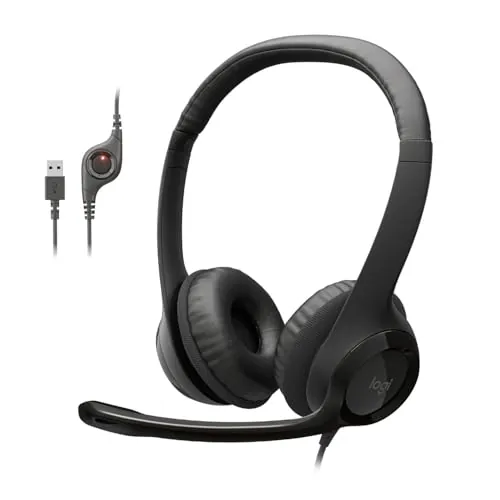
Logitech H390 USB Computer Headset · 981-000014 (Black, USB-A)
Logitech H390 USB Computer Headset

Logitech G335 vs H390 USB-A: Pick the Right Plug and Mute Control

The Logitech G335 and H390 USB-A are both wired but connect differently. The white G335 (981-001017) uses a 3.5 mm headset plug, an earcup volume roller and a microphone boom that flips up to mute. The black H390 (981-000014) connects through USB-A and puts mute and volume controls on the cable. Before checkout, check the actual port on your PC or controller; separate mic/headphone sockets, 3.5 mm, USB-A and USB-C are different connections. No measured sound or microphone winner is established.

Read comparison
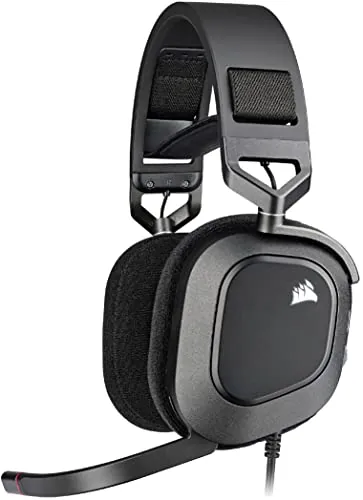
Corsair HS80 RGB USB Wired Gaming Headset · CA-9011237-NA
Corsair HS80 RGB USB Wired Gaming Headset
HyperX Cloud III Wired Gaming Headset (Black) · 727A8AA
HyperX Cloud III Wired Gaming Headset (Black)

Corsair HS80 RGB USB vs HyperX Cloud III Wired: Check the Connection and Mic

These exact U.S. wired headsets differ most in connection route and microphone handling. Corsair HS80 RGB USB (CA-9011237-NA) connects by USB and keeps its microphone attached; raise the boom to mute or use its left-earcup button. Black HyperX Cloud III Wired (727A8AA) offers 3.5 mm and USB connections, includes a USB dongle and USB-C-to-USB-A adapter, and has a detachable microphone. Check the port your computer or controller actually has before choosing.

Read comparison
Logitech H390 Wired USB-A Headset · 981-000014
Logitech H390 Wired USB-A Headset
HyperX Cloud III Wired Gaming Headset · 727A8AA
HyperX Cloud III Wired Gaming Headset

Logitech H390 USB-A vs HyperX Cloud III Wired: Check Your Ports and Controls

The black Logitech H390 assigned here is model 981-000014, the USB-A version. HyperX Cloud III Wired black (727A8AA) includes USB-C, a USB-C-to-USB-A adapter and a 3.5 mm connection, plus earcup volume and mic-mute controls. Match the supplied cable path to your computer or console before buying; these verified differences do not establish a sound-quality winner.

Read comparison
CORSAIR VOID WIRELESS v2 Gaming Headset - Carbon (CA-9011379-WW) · CA-9011379-WW
CORSAIR VOID WIRELESS v2 Gaming Headset - Carbon (CA-9011379-WW)
Logitech G522 LIGHTSPEED Wireless Gaming Headset - Black (981-001491) · 981-001491
Logitech G522 LIGHTSPEED Wireless Gaming Headset - Black (981-001491)

CORSAIR VOID WIRELESS v2 vs Logitech G522: Receiver, Mic and Charging Setup

The assigned CORSAIR VOID WIRELESS v2 Carbon (CA-9011379-WW) includes a USB wireless transmitter and 0.5m charging cable; its boom mic mutes when raised. The Logitech G522 LIGHTSPEED Black (981-001491) includes a USB-A LIGHTSPEED receiver, charging cable and boom mic; it lists earcup mute, power, volume and connectivity controls plus a triple-color LED. Important charging difference: Logitech says plugging the G522 into a PC or console by USB selects wired USB audio and disables LIGHTSPEED. Check the exact system, receiver port and microphone-software requirements before choosing.

Read comparison
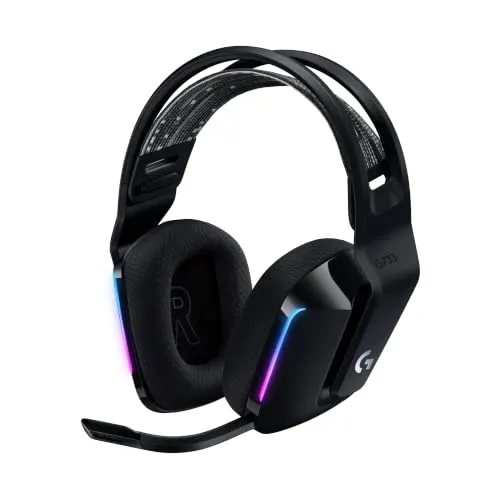
Logitech G733 LIGHTSPEED Wireless Gaming Headset · G733 (part number 981-000863)
Logitech G733 LIGHTSPEED Wireless Gaming Headset
Logitech G Astro A20 X LIGHTSPEED Wireless Gaming Headset · Astro A20 X (part number 939-002242)
Logitech G Astro A20 X LIGHTSPEED Wireless Gaming Headset

Logitech G733 vs Astro A20 X: Choose by System Switching and Setup

Choose from your actual desk or console setup. The black Logitech G733 (981-000863) uses LIGHTSPEED wireless via USB, and its USB-C port is for charging. The black Astro A20 X (939-002242) lists LIGHTSPEED, Bluetooth LE and USB-C wired connection types, with a PLAYSYNC base required for PC or console use. Logitech's A20 X product page lists Nintendo Switch among PLAYSYNC systems, while its support specification's at-release platform list omits Switch; verify your exact Switch setup before buying. This is a source-based setup comparison, not a sound, latency or comfort test.

Read comparison
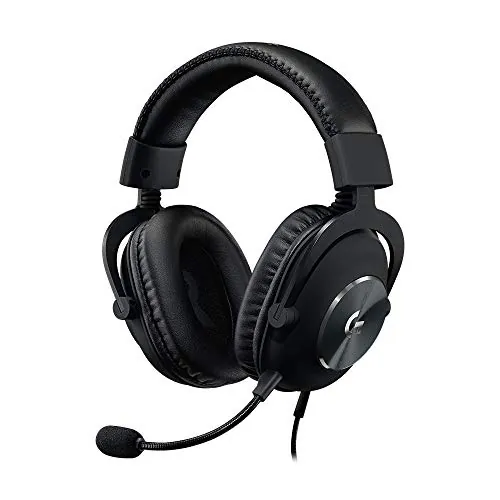
Logitech G PRO X Wired Gaming Headset — Black · 981-000817
Logitech G PRO X Wired Gaming Headset — Black
HyperX Cloud III Wired Gaming Headset — Black · 727A8AA
HyperX Cloud III Wired Gaming Headset — Black

Logitech G PRO X Wired vs HyperX Cloud III Wired: Which Fits Your PC Setup?

For a desk shared by multiple PCs, the Logitech G PRO X Wired can carry a saved EQ between PCs through its included USB DAC; its Blue VO!CE and DTS processing still need G HUB and the DAC on a PC. The HyperX Cloud III Wired puts volume and mic mute on the earcup and includes USB-C, USB-A-adapter and 3.5 mm connection options, but its NGENUITY settings do not persist to another system. Pick by your connection path and whether settings need to move with you, not by an untested sound-quality ranking.

Read comparison
Logitech G733 LIGHTSPEED Wireless Gaming Headset · 981-000863
Logitech G733 LIGHTSPEED Wireless Gaming Headset
CORSAIR VOID WIRELESS v2 Gaming Headset - Carbon · CA-9011379-WW
CORSAIR VOID WIRELESS v2 Gaming Headset - Carbon

Logitech G733 vs Corsair VOID Wireless v2: Phone Audio, Mute Controls and Setup

For the exact US Black Logitech G733 (981-000863) and Carbon Corsair VOID WIRELESS v2 (CA-9011379-WW), the practical split is device routing and microphone handling. Corsair documents a USB-A RF receiver plus Bluetooth; its guide says a paired phone can deliver calls in RF mode, while phone music requires Bluetooth mode. Logitech documents the G733 as LIGHTSPEED-only through USB, with USB-C for charging, a detachable boom and a separate mute button. Pick the VOID v2 if the Bluetooth phone route or lift-to-mute action fits your routine; pick the G733 if receiver-based LIGHTSPEED is enough and you prefer button muting. These are feature-fit choices, not sound, latency, comfort or battery test results.

Read comparison
Logitech G PRO X Wired Gaming Headset · 981-000817
Logitech G PRO X Wired Gaming Headset
Logitech G335 Wired Gaming Headset · 981-001017
Logitech G335 Wired Gaming Headset

Logitech G PRO X Wired vs G335: Choose a PC Processing Path or Simple Analog Controls

Both are wired Logitech G headsets, but their control and connection routines differ. The exact Black G PRO X (981-000817) works through analog audio and also includes a USB sound card for supported PC features in G HUB. The exact White G335 (981-001017) connects through a 3.5 mm headset jack, mutes when you raise its boom, and puts volume on an earcup roller. Match the route and mute gesture to the device you will actually use.

Read comparison
CORSAIR VOID WIRELESS v2 Gaming Headset, Carbon (CA-9011379-WW) · CA-9011379-WW
CORSAIR VOID WIRELESS v2 Gaming Headset, Carbon (CA-9011379-WW)
HyperX Cloud III Wired Gaming Headset, Black (727A8AA) · 727A8AA
HyperX Cloud III Wired Gaming Headset, Black (727A8AA)

Corsair VOID v2 vs HyperX Cloud III Wired: Choose by Console Connection and Mute Control

The Corsair VOID WIRELESS v2 Carbon and HyperX Cloud III Wired Black solve different setup problems. The VOID uses a USB wireless receiver or a separately selected Bluetooth mode; HyperX lists wired 3.5 mm, USB-C and USB-A connection options, including an analog route through an Xbox controller. After confirming the host path, choose between lifting the VOID’s boom to mute and pressing the Cloud III’s earcup mute button.

Read comparison
Corsair Virtuoso RGB Wireless XT High-Fidelity Gaming Headset — Slate · CA-9011188-NA
Corsair Virtuoso RGB Wireless XT High-Fidelity Gaming Headset — Slate
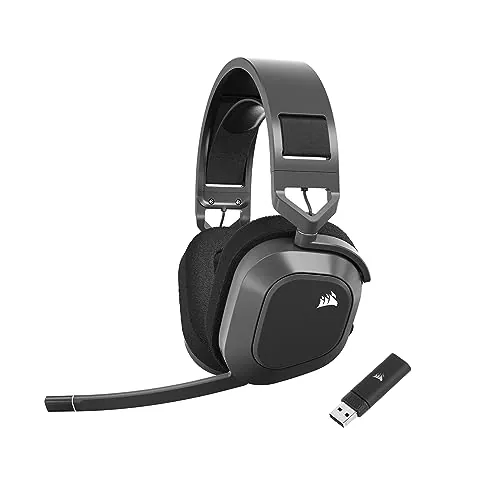
Corsair HS80 MAX Wireless Gaming Headset — Gray · CA-9011295-WW
Corsair HS80 MAX Wireless Gaming Headset — Gray

Corsair Virtuoso RGB Wireless XT vs HS80 MAX Wireless: Game and Phone Audio, Mic Fit

For the Slate Virtuoso RGB Wireless XT (CA-9011188-NA), Corsair documents Slipstream game audio alongside Bluetooth media or calls, USB wired audio on PC, 3.5 mm wired audio, and a removable boom. For the Gray HS80 MAX listing (CA-9011295-WW), the original-model guide documents switching between RF and Bluetooth; a Bluetooth-paired phone can receive calls in RF mode, while music requires Bluetooth mode. That call exception does not establish game-and-phone music mixing. The HS80 MAX boom is raised to mute and is not detachable in Corsair’s model documentation. Corsair’s U.S. product page is for CA-9011295-NA, so verify the exact WW listing, package and warranty before relying on regional equivalence.

Read comparison
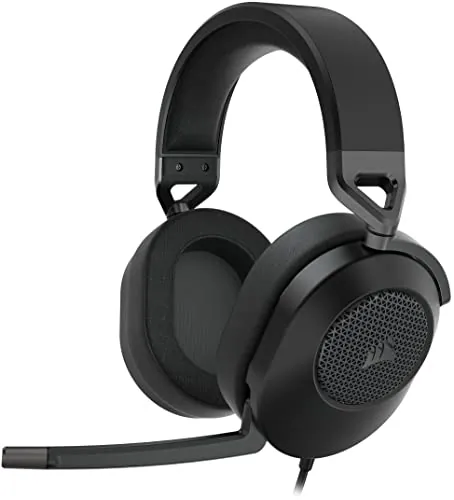
CORSAIR HS65 SURROUND Wired Gaming Headset (CA-9011270-NA) · CA-9011270-NA
CORSAIR HS65 SURROUND Wired Gaming Headset (CA-9011270-NA)
Logitech G432 Wired Gaming Headset (981-000769) · 981-000769
Logitech G432 Wired Gaming Headset (981-000769)

CORSAIR HS65 SURROUND vs Logitech G432: Choose by Adapter and Host Software

Both assigned headsets provide a 3.5 mm path and a flip-up microphone mute. The CORSAIR HS65 SURROUND CA-9011270-NA includes a USB surround adapter for iCUE SoundID and Dolby Audio 7.1 on PC or Mac; Logitech’s G432 981-000769 includes a USB DAC for PC, PS4 or docked Switch, while its DTS Headphone:X 2.0 and EQ presets require Windows and G HUB. Choose by the host, adapter route and controls you will actually use, not by a surround-format name or an untested audio claim.

Read comparison
Corsair HS80 RGB USB Wired Gaming Headset · CA-9011237-NA
Corsair HS80 RGB USB Wired Gaming Headset
Logitech G PRO X Wired Gaming Headset · 981-000817
Logitech G PRO X Wired Gaming Headset

Corsair HS80 RGB USB vs Logitech G PRO X Wired: Mic and Connection Paths

Both assigned models are wired headsets, but the host and mic workflow differ. Corsair's HS80 RGB USB uses USB, a fixed boom that flips up to mute, and an LED mute indicator. Logitech's G PRO X Wired includes a detachable boom, USB external sound card, a PC cable with inline volume/mute, and a separate mobile cable. Its Blue VO!CE and DTS Headphone:X 2.0 features are restricted to PC through G HUB. Decide from your actual device, desired mute routine, and which cable/control pieces you will use; this guide does not rank sound or microphone quality.

Read comparison
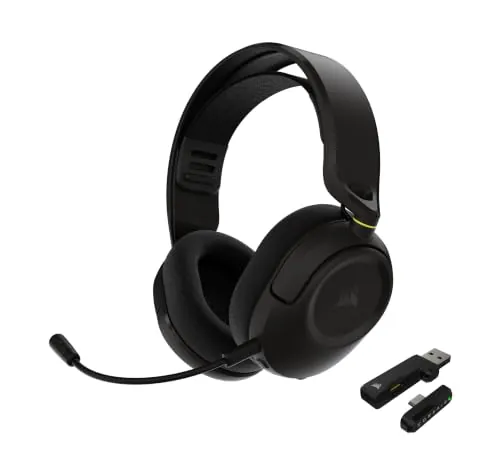
CORSAIR HS35 v3 Wireless Gaming Headset — Carbon · CA-9011401-WW
CORSAIR HS35 v3 Wireless Gaming Headset — Carbon
HyperX Cloud III Wired Gaming Headset — Black · 727A8AA
HyperX Cloud III Wired Gaming Headset — Black

Corsair HS35 v3 Wireless vs HyperX Cloud III Wired: Connections and Earpad Materials

The Carbon Corsair HS35 v3 Wireless lists 2.4GHz through its USB transmitter, Bluetooth, and USB wired audio; Corsair says Bluetooth and 2.4GHz cannot be used at the same time. The black HyperX Cloud III is a wired model with 3.5mm, USB-C, and USB-A connection options. Start with the exact port on your console, controller, computer, or phone. If both paths fit, compare Corsair's fabric earpads and floating headband with HyperX's memory foam and leatherette construction as a material preference, not a comfort result.

Read comparison
Logitech G733 LIGHTSPEED Wireless Gaming Headset, Black · 981-000863
Logitech G733 LIGHTSPEED Wireless Gaming Headset, Black
CORSAIR HS80 MAX WIRELESS Gaming Headset, Steel Gray · CA-9011295-WW
CORSAIR HS80 MAX WIRELESS Gaming Headset, Steel Gray

Logitech G733 vs CORSAIR HS80 MAX: Connection Modes and Mic Controls

The black Logitech G733 (981-000863) is documented for LIGHTSPEED wireless via USB, with a detachable boom mic. The Steel Gray CORSAIR HS80 MAX (CA-9011295-WW) adds a Bluetooth mode beside USB RF and uses a flip-up mute mic with a volume/EQ wheel. Its standard-model guide says Bluetooth music requires switching to Bluetooth mode; it does not document simultaneous RF game audio and Bluetooth music.

Read comparison
Logitech G522 LIGHTSPEED Wireless Gaming Headset · 981-001491
Logitech G522 LIGHTSPEED Wireless Gaming Headset
Logitech G432 Wired Gaming Headset · 981-000769
Logitech G432 Wired Gaming Headset

Logitech G522 LIGHTSPEED vs G432: connection paths and mic controls

For the exact black G522 (981-001491) and G432 (981-000769), decide from your real host and how you want to mute. G522 documents LIGHTSPEED, Bluetooth and USB-C audio, but Logitech says USB mode takes priority and disables LIGHTSPEED. G432 stays wired and offers the included USB audio adapter or a 3.5 mm route, plus a flip-up mic mute.

Read comparison
Audeze Maxwell 2 for Xbox · 207-MW-1125-01
Audeze Maxwell 2 for Xbox
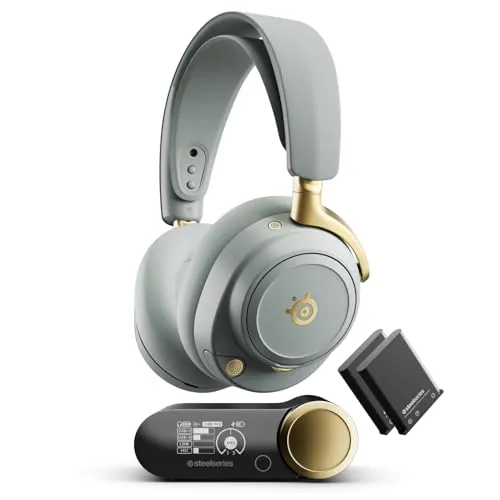
SteelSeries Arctis Nova Elite Sage & Gold · 61663
SteelSeries Arctis Nova Elite Sage & Gold

Audeze Maxwell 2 for Xbox vs SteelSeries Arctis Nova Elite Sage & Gold: Which Setup Fits?

For an Xbox-first setup, Maxwell 2 for Xbox documents a wireless-dongle or compatible-gamepad AUX path, plus a Game/Chat Mix wheel that works during active party chat. Nova Elite Sage & Gold uses GameHub USB 3 for Xbox and has documented USB source-mixing routes, Bluetooth-plus-2.4GHz audio, two microphones with a retractable boom, and a charging slot for its spare battery. Choose around your actual source map and mic routine, not an untested sound or noise-control winner.

Read comparison
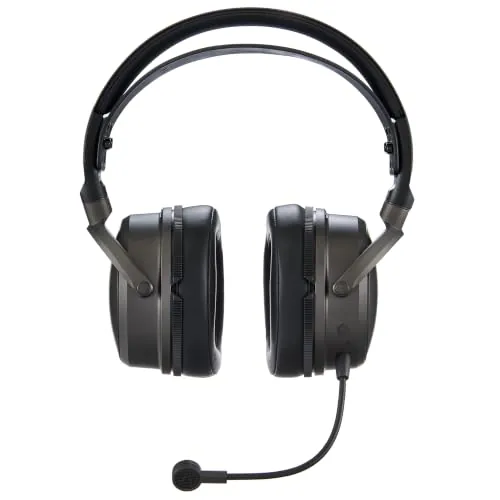
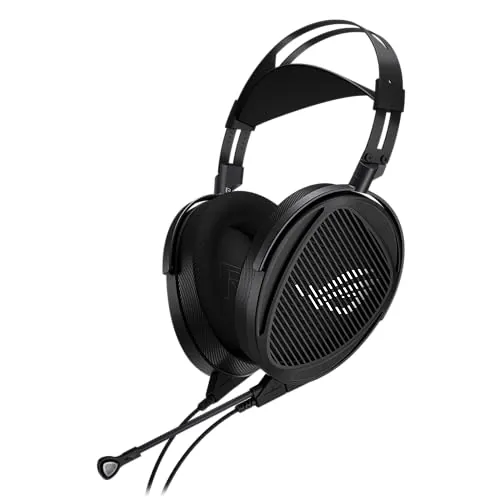
ASUS ROG Kithara · A702
ASUS ROG Kithara
Audeze Maxwell 2 Wireless Gaming Headset (Xbox version) · 207-MW-1125-01
Audeze Maxwell 2 Wireless Gaming Headset (Xbox version)

ASUS ROG Kithara vs Audeze Maxwell 2 Xbox: Wired or Wireless Setup?

The ASUS ROG Kithara (A702 ROG KITHARA/BLK, B0GG53SPJC) is a wired open-back headset with a swappable plug cable, separate boom-mic cable and USB-C-to-dual-3.5 mm adapter. Audeze Maxwell 2 Xbox edition (207-MW-1125-01, B0GNSHCPPY) includes a wireless dongle, detachable boom mic and USB/analog cables; Audeze documents Xbox Series S|X connection by dongle or compatible gamepad AUX. Choose by the connection and microphone path your setup supports, then consider whether the open-back or closed-back construction fits your room. No matched test establishes sound, mic, leakage or isolation superiority.

Read comparison