
Products compared

Logitech G
Logitech G522 LIGHTSPEED Wireless Gaming Headset
Black Logitech G522 tri-mode headset, model 981-001491. It supports wireless LIGHTSPEED, Bluetooth and wired USB-C audio. When connected for USB audio, Logitech says the headset switches out of LIGHTSPEED and audio briefly drops during the mode change.
Model 981-001491
Amazon ASIN B0FFM5SP6M
Logitech G
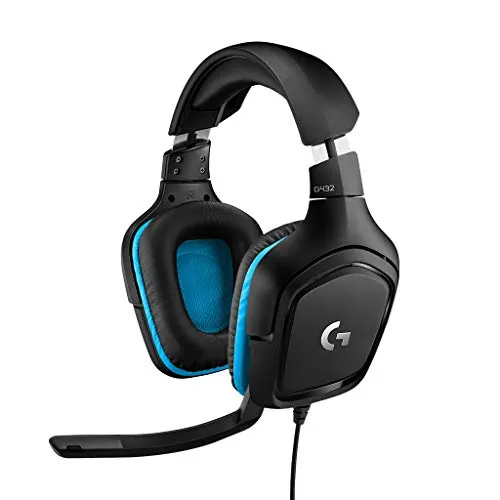
Logitech G432 Wired Gaming Headset
Black/Blue Logitech G432 wired headset, U.S. part 981-000769. It connects through the included USB audio adapter or a 3.5 mm route and has a physical flip-up microphone mute. Some software features require Windows.
Model 981-000769
Amazon ASIN B07MRMHML9
Differences that matter
What matters most to you?
Choose a priority to see what it changes.
Sources for Switching to wired audio
Sources for Host and software check
Map the headset to your real device
The G522 offers LIGHTSPEED, Bluetooth and USB-C audio modes. Before ordering, decide which of those routes you intend to use and check that your exact PC, console or mobile device supports it. Logitech's USB-specific note matters if you move between wireless and cable: connecting USB prioritizes wired USB mode, briefly interrupts audio and disables LIGHTSPEED while USB mode is active.
G432 is a wired alternative with two documented routes: Logitech lists the included USB audio adapter for PC, PS4 and docked Nintendo Switch, and a 3.5 mm cable for consoles or mobile devices. Do not infer support for every console from the general product title; check the exact host and connection you plan to use.
Choose the microphone control you prefer
G432 has a physical flip-up-to-mute microphone boom and an earcup volume wheel. Its manual lists both the splitter cable and USB audio adapter in the box. That is a concrete match if you want a wired connection and a visible mic-mute gesture.
For G522, Logitech describes microphone setting adjustments in G HUB and the Logitech G mobile app, with up to three profiles saved to the headset. Check the software and host support for the device you intend to use; the cited feature description does not measure microphone recording quality.
Keep software features separate from audio results
Logitech says G432's DTS Headphone:X 2.0 and EQ presets require G HUB on Windows. That software limitation is separate from its wired USB-adapter and 3.5 mm connection choices. G522 has its own G HUB and mobile-app microphone workflow, so verify the app and operating-system support for your setup.
The driver size, spatial-audio labels and microphone specifications are feature descriptions, not a matched test. This guide does not conclude which headset has better sound, positional cues, latency, recording quality or comfort.
Product details
Logitech G522 LIGHTSPEED Wireless Gaming Headset
G522's practical distinction is connection choice: wireless LIGHTSPEED, Bluetooth or wired USB-C audio. If you plug in for USB audio, Logitech says the headset switches out of LIGHTSPEED and audio briefly drops while the mode changes.
- Documented connection modes
- Logitech lists LIGHTSPEED wireless, Bluetooth and USB-C wired audio. Source
- USB mode behavior
- USB wired mode takes priority, briefly interrupts audio during the switch and disables LIGHTSPEED while active. Source
- Microphone software options
- Logitech says G HUB and the Logitech G mobile app can adjust mic settings and save up to three profiles to the headset. Source
Logitech G432 Wired Gaming Headset
G432 is the wired choice if its USB audio adapter or 3.5 mm route fits your device and you want a physical flip-up mic mute. Some software features have a narrower host requirement than the basic wired connection.
- Wired connection routes
- Logitech lists the included USB audio adapter route for PC, PS4 and docked Nintendo Switch, and a 3.5 mm cable route for consoles or mobile devices; check your exact host and setup. Source
- Included connection accessories
- The manual's box list names a splitter cable and USB audio adapter with the headset. Source
- Mic and volume controls
- The boom flips up to mute; the earcup has a volume control. Logitech says G HUB DTS Headphone:X 2.0 and EQ presets are Windows-only. Source
Before you buy
Community discussions
A G432 shopper chooses between two wired connections
Logitech G432 Wired Gaming Headset
A G432 user asks whether to plug the headset into their PC’s 3.5 mm port or use the USB adapter.
What to check
Start with the ports on your usual device. Decide which wired connection you would use and whether you also need the wireless modes offered by the G522.
Common questions
Can G522 use USB audio and LIGHTSPEED at the same time?
No. Logitech Support says USB wired mode takes priority and disables LIGHTSPEED while it is active; audio may briefly interrupt during the switch.USB cable can interrupt audio when connecting G522 LIGHTSPEED to PC or console
What is included for a G432 wired connection?
The G432 manual lists the headset, splitter cable and USB audio adapter. Logitech's product page describes the adapter path for PC, PS4 and docked Nintendo Switch, plus a 3.5 mm path for consoles or mobile devices; confirm your specific host setup.G432 Surround Sound Gaming Headset User ManualLogitech G432 Wired Gaming Headset
Does G432's DTS label mean it sounds better than G522?
No comparative listening or positional-audio test is cited. Logitech lists DTS Headphone:X 2.0 for G432 and separately lists connection and software features for G522; those specifications do not decide which sounds better.Logitech G432 Wired Gaming HeadsetG522 LIGHTSPEED Wireless Gaming Headset
Sources and scope
This is a connection and control fit guide from Logitech materials for the exact models. No matched sound, latency, positional-audio, microphone-recording or comfort test was used, and compatibility depends on the particular host and connection path.
Related comparisons

SteelSeries Arctis Nova 5 vs Logitech G522: Console, Audio Switching and Setup
This U.S. comparison is for the black Arctis Nova 5 model 61670 (B0D2YBQQ1P) and Logitech G522 black model 981-001491 (B0FFM5SP6M). Both offer a headset control to switch between gaming wireless and Bluetooth. SteelSeries describes QuickSwitch between the USB-C dongle and Bluetooth; Logitech explicitly says G522 cannot mix LIGHTSPEED and Bluetooth audio. G522 also supports wired USB audio, which disables LIGHTSPEED while connected. Check the console, available USB port, app settings and exact mic preference before buying.
Read comparison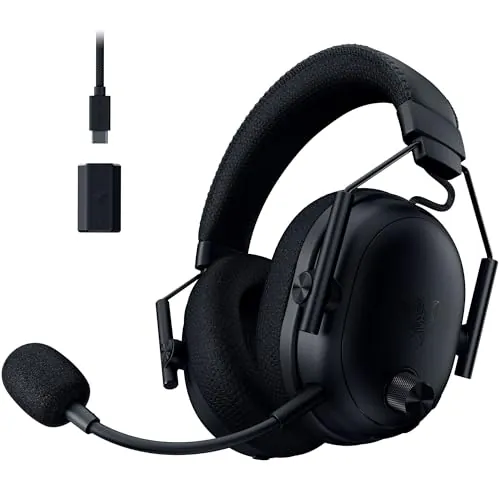
Logitech G522 vs Razer BlackShark V3 Pro: Dual Audio, USB, and ANC
This comparison is about how the exact black Logitech G522 (981-001491) and black PC Razer BlackShark V3 Pro (RZ04-05400100-R3U1) route audio. Logitech says the G522 switches between LIGHTSPEED and Bluetooth rather than mixing them, and USB wired audio disables LIGHTSPEED. Razer documents simultaneous 2.4 GHz plus Bluetooth listening, along with USB and 3.5 mm modes. Razer also documents hybrid ANC controls; the sources reviewed do not establish whether G522 has headphone ANC. No sound, microphone, comfort, latency, or ANC-effectiveness winner is claimed.
Read comparison