
Products compared
Corsair
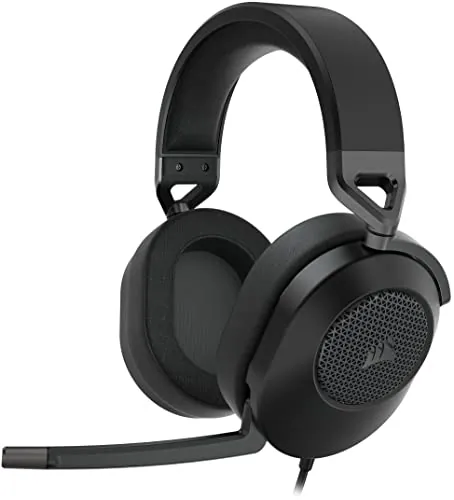
CORSAIR HS65 SURROUND Wired Gaming Headset - Carbon
Carbon / black U.S. HS65 SURROUND variant; wired headset with included USB surround sound adapter.
Model CA-9011270-NA
Amazon ASIN B09YHQ3Y61

SteelSeries
SteelSeries Arctis Nova 5 Wireless Gaming Headset - Black
Standard Arctis Nova 5 Wireless, black; not the Nova 5P or Nova 5X variant.
Model 61670
Amazon ASIN B0D2YBQQ1P
Differences that matter
What matters most to you?
Choose a priority to see what it changes.
Sources for Main connection path
Sources for Console and device fit
Sources for Software and audio-control route
Sources for Microphone mute and storage
Sources for Included connection pieces
Start with the host connection, especially on console
On an Xbox or a controller/device that offers a compatible 3.5 mm audio jack, the HS65 is the direct wired candidate: Corsair lists its 3.5 mm interface and Xbox compatibility. A cable means less wireless setup, but it also ties your position to the host and cable reach.
Nova 5 is the wireless option. For PS4/PS5, its guide shows the USB-C dongle plugged into the included USB-C-to-USB-A adapter, then into the computer or PlayStation. The guide separately lists USB-C use for Switch, Android, Mac and PC. Check the exact host port and the game/chat routing you need; compatibility lists do not guarantee every device or application feature.
Check software needs before choosing the adapter path
HS65's package includes a USB surround adapter. Corsair associates the adapter with its software audio features, including EQ, SoundID and Dolby Audio 7.1. The QSG's iCUE installation instructions specify a Windows 10 or later PC with the adapter attached. Corsair's U.S. product page also mentions PC/Mac, so if Mac software control is important, confirm current support for this exact model rather than assuming the QSG guarantees it.
Nova 5 uses the mobile Companion App for its advertised game presets and SteelSeries GG Engine for custom EQ and mic controls on PC. These are different software routes; neither page establishes an objective audio-quality advantage over the other headset.
Pick the microphone motion you prefer to use
HS65 keeps its microphone attached and uses a flip-up-to-mute motion. Nova 5 has a retractable microphone and an on-ear mute button; SteelSeries says the mic must be extended before use. If you frequently put the headset away or make calls between sessions, Nova 5's retractable boom changes storage, while HS65 asks you to flip the boom up when muting.
These controls explain how to mute or stow each mic, not how clear either microphone sounds. No comparative speech recording or call-quality test is represented.
Product details
CORSAIR HS65 SURROUND Wired Gaming Headset - Carbon
HS65's choice hinges on accepting a cable: its 3.5 mm connection is the direct route to compatible controller, computer, or mobile audio. The included USB adapter opens a separate documented PC software path; the headset's attached mic mutes by flipping it upward.
- Connection
- Wired 3.5 mm; Corsair lists PC, Mac, PlayStation, Xbox and mobile audio compatibility. Source
- Included adapter and software path
- Package includes a USB surround sound adapter; the quick-start guide connects it to a Windows 10+ PC for iCUE functions. Source
- Microphone control
- Attached microphone flips up to mute and down to unmute; Corsair lists it as non-detachable. Source
SteelSeries Arctis Nova 5 Wireless Gaming Headset - Black
Nova 5 prioritizes cable-free play from its USB-C dongle and a button-operated switch to Bluetooth. The included USB-C-to-USB-A adapter is useful when a listed PC or PlayStation host uses the documented USB-A setup; its mic stores by retracting, but must be extended for use.
- Wireless modes
- USB-C 2.4 GHz wireless dongle and Bluetooth 5.3, switched with the headset's Quick-Switch control. Source
- Console and adapter setup
- SteelSeries lists PS5/PS4 among system compatibility; the guide connects the USB-C dongle through its included USB-C-to-USB-A adapter cable to PC or PlayStation. Source
- Microphone control
- Retractable ClearCast microphone, on-ear mute button; the guide says the mic cannot be used while retracted. Source
Before you buy
Community discussions
Trying the USB adapter and analog jack
CORSAIR HS65 SURROUND Wired Gaming Headset - Carbon
An HS65 SURROUND owner said audio sounded different on their computer when using the USB adapter and when plugged into the analog jack.
What to check
Check which ports are available on the computer or console you will use. Try the headset features you need on that connection.
Common questions
Which one is a wired headset?
The Corsair HS65 SURROUND is wired over 3.5 mm. The standard Arctis Nova 5 Wireless uses a USB-C dongle or Bluetooth 5.3 and switches between those modes with Quick-Switch.HS65 SURROUND Wired Gaming Headset - Carbon (U.S. product page)Arctis Nova 5 Wireless - Black U.S. product page
Does the standard Arctis Nova 5 use the same Xbox route as Nova 5X?
The guide here is for standard Arctis Nova 5 Wireless and lists PC, PS5/PS4, mobile, Switch and Mac. It does not establish an Xbox wireless route. Check SteelSeries' exact model guidance rather than applying Nova 5X compatibility to model 61670.Arctis Nova 5 Wireless Product Information Guide
Can I use HS65's software features through the 3.5 mm cable?
Corsair says its included USB adapter enables iCUE features such as EQ, SoundID and Dolby Audio 7.1. The quick-start guide's software steps specify connecting that adapter to a Windows 10 or later PC. Use the 3.5 mm route for wired stereo and verify current OS support if you need software features.HS65 SURROUND Wired Gaming Headset - Carbon (U.S. product page)HS65 SURROUND Quick Start Guide
Can Nova 5's microphone stay tucked away during a call?
No. SteelSeries' guide says to slide the retractable microphone fully out for use and explicitly says not to use it while retracted. The headset also has a separate on-ear mute button.Arctis Nova 5 Wireless Product Information Guide
Sources and scope
This guide uses manufacturer product pages and setup documents for HS65 Surround Carbon CA-9011270-NA and standard Arctis Nova 5 Wireless 61670. It does not test sound, spatial accuracy, latency, comfort, microphone clarity, battery life, or wireless stability. Corsair's U.S. product page describes PC/Mac software features, while its quick-start guide's installation instructions specify Windows 10 or later PC; Mac feature parity is not established here. SteelSeries' reviewed Nova 5 guide lists PC, PlayStation 5/4, mobile, Nintendo Switch and Mac, but not Xbox; that omission is not treated as proof of incompatibility.
Related comparisons
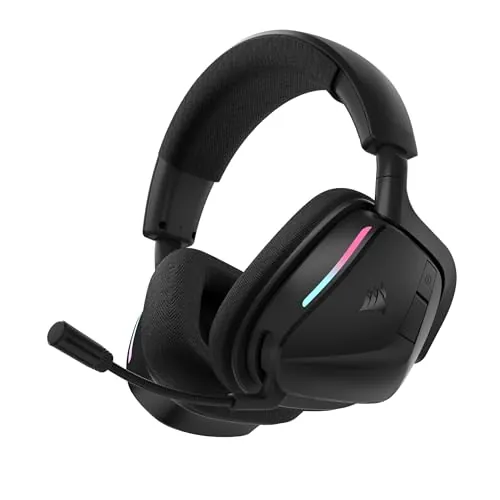
SteelSeries Arctis Nova 5 vs CORSAIR VOID Wireless v2
For Nintendo Switch, the Nova 5 has clearer USB-dongle guidance: SteelSeries lists the Nova 5 family for Switch and Switch 2, with a firmware/USB-audio caveat on Switch 2. CORSAIR's product page shows Switch compatibility, but its support chart does not list the VOID Wireless v2 for Switch. For PC or PlayStation, compare Bluetooth switching and mic controls: the Nova 5 changes between 2.4GHz and Bluetooth; the VOID v2 can take phone calls in RF mode but requires Bluetooth mode for Bluetooth media.
Read comparison
SteelSeries Arctis Nova 5 vs Logitech G522: Console, Audio Switching and Setup
This U.S. comparison is for the black Arctis Nova 5 model 61670 (B0D2YBQQ1P) and Logitech G522 black model 981-001491 (B0FFM5SP6M). Both offer a headset control to switch between gaming wireless and Bluetooth. SteelSeries describes QuickSwitch between the USB-C dongle and Bluetooth; Logitech explicitly says G522 cannot mix LIGHTSPEED and Bluetooth audio. G522 also supports wired USB audio, which disables LIGHTSPEED while connected. Check the console, available USB port, app settings and exact mic preference before buying.
Read comparison