
Products compared
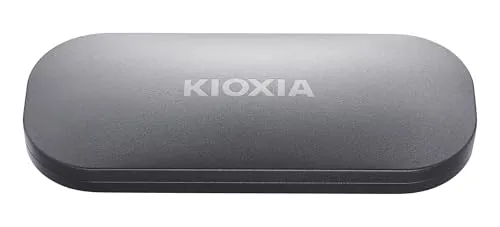
KIOXIA
KIOXIA EXCERIA PLUS Portable SSD 2TB
Exact 2TB global-package part number. The checked KIOXIA pages are Asia-Pacific/global product documentation; U.S. retail color and package details should be confirmed on the exact listing.
Model LXD10S002TG8
Amazon ASIN B09NN9G8BG
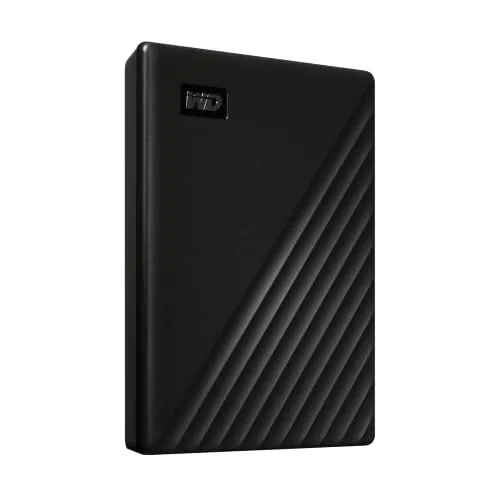
WD
WD My Passport Portable HDD 2TB, Black
Exact U.S. black 2TB part number; conventional My Passport USB-A cable package, not the separate Works with USB-C model.
Model WDBYVG0020BBK-WESN
Amazon ASIN B07VTFN6HM
Differences that matter
What matters most to you?
Choose a priority to see what it changes.
Sources for Storage device type
Sources for Connector and box cable path
Sources for Rated connection information
Sources for Physical placement
Decide whether you want an SSD or an HDD
The KIOXIA EXCERIA PLUS is a portable SSD, while the exact WD model is a portable HDD. KIOXIA says its SSD has no moving parts; that describes its construction, not a guarantee about drops, reliability or sustained transfer results. Both assigned products are listed at 2TB, so begin with the drive type and the way you plan to connect it rather than assuming the media type alone predicts your experience.
If solid-state storage is a must-have, the KIOXIA is the fit within this pair. If an HDD is acceptable and the WD backup-management software matches your routine, the WD remains an option. This guide does not rank them for backups, lifespan or actual speed.
Check the port on both ends before buying
KIOXIA's global product brief lists a Type-C drive connector and two short cables: Type-C-to-A and Type-C-to-C. WD's exact black 2TB product overview lists a USB-A cable for the My Passport, whose WD U.S. product page identifies a Micro-B connector at the drive. If your computer has only Type-C ports, compare the exact box contents and any adapter you already own; do not assume the standard WD model is the separate Works with USB-C version.
KIOXIA's maker maximum of 1,050 MB/s read and 1,000 MB/s write is tied to a named CrystalDiskMark run and a USB 3.2 Gen 2 host with UASP. WD lists an up-to-5Gb/s USB interface rate. Those are different kinds of specification, not a drive-to-drive transfer test. For any speed-sensitive use, compare controlled results for your exact host, file sizes and workload.
Treat drive compatibility and utility compatibility separately
KIOXIA's current utility page lists the EXCERIA PLUS Portable among compatible products and offers its SSD Utility for Windows 11 and Windows 10 x64. KIOXIA's product page lists multiple host platforms for the drive, but those are not the same promise as utility support. If you want its management or password features, check the utility's current OS list first.
WD's model-family overview lists Windows 10+, ChromeOS and a downloadable NTFS driver for read/write on macOS 11+ without reformatting. Check current driver availability for your exact OS and the format of the drive you receive. KIOXIA's sources used here do not state the default file system. Before changing a format, back up needed files and verify the target devices' requirements.
Use dimensions to check pocket and cable space
KIOXIA lists its 2TB EXCERIA PLUS enclosure at 105.0 × 45.0 × 14.7 mm and 76 g typical. WD's 2TB My Passport specification is 4.22 × 2.95 × 0.53 inches and 0.31 lb. Check the enclosure plus the cable bend and nearby ports in the case or workspace where you plan to use it; dimensions do not predict which one you will prefer to carry.
One regional scope check remains for KIOXIA: the opened page and global product brief match the exact LXD10S002TG8 2TB part, but do not establish the color or full contents of the exact U.S. retail offer. Verify the part number and package at the retailer before choosing on appearance or in-box accessories.
Product details
KIOXIA EXCERIA PLUS Portable SSD 2TB
- Connector and included cables
- USB Type-C connector; product brief lists 300 mm Type-C-to-A and Type-C-to-C cables for the global package Source
- Manufacturer sequential maximum
- Up to 1,050 MB/s read and 1,000 MB/s write, measured with CrystalDiskMark 8.0.1 x64, Q=8, T=1; maker says results vary and requires USB 3.2 Gen 2 with UASP for the stated values Source
- Listed dimensions and mass
- 105.0 × 45.0 × 14.7 mm; 76 g typical Source
WD My Passport Portable HDD 2TB, Black
- Drive connector and included cable
- Micro-B drive connector; the exact model's product overview lists a SuperSpeed USB-A cable (5Gbps) Source
- Interface and host compatibility
- USB 3.2 Gen 1 / USB 3.0, USB 2.0 compatible; WD lists up to 5Gb/s as the interface transfer rate Source
- Listed dimensions and weight
- 2TB model: 4.22 × 2.95 × 0.53 in; 0.31 lb Source
Before you buy
Community discussions
A 2TB buyer wants occasional access to photo and video projects
WD My Passport Portable HDD 2TB, Black
The original poster is considering this exact 2TB WD My Passport for hobby photography and cinematography files, occasional laptop viewing, and a personal backup. They ask about encryption and whether to keep another copy. This is a buyer question, not an ownership report.
What to check
Check the laptop connection, file-system workflow and whether your priority is occasional project access or a backup copy before choosing between an SSD and HDD.
One 2TB owner reports an exFAT photo-backup setup
WD My Passport Portable HDD 2TB, Black
In a separate thread whose original poster had a 5TB drive, a commenter identifies their 2TB WD My Passport and reports using exFAT for photo and video backups. This is one owner’s setup; the thread does not establish the exact 2TB revision or guarantee compatibility.
What to check
If you plan to move files between operating systems, check the format supported by your devices and the exact product documentation. This anecdote is not a compatibility guarantee.
Common questions
Does KIOXIA's 1,050/1,000 MB/s figure show how it compares with the WD drive?
No. KIOXIA labels those as sequential maximum results from a specified CrystalDiskMark setup and says performance varies; it also requires USB 3.2 Gen 2 and UASP for the quoted values. WD's up-to-5Gb/s value describes its USB interface. Neither is a controlled file-transfer comparison between these exact drives.EXCERIA PLUS Portable SSD — KIOXIA Product Brief v2.0 and ordering information2TB Black My Passport — WD U.S. product page
Can I use KIOXIA SSD Utility on a Mac?
The currently listed SSD Utility download page names Windows 11 and Windows 10 x64, not macOS. KIOXIA's list of operating systems for the drive itself is separate from the operating-system support for the utility.SSD Utility Management Software — KIOXIA Asia-PacificEXCERIA PLUS Portable SSD — KIOXIA Product Brief v2.0 and ordering information
What should I check if I want to use WD My Passport on macOS?
WD's product overview lists a downloadable NTFS driver for read/write on macOS 11+ without reformatting. Confirm the current driver supports your exact macOS version; the guide does not instruct you to reformat or promise compatibility with every configuration.My Passport Portable HDD Storage — WD U.S. product overview
Are both listed as 2TB?
Yes. The assigned KIOXIA part number is the global 2TB LXD10S002TG8 variant, and WD identifies WDBYVG0020BBK-WESN as 2TB Black. Formatted usable space can differ from the nominal product capacity; no actual usable-capacity measurement is claimed here.EXCERIA PLUS Portable SSD — KIOXIA Product Brief v2.0 and ordering informationMy Passport Portable HDD Storage — WD U.S. product overview
Sources and scope
KIOXIA's exact LXD10S002TG8 appears in its global product brief and regional product-family page, not a U.S.-specific package page; the listing data currently labels the listing pink, but the manufacturer sources used here do not verify the U.S. retail color or exact Amazon package. WD sources identify the exact U.S. black 2TB model. Manufacturer connection ceilings and KIOXIA's specified sequential test maxima are not real-world drive-to-drive measurements. No actual transfer, durability, backup-success, security, reliability or price test/comparison is represented.
Related comparisons
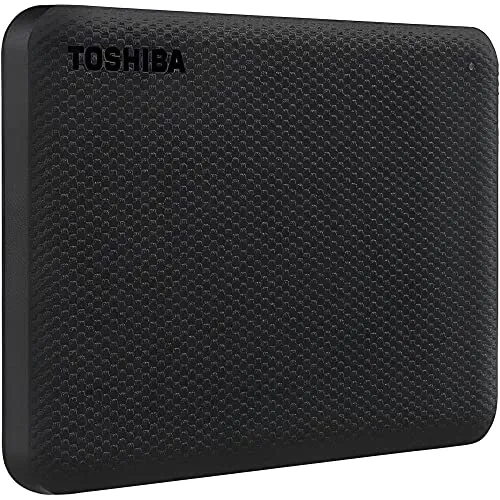
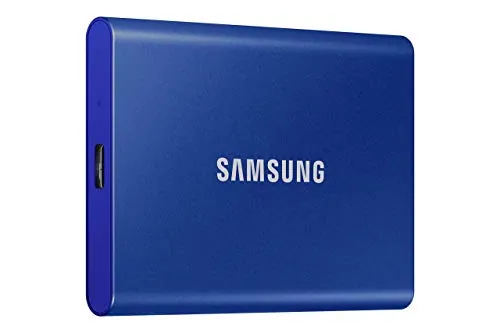
Toshiba Canvio Advance 1TB vs Samsung T7 1TB: Size, Cables and Computer Setup
The Toshiba Canvio Advance 1TB black (HDTCA10XK3AA) and Samsung T7 1TB blue (MU-PC1T0H/AM) use different setup paths. Toshiba lists a USB 3.0 cable and NTFS formatting for Windows 11/10, with reformatting required for the cited macOS releases. Samsung’s T7 is smaller by listed dimensions and includes USB-C-to-C and USB-C-to-A cables. Its manual says it starts as exFAT with Windows/Mac read-write support, but warns about a write-lock issue when moving the drive between operating systems. Choose by your host computer, available port and storage space—not an untested speed ranking.
Read comparison
LaCie Rugged USB-C STFR2000800 vs Seagate Portable STGX2000400: Cables, Size and Field Use
Both are 2 TB portable hard drives. LaCie lists cables for USB-C and USB-A hosts. Seagate documents a USB-A host setup and lists a smaller body. Choose by the connection and file format you need. LaCie’s published drop rating applies while the drive is off.
Read comparison