
Products compared
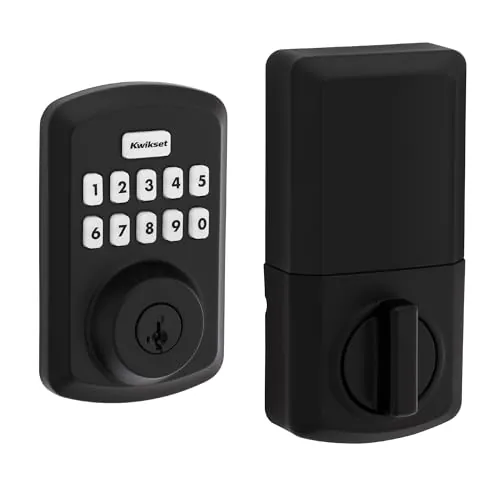
Kwikset
Kwikset Powerbolt 250 Transitional Keypad Electronic Lock
U.S. matte-black Transitional trim; product listing data labels this listing 992500-008.
Model 9250 TRS 514 SMT
Amazon ASIN B0C7LPRYJB
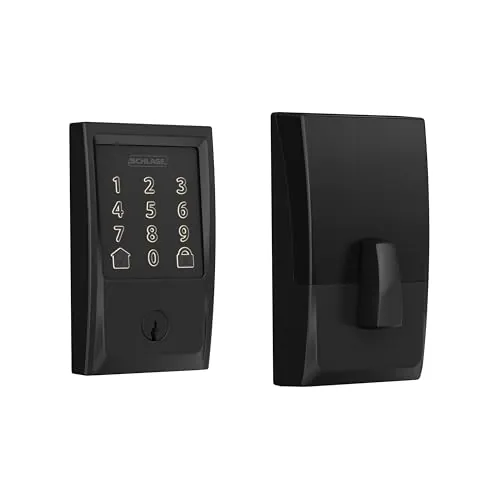
Schlage
Schlage Encode Smart WiFi Deadbolt, Century Trim
U.S. matte-black Century trim, listed model BE489WBCEN622.
Model BE489WB CEN 622
Amazon ASIN B07HXMLCBT
Differences that matter
What matters most to you?
Choose a priority to see what it changes.
Sources for Door measurement check
Sources for What is in the package
Start with how you want to manage the lock
Powerbolt 250 is a stand-alone keypad: Kwikset's support page says it has no phone app or wireless connectivity. The BILT app linked from its product page is an installation guide, not a way to manage this lock remotely.
The Encode BE489 has built-in 2.4 GHz Wi-Fi and Schlage Home app management, with no separate hub listed as necessary. Pairing requires an account and a Bluetooth-enabled phone. Schlage also documents manual programming without the app, so decide whether you want connected app management rather than assuming it is mandatory.
If matching an existing key matters, arrange the service first
Kwikset documents a SmartKey-compatible KW1 keyway option for the exact Powerbolt 250 product. That does not tell you what key profile you currently have, so verify the profile with Kwikset or a locksmith before assuming your house key will work.
Schlage says Encode does not include a Match This Code sticker and points buyers to key-matching service through participating retailers or locksmiths. Ask the specific provider whether it can serve the selected BE489 and cylinder. If a replacement cylinder is involved, Schlage specifies an Encode-compatible 5-pin C-keyway part; do not assume a generic cylinder is suitable. No rekeying procedure is needed to make this buying decision.
Measure the door before comparing finishes or features
Both selected models list a standard door thickness of 1-3/8 to 1-3/4 inches. The exact preparation guides also call out the common backset and bore dimensions, so measure the slab and existing holes and compare them with each model's own template before ordering.
For a door thicker than the standard range or holes that do not match the template, pause and confirm eligible parts and fit with the manufacturer or installer. Published Schlage support pages differ on the upper limit of a thick-door kit; this guide therefore does not quote a kit range or promise that either lock will fit a nonstandard door.
Compare the package before checkout
The Powerbolt 250 listing identifies two physical keys and a SmartKey tool; the required four AA batteries are sold separately. Schlage lists one backup key and four AA batteries in the BE489 package. Since seller bundles can differ, verify the exact offer includes the trim and hardware you expect.
Finish and trim are not interchangeable labels: this comparison is the matte-black Kwikset Transitional trim against the matte-black Schlage Century trim. Match the exact model name and ASIN at checkout rather than relying on a shortened family name.
Product details
Kwikset Powerbolt 250 Transitional Keypad Electronic Lock
Pick this when a stand-alone keypad is enough and the KW1-compatible key option fits your plan. The BILT app mentioned by Kwikset is installation guidance; it does not add phone control to this lock.
- Phone or network control
- No app, phone or wireless connectivity; keypad/local operation. Source
- Key option
- Manufacturer describes SmartKey rekeying to a compatible KW1 keyway; confirm an existing key's profile with Kwikset or a locksmith. Source
- Standard door fit
- Listed for 1-3/8 to 1-3/4 in door thickness; verify bore and backset against the exact template. Source
- Box and power
- Manufacturer lists two keys and a SmartKey tool; four AA batteries are required and not included. Source
Schlage Encode Smart WiFi Deadbolt, Century Trim
Pick this when Schlage Home app management over built-in Wi-Fi is useful and you have checked the exact BE489 fit. It does not ship with a Match This Code sticker, so confirm a retailer or locksmith can provide the key service you want.
- Phone or network control
- Built-in 2.4 GHz Wi-Fi supports Schlage Home app management; app setup needs an account and a Bluetooth-enabled phone. Source
- Local management
- Schlage also documents manual programming without using the app. Source
- Standard door fit
- Listed for 1-3/8 to 1-3/4 in door thickness, with 2-3/8 or 2-3/4 in backset options; check the exact door-prep guide. Source
- Box and power
- Manufacturer lists four AA batteries and one backup key in the package; no separate hub is required for its built-in Wi-Fi. Source
Before you buy
Community discussions
An owner’s question about app-managed codes
Schlage Encode Smart WiFi Deadbolt, Century Trim
A Schlage Encode owner reported trouble connecting to Wi-Fi and adding user codes in the app, and asked about entering codes locally. The post does not establish a limitation or identify the BE489WB Century trim.
What to check
If you expect to add or change codes regularly, confirm the documented setup and code-management steps for the exact model you plan to buy before relying on that workflow.
Common questions
Can the Powerbolt 250 use my existing house key?
Kwikset describes SmartKey compatibility with a KW1 keyway profile, but that alone does not identify the profile of your current key. Have Kwikset or a locksmith verify the keyway and selected lock before relying on a match.Powerbolt 250 Transitional Keypad Electronic Lock (9250 TRS 514 SMT)
Can Schlage Encode be managed without the app?
Schlage publishes a manual programming option for the Encode series, including BE489. The app adds a connected management path; check current Schlage guidance for your intended setup.Manual programming instructions for Schlage Encode SeriesSchlage Encode BE489 Century product details
Will either lock fit my door?
Both list a standard 1-3/8 to 1-3/4 in door-thickness range, but hole and backset measurements still matter. Check the exact template for the selected model; ask the manufacturer or installer about nonstandard dimensions or thicker doors.Powerbolt 250 exact-model installation guideSchlage Encode door prep guide
Does Schlage Encode arrive with a matching-key code?
Schlage says Encode does not include a Match This Code sticker. Its support article describes retailer and locksmith service options; contact the specific provider and confirm service for the exact BE489 cylinder.Can I find a Schlage Encode with a Match This Code sticker?Can I order my locks with matching keys?Can you replace the cylinder in a Schlage Encode Series smart lock?
Sources and scope
This is a feature-fit guide based on manufacturer documentation, not a lock-security test or installation assessment. Key service availability varies by retailer and locksmith; confirm support for the exact lock and cylinder. The standard door-fit dimensions below do not establish eligibility for a thick-door kit.
- Powerbolt 250 Transitional Keypad Electronic Lock (9250 TRS 514 SMT)
- Powerbolt 250 Transitional support page
- Powerbolt 250 exact-model installation guide
- Schlage Encode BE489 Century product details
- Pair Encode Series to Schlage Home app
- Manual programming instructions for Schlage Encode Series
- Can I find a Schlage Encode with a Match This Code sticker?
- Can I order my locks with matching keys?
- Can you replace the cylinder in a Schlage Encode Series smart lock?
- Schlage Encode door prep guide
Related comparisons
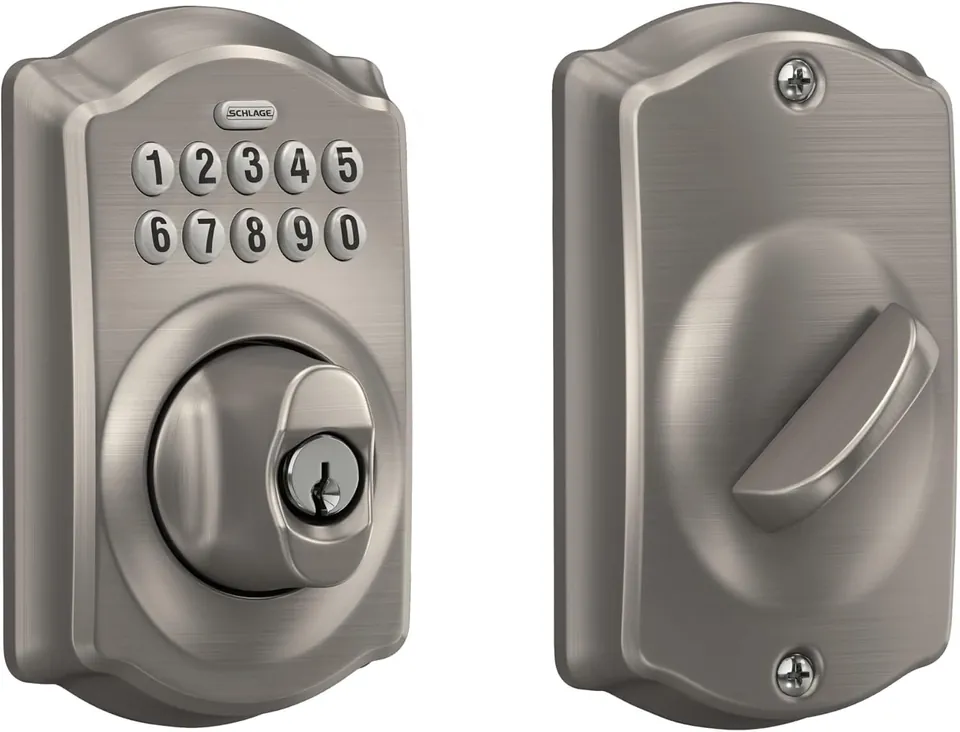
Schlage Encode BE489WB Century Matte Black vs BE365 Camelot Satin Nickel
Both are battery-powered Schlage keypad deadbolts, but their daily routines differ. The Encode BE489WB can manage up to 100 codes remotely through Schlage Home when paired and connected to 2.4 GHz Wi-Fi; optional auto-lock also needs app and Wi-Fi setup. The BE365 Camelot manages codes at the lock and requires a manual outside thumbturn after entry. Before ordering either, measure door thickness, backset and existing bore preparation against Schlage’s exact model guide.
Read comparison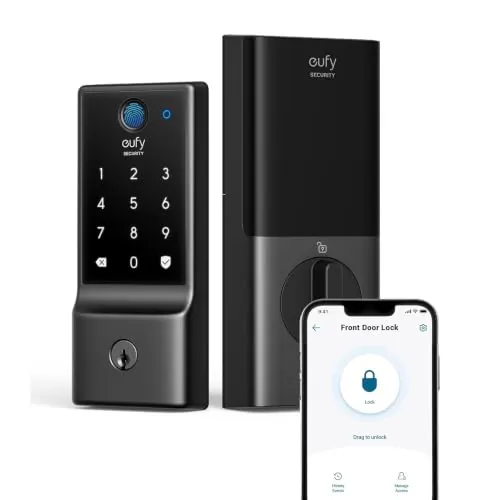
Kwikset Powerbolt 250 vs eufy Smart Lock C220: Local Keypad or Wi-Fi App?
Kwikset’s Powerbolt 250 is a local keypad deadbolt with a physical key and a documented option to rekey to a compatible KW1 key. The eufy C220 adds fingerprint entry and remote app control over built-in Wi-Fi. Check door thickness, the existing holes and handle clearance before choosing an entry setup.
Read comparison