
Products compared
Schlage
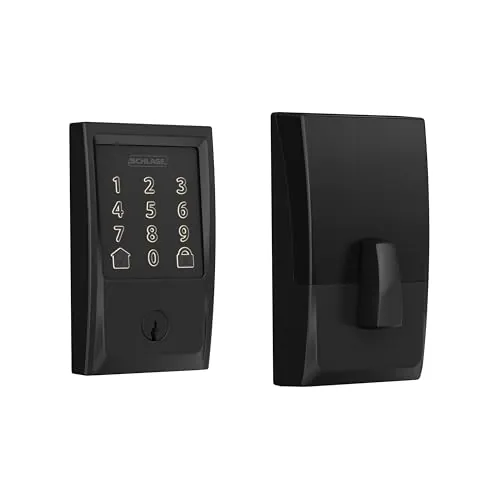
Schlage Encode Smart WiFi Deadbolt with Century Trim, Matte Black
US listing data product 7647. The listing data specifies the Century Matte Black package; Schlage’s BE489 Century product page identifies the trim family and selectable finishes. Encode adds app-based remote administration and optional app-configured auto-lock when connected setup is complete.
Model BE489WB Century (CEN 622 / BE489WBCEN622)
Amazon ASIN B07HXMLCBT
Schlage
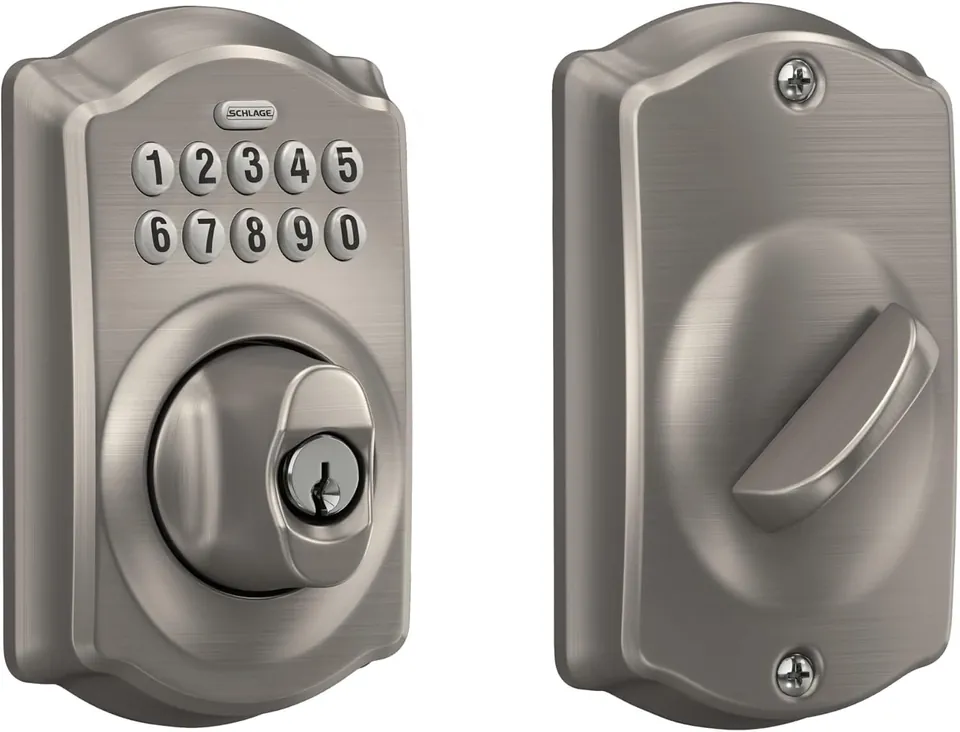
Schlage Keypad Deadbolt with Camelot Trim, Satin Nickel
US listing data product 9038. The listing data identifies the Satin Nickel Camelot package. Schlage documents local keypad code management and manual thumbturn operation for the BE365.
Model BE365 Camelot (CAM 619 / BE365VCAM619)
Amazon ASIN B000NJJ1MQ
Differences that matter
What matters most to you?
Choose a priority to see what it changes.
Sources for Battery type and replacement planning
Sources for Door fit before purchase
Pick the access routine first
Encode BE489 is the fit when you need to manage codes away from the door. Schlage lists up to 100 codes and remote management through Schlage Home after setup. The pairing guide specifically names BE489, and calls for a Schlage Home account and a phone with Bluetooth enabled; remote access uses the lock's Wi-Fi connection.
BE365 keeps code management at the keypad. Its US guide shows adding and deleting codes with the programming code. Schlage says the lock is not motorized: entering a valid code is followed by manually turning the outside thumbturn.
Auto-lock is a setup decision, not just a keypad feature
Schlage documents one-touch locking and optional delayed auto-lock for Encode. Its support answer says auto-lock cannot be set up manually: pair the lock to Schlage Home, connect Wi-Fi, then configure the delay in the app. The product page specifies 2.4 GHz Wi-Fi.
BE365 follows a different routine: press the Schlage button and turn the exterior thumbturn to lock from outside; from inside, Schlage says to operate the thumbturn. Choose based on the action you intend to do each time, not on the presence of a numeric keypad.
Check door dimensions and existing preparation before ordering
Schlage lists both families for door thicknesses from 1-3/8 to 1-3/4 inches and for 2-3/8 or 2-3/4 inch backsets. Those shared headline ranges are a useful first screen, not a fit guarantee. The BE365 instructions show a 2-1/8 inch face bore, a 1 inch door-edge bore and other preparation measurements; Schlage also provides separate BE489 templates for doors with and without existing holes.
A practical pre-buy check: measure door thickness and backset, note the existing hole sizes and edge preparation, then compare them with the exact lock template. If an opening does not match, ask Schlage or a qualified installer what preparation is required before ordering.
Plan the battery format and exact finish
The assigned Encode is the Century Matte Black listed variants BE489WBCEN622; the assigned BE365 is Camelot Satin Nickel BE365VCAM619. Schlage's family pages expose finish options, while the listing data part numbers identify the selected finish. Recheck the exact model and finish on the retailer's selected listing before buying.
The Encode page specifies four AA alkaline batteries; the BE365 page specifies one 9 V battery. Keep those replacement formats in mind, but don't treat Schlage's typical-use battery-life estimates as a promise for your door, connectivity or usage pattern.
Product details
Schlage Encode Smart WiFi Deadbolt with Century Trim, Matte Black
- Access management
- Up to 100 access codes; remote management through Schlage Home with the lock paired and connected to Wi-Fi Source
- Connected setup
- BE489 pairing requires a Schlage Home account and Bluetooth enabled on the mobile device; the lock connects to a 2.4 GHz Wi-Fi network Source
- Power and listed door range
- Four AA alkaline batteries; Schlage lists door thickness 1-3/8–1-3/4 in and adjustable 2-3/8 or 2-3/4 in backset Source
Schlage Keypad Deadbolt with Camelot Trim, Satin Nickel
- Access management
- Two preset user codes and storage for up to 19 access codes; the installation guide documents code changes from the keypad using the programming code Source
- Bolt operation
- After a valid code, manually turn the outside thumbturn; Schlage confirms BE365 is not motorized Source
- Power and listed door range
- One 9 V battery; Schlage lists door thickness 1-3/8–1-3/4 in and 2-3/8 or 2-3/4 in backset Source
Before you buy
Community discussions
Keypad entry alongside one owner’s app setup
Schlage Encode Smart WiFi Deadbolt with Century Trim, Matte Black
An Encode owner said they mostly used the keypad and carried a key as backup after setting up the lock’s Wi-Fi. They reported a router band-switching issue before using a dedicated guest network; this is one owner’s setup, not a general result for the BE489WB Century trim.
What to check
Compare your own entry routine with the exact key and app workflows documented for these models, and check the Encode’s network requirements against your router before choosing remote features.
An owner asks how app-based codes fit their routine
Schlage Encode Smart WiFi Deadbolt with Century Trim, Matte Black
A Schlage Encode owner reported difficulty connecting to Wi-Fi and adding user codes in the app, and asked about entering codes locally. The post does not establish a limitation or identify the exact Encode trim.
What to check
If you plan to manage codes through an app, verify the current documented workflow for the exact Encode version before comparing it with the BE365’s local keypad routine.
Common questions
Does entering a code make the BE365 deadbolt turn automatically?
No. Schlage says the BE365 is not motorized: after a valid code, the outside thumbturn moves the deadbolt. Include that manual step in your daily routine.Schlage Residential: Is the BE365 a Motorized Lock?Schlage Keypad Deadbolt with Camelot Trim (BE365 family)
Can I set up the Encode auto-lock without the app or Wi-Fi?
Schlage says no: Encode auto-lock requires pairing with Schlage Home and a Wi-Fi connection, and its delay is enabled and customized in the app.Schlage Encode and Encode Plus: Auto-Lock Setup Requirements
What should I measure on my door before buying either model?
Check the door thickness and backset, then compare the existing bore and door-edge preparation with the exact Schlage model's door-preparation guide. The listed thickness and backset ranges are not a guarantee that every existing door cutout is compatible.Schlage Encode Smart WiFi Deadbolt with Century Trim (BE489 family)Schlage Encode WiFi Lock FAQs and BE489 Door Preparation TemplatesSchlage Keypad Deadbolt with Camelot Trim (BE365 family)Schlage BE365, BE365F, BE365F20 Keypad Deadbolt US Installation Instructions
How many access codes can each lock store?
Schlage lists up to 100 codes for Encode BE489 and up to 19 for BE365. Encode code management can be remote when the lock is paired and connected; BE365's guide documents adding and deleting codes at the keypad.Schlage Encode Smart WiFi Deadbolt with Century Trim (BE489 family)Schlage Keypad Deadbolt with Camelot Trim (BE365 family)Schlage BE365, BE365F, BE365F20 Keypad Deadbolt US Installation Instructions
Sources and scope
This guide covers the assigned US listing data pair: Schlage Encode BE489WB Century trim, Matte Black (product 7647 / ASIN B07HXMLCBT; listing data part BE489WBCEN622), then Schlage BE365 Camelot trim, Satin Nickel (product 9038 / ASIN B000NJJ1MQ; listing data part BE365VCAM619). Manufacturer pages describe the relevant BE489 and BE365 trim families and their selectable finishes; the listing data part numbers distinguish the selected colors. Door fit is not guaranteed by the listed size ranges: check the actual door and Schlage templates before ordering. No security, forced-entry, lockout, reliability or battery-duration outcome is tested here.
- Schlage Encode Smart WiFi Deadbolt with Century Trim (BE489 family)
- Schlage Keypad Deadbolt with Camelot Trim (BE365 family)
- Schlage Encode Series: Pair to the Schlage Home App
- Schlage Encode and Encode Plus: Auto-Lock Setup Requirements
- Schlage Residential: Is the BE365 a Motorized Lock?
- Schlage BE365, BE365F, BE365F20 Keypad Deadbolt US Installation Instructions
- Schlage Encode WiFi Lock FAQs and BE489 Door Preparation Templates
Related comparisons
eufy Smart Lock C220 vs Schlage BE365: Fingerprint App or Keypad Deadbolt?
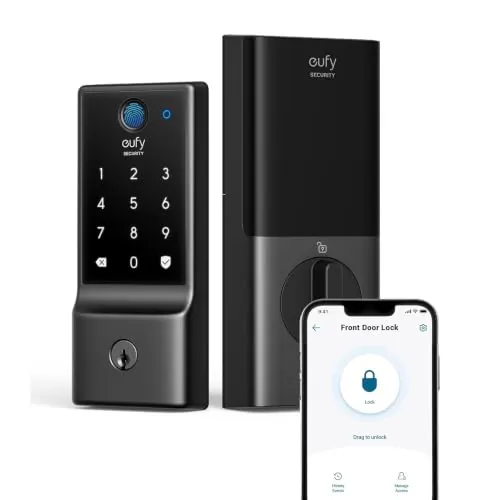
These are two different entry workflows, not a tested security ranking. The assigned eufy C220 is model T8506: fingerprint, touchscreen passcodes, physical key and app access, with eight included AA batteries and an emergency-only USB-C power port. The Schlage BE365 Camelot Satin Nickel listing is model BE365VCAM619: its keypad is local, it uses one 9V battery, and after a valid code the outside thumbturn is still turned by hand. Start with the door: C220 lists a wider supported thickness range, while Schlage's BE365 page gives its own 35–44 mm range; check the exact cross-bore and backset too.
Read comparison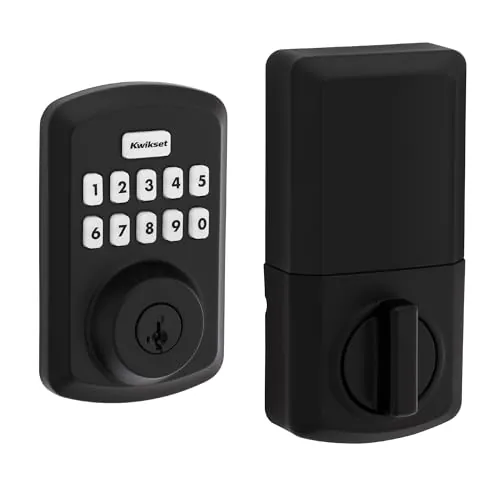
Kwikset Powerbolt 250 vs Schlage Encode: Keys, Apps and Door Fit
The Kwikset Powerbolt 250 is a keypad-only lock with a manufacturer-documented KW1-compatible SmartKey option. The Schlage Encode BE489 adds built-in 2.4 GHz Wi-Fi and Schlage Home app management, while Schlage documents separate key-matching options through participating retailers or locksmiths. First measure your door and confirm the exact finish and service route before choosing.
Read comparison