
Products compared
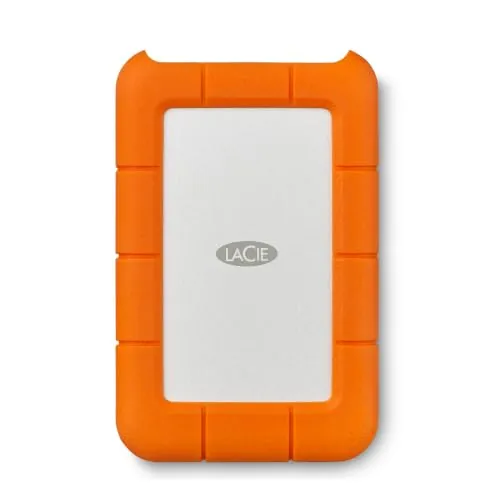
LaCie
LaCie Rugged USB-C 2TB
Orange 2TB portable HDD; verify the exact Amazon offer’s included cable bundle.
Model STFR2000800
Amazon ASIN B01N7QFZLQ
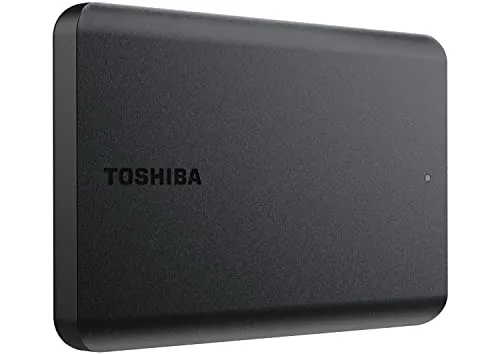
Toshiba
Toshiba Canvio Basics 2TB
Black 2TB portable HDD; Toshiba lists an included USB-A-to-Micro-B cable and NTFS formatting for Windows.
Model HDTB520XK3AA
Amazon ASIN B0BQX6NNVC
Differences that matter
What matters most to you?
Choose a priority to see what it changes.
Sources for Portable body dimensions
Start with the port on your computer
Both are 2TB portable hard drives, but their drive-side connections are different. The LaCie STFR2000800 has one USB-C port; Toshiba's HDTB520XK3AA data sheet lists a USB-A-to-Micro-B cable. If your computer has only USB-C or only USB-A, check the exact package and required adapter before choosing.
The LaCie bundle deserves a specific check: Seagate's 2025 sheet lists both a USB-C cable and a USB-C-to-USB-A cable, while its earlier 2023 US-revision sheet lists a USB-C cable only. The exact model/UPC is the same in both sheets, so use the current seller's package details rather than assuming the family name settles it. These interface rates describe the connection standard, not tested sustained file-transfer speed.
Plan the first connection and file format
LaCie's manual says to launch Setup Assistant before using the drive; it can format for the selected operating system, register the drive and offer optional software installation. Seagate also says reformatting may be required for Time Machine. Toshiba's exact product sheet says HDTB520XK3AA is NTFS formatted for Windows 11/10 and requires reformatting for the macOS releases listed there; Toshiba's family page also notes reformatting for Apple Time Machine.
If you move files between Mac and Windows, decide on a compatible format before copying anything. Formatting can erase data. The manufacturers' version-specific notes are setup guidance, not a promise that every format supports every device or workflow; use the current OS and device instructions.
Use size and handling claims for different questions
For a sleeve or crowded bag, Toshiba's listed 1–2TB body is 78 × 109 × 14 mm; LaCie's is 86 × 135.1 × 18.7 mm. Compare those body dimensions with your sleeve and do not mix them with retail-box size.
LaCie's separate published handling conditions are bounded: the 4-ft / 1.2-m drop figure is for non-operating mode, and the crush test allowed cosmetic damage while the drive remained functional. Its rain feature is marked unavailable in some countries, so this comparison does not claim rain protection for the U.S. offer. Toshiba's reviewed documents do not establish equivalent drop or crush ratings; unknown is not the same as absent.
Product details
LaCie Rugged USB-C 2TB
Before you buy
Community discussions
Choosing a drive for the ports already on your laptop
LaCie Rugged USB-C 2TB
A Mac owner wanted an external drive that could use their existing USB-C ports. A reply pointed to the 2 TB LaCie Rugged USB-C.
What to check
Check the ports on the computer you use most and the cable in each exact drive package.
Common questions
Which drive is the more direct fit for a USB-C-only laptop?
The LaCie drive has a USB-C port. However, its Seagate data-sheet revisions differ on whether the USB-C-to-USB-A cable is in the box, so verify the exact Amazon offer if you also need USB-A. Toshiba’s exact 2TB sheet lists a USB-A-to-Micro-B cable, not a USB-C cable.LaCie Rugged USB-C data sheet DS1911.8-2508AMER (English, Seagate)LaCie Rugged USB-C data sheet DS1912.6-2310US (Seagate)Canvio Basics product data sheet (Toshiba America)
Can I use either drive with a Mac?
Both makers describe Mac use with setup caveats. Toshiba says the drive is NTFS formatted for Windows 11/10 and requires reformatting for the macOS releases listed on its sheet; Seagate’s manual describes choosing a format during LaCie Setup Assistant and its sheet says Time Machine may require reformatting. Check current instructions for your exact macOS release before moving files.LaCie Rugged USB-C user manual: Getting Connected (Seagate US)LaCie Rugged USB-C data sheet DS1911.8-2508AMER (English, Seagate)Canvio Basics product data sheet (Toshiba America)Canvio Basics portable external hard drive (Toshiba America)
Does LaCie’s drop rating mean it is safe to drop while working?
No such conclusion is supported. Seagate’s sheet explicitly limits the 4-ft / 1.2-m condition to non-operating mode. It is a maker-stated test condition, not a guarantee for an in-use drive or every accident.LaCie Rugged USB-C data sheet DS1912.6-2310US (Seagate)
Sources and scope
LaCie’s two data sheets list different included cables. Check the current box and your host ports. LaCie reports an off-state drop condition and leaves the rain feature dependent on country. Toshiba’s published setup lists supported operating systems and reformatting requirements.
- LaCie Rugged USB-C data sheet DS1911.8-2508AMER (English, Seagate)
- LaCie Rugged USB-C data sheet DS1912.6-2310US (Seagate)
- LaCie Rugged USB-C user manual: Getting Connected (Seagate US)
- LaCie Rugged USB-C support and model specifications (Seagate US)
- Canvio Basics product data sheet (Toshiba America)
- Canvio Basics portable external hard drive (Toshiba America)
Related comparisons
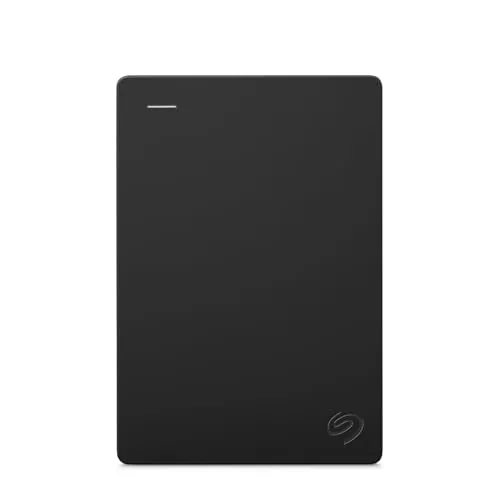
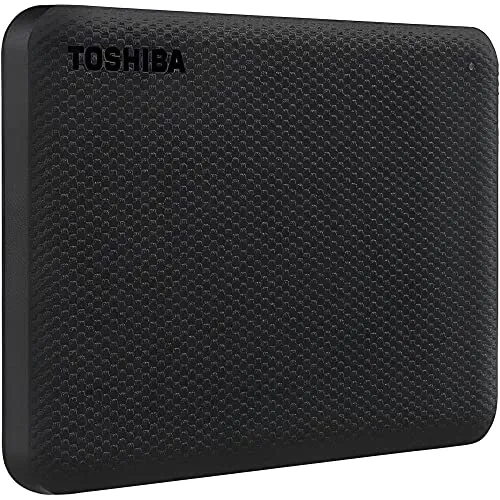
Seagate Portable 1TB vs Toshiba Canvio Advance 1TB: Backup Apps, Cable, and Size
These exact black 1TB drives share USB-powered portable storage, but their published workflows differ. Seagate documents plug-and-play PC setup and drag-and-drop use without installing software. Toshiba documents downloadable Windows-only scheduled-backup and password-lock utilities. Toshiba lists a smaller, lighter drive body. Check your computer's USB connector and operating system before ordering, especially if you use USB-C-only hardware or a Mac.
Read comparison
WD My Passport 1TB vs Toshiba Canvio Advance 1TB: Backup Setup and Host Fit
Both are black 1TB portable hard drives with USB 3.2 Gen 1-class connections and USB 2.0 compatibility. WD documents Acronis backup software, password protection and hardware encryption for its exact 1TB Black SKU; Toshiba describes Windows-only backup software with file/folder and schedule controls. The practical choice turns on host setup, preferred backup workflow and the small listed thickness/weight difference—not a speed or reliability claim.
Read comparison