
Products compared
WD
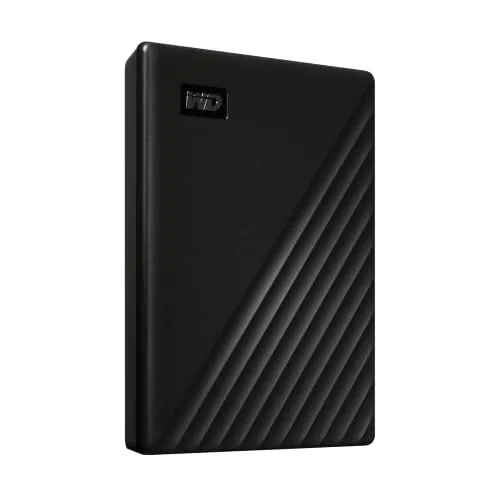
WD My Passport Portable HDD 1TB Black
U.S. 1TB black portable HDD; WD lists Acronis backup software, password protection and hardware encryption.
Model WDBYVG0010BBK-WESN
Amazon ASIN B07VTWX8MN
Toshiba
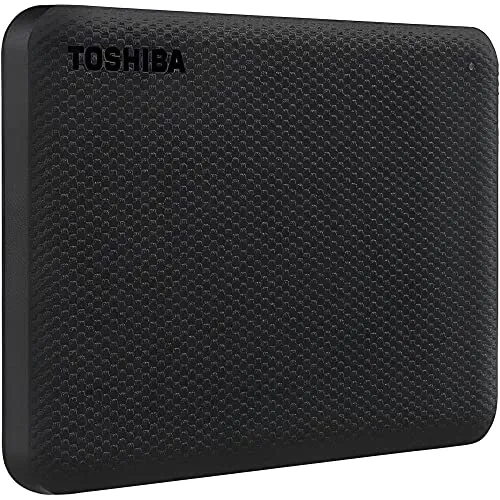
Toshiba Canvio Advance Portable HDD 1TB Black
U.S. 1TB black Canvio Advance; Toshiba's software workflow is documented for Windows-based PCs.
Model HDTCA10XK3AA
Amazon ASIN B08JKFY8FH
Differences that matter
What matters most to you?
Choose a priority to see what it changes.
Sources for Documented backup and security workflow
Sources for Host OS and drive-format check
Sources for Listed carry size and weight
Sources for Connection and box check
Start with the computer and backup routine
For a Windows PC, the clearest published workflow distinction is what the maker documents. Toshiba describes choosing files or folders and setting backup intervals and times in its Canvio Advance backup software. WD names Acronis True Image for Western Digital and separately lists password protection and hardware encryption. WD says downloading and installing its software are required and account registration may be required; Toshiba says its software downloads are for Windows-based PCs only.
These descriptions tell you which setup to investigate, not which backup is more dependable. Before relying on a scheduled copy, check current software requirements, how the chosen app handles the files you care about, and how you would restore a test file.
Check Mac formatting before copying anything
Toshiba lists Canvio Advance as NTFS-formatted for Windows 11/10 and says reformatting is required for macOS 15.0, 14.7 and 13.7. WD's current sheet lists Windows 10+, ChromeOS and a downloadable NTFS driver for reading and writing on macOS 11+, but the same compatibility line also says a reformat is needed. Because WD's wording does not make the Mac setup unambiguous, verify the latest instructions for your exact Mac version and intended file-sharing setup.
Reformatting can affect data already on a drive. If the drive is not new or you intend to share it across operating systems, confirm the format plan and make a separate backup before changing it.
Plan for the drive, port and cable together
WD lists its exact 1TB Black WDBYVG0010BBK-WESN at 107.2 × 75.0 × 11.2 mm and 120 g. Toshiba's current page lists 78 × 109 × 14 mm and 149 g for the 1TB/2TB Canvio Advance. That makes Toshiba 2.8 mm thicker and 29 g heavier by the listed numbers; the overall length-and-width footprint is similar. Check the space inside your case and the cable bend at the port rather than reading these dimensions as a durability or comfort result.
WD's data sheet lists a SuperSpeed USB-A cable. Toshiba's current page lists a USB 3.2 Gen 1 cable and USB-A device connectivity. Both makers list USB 3.2 Gen 1-class interfaces and backward compatibility with USB 2.0. Confirm the actual cable ends in the exact seller package and whether your computer needs an adapter. The listed interface does not establish which drive will be faster in your setup.
Verify the exact 1TB black model at checkout
The products compared here are WD WDBYVG0010BBK-WESN, ASIN B07VTWX8MN, and Toshiba HDTCA10XK3AA, ASIN B08JKFY8FH. WD's U.S. data sheet and Toshiba's English sales sheet both identify these model numbers as black 1TB drives. Check the exact model number on the retailer's listing before ordering.
Toshiba's current family page lists the software, cable and quick-start materials, but retailer packages can change. Compare the actual listing's included cable and current software access against your host, rather than assuming an older sales sheet describes every current box.
Product details
WD My Passport Portable HDD 1TB Black
WD's U.S. data sheet maps the selected 1TB Black part number and lists Acronis True Image for Western Digital, password protection and hardware encryption. It says download and installation are required and account registration may be required.
Toshiba Canvio Advance Portable HDD 1TB Black
Toshiba's U.S. Canvio Advance page describes downloadable backup and password software for Windows-based PCs, file/folder selection and schedule controls. Its current product page lists NTFS formatting and says reformatting is required for the macOS versions named there.
Before you buy
Community discussions
Decide whether the drive will add a backup copy
Toshiba Canvio Advance Portable HDD 1TB Black
A Canvio Advance owner whose files are on one drive asks whether to buy another drive for a backup and how it would work with a MacBook Air.
What to check
Decide which files need a second copy and how much space they take. Check the format and USB connection for the exact drive you plan to use with your computer.
Common questions
Which one lets me schedule selected folders for backup?
Toshiba describes choosing individual files or folders and setting backup intervals and times in Canvio Advance Storage Backup Software. Toshiba says its software download is for Windows-based PCs only. WD's data sheet names Acronis backup software but does not describe the same selection controls in the cited overview.Portable Hard Drive for Backup & Security | Toshiba Canvio AdvanceData Sheet: My Passport Portable HDD Storage
Does the WD drive support hardware encryption?
WD's My Passport data sheet lists password protection and hardware encryption, and its part-number table maps WDBYVG0010BBK-WESN to the 1TB Black model. This is a maker-listed feature, not an independent security assessment or a claim about default activation.Data Sheet: My Passport Portable HDD Storage
Can I connect either drive to a Mac without changing its format?
Do not assume that. Toshiba's current page says Canvio Advance requires reformatting for its listed macOS versions. WD lists a downloadable NTFS driver for macOS 11+ but its compatibility line also mentions a need to reformat; check WD's current exact-model instructions for your OS before purchase.Portable Hard Drive for Backup & Security | Toshiba Canvio AdvanceData Sheet: My Passport Portable HDD Storage
Is one drive faster or more reliable?
The cited materials list USB interfaces and software features, but they do not provide a matched test of these two exact 1TB units. This guide does not rank transfer speed, restore reliability or durability.Portable Hard Drive for Backup & Security | Toshiba Canvio AdvanceData Sheet: My Passport Portable HDD Storage
Sources and scope
This guide compares manufacturer-listed software workflows, compatibility notes and physical specifications. It does not test transfer speed, encryption effectiveness, backup or restore reliability, durability, or data recovery. Software terms and retailer box contents may change; confirm the exact listing and current host requirements before buying.
Related comparisons
Seagate Portable 1TB vs Toshiba Canvio Advance 1TB: Backup Apps, Cable, and Size
These exact black 1TB drives share USB-powered portable storage, but their published workflows differ. Seagate documents plug-and-play PC setup and drag-and-drop use without installing software. Toshiba documents downloadable Windows-only scheduled-backup and password-lock utilities. Toshiba lists a smaller, lighter drive body. Check your computer's USB connector and operating system before ordering, especially if you use USB-C-only hardware or a Mac.
Read comparison
WD My Passport 2TB vs WD Elements Portable 2TB: Security, Setup and Sleeve Fit
These exact U.S. 2TB black models share USB-A cable connectivity, but their documented software and security differ. WD lists My Passport (WDBYVG0020BBK-WESN) with password protection, hardware encryption and downloadable backup/device-management software; WD's support matrix lists Elements Portable USB 3.0 without those WD security features, and its unsupported list includes the WDBU6Y model prefix. Their manufacturer-listed 2TB footprints are also different: My Passport is 107.2 × 75.0 × 13.5 mm and Elements is 110.5 × 82.0 × 15.0 mm. Use the security workflow and the actual sleeve/case opening to decide; neither listing establishes a transfer-speed or durability winner.
Read comparison