
Products compared
Western Digital
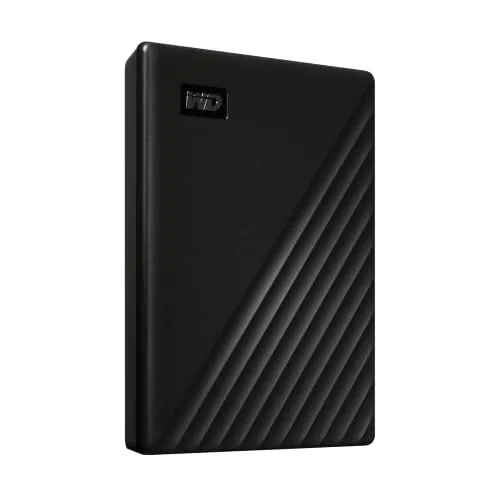
WD 2TB My Passport Portable HDD, Black
Exact black 2TB My Passport configuration, maker part WDBYVG0020BBK-WESN. WD's product overview lists backup/device-management software (download and installation required), password protection and hardware encryption. The listed box includes the drive, a SuperSpeed USB-A cable and a quick-install guide. WD states account registration may be required for the software.
Model WDBYVG0020BBK-WESN
Amazon ASIN B07VTFN6HM
Western Digital
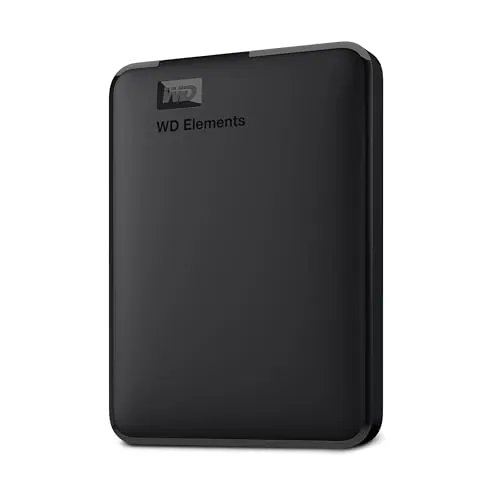
WD Elements Portable 2TB, Black
Exact black 2TB Elements Portable configuration, maker part WDBU6Y0020BBK-WESN. WD's product overview lists Windows 10 or newer and says reformatting may be required for other operating systems. The listed box includes the drive, a SuperSpeed USB-A cable and a quick-install guide. WD's support material identifies the WDBU6Y prefix as unsupported by WD Security; the WD encryption matrix lists Elements Portable USB 3.0 without WD hardware encryption or password protection.
Model WDBU6Y0020BBK-WESN
Amazon ASIN B06W55K9N6
Differences that matter
What matters most to you?
Choose a priority to see what it changes.
Sources for Exact black 2TB maker part
Sources for WD password and hardware-encryption options
Sources for Manufacturer-listed body dimensions, 2TB
Sources for Listed cable and computer setup
Sources for Software included in WD's listed package
Start with the exact 2TB variants
This guide compares the assigned black U.S. 2TB configurations: My Passport part WDBYVG0020BBK-WESN and Elements Portable part WDBU6Y0020BBK-WESN. Match the full part number as well as the 2TB capacity when checking the retailer page; My Passport colors and capacities have different maker codes.
The shared baseline is straightforward: both maker overviews list a portable USB drive and a SuperSpeed USB-A cable. The choice becomes more specific when you look at WD's security/software options, operating-system setup and the drive body you need to store.
Security is the clearest functional distinction
WD lists password protection and hardware encryption for My Passport. Its support matrix distinguishes hardware encryption from password protection and lists both for the My Passport family. The My Passport product overview also lists device-management and backup software with ransomware-defense features; download and installation are required, and account registration may be required.
For the other drive, WD's matrix lists Elements Portable USB 3.0 without WD hardware encryption or password protection. WD's separate list of products unsupported by WD Security includes WDBU6Y, the prefix in this exact Elements model. This is a statement about WD's own tools, not a claim that other software or host operating systems cannot encrypt files.
Check body clearance and the connection you actually have
For 2TB models, WD lists My Passport at 107.2 × 75.0 × 13.5 mm and Elements Portable at 110.5 × 82.0 × 15.0 mm. Both are pocketable drive formats, but the Elements body is larger on all three listed dimensions. If you are reusing a close sleeve, compare its usable inside opening with the drive dimensions and leave room for the cable; published dimensions do not guarantee a particular case fit.
Both overviews list a SuperSpeed USB-A cable. That answers what WD lists in the box, but not whether it fits your computer: check the host port and any adapter or hub you intend to use.
Plan the operating-system and backup workflow before copying files
WD's My Passport overview lists Windows 10 or newer, ChromeOS and a downloadable NTFS driver for read/write on macOS 11 or newer; it notes that compatibility can vary with hardware and operating-system configuration. WD's Elements overview lists Windows 10 or newer and says reformatting may be required for other operating systems. Verify the current support instructions for the specific host and filesystem you plan to use.
If you choose My Passport for the WD software, budget time to download and install it and check its current terms; the manufacturer notes that account registration may be required. If you choose Elements for a simpler box, WD's listed contents are the drive, USB-A cable and quick-install guide. Neither package description guarantees that a chosen backup or cross-platform workflow will behave exactly as you expect.
Product details
WD 2TB My Passport Portable HDD, Black
- Exact configuration
- 2TB, black; WDBYVG0020BBK-WESN appears in WD's worldwide product-number table Source
- 2TB dimensions and weight
- 107.2 × 75.0 × 13.5 mm; 0.14 kg, manufacturer-listed Source
- WD security and software
- WD lists password protection, hardware encryption, and included backup/device-management software; download and installation are required, and account registration may be required Source
- Listed box contents
- Portable hard drive, SuperSpeed USB-A cable (5Gbps), software and quick-install guide Source
WD Elements Portable 2TB, Black
- Exact configuration
- 2TB, black; WDBU6Y0020BBK-WESN appears in WD's worldwide product-number table Source
- 2TB dimensions and weight
- 110.5 × 82.0 × 15.0 mm; 0.13 kg, manufacturer-listed Source
- WD Security scope
- WD lists Elements Portable USB 3.0 without WD hardware encryption or password protection, and its WD Security exclusions list includes the WDBU6Y model prefix Source
- Listed box contents and OS note
- Portable hard drive, SuperSpeed USB-A cable (5Gbps) and quick-install guide; WD lists Windows 10+ and says reformatting may be required for other operating systems Source
Before you buy
Community discussions
A 2TB buyer is weighing file backup and encryption
WD 2TB My Passport Portable HDD, Black
The original poster is considering this exact 2TB WD My Passport for hobby photography and cinematography files, occasional laptop viewing, and a personal backup. They ask about encryption and whether to keep another copy. This is a buyer question, not an ownership report.
What to check
Compare the exact model’s documented password and encryption workflow with the way you plan to back up personal files; decide whether it will be one copy or part of a second-copy routine.
Common questions
Does WD Elements Portable 2TB support WD Security password protection?
WD's unsupported-drive list includes the WDBU6Y model prefix, which matches this exact WDBU6Y0020BBK-WESN model. WD's compatibility matrix also lists Elements Portable USB 3.0 without WD password protection or hardware encryption. This describes WD's own security features, not other encryption tools.External Drives Not Supported by WD SecurityWD External Drive Hardware Encryption Compatibility Matrix
Which 2TB drive is smaller for a sleeve?
WD lists the 2TB My Passport at 107.2 × 75.0 × 13.5 mm and the 2TB Elements Portable at 110.5 × 82.0 × 15.0 mm. Measure the usable inside dimensions of the sleeve; these specifications are not a case-fit test.WD My Passport Portable HDD Storage product overviewWD Elements Portable HDD Storage product overview
Do both boxes include a cable that plugs directly into USB-C?
The maker overviews list a SuperSpeed USB-A cable for both models, not a USB-C cable. If the host has USB-C only, confirm a compatible adapter or hub for that host before ordering.WD My Passport Portable HDD Storage product overviewWD Elements Portable HDD Storage product overview
Can I use either drive with a Mac?
WD's model overviews describe different OS setup notes: My Passport lists Windows 10+, ChromeOS and a downloadable NTFS driver for read/write on macOS 11+; Elements lists Windows 10+ and says reformatting may be required for other operating systems. Confirm the current support instructions for your OS and use case before moving files or reformatting.WD My Passport Portable HDD Storage product overviewWD Elements Portable HDD Storage product overview
Sources and scope
This is a specification and workflow comparison for the exact black 2TB U.S. retail configurations identified by the assigned Amazon ASINs and matching WD worldwide part numbers. Manufacturer dimensions are published nominal dimensions, not a measured sleeve-fit test. WD lists My Passport as supporting password protection and hardware encryption and lists the Elements Portable USB 3.0 family without them; WD's Security exclusions include the WDBU6Y prefix used by this Elements model. That describes WD's own features only and does not evaluate third-party or operating-system encryption. Both boxes list a SuperSpeed USB-A cable; host ports, adapters, operating-system versions and desired filesystem still need checking. No current price, transfer-speed test, reliability test, durability test, data-recovery outcome or hands-on fit is claimed. WD documentation notes that specifications and box imagery may change; verify the exact seller listing and package before purchase.
Related comparisons
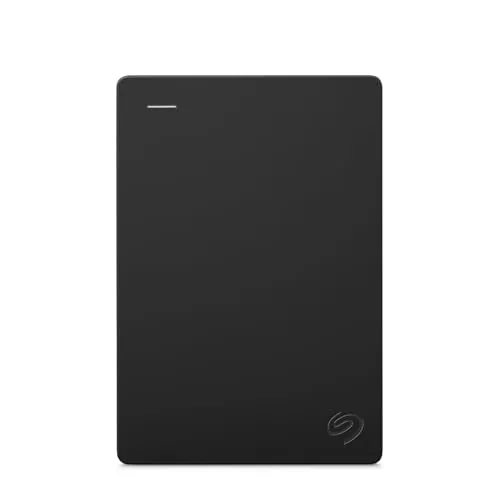
Seagate Portable 2TB STGX2000400 vs WD My Passport 2TB Black: Cable and Backup Setup
Both assigned offers are nominal 2TB portable hard drives. Seagate’s STGX2000400 data sheet describes USB-powered Windows plug-and-play setup and notes Mac reformatting may be needed. WD’s WDBYVG0020BBK-WESN overview lists an included USB-A cable and downloadable management/backup software, while WD’s current product page identifies a Micro-B drive connector and says password protection is for Windows. Check exact cable ends and OS setup before choosing.
Read comparison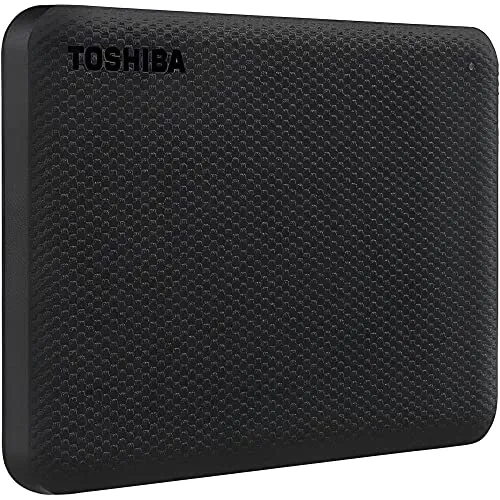
Seagate Portable 1TB vs Toshiba Canvio Advance 1TB: Backup Apps, Cable, and Size
These exact black 1TB drives share USB-powered portable storage, but their published workflows differ. Seagate documents plug-and-play PC setup and drag-and-drop use without installing software. Toshiba documents downloadable Windows-only scheduled-backup and password-lock utilities. Toshiba lists a smaller, lighter drive body. Check your computer's USB connector and operating system before ordering, especially if you use USB-C-only hardware or a Mac.
Read comparison