
Products compared
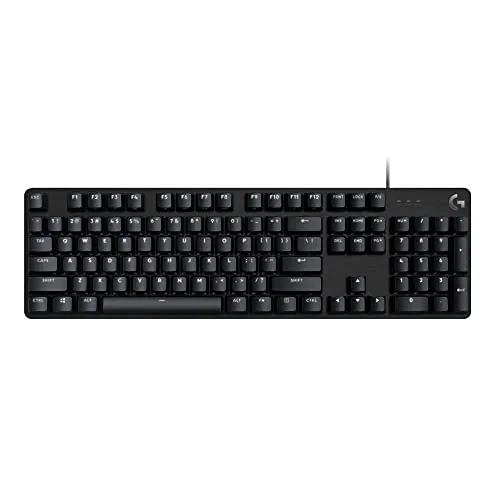
Logitech G
Logitech G413 SE Mechanical Gaming Keyboard
Black, full-size U.S. wired model with tactile mechanical switches and white backlighting.
Model G413 SE (920-010433)
Amazon ASIN B08Z6X4NK3
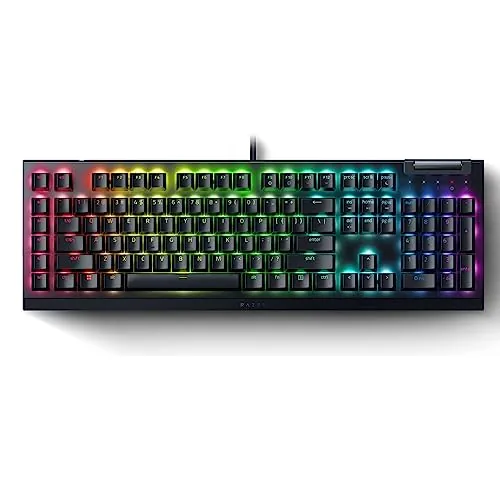
Razer
Razer BlackWidow V4 X Yellow Switch
Black U.S. layout listing with the Yellow linear switch option; verify the RZ03-04701900-R3U1 code on the retailer page.
Model BlackWidow V4 X (RZ03-04701900-R3U1)
Amazon ASIN B0C8QYB8W6
Differences that matter
Sources for Switch feel described by the maker
Sources for Lighting and quick controls
Sources for Desk and connection planning
Start with the switch style you want
Logitech describes the G413 SE's mechanical switches as tactile. The assigned Razer listing is the Yellow-switch BlackWidow V4 X; Razer describes Yellow as a linear switch family. Those are useful labels for narrowing your preference, but they are not a test result: they do not establish which board is quieter, more comfortable or better for a particular game.
Before you order, identify what you mean by a preferred feel: a tactile switch description, or a linear switch description. If the distinction matters to your daily typing, try a comparable switch sample or keyboard in person instead of treating maker wording as a guarantee of how it will feel to you.
Treat macro keys as a software workflow decision
The BlackWidow V4 X has six dedicated macro keys. Razer's FAQ describes programming them in Synapse and on-the-fly recording, but its support answer makes an important condition explicit: on-the-fly recording still needs Synapse installed and running in the background. If macros are part of your daily workflow, check that you can use the software on the computer where the keyboard will live.
The G413 SE's Logitech product and support pages reviewed here do not establish a custom-macro assignment path for this exact model. That is an evidence gap, not proof that no workaround exists. If choosing the G413 SE because you expect to assign macros, confirm that exact workflow with Logitech first rather than borrowing instructions from another G413 variant.
Check the layout and controls against your desk
Both models are full-size wired keyboards in this comparison. The Logitech page lists white LED backlighting and 6-key rollover. Razer lists a multi-function roller, secondary media keys and the six macro keys on the left side. Make a short list of which controls you will actually use, then make sure the keyboard footprint and cable route fit the desk.
Verify the model code and configuration on the final listing. In particular, BlackWidow V4 X is a family name shared by multiple switch configurations; this guide follows RZ03-04701900-R3U1, the Yellow-switch U.S. layout variant.
Product details
Logitech G413 SE Mechanical Gaming Keyboard
A full-size wired keyboard with tactile switches, white backlighting, PBT keycaps and an aluminum-magnesium alloy top case. Logitech's reviewed G413 SE pages do not document a programmable-macro setup; do not assume that capability from another G413 variant.
Razer BlackWidow V4 X Yellow Switch
This exact US listing selects Yellow switches and includes the BlackWidow V4 X's left-side macro keys and media controls. Razer documents Synapse for macro programming; even on-the-fly recording needs Synapse installed and running, so check that software requirement against your computer before relying on custom macros.
Before you buy
Community discussions
Keeping a switch feel you already like
Logitech G413 SE Mechanical Gaming Keyboard
A Logitech G413 SE owner prefers a tactile bump and asks whether a different switch design would feel familiar.
What to check
Compare the listed switch type for the exact version, especially if you want a tactile bump and have to share the desk or room.
Common questions
Does this Razer listing use Yellow switches?
The assigned U.S. product code RZ03-04701900-R3U1 is the BlackWidow V4 X Yellow Switch / U.S. layout selection. Recheck that exact code on the retailer page because the same V4 X family is also sold with other switch options.Razer BlackWidow V4 X — U.S. page for RZ03-04701900-R3U1
Can I record Razer macros without installing Synapse?
Razer's support FAQ says no: on-the-fly macro recording requires Razer Synapse installed and running in the background. Confirm your computer can run the software if that workflow matters to you.BlackWidow V4 X RZ03-0470 Support and FAQ
Which keyboard is quieter or better for gaming?
The cited documentation does not establish a comparative noise or gaming-performance result. Logitech describes the G413 SE switches as tactile; this Razer SKU selects Yellow linear switches. Your preference and typing environment matter, so try the switch style if you can.Logitech G413 SE Mechanical Gaming Keyboard — U.S. product pageRazer BlackWidow V4 X — U.S. page for RZ03-04701900-R3U1
Sources and scope
This is a feature and setup comparison based on manufacturer documentation, not a hands-on test. Switch feel and sound are personal; no typing, gaming, latency, acoustic, durability or reliability tests establish a better performer. Logitech's reviewed exact-model materials do not establish a programmable-macro workflow, so verify that capability directly if it is essential. Razer's on-the-fly macro recording requires Synapse installed and running. No current price is represented.
- Logitech G413 SE Mechanical Gaming Keyboard — U.S. product page
- G413 SE Gaming Keyboard — Logitech Support
- Razer BlackWidow V4 X — U.S. page for RZ03-04701900-R3U1
- Razer BlackWidow V4 X product features and FAQ
- Razer Mechanical Switches — Yellow linear switch family
- BlackWidow V4 X RZ03-0470 Support and FAQ
Related comparisons
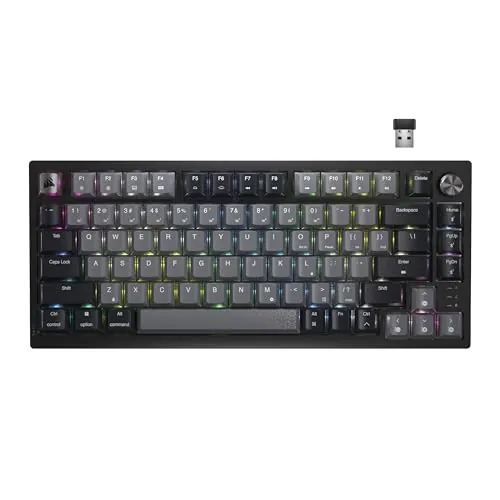
CORSAIR K65 PLUS Wireless vs Razer BlackWidow V4 X: Layout and Controls
The CORSAIR K65 PLUS (CH-91D401L-NA, Black/Gray) is a compact 75% keyboard with 2.4 GHz, Bluetooth and USB wired modes. The BlackWidow V4 X (RZ03-04701900-R3U1, Black, Yellow switches, U.S. layout) is a full-size wired board with six dedicated macro keys. Compare your desk layout and whether you want physical macro keys or software-programmed macros before buying.
Read comparison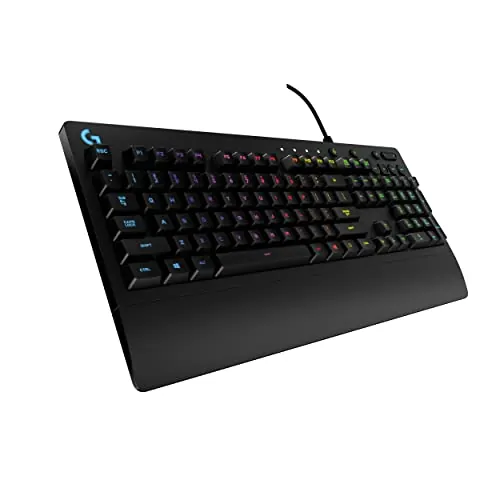
Logitech G213 Prodigy vs G413 SE: Key Type, Lighting and Desk Fit
The G213 combines Logitech's Mech-Dome design, five customizable RGB zones, dedicated media controls and an integrated palm rest. The G413 SE is a full-size wired keyboard with tactile mechanical switches and white LED lighting. Pick by the key mechanism and lighting workflow you actually want; use the pre-buy checklist to check footprint, cable reach and the exact seller model.
Read comparison