
Products compared

Logitech G
Logitech G502 HERO Wired Gaming Mouse - Black
Black U.S. G502 HERO wired mouse; listing data product 553.
Model 910-005469
Amazon ASIN B07GBZ4Q68
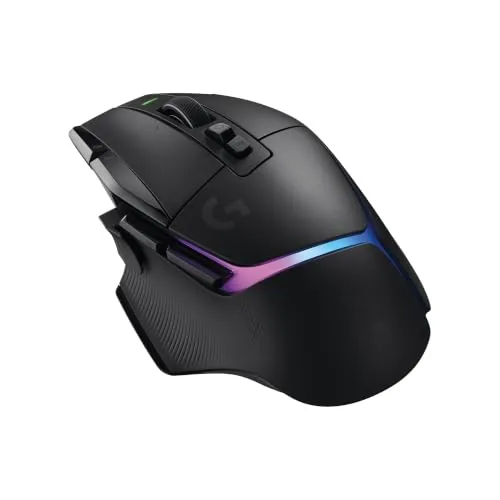
Logitech G
Logitech G502 X PLUS LIGHTSPEED Wireless RGB Gaming Mouse - Black
Black U.S. G502 X PLUS wireless mouse; listing data product 6872.
Model 910-006160
Amazon ASIN B092CB69Q4
Differences that matter
What matters most to you?
Choose a priority to see what it changes.
Sources for Power and cable-use routine
Sources for What to check in the package
Start with the desk routine
The core choice is not a broad claim that one mouse is better. It is whether you want the HERO's always-wired USB setup or the X PLUS's receiver-based wireless setup with rechargeable power. The X PLUS can also work in data-over-cable mode when connected directly to a PC, so wired use is documented as an option rather than the only way it operates.
Think through your ordinary setup: where the HERO cable will run, or where you will keep the X PLUS USB-A receiver and charging cable. Logitech says the X PLUS receiver can be plugged directly into a PC or positioned with its extension adapter.
The physical adjustments solve different preferences
The HERO's documented adjustment is weight: Logitech describes repositionable weights and lists five 3.6 g pieces with a case in its support specification. The X PLUS instead lets you change the position of the DPI-Shift thumb button or remove it and use a cover to extend the grip surface.
Choose based on which change you will actually use. Manufacturer documentation does not say that the weights, thumb-button position or extended grip surface will feel more comfortable to every person, so treat hand fit as something to check for yourself.
Check the exact package before checkout
The support page for the HERO lists the mouse, user documentation and 'Optional 5x 3.6 g weights and Case.' For the X PLUS, Logitech lists the mouse, DPI-Shift cover, USB-C charging cable, LIGHTSPEED USB-A receiver, USB extension adapter and user documentation. The retailer listing should match the exact black model number shown in this guide.
If the X PLUS receiver or extension adapter is important to your setup, verify those listed items on the exact listing you plan to buy. If the HERO weight kit is why you are choosing it, confirm the offer is the 910-005469 package and not a different G502 variant.
Product details
Logitech G502 HERO Wired Gaming Mouse - Black
The practical case for the HERO is a direct wired connection with no receiver-based wireless setup or rechargeable-mouse charging routine. If you want to change the mouse's weight, Logitech documents a five-piece 3.6 g weight set. The weights change weight and balance options; Logitech's documentation does not establish that one configuration is more comfortable or performs better for every hand.
Logitech G502 X PLUS LIGHTSPEED Wireless RGB Gaming Mouse - Black
The X PLUS fits a desk where moving without a mouse cable matters and you are comfortable keeping its USB-A receiver and charging cable accessible. Logitech also documents a physical choice the HERO does not offer in the same way: orient the DPI-Shift thumb button to suit your preference or remove it and fit the supplied cover.
- Wireless and charging
- LIGHTSPEED wireless mouse with a rechargeable Li-polymer battery; the listed box contents include a LIGHTSPEED USB-A receiver and USB-C charging cable. Source
- DPI-Shift button
- Logitech says the thumb button can be oriented 180 degrees or removed and replaced with a cover to extend the grip surface. Source
Before you buy
Community discussions
Checking the change in click and wheel feel
Logitech G502 X PLUS LIGHTSPEED Wireless RGB Gaming Mouse - Black
A long-time wired G502 HERO owner who moved to a G502 X Plus noticed a distinct click feel. They had decided to replace their HERO after its wheel developed extra play.
What to check
Try the main clicks and wheel in both scroll modes. If your current mouse is well worn, compare a fresh unit before judging the difference.
Checking which button profile is active
Logitech G502 HERO Wired Gaming Mouse - Black
A G502 HERO owner said some mouse buttons unexpectedly started performing different actions during a game. They used G HUB while sorting out the mappings.
What to check
Make a list of the actions you assign to side buttons. Verify the active profile and test those actions after switching apps or games.
Common questions
Can the G502 X PLUS work with a cable instead of its receiver?
Logitech's setup guide says that plugging the mouse directly into a PC with its USB-C cable puts it in data-over-cable mode. The same guide documents the LIGHTSPEED USB-A receiver as the wireless option; Logitech lists both the receiver and USB-C cable in the X PLUS box contents.G502 X PLUS | G502 X LIGHTSPEED Wireless Gaming Mouse Setup GuideSpecification - G502 X PLUS Wireless RGB Gaming Mouse
What can I adjust on the G502 HERO and G502 X PLUS?
For the HERO, Logitech describes repositionable weights and lists five 3.6 g weights with a case. For the X PLUS, Logitech says the DPI-Shift thumb button can be oriented 180 degrees or removed and replaced with a cover to extend the grip surface. These options do not establish a universal comfort or control winner.G502 HERO High Performance Gaming Mouse - U.S. product pageSpecification - G502 HERO Gaming MouseSpecification - G502 X PLUS Wireless RGB Gaming MouseG502 X PLUS | G502 X LIGHTSPEED Wireless Gaming Mouse Setup Guide
How long does a G502 X PLUS charge last?
This guide does not give a runtime estimate. Logitech's support specification and setup guide display conflicting G502 X PLUS runtime figures, so check current official documentation if charge duration is decisive.Specification - G502 X PLUS Wireless RGB Gaming MouseG502 X PLUS | G502 X LIGHTSPEED Wireless Gaming Mouse Setup Guide
Sources and scope
This guide compares exact-model Logitech documentation and desk setup choices. It does not report hands-on testing, measured tracking, latency, comfort, click durability or gaming performance. Logitech's official G502 X PLUS support specification and setup guide give conflicting battery-runtime figures; no runtime estimate or battery-duration winner is stated. Logitech's current X PLUS product page also contains conflicting sensor descriptions, which are not used.
Related comparisons
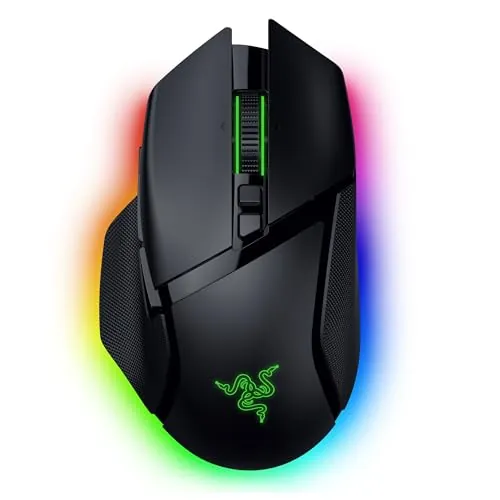
Logitech G502 X PLUS vs Razer Basilisk V3 Pro 35K: Which Fits Your Setup?
This comparison covers the black Logitech G502 X PLUS (910-006160) and black Razer Basilisk V3 Pro 35K (RZ01-05240100-R3U1). The deciding details are the host connection you need, the thumb and scroll controls you prefer, and whether you already own or plan to add a wireless-charging accessory.
Read comparison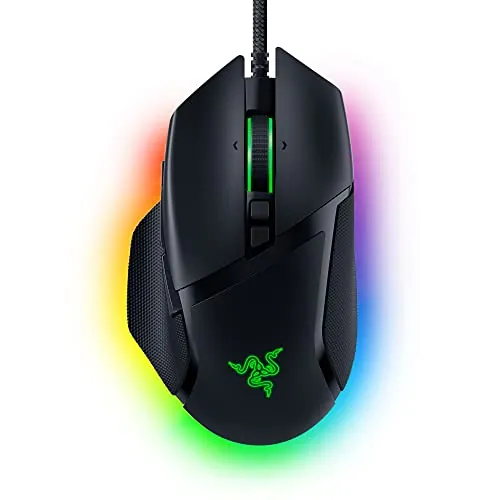
Logitech G502 HERO vs Razer Basilisk V3: Scroll Controls, Weights and Setup
Both are wired, right-handed gaming mice with tilt wheels and configurable controls. The Logitech G502 HERO uses a physical button to switch its wheel between notched and free-spin modes and accepts up to five removable weights. The original Razer Basilisk V3 has a four-way tilt wheel with electronically actuated notched/free-spin modes; its Smart-Reel behavior is enabled in Razer Synapse. Compare the control routine and software you can use on your computer, then check cable routing and the exact model code before buying.
Read comparison