
Products compared
Apple
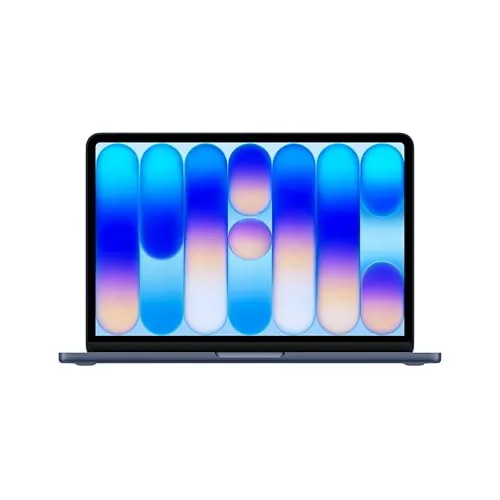
Apple MacBook Neo 13-inch, Indigo
A18 Pro; selected configuration has 8GB unified memory and 256GB SSD.
Model MHFF4LL/A
Amazon ASIN B0GR6FHGXX
Apple
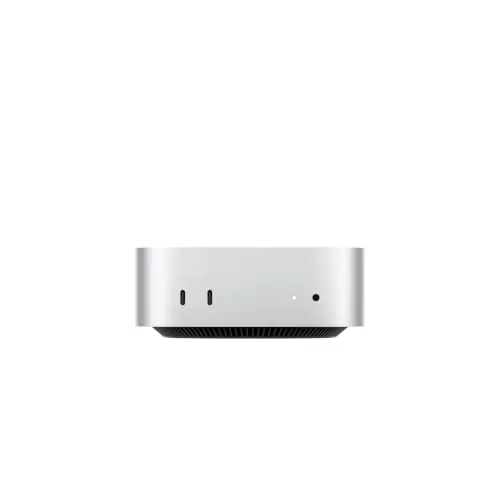
Apple Mac mini (M6, 12-core CPU and GPU, 16GB, 512GB)
Selected M6 configuration has 16GB unified memory and 512GB SSD; desktop computer only.
Model MHQL4LL/A
Amazon ASIN B0HGGC82BG
Differences that matter
What matters most to you?
Choose a priority to see what it changes.
Sources for What is included as a usable computer
Sources for Exact memory and storage configuration
Sources for External displays
Sources for Ports for a desk setup
Sources for Device footprint and weight
First decide whether you are buying one computer or building a desk setup
The MacBook Neo is the self-contained option: Apple lists a 13-inch display, built-in keyboard and trackpad, and a 1.23 kg weight. The Mac mini M6 is a 5 × 5 × 2-inch desktop device weighing 0.67 kg by itself. Apple lists the mini and power cord in the box, so plan for a separate monitor and input devices if they are not already on your desk. The computer-only weight is not the weight of a working workstation.
Start with where you will use the computer: if you need to carry the display and input devices with it, the Neo is the laptop option. If the mini will stay at one desk and you already own those peripherals, compare its memory/storage configuration and your port/display plan next.
Match each configuration to your work and screen plan
The Indigo Neo part MHFF4LL/A is the selected 8GB unified memory/256GB SSD configuration. The mini part MHQL4LL/A is the M6 16GB/512GB configuration. Apple’s US part-number list confirms these exact mappings; other Neo and mini configurations exist, so check the full part number rather than relying on the family name. These memory and storage figures are configuration facts, not a prediction of which computer runs an app faster.
Apple lists the Neo for one external display up to 4K at 60Hz while its built-in display remains active. The M6 mini supports up to three external displays, but Apple specifies combinations by resolution, refresh rate and port. If you have multiple monitors, compare their actual specifications with Apple’s combinations before choosing the mini.
Do a quick port audit before ordering the desktop
The Neo offers one USB 3 USB-C port with DisplayPort support and up to 10Gb/s, one USB 2 USB-C port up to 480Mb/s, and a 3.5 mm headphone jack. The M6 mini has three rear Thunderbolt 4 ports and HDMI, plus two front USB-C ports, Ethernet and a headphone jack. Check where each monitor and wired accessory will connect; the Neo’s two USB-C ports are not identical.
The Mac mini option here uses M6, not the M5 Pro configuration also described on Apple’s family specification page. Match model code MHQL4LL/A with the 16GB/512GB listing, and do not transfer M5 Pro port or display details to it.
Product details
Apple MacBook Neo 13-inch, Indigo
The Neo is a self-contained laptop. Apple lists a 13-inch display, built-in keyboard and trackpad, and an 8GB/256GB configuration for Indigo part MHFF4LL/A.
- Built-in setup
- 13.0-inch display, keyboard and Multi-Touch trackpad; listed weight 2.7 lb (1.23 kg). Source
- Selected configuration
- 8GB unified memory and 256GB SSD; Apple US part-number list maps MHFF4LL/A to this Indigo configuration. Source
- External display and USB-C
- One external display up to 4K at 60Hz while using the built-in display; one USB 3 USB-C port supports DisplayPort and up to 10Gb/s, plus one USB 2 USB-C port up to 480Mb/s. Source
Apple Mac mini (M6, 12-core CPU and GPU, 16GB, 512GB)
The mini is a desktop computer, not a laptop bundle. For this M6 part number Apple lists 16GB/512GB and up to three external displays under specified display combinations; the box list names the computer and power cord.
- Selected configuration
- M6 with 16GB unified memory and 512GB SSD; Apple’s US part-number list maps MHQL4LL/A to this configuration. Source
- External display support
- Up to three displays, with specific resolution/refresh combinations; M6 Thunderbolt 4 ports support DisplayPort 1.4. Source
- Desk connections and box
- Three rear Thunderbolt 4 ports, HDMI, two front USB-C ports, Ethernet and headphone jack; box lists Mac mini and power cord. Source
Before you buy
Community discussions
Cable reach in a class or desk setup
Apple MacBook Neo 13-inch, Indigo
A student describes carrying a MacBook Neo to classes and says having all USB-C ports on one side can be inconvenient when the nearest outlet is across from that side.
What to check
If you expect to plug in at school or at a desk, check where the outlets are and whether a cable can reach comfortably from the side where your ports sit. This is one user's setup report, not a battery or performance comparison.
Common questions
What do I need to add before using the Mac mini at a desk?
Apple lists the Mac mini and power cord in the box. Add a compatible display, keyboard and pointing device if you do not already own them, then check your monitor connection against Apple’s M6 display combinations.Mac mini (M6 or M5 Pro) - Tech Specs
Can the Neo use an external monitor?
Apple lists support for one external display up to 4K at 60Hz while the built-in display is active. The USB 3 USB-C port supports DisplayPort.MacBook Neo - Tech Specs
Does the Mac mini support three monitors?
Apple lists up to three external displays for M6, with specific resolution and refresh combinations across Thunderbolt and HDMI. Check the listed combination against your exact screens.Mac mini (M6 or M5 Pro) - Tech Specs
Does the M6 name mean the mini is faster than the Neo?
Not from these specifications alone. They identify different chips and configurations, but this guide includes no comparable app or benchmark results.MacBook Neo - Tech SpecsMac mini (M6 or M5 Pro) - Tech Specs
Sources and scope
This is a configuration and setup comparison from Apple’s specifications, not a speed test. The mini’s display support depends on the connected display resolution and port combination; confirm that your exact monitor plan is supported. The listed Mac mini weight is for the computer, not a complete workstation.
Related comparisons
Apple Mac mini M6 16GB/512GB vs M5 Pro 24GB/512GB: Memory, Ports and Displays
The compared Apple configurations share a 512GB SSD and support up to three external displays, so the choice is not simply “three monitors or fewer.” Part MHQL4LL/A pairs the M6 with 16GB unified memory and three Thunderbolt 4 ports; MHQN4LL/A has M5 Pro, 24GB, and Thunderbolt 5. Apple lists different maximum display combinations, especially for the third display. Before buying, map your monitors’ resolution and refresh needs and check your existing dock or storage against the ports you plan to use.
Read comparison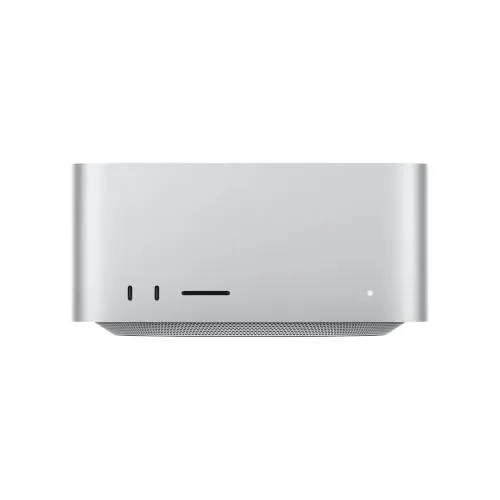
Mac mini M5 Pro vs Mac Studio M5 Max: Memory, Displays and Desk I/O
For U.S. parts MHQN4LL/A and MHL64LL/A, the choice is about configuration and desk workflow, not an assumed benchmark winner. Both offers have 512GB SSDs; the Mac mini M5 Pro configuration has 24GB unified memory, while the Mac Studio M5 Max has 36GB. Apple lists support for up to three external displays on the mini and up to five on the Studio. The Studio also lists a front SDXC UHS-II slot and two rear USB-A ports, plus 10Gb Ethernet. The mini is 5 × 5 × 2 inches and lists three rear Thunderbolt 5 ports, HDMI, and 2.5Gb Ethernet; its M5 Pro Ethernet can be configured to 10Gb, so check the exact part for that option. Inventory your displays, cards, USB-A devices, and network before deciding.
Read comparison