
Products compared
Nikon
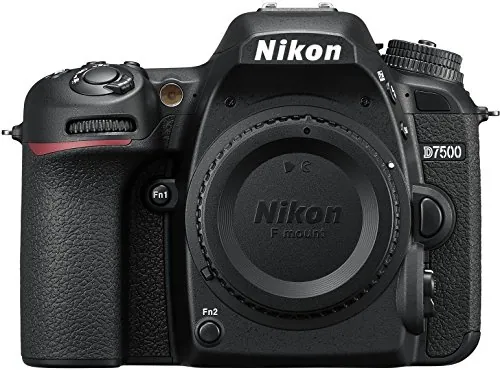
Nikon D7500 DX-Format Digital SLR Body
Black Nikon D7500 DX-format DSLR body; body-only identity per the selected listing.
Model 1581
Amazon ASIN B06Y5ZCFHX
Nikon
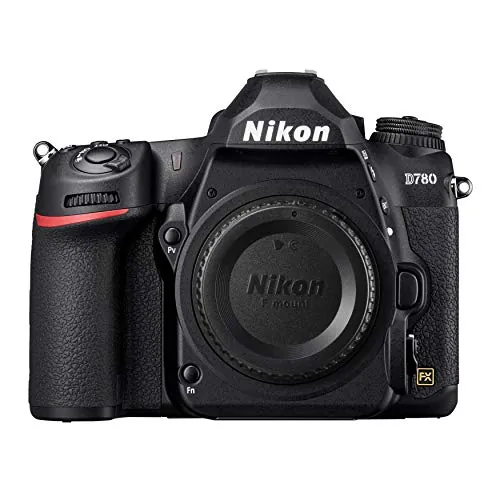
Nikon D780 FX-Format DSLR Body
Black Nikon D780 FX-format DSLR body; distinguish this body from a lens kit or a different D780 package.
Model 1618
Amazon ASIN B083K41K2S
Differences that matter
What matters most to you?
Choose a priority to see what it changes.
Sources for On-camera framing and focus controls
Sources for SD-card capacity and in-camera file routing
Sources for Listed movie capture choices
Check the lens list before comparing bodies
Both cameras use Nikon F-mount lenses, but frame format and feature support depend on the lens and selected image area. D7500 is DX and offers DX plus a 1.3× crop. D780 can record FX, DX, 1:1 or 16:9 areas; Nikon directs DX lenses to DX area and warns that another crop can show dark edges when Auto DX Crop is off.
Before a body change, make a list of your lenses, mark each exact model as DX or FX from Nikon documentation, and check the compatibility table for the camera you plan to use. This catches a feature change that a mount label alone cannot answer.
Match the controls and recording routine to your shoot
Both bodies document U1/U2 saved user positions and provide a way to assign image-area changes to a control. The D780 adds a listed Eye-detection option in still-photo Live View; the D7500 specification lists face-priority, wide/normal area and subject tracking. Those are menu and control differences, not measured focusing results.
The storage decision is more concrete: D780 can route files to a second SD card as overflow, duplicate still photos, or separate RAW and JPEG. Its manual says Backup and RAW/JPEG modes stop when either card is full. The D7500’s single slot means any second copy happens outside the camera.
Compare exact capture modes, not broad performance claims
Both Nikon U.S. spec pages list 4K UHD 30/25/24p. Nikon lists Full HD up to 60/50p on D7500 and additional Full HD 120/100p plus slow-motion choices on D780. If those named settings determine your delivery format, that difference can settle the choice. The spec list does not establish which camera produces better footage, focus tracking, or longer uninterrupted recordings.
Product details
Nikon D7500 DX-Format Digital SLR Body
- Image format and crop choices
- DX-format body. The manual lets you record in DX (24×16) or 1.3× (18×12) image areas; the selected area changes image size. Source
- Card storage
- One Secure Digital card slot. Source
- Capture options
- Nikon lists 4K UHD at 30/25/24p and Full HD up to 60/50p. D7500 also lists U1/U2 saved user settings. These are menu options, not comparative image-quality results. Source
Nikon D780 FX-Format DSLR Body
- Image format and lens crop
- FX-format body with FX, DX, 1:1 and 16:9 still-image areas. Nikon lists DX lenses for use with DX (24×16) selected; with Auto DX Crop off, selecting another area with a DX lens may cause edge eclipse. Source
- Card storage
- Two SD card slots. Nikon documents Slot 2 modes for overflow, duplicate still-photo recording, and RAW Slot 1/JPEG Slot 2. Source
- Capture options
- Nikon lists 4K UHD at 30/25/24p, plus Full HD at 120/100p and additional slow-motion choices. D780 also lists U1/U2 saved user settings. No video or image-quality ranking is implied. Source
Before you buy
Community discussions
Keeping four D7500 lenses while considering a D780
Nikon D7500 DX-Format Digital SLR Body
A D7500 owner considering a D780 listed four AF-P/AF-S DX lenses and asked whether that lens set would work as expected on the new body, including how the DX image area would affect the choice.
What to check
Look up each lens by its full model number and check the image area it would use on the D780. Decide whether the framing would suit the subjects you shoot.
Common questions
Can I use my D7500 DX lens on a D780?
Nikon lists DX lenses for the D780 when DX (24×16) image area is selected. The D780 manual says that, with Auto DX Crop off, selecting another area while a DX lens is attached may produce edge eclipse. Check that lens in Nikon’s D780 lens compatibility table and confirm the crop suits your framing.Nikon D780 — Nikon USA specificationsD780 Online Manual: Compatible F Mount LensesD780 Online Manual: Image Recording Options (Image Area, Quality, and Size)
Can I use an FX lens on the D7500?
The D7500 uses a Nikon F mount and DX image area; Nikon describes its 35 mm-equivalent angle of view as about 1.5× the lens focal length. Actual autofocus, metering and other functions depend on the exact lens class, so use the D7500 compatibility table.Nikon D7500 DSLR — Nikon USA specificationsD7500 Online Manual: Compatible Lenses
Can the D7500 make a second in-camera copy to another card?
No second slot is listed for the D7500; Nikon specifies one SD slot. The D780 has two slots and documents Backup, Overflow and RAW/JPEG separation. The Backup option duplicates still photos to both cards but is not a full data-safety guarantee.Nikon D7500 DSLR — Nikon USA specificationsNikon D780 — Nikon USA specificationsD780 Online Manual: Using Two Memory Cards
Which one has Full HD 120/100p?
Nikon lists Full HD 120/100p and slow-motion options for the D780. The D7500’s published list includes Full HD up to 60/50p. Check the exact recording settings you plan to use; no video quality test is implied.Nikon D7500 DSLR — Nikon USA specificationsNikon D780 — Nikon USA specifications
Do both bodies have saved custom shooting settings?
Nikon lists U1 and U2 user settings for both D7500 and D780. Their other controls and focus menus differ, but neither should be chosen on the assumption that only one has these two saved user positions.Nikon D7500 DSLR — Nikon USA specificationsNikon D780 — Nikon USA specifications
Sources and scope
This is a Nikon-documentation comparison of body format, lens compatibility instructions, controls, recording options and card workflow. It is not an image-quality, autofocus, low-light, handling, reliability or file-safety test. F-mount compatibility and features vary by exact lens; confirm each lens in the corresponding Nikon compatibility table.
- Nikon D7500 DSLR — Nikon USA specifications
- D7500 Online Manual: Image Area
- D7500 Online Manual: Compatible Lenses
- Nikon D780 — Nikon USA specifications
- D780 Online Manual: Compatible F Mount Lenses
- D780 Online Manual: Using Two Memory Cards
- D780 Online Manual: Image Recording Options (Image Area, Quality, and Size)
Related comparisons
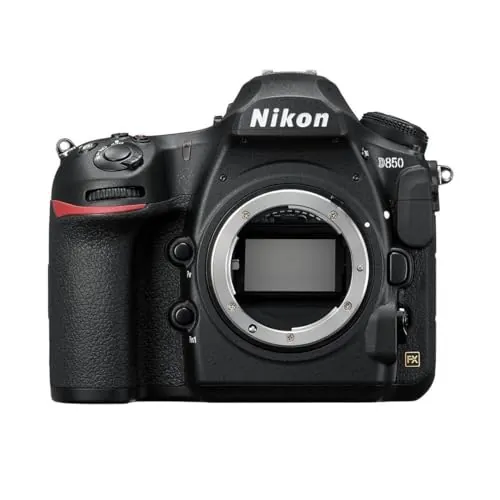
Nikon D7500 vs D850: DX Lenses, Cards and Shooting Setup
The D7500 is a DX body with one SD slot and a listed 8 fps burst rate. The D850 is an FX body with XQD plus UHS-II SD slots, FX/DX crop options, and a 7 fps body-only rate that reaches 9 fps with a specified grip and battery. Check lens coverage, cards, burst power and flash needs before choosing.
Read comparisonNikon D850 vs D780: Still Crop, Card Media and HDMI Video Choices
This body-only Nikon DSLR comparison is for photographers deciding between D850 and D780 still-image output, storage media, and video capture workflows. Pick the D850 when its larger listed DX still area or XQD/SD and external 8-bit 4K workflow fits your kit. Pick the D780 if its two SD slots or 10-bit HDMI/N-Log/HLG path suits your setup and you can accept that 10-bit output prevents still photos; at 4K, the D780 also does not record that footage to camera cards and uses about 90% angle of view. Both use Nikon F mount, but check your exact lens against the correct compatibility table.
Read comparison