
Products compared
Nikon
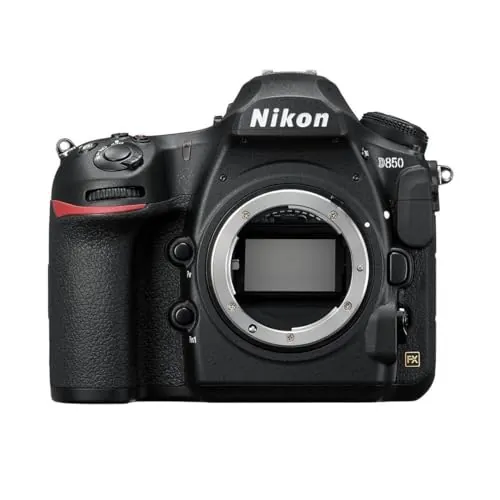
Nikon D850 FX-Format Digital SLR Camera Body (US model 1585)
Nikon D850 U.S. body-only listing, model 1585. Nikon specifies 45.7 million effective pixels, XQD plus SD media, and full-width 4K UHD modes. CFexpress Type B support was added in C firmware 1.20; check firmware on a used body before choosing Type B cards.
Model 1585
Amazon ASIN B07524LHMT
Nikon
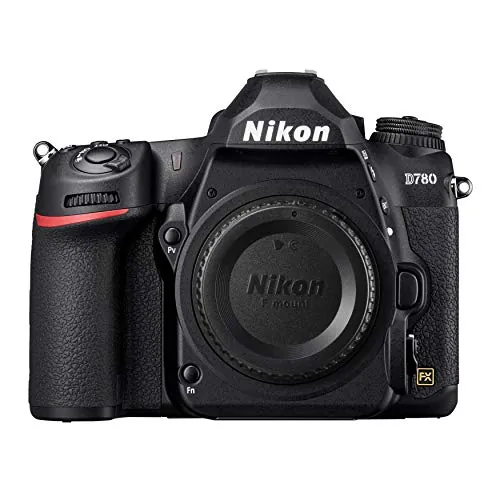
Nikon D780 Body (US model 1618)
Nikon D780 U.S. body-only listing, model 1618. Nikon specifies 24.5 million effective pixels, two UHS-II SD slots, and 4K UHD up to 30p. Its 10-bit HDMI path uses a compatible external recorder: still photos are unavailable while 10-bit output is selected, and at 3840 × 2160 Nikon says footage is not written to camera cards and angle of view is about 90%.
Model 1618
Amazon ASIN B083K41K2S
Differences that matter
What matters most to you?
Choose a priority to see what it changes.
Sources for Still-image output and DX crop
Sources for Card slots and card types
Start with the still file you need
Nikon lists 45.7 million effective pixels for the D850 and 24.5 million for the D780. When framing in DX image area, the D850 manual lists 5,408 × 3,600 pixels and the D780 U.S. specifications list 3,936 × 2,624. That is a concrete crop/output difference; it is not a test showing that one image looks better.
Nikon's U.S. D850 product page labels the large DX image as 19.4 MP, while the D850 online manual labels the same 5,408 × 3,600 dimensions 19.5 MP. This guide keeps the dimensions and notes the rounding difference rather than making the decimal appear more precise than the source documents.
Match the body to the cards already in your bag
The D850 pairs XQD with an SD slot. Nikon supports UHS-I and UHS-II SD and recommends SD UHS Speed Class 3 or better for movies; for XQD it recommends write speeds of at least 45 MB/s (300×). Nikon added Type B CFexpress support in C firmware 1.20, and its current download page lists C 1.31. If buying used, check installed firmware before buying Type B media.
The D780 instead has two SD slots, supports UHS-I and UHS-II SDHC/SDXC, and Nikon recommends UHS Speed Class 3 or better for movie recording and playback. Its manual documents overflow, duplicate backup, or RAW to slot 1 and JPEG to slot 2, and lets you select which slot receives movies. If you want both slots to use the same SD format, the D780 is the simpler fit; check card rating and capacity for your chosen mode.
Choose the video path before choosing the body
Both U.S. model pages list 4K UHD 3,840 × 2,160 at 24p, 25p, and 30p. Nikon's D850 announcement specifies an external 4:2:2 8-bit 4K path that can record to an external recorder while simultaneously recording to a card.
The D780 adds selectable 8-bit and 10-bit HDMI output. Nikon documents N-Log and HLG only when 10-bit is selected in modes other than EFCT, and the footage goes straight to an external device. Its manual says no still photos can be taken while 10-bit is selected; when 3840 × 2160 is also selected, movies are not written to the camera cards and the angle of view is about 90%. Check the exact recorder and intended mode before treating this as the deciding feature.
Check your actual lens, not only the mount name
Both are Nikon F-mount bodies, but neither mount label proves that every older lens autofocuses or meters fully on both cameras. Nikon's separate D850 and D780 lens tables list compatible categories, exceptions, and setup conditions. For example, Nikon documents non-CPU lens data settings and restrictions for some older glass; some lenses or accessories are incompatible.
Before switching bodies, note the exact lens model and generation printed on the barrel, then check the matching Nikon chart for autofocus, metering, and exposure-mode behavior. Both listings are body-only, so confirm whether a lens is included in the exact offer rather than assuming it comes with the camera.
Product details
Nikon D850 FX-Format Digital SLR Camera Body (US model 1585)
- Effective pixels and DX still area
- 45.7 million effective pixels; large DX image area 5,408 × 3,600 pixels (19.5 million in the D850 online manual) Source
- Card media and movie card rating
- One XQD and one SD slot; UHS-I and UHS-II SD supported. Nikon recommends XQD write speed of at least 45 MB/s (300×) and SD UHS Speed Class 3 or better for movie recording. Type B CFexpress support was added in C firmware 1.20. Source
- HDMI recording
- Nikon specifies external 4:2:2 8-bit 4K UHD recording while also recording to a card. Source
- Lens mount
- Nikon F mount; consult the D850 lens table for lens-specific restrictions and functions. Source
Nikon D780 Body (US model 1618)
- Effective pixels and DX still area
- 24.5 million effective pixels; large DX image area 3,936 × 2,624 pixels (10.3 million) Source
- Card media and movie card rating
- Two SD slots; UHS-I and UHS-II SDHC/SDXC supported. Nikon recommends UHS Speed Class 3 or better for movie recording and playback. Source
- HDMI recording
- Selectable 8-bit or 10-bit HDMI output; N-Log/HLG needs 10-bit and a compatible external recorder. See the 10-bit still-photo and 4K card/angle-of-view limits. Source
- Lens mount
- Nikon F bayonet mount; the exact lens compatibility table lists restrictions for legacy lenses and accessories. Source
Before you buy
Community discussions
Moving a two-card backup workflow to the D850
Nikon D850 FX-Format Digital SLR Camera Body (US model 1585)
A portrait photographer switching from bodies with two SD slots asks how to keep a duplicate copy on the D850 with its different card slots.
What to check
Price the cards and reader you would need, then check how each body handles duplicate recording before your next shoot.
Using the rear screen for video on both bodies
Nikon D780 Body (US model 1618)
A photographer who uses the D780 and D850 for video asks where to find the focusing behavior they want while filming from the rear screen.
What to check
Check the available movie and live-view focus modes for the kind of shot you film, especially if you need the camera to follow a moving subject.
Common questions
Can the D780 take still photos while its HDMI output is set to 10-bit?
No. Nikon's D780 manual states that no photos can be taken while 10-bit output is selected. It also requires a compatible recorder. If 3840 × 2160 is selected, movies are not recorded to the camera cards and the angle of view is about 90%.Connecting to HDMI Devices — D780 Online Manual
Will D850 Type B CFexpress cards work in every used body?
Nikon added Type B CFexpress support with D850 C firmware 1.20; the download page currently lists C 1.31. Check the installed firmware on the particular used body and Nikon's media guidance before buying cards.D850 Firmware — Nikon Download Center
Which camera has two SD card slots?
The D780 has two UHS-II SD slots. The D850 uses one XQD slot plus one SD slot; its first slot also supports Type B CFexpress after the applicable firmware update. Both manuals describe overflow, backup, and RAW/JPEG card roles, but the compatible media differs.Nikon D780 — Nikon Imaging USA, U.S. model 1618D850 Full Frame Digital SLR Camera — Nikon Imaging USA, U.S. model 1585Using Two Memory Cards — D780 Online ManualUsing Two Memory Cards — D850 Online ManualD850 Firmware — Nikon Download Center
Are the D850 and D780 both compatible with Nikon F-mount lenses?
Both are F-mount bodies, but that alone does not establish full autofocus or metering behavior for a particular legacy lens. Check the exact lens code against the D850 or D780 compatibility table; Nikon documents body-specific restrictions and non-CPU lens setup requirements.D850 Specifications — Nikon Online ManualD850 Compatible Lenses — Nikon Online ManualD780 Compatible F Mount Lenses — Nikon Online Manual
Does the D850 have better image quality because it has more pixels?
The specifications show more effective pixels and larger DX output dimensions on the D850. They do not establish a measured image-quality winner; lens, exposure, subject, processing, and output needs are outside this specification comparison.D850 Specifications — Nikon Online ManualNikon D780 — Nikon Imaging USA, U.S. model 1618
What card rating does Nikon recommend for movie recording?
For both cameras Nikon recommends SD cards rated UHS Speed Class 3 or better. For the D850’s XQD slot, Nikon recommends cards with at least 45 MB/s (300×) write speed. Check the exact media and the chosen recording mode; these are manufacturer recommendations, not a promise for every card.Approved Memory Cards — Nikon D850 Online ManualApproved Memory Cards — Nikon D780 Online Manual
Sources and scope
This is a specification and workflow comparison, not a hands-on or controlled camera test. Pixel counts, output modes, card formats, and lens compatibility are taken from Nikon documentation. They do not establish comparative image quality, autofocus speed, recording reliability, or real-world performance. Listings are body-only; no lens or card bundle is assessed.
- D850 Full Frame Digital SLR Camera — Nikon Imaging USA, U.S. model 1585
- Nikon D780 — Nikon Imaging USA, U.S. model 1618
- D850 Specifications — Nikon Online Manual
- D780 Compatible F Mount Lenses — Nikon Online Manual
- D850 Compatible Lenses — Nikon Online Manual
- Using Two Memory Cards — D850 Online Manual
- Using Two Memory Cards — D780 Online Manual
- Connecting to HDMI Devices — D780 Online Manual
- Full-Frame, Extreme Speed & Epic Resolution: D850 — Nikon Imaging USA Press Release
- D850 Firmware — Nikon Download Center
- Approved Memory Cards — Nikon D850 Online Manual
- Approved Memory Cards — Nikon D780 Online Manual
Related comparisons
Nikon D7500 vs D850: DX Lenses, Cards and Shooting Setup
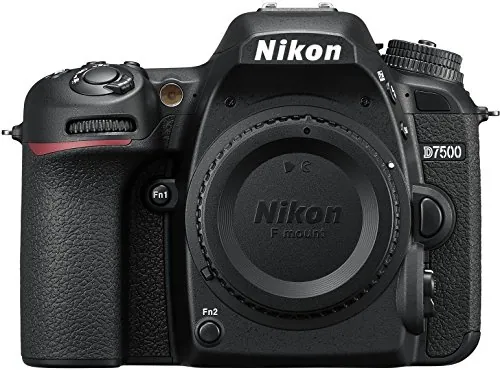
The D7500 is a DX body with one SD slot and a listed 8 fps burst rate. The D850 is an FX body with XQD plus UHS-II SD slots, FX/DX crop options, and a 7 fps body-only rate that reaches 9 fps with a specified grip and battery. Check lens coverage, cards, burst power and flash needs before choosing.
Read comparisonNikon D7500 vs D780: DX Lenses, Dual SD Cards, and Capture Modes
Both are Nikon F-mount DSLR bodies with U1/U2 user settings and touchscreen displays, but they capture different image areas and store files differently. D7500 is DX with DX and 1.3× crop choices and one SD slot. D780 is FX, can use DX lenses with DX crop selected, and has two SD slots for overflow, duplicate stills, or RAW/JPEG separation. Check your exact lens model and card routine before changing bodies.
Read comparison