
Products compared
Nikon
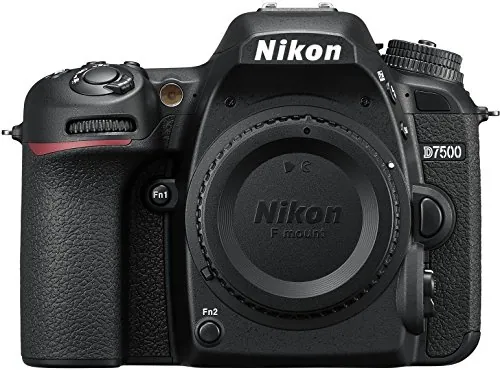
Nikon D7500 DX-Format Digital SLR Body
US body listing; 20.9 MP DX-format DSLR body
Model D7500 (Nikon model 1581)
Amazon ASIN B06Y5ZCFHX
Nikon
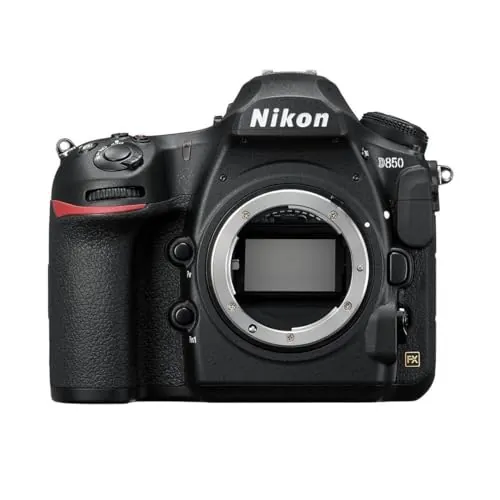
Nikon D850 FX-Format Digital SLR Camera Body
US body listing; 45.7 MP FX-format DSLR body
Model D850 (Nikon model 1585)
Amazon ASIN B07524LHMT
Differences that matter
What matters most to you?
Choose a priority to see what it changes.
Sources for Lens format and recorded image area
Sources for Burst rate and required power setup
Sources for Flash and rear-screen operation
The practical choice: lens path first, card path second
Both are Nikon F-mount DSLR bodies, but the D7500 uses DX format and the D850 uses FX. That changes the recorded area for the lenses you already own. Nikon explains that an FX lens works on a DX body with an approximately 1.5× field-of-view crop; a DX lens on the D850 triggers DX crop. The D850's own specification lists both its FX and DX still-image dimensions, so you can see the file-area change before buying.
The next practical question is what happens after capture. The D7500 provides one SD-card slot. The D850 has XQD plus SD and can route primary/backup or separate RAW and JPEG files. If you are moving to the D850, include card availability, readers, backup habits and the exact firmware/card compatibility rules in the full-system decision.
Treat burst rate as a setup, not a body-only promise
Nikon lists up to 8 fps for the D7500 with conditions that include a charged EN-EL15a battery, continuous-servo autofocus, specified exposure settings and a shutter speed of at least 1/250 second. Nikon lists 7 fps for the D850 with other power sources; its up-to-9-fps route calls for the MB-D18 grip and EN-EL18b/a battery. If rapid sequences matter, compare those full configurations and your likely settings instead of choosing from the largest headline number.
The published rates are specifications, not a shared test of autofocus tracking, buffer clearing or keeper rate. They answer which rated setup you would need to assemble; they do not predict results with your lens, subject or card.
Check the flash you expect to carry
Nikon lists a built-in flash on the D7500. For the D850, Nikon's online manual describes adjusting flash settings when a compatible unit is mounted on the camera. If you often leave external flash equipment at home, confirm whether the D7500's built-in option better matches that habit; if you use Speedlights, check the exact flash model and bundle contents for either body. The D850's manual gives model-specific shoe-mounted flash guidance.
Both official product specifications list a tilting 3.2-inch touch-sensitive screen. Nikon lists different monitor dot counts, but that figure is not a measured image-quality result and is not a substitute for deciding how you compose, focus and review on the camera.
Product details
Nikon D7500 DX-Format Digital SLR Body
A DX-format body with a single SD-card path, an 8 fps published high-speed mode under stated conditions, and a maker-listed built-in flash.
- Format and effective pixels
- DX format; 20.9 million effective pixels Source
- Large DX still image
- 5,568 × 3,712 pixels Source
- Card slot
- One SD slot; SD, SDHC and SDXC media Source
- Rated high-speed burst
- Up to 8 fps under Nikon's stated AF-C, exposure, shutter-speed, battery and default-setting conditions Source
- On-camera flash and monitor
- Built-in flash; 3.2-inch tilting touch-sensitive LCD Source
Nikon D850 FX-Format Digital SLR Camera Body
An FX-format body with an in-camera DX crop option, two different card formats and an optional grip-and-battery route to its published 9 fps maximum.
- Format and effective pixels
- FX format; 45.7 million effective pixels Source
- Large FX / DX still image
- FX: 8,256 × 5,504 pixels; DX crop: 5,408 × 3,600 pixels Source
- Card slots
- One XQD slot plus one SD slot; the SD slot supports UHS-II SDHC/SDXC Source
- Rated high-speed burst
- 7 fps with other power sources; up to 9 fps with MB-D18 and EN-EL18b/a battery Source
- Flash workflow and monitor
- Nikon documents shoe-mounted compatible flash control; 3.2-inch tilting touch-sensitive LCD Source
Before you buy
Community discussions
Deciding whether to keep investing in DX lenses
Nikon D7500 DX-Format Digital SLR Body
A D7500 owner who wanted another lens started weighing a move to the D780 or D850 before buying more DX lenses.
What to check
List the lenses you would keep and the next one you want to add. Check how each would frame the subjects you photograph on the body you are considering.
Common questions
Can I keep using my FX lenses on the D7500?
Nikon says FX and DX NIKKOR lenses can be used interchangeably and explains that FX lenses on a DX body have an approximately 1.5× field-of-view crop. Check the exact lens entry for supported autofocus, metering and other functions.The DX and FX FormatsNikon D7500 DSLR | 20.9 MP DX Format Digital SLR Camera (model 1581)
What happens if I attach a DX lens to the D850?
Nikon says the FX body automatically selects DX crop to avoid vignetting. Nikon's D850 specifications list a 5,408 × 3,600 large DX-area image, compared with 8,256 × 5,504 for the FX area.The DX and FX FormatsD850 Full Frame Digital SLR Camera (model 1585)
Does the D850 shoot faster than the D7500?
The headline maximum is not a like-for-like setup: Nikon lists the D7500 at up to 8 fps under specified settings, and the D850 at 7 fps with other power sources or up to 9 fps with the MB-D18 and EN-EL18b/a battery. Check the full conditions and accessories you would use.Nikon D7500 DSLR | 20.9 MP DX Format Digital SLR Camera (model 1581)D850 Full Frame Digital SLR Camera (model 1585)
Sources and scope
This is a feature-fit guide based on Nikon's published specifications and manuals, not a hands-on comparison. Published image dimensions, formats and burst modes do not establish a real-world image-quality, autofocus, reliability or keeper-rate winner. Nikon F-mount compatibility can vary by lens and camera functions; verify the exact lens model in the compatible-lens table before buying.
Related comparisons
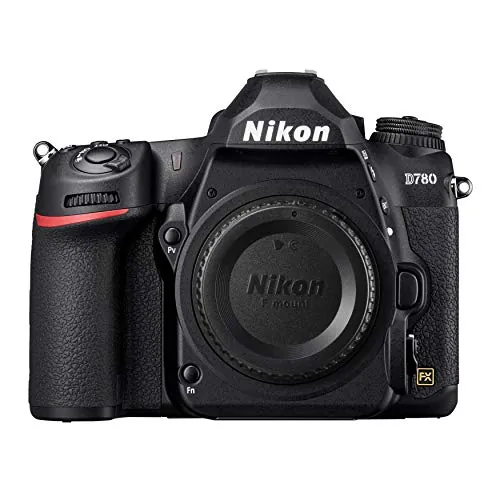
Nikon D850 vs D780: Still Crop, Card Media and HDMI Video Choices
This body-only Nikon DSLR comparison is for photographers deciding between D850 and D780 still-image output, storage media, and video capture workflows. Pick the D850 when its larger listed DX still area or XQD/SD and external 8-bit 4K workflow fits your kit. Pick the D780 if its two SD slots or 10-bit HDMI/N-Log/HLG path suits your setup and you can accept that 10-bit output prevents still photos; at 4K, the D780 also does not record that footage to camera cards and uses about 90% angle of view. Both use Nikon F mount, but check your exact lens against the correct compatibility table.
Read comparisonNikon D7500 vs D780: DX Lenses, Dual SD Cards, and Capture Modes
Both are Nikon F-mount DSLR bodies with U1/U2 user settings and touchscreen displays, but they capture different image areas and store files differently. D7500 is DX with DX and 1.3× crop choices and one SD slot. D780 is FX, can use DX lenses with DX crop selected, and has two SD slots for overflow, duplicate stills, or RAW/JPEG separation. Check your exact lens model and card routine before changing bodies.
Read comparison