
Products compared
Nikon
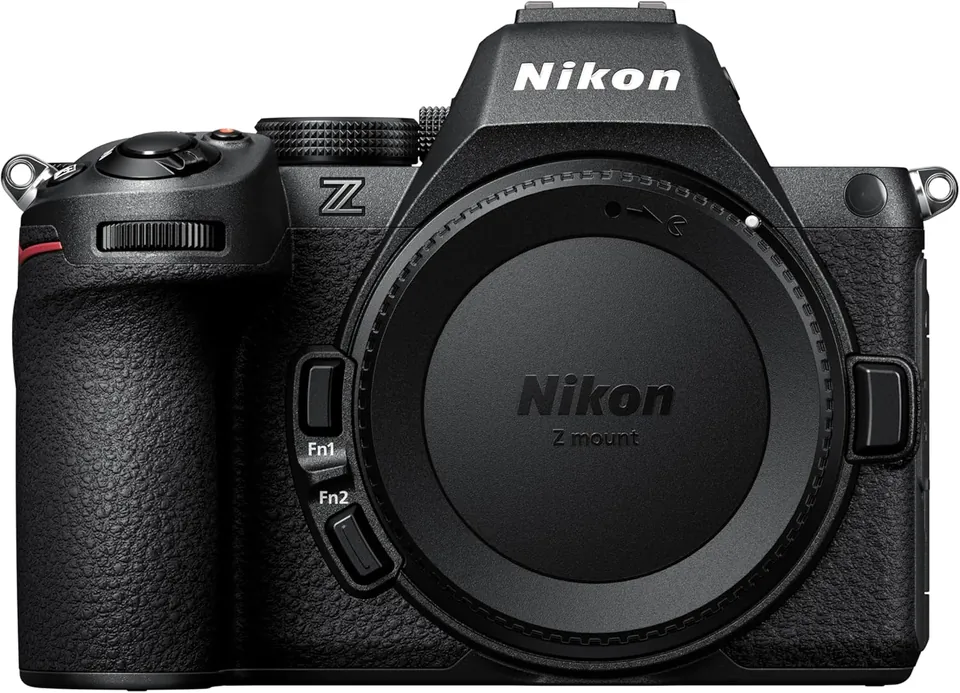
Nikon Z5 II Full-Frame Mirrorless Camera, USA Model, Black
The U.S. Nikon Z5 II listing identifies a black USA model. The exact package contents and lens inclusion are not established by the consulted manufacturer page.
Model 1680
Amazon ASIN B0F3HJD64Y
Fujifilm
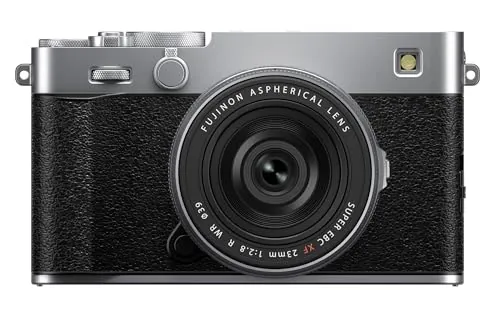
Fujifilm X-E5 Mirrorless Camera with XF23mmF2.8 Lens Kit, Silver
The silver X-E5 listing identifies the XF23mmF2.8 lens kit. Fujifilm describes XF23mmF2.8 R WR as an optional X-E5 kit pairing; check the chosen seller’s exact box contents and lens name before checkout.
Model 16949961
Amazon ASIN B0FBZ4G9G3
Differences that matter
What matters most to you?
Choose a priority to see what it changes.
Sources for Sensor system, lens mount, and listed lens configuration
Sources for Settings you can recall from camera controls
Sources for Video resolution, frame rate, and crop conditions
Start with the lens system and the box you will actually receive
The Z5 II uses Nikon Z mount and an FX-format sensor. The X-E5 uses Fujifilm X mount and an APS-C sensor. That is a system choice: list the lenses you already own, verify their mount, and price the lenses you still need separately.
The Fujifilm listing reviewed here is the silver XF23mmF2.8 lens kit, and Fujifilm identifies XF23mmF2.8 R WR as an optional kit pairing. The Nikon listing is titled USA Model, Black, but the consulted manufacturer page does not identify the package contents for this offer. Check the seller’s model/kit selector and box-contents text before comparing the complete purchases.
Card slots change the backup routine
Nikon lists two SD slots for the Z5 II. Fujifilm's exact X-E5 technical notes list one UHS-II-compliant SD slot. If you depend on two cards being in the camera together, that is a real body-level distinction to weigh before checkout; it does not make any claim about card failure rates or guaranteed data protection.
Choose the controls by what you want to recall
Nikon documents U1/U2/U3 for saved shooting-menu, custom, and shooting-mode settings, with retrieval by rotating the mode dial; a separate h button opens Picture Control choices in the shooting display. Fujifilm's dedicated Film Simulation dial offers three customizable recipe positions. Fujifilm states that Film Simulation affects JPEG/HEIF stills, not a RAW-only still, so match the feature to the file workflow you actually use.
Plan video framing from the mode table, not the headline resolution
Both manufacturers list 4K at 60p, but the conditions differ. Nikon fixes 4K 60p/50p to the DX image area. Fujifilm's crop table varies the X-E5's listed 4K crop with DIS on or off and with frame rate; it also lists 6.2K 16:9 through 29.97p. Before buying for a particular shot, choose a mode, stabilization setting, and lens, then check the manufacturer's table for the resulting frame area. The specifications do not establish comparative detail or image quality.
Product details
Nikon Z5 II Full-Frame Mirrorless Camera, USA Model, Black
- Sensor format and native mount
- FX format; Nikon Z mount Source
- Card slots
- Two SD card slots Source
- 4K video modes
- 4K UHD 60p/50p/30p/25p/24p; 60p and 50p use the DX image area Source
Fujifilm X-E5 Mirrorless Camera with XF23mmF2.8 Lens Kit, Silver
Before you buy
Community discussions
Comparing the complete camera kit you carry
Nikon Z5 II Full-Frame Mirrorless Camera, USA Model, Black
After moving from a D7200 to the Z5 II, one photographer said the body took less room in their bag, while the lenses made the size difference less obvious. They described carrying a 50mm f/1.8 S and a 24–70mm f/4 lens.
What to check
Compare the size and weight of each camera with the lens you would carry most often, including how the complete kit fits your bag.
Deciding whether a second in-camera card copy matters
Nikon Z5 II Full-Frame Mirrorless Camera, USA Model, Black
A Z5 II owner said they had enabled a second card. When their computer reported an error reading one card, they still had a second copy of the photos.
What to check
If you want a second copy without unloading the camera, check the card slots and recording options for each body and the cards you will use.
Common questions
Does the Fujifilm X-E5 listing include an XF23mmF2.8 lens?
The silver X-E5 listing identifies the XF23mmF2.8 lens kit, and Fujifilm describes the XF23mmF2.8 R WR as an optional X-E5 kit pairing. Still confirm the selected seller’s variant and box contents before checkout. The Nikon package’s exact lens contents were not established by the consulted manufacturer page.Enjoy Classic Creativity With X-E5: Optional XF23mmF2.8 R WR Kit Pairing
Which camera has two SD card slots?
Nikon specifies two SD slots on the Z5 II. Fujifilm's X-E5 exact-model technical specification lists one SD memory-card slot, UHS-II compliant. This describes the bodies' slot layouts; it does not guarantee a particular backup workflow or card result.Nikon Z5II: Official U.S. Product Overview and SpecificationsFUJIFILM X-E5 Technical Notes: Specifications
What happens to the Nikon Z5 II's frame area at 4K 60p?
Nikon states that 4K UHD 60p and 50p are fixed to the DX image area. Its guide gives approximate FX and DX video-format dimensions. Check the crop against the field of view you want from your chosen lens.Nikon Z5II Online Manual: Video Image Area Options
Will an X-E5 Film Simulation recipe be written into a RAW-only still?
No. Fujifilm says Film Simulation is applied to JPEG/HEIF stills, not a RAW-only still file. If you record a separate JPEG or HEIF alongside RAW, the Film Simulation applies to the compressed still, while the RAW file is separate.Selecting and Customizing Film Simulations on FUJIFILM X-E5
Sources and scope
This is a documented feature and workflow comparison, not a test-based camera ranking. The Fujifilm listing here is the silver X-E5 with the XF23mmF2.8 kit; Fujifilm confirms that lens as an X-E5 kit option, but the exact retail box contents should still be checked on the selected listing. The Nikon listing title identifies a U.S. model in black but does not establish its exact included-lens package. Sensor format, resolution, video mode lists and manufacturer crop figures do not establish which camera makes better images, focuses faster, stabilizes better or delivers a wider result with different lenses. No price or hands-on testing is used.
- Nikon Z5II: Official U.S. Product Overview and Specifications
- Nikon Z5II Online Manual: Exposure and U1/U2/U3 User Setting Modes
- Nikon Z5II Online Manual: The h (Picture Control) Button
- Nikon Z5II Online Manual: Video Image Area Options
- Nikon Z5II Online Manual: Specifications
- FUJIFILM X-E5 Specifications
- FUJIFILM X-E5 Technical Notes: Specifications
- Enjoy Classic Creativity With X-E5: Optional XF23mmF2.8 R WR Kit Pairing
- Selecting and Customizing Film Simulations on FUJIFILM X-E5
Related comparisons
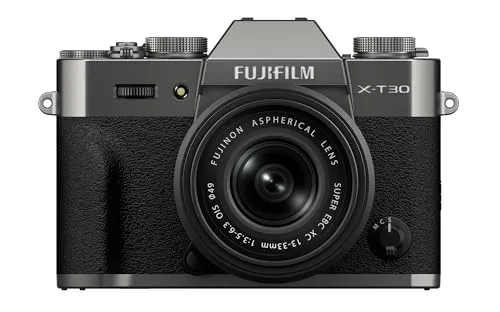
Fujifilm X-E5 XF23mmF2.8 Kit vs X-T30 III XC13-33mm Kit: Prime or Zoom?
The Silver X-E5 kit pairs its camera body with a fixed XF23mmF2.8 R WR lens (35mm-equivalent framing) and in-body stabilization. The Charcoal Silver X-T30 III kit includes an XC13-33mmF3.5-6.3 OIS zoom (20–50mm equivalent), with stabilization in that lens and an AUTO mode selector on the camera. Choose by the framing you want without changing lenses, your preferred control workflow, and whether the microphone plug and movie modes suit your setup. Fujifilm’s specifications do not establish which kit makes better-looking or steadier real-world footage.
Read comparison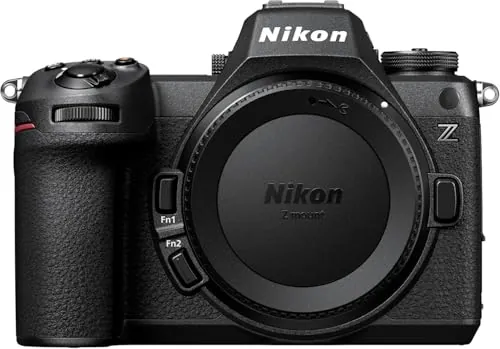
Nikon Z6 III vs Z5 II: Choose by Video Format, Crop and Cards
This US body-only comparison is for buyers planning a video workflow. The Nikon Z6 III body (model 1890) records FX 6K/60p N-RAW and FX 4K/60p; its 4K/120p option is fixed to DX area. The Z5 II body (model 1680) offers FX 4K/30p and N-RAW, while its 4K/60p option is also fixed to DX area. The Z6 III pairs SD with CFexpress Type B/XQD; the Z5 II has two SD slots. Choose by the deliverable’s frame rate and framing, then verify cards, slot roles and your preferred on-body controls. This is a specification-based fit guide, not a footage test.
Read comparison