
Products compared
Nikon
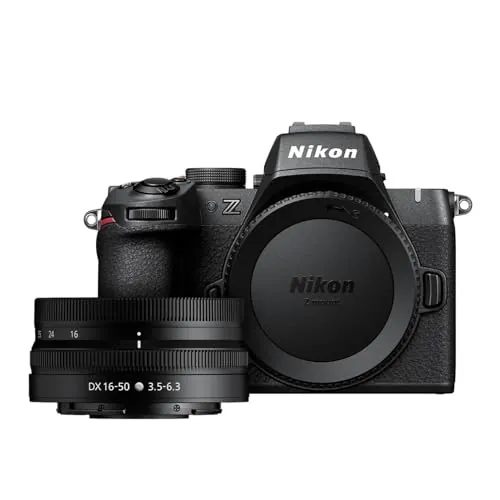
Nikon Z50 II with NIKKOR Z DX 16–50mm f/3.5–6.3 VR Lens Kit
Assigned U.S. 16–50mm VR lens-kit identity; verify the selected seller variation still includes this lens.
Model Z50 II (1786)
Amazon ASIN B0DMJJY4L3
Nikon
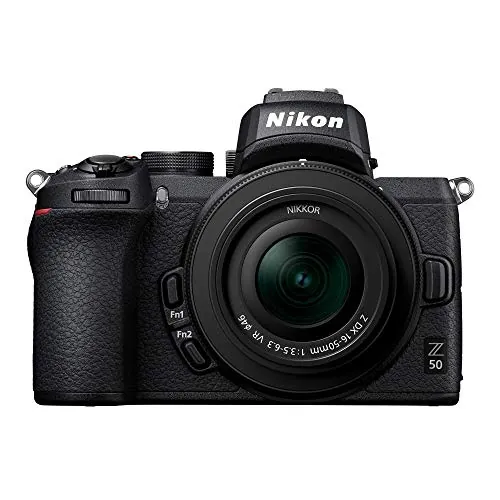
Nikon Z 50 with NIKKOR Z DX 16–50mm f/3.5–6.3 VR Lens Kit
Assigned U.S. model 1633 kit identity with 16–50mm VR lens; confirm the selected seller variation and condition.
Model Z 50 (1633)
Amazon ASIN B07YX8Q62H
Differences that matter
What matters most to you?
Choose a priority to see what it changes.
Sources for Direct picture-style controls
Sources for Video codec and post-production path
Sources for SD-card interface
Sources for Video frame-rate options and restrictions
Sources for Self-framing and kit identity
Start with the video file your workflow can edit
The generation change matters most if it changes your editing requirements. Nikon lists H.265 10-bit MOV on Z50 II, with HLG and N-Log choices. Its manual says this format assumes editing on a professional high-performance computer system. Z50 II also has H.264 8-bit MP4, which Nikon calls widely supported. The original Z 50 specifications list H.264/MPEG-4 in MOV or MP4.
Before picking the newer body for H.265, confirm your computer, editor and color workflow accept the files you plan to record. If you will use H.264 8-bit MP4, the Z50 II and Z 50 both document that broad format family; the Z50 II's H.265 option alone does not establish an image-quality result or an easier edit.
Match recording mode to card and framing
The Z50 II adds 4K UHD/50p and 60p, while the Z 50 specification lists 4K up to 30p. Nikon's Z50 II manual says the 50p/60p modes crop to an angle of view approximately 1.5 times tighter than normal video and disable Electronic VR. Check the field of view at your shooting distance before choosing this mode.
Nikon lists UHS-I and UHS-II SD card support on Z50 II and UHS-I on Z 50. The Z50 II manual recommends UHS Speed Class 3 or better for video and gives higher card recommendations for high frame sizes or rates. Use the exact recording mode and card rating as the compatibility check; this comparison does not claim a measured card-speed advantage.
Small control and screen details change setup
Z50 II has a dedicated Picture Control button, while Nikon's Z 50 manual documents Set Picture Control in the menu/i-menu and functions assignable to Fn controls. That can matter if you change presets often, but menu access is not a performance disadvantage by itself.
Both cameras can self-frame, but the monitor mechanisms differ: the Z50 II screen articulates out to the side and faces forward; the Z 50 screen flips downward. If your setup uses a tripod plate, handgrip or other base accessory, check that the display can reach the position you use. A published hinge direction cannot prove compatibility with every rig.
Keep the U.S. kit and regional package separate
This guide compares the U.S. Nikon Z50 II (1786) and Z 50 (1633) 16–50mm VR kits. Nikon also lists Z50 II body-only, two-lens and separate 16–50mm f/2.8 configurations. Confirm the exact body and included lens on the seller’s selected offer rather than relying on a family name or another bundle.
If you shop outside the U.S. or select a different local bundle, recheck the exact lens, charger and seller terms. This comparison does not verify regional accessory or warranty differences.
Product details
Nikon Z50 II with NIKKOR Z DX 16–50mm f/3.5–6.3 VR Lens Kit
The Z50 II's newer recording options are useful when your project needs 4K/50p or 60p, H.265 10-bit/HLG/N-Log workflows, or documented UHS-II card compatibility. Check editing software and mode limits before treating those options as an upgrade you will use.
- Video files
- H.265 10-bit MOV with SDR, HLG and N-Log options; also H.265 8-bit MOV and H.264 8-bit MP4. Source
- SD cards
- SD, SDHC and SDXC; Nikon documents support for UHS-I and UHS-II SD cards. Source
- Video modes
- 4K UHD up to 60p; 50p/60p use an approximately 1.5×-equivalent tighter angle of view and electronic VR is fixed off in those modes. Source
Nikon Z 50 with NIKKOR Z DX 16–50mm f/3.5–6.3 VR Lens Kit
The Z 50 remains a fit when 4K up to 30p and its H.264 MOV/MP4 workflow meet your project. Its U.S. assigned kit and UHS-I card support may also suit an existing setup; verify the live listing rather than assuming another region sells the same contents.
- Video files
- MOV or MP4 with H.264/MPEG-4 video compression; 4K modes are listed up to 30p. Source
- SD cards
- SD, SDHC and SDXC; Nikon lists UHS-I compliant cards. Source
- Monitor and controls
- Tilting touch monitor that flips down for self-portrait framing; the manual documents physical S (ISO) and E (exposure compensation) controls. Source
Before you buy
Community discussions
Planning your first lens beyond the kit
Nikon Z50 II with NIKKOR Z DX 16–50mm f/3.5–6.3 VR Lens Kit
A Z50 II owner who started with the single 16–50 mm kit later added a DX prime after using the kit lens.
What to check
Test the included lens on your usual subjects. Work out which capability you would pay to change first and whether that comes from the body or a future lens.
Common questions
Does the Z50 II record video in H.265 10-bit?
Yes. Nikon's Z50 II manual lists H.265 10-bit MOV, with SDR, HLG and N-Log tone modes. Nikon says this option assumes later editing on a professional high-performance computer system. The camera also offers H.264 8-bit MP4.Z50II Reference Guide: Video file types
Can the original Nikon Z 50 use H.265 10-bit files?
The Z 50 specification lists MOV or MP4 recording with H.264/MPEG-4 video compression. This guide does not find H.265 10-bit recording listed for the Z 50.Z 50 Reference Guide: Specifications
Can I reuse my UHS-I SD card in the Z50 II?
Nikon documents support for UHS-I and UHS-II SD cards on the Z50 II and lists UHS-I cards for the Z 50. Check the card's speed class against the manual's recommendation for your chosen video mode; card compatibility alone does not guarantee uninterrupted recording in every mode.Z50II Reference Guide: Approved memory cardsZ 50 Reference Guide: Specifications
Do the screens flip the same way for selfies?
No. Nikon describes the Z50 II screen as vari-angle and documents a forward-facing self-portrait position. The Z 50 monitor flips down 180 degrees to face the user. Check clearance with your own tripod plate or grip.Z50II Reference Guide: The monitorNikon Z 50 brochure
Are these kits identical outside the U.S.?
This comparison uses the assigned U.S. product identities and Nikon USA model pages. Regional bundles and included accessories have not been compared; check the actual local listing for the exact body, lens, charger and seller terms.Nikon USA Z50 II model 1786 product pageNikon USA Z 50 model 1633 product page
Sources and scope
This feature-fit guide covers the U.S. Nikon Z50 II (1786) and Z 50 (1633) 16–50mm VR kits. It does not claim measured image quality, color, autofocus, stabilization, speed, ergonomics or reliability. Nikon lists several Z50 II configurations, and sellers may offer different variations or bundles; verify the selected body and lens before purchase.
- Nikon USA Z50 II model 1786 product page
- Nikon USA Z 50 model 1633 product page
- Z50II and Z50 comparison FAQ (Nikon Imaging Japan; Japanese)
- Z50II Reference Guide: Camera body
- Z 50 Reference Guide: Camera controls
- Z50II Reference Guide: Video file types
- Z 50 Reference Guide: Specifications
- Z50II Reference Guide: Approved memory cards
- Z50II Reference Guide: Video frame size and rate options
- Z50II Reference Guide: The monitor
- Nikon Z 50 brochure
- Nikon Global Z50II product page
- Nikon Global Z 50 product page
- Z 50 Reference Guide: Movie file type
Related comparisons
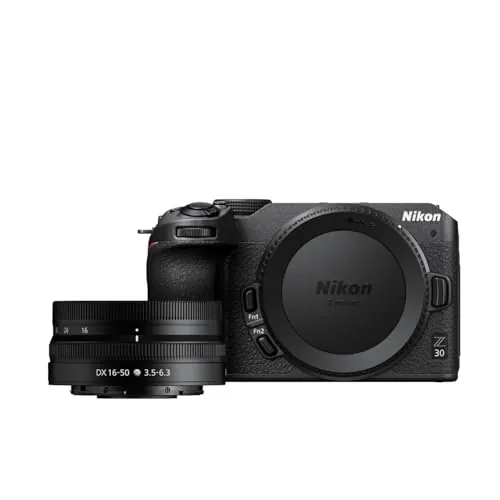
Nikon Z50 II vs Z30 16–50mm Kits: Viewfinder, Controls and Video Modes
These U.S. kits pair different Nikon bodies with the NIKKOR Z DX 16–50mm VR zoom. Both have vari-angle screens and 4K/30p. The Z50 II adds an electronic viewfinder, dedicated Picture Control button, and 4K/60p with a narrower angle of view and electronic VR disabled in that mode. It also documents a Product Review mode for bringing an object close to the camera during video. Decide from your framing and delivery needs, then verify the exact lens kit on the seller page.
Read comparisonNikon Z 50 vs Z 30 16–50mm Kits: Viewfinder, Screen and Recording
These exact black U.S. kits pair different camera bodies with Nikon’s NIKKOR Z DX 16–50mm f/3.5–6.3 VR lens. The lens does not decide between them: Z 50 adds an electronic viewfinder but its screen flips down into a self-portrait position, while Z 30 has no viewfinder and a side-hinged vari-angle screen. Nikon lists a 29:59 maximum movie recording time for Z 50 and up to 125 minutes for Z 30; USB power and battery conditions matter for longer Z 30 sessions.
Read comparison