
Products compared
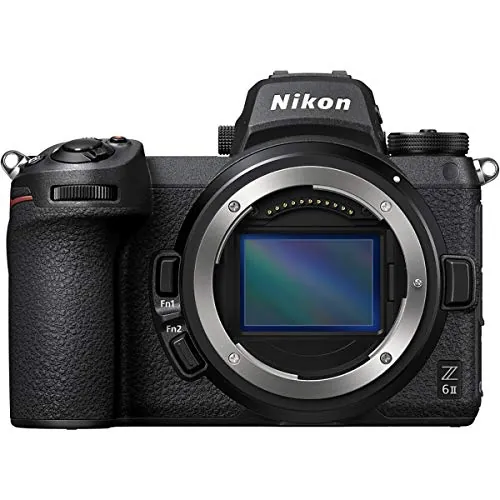
Nikon
Nikon Z 6II Full-Frame Mirrorless Camera (U.S. model 1659)
Nikon U.S. model 1659. Nikon identifies it as an FX-format Nikon Z-mount camera. Confirm the exact lens, current firmware and card arrangement for your intended still or video mode.
Model Z 6II / 1659
Amazon ASIN B08L5Z4355
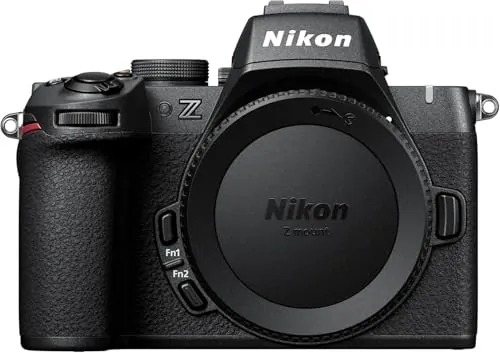
Nikon
Nikon Z50II Mirrorless Camera (U.S. model 1784)
Nikon U.S. model 1784. Nikon identifies it as a DX-format Nikon Z-mount camera with one SD-family card slot. Its 60p/50p video modes have an additional mode-specific crop relative to normal DX-format video.
Model Z50II / 1784
Amazon ASIN B0DMJBLQGP
Differences that matter
What matters most to you?
Choose a priority to see what it changes.
Sources for Still-image capture area
Sources for 4K UHD 60p/50p framing and file options
Start with the still-image area you want
The Z 6II is FX-format, while the Z50II is DX-format. Nikon's Z50II manual separately defines its still-image DX area and its 35mm-format focal-length equivalence. Use those details with your actual lens and composition; neither sensor label proves a quality winner.
A 4K60p/50p shot changes the framing comparison. The Z 6II switches to DX area at those rates. The Z50II is natively DX and its manual specifies an additional crop relative to normal DX video at those rates. Set the camera to the exact recording mode and check your real framing before making a body decision.
Treat 4K60p as a file-and-framing decision
The Z50II manual lists H.265 10-bit and 8-bit choices at 4K UHD 60p/50p. Nikon also fixes Electronic VR off for those modes. That combination is a format and setup fit, not evidence of smoother or better-looking video.
On the Z 6II, Nikon says 60p/50p was added in firmware C1.10; those modes are fixed to DX area, and Nikon's U.S. product page specifies 8-bit. Nikon recommends cards rated for a maximum transfer rate of at least 250 MB/s for these recording modes. Check the installed firmware and the exact card before a planned shoot.
Plan how files are recorded and backed up
Nikon documents CFexpress Type B/XQD plus SD slots on the Z 6II and says the cards can be set for backup or separate file destinations. The Z50II's U.S. model page lists one slot for SD, SDHC or SDXC media. If same-session duplication matters, include the off-camera copy step in the Z50II workflow rather than assuming the second copy happens in-camera.
A useful checkout check is to match your current cards, intended video rate, file type and backup policy to the camera manual. That equipment list can matter more than a general FX-versus-DX shorthand.
Product details
Nikon Z 6II Full-Frame Mirrorless Camera (U.S. model 1659)
Before you buy
Community discussions
A Z 6II owner plans a mixed-card backup setup
Nikon Z 6II Full-Frame Mirrorless Camera (U.S. model 1659)
An owner who currently saves to the Z 6II's SD slot asked whether adding a CFexpress card would allow in-camera backups for special occasions. They raised card-recognition and overheating concerns but had not reported testing a new card.
What to check
Check Nikon's current approved-card guidance for your intended mode, then confirm the exact slot-routing option and card combination you plan to use. The post records a question, not a tested recommendation.
Common questions
Does the Z 6II record 4K60p using its FX area?
No. Nikon's online manual says 4K UHD 60p/50p is fixed to DX image area on the Z 6II. Nikon's U.S. page also limits this mode to 8-bit, and the firmware notes say C1.10 added those rates.Nikon Z 6II Mirrorless Camera | Versatile PerformanceZ 7II/Z 6II Online Manual: MoviesNikon Download Center: Z 6II Firmware
Does the Z50II's 4K60p crop mean the usual DX-to-full-frame 1.5× equivalence?
The Z50II applies tighter framing at 4K60p/50p than in its standard DX video mode. Nikon's DX stills convention describes a separate comparison with 35mm-format framing. Set the exact frame rate and preview your shot before relying on a framing calculation.Z50II Online Manual: Video frame size and rate optionsZ50II Online Manual: Image recording options
Can both cameras save a second copy to another card in-camera?
Nikon lists two differently formatted card slots on the Z 6II and documents backup or separate destinations. Nikon lists one SD slot on the Z50II, so plan a separate copy/backup process if you choose it and require redundancy.Nikon Z 6II Mirrorless Camera | Versatile PerformanceZ 7II/Z 6II Online Manual: SpecificationsNikon Z50II Mirrorless Camera | Beginner-Friendly
Which camera is proven to have better image or video quality?
This guide makes no image-quality or video-quality ranking. Nikon's published specifications support a choice by capture area, file options and card workflow, not a matched quality test.Nikon Z 6II Mirrorless Camera | Versatile PerformanceNikon Z50II Mirrorless Camera | Beginner-Friendly
Sources and scope
This guide compares Nikon's published sensor-area, video-mode and card-workflow details for the U.S. Z 6II model 1659 and Z50II model 1784. It does not report hands-on or controlled tests of image quality, autofocus, stabilization, recording reliability, battery life or video output. A DX-format label does not describe every video mode's field of view: Nikon documents tighter framing for Z50II 4K60p/50p relative to its usual DX video framing. Lens-specific framing and compatibility depend on the exact lens and settings. Confirm the camera model, firmware, card requirements and seller's exact package before checkout; listings can vary.
- Nikon Z 6II Mirrorless Camera | Versatile Performance
- Nikon Z50II Mirrorless Camera | Beginner-Friendly
- Z 7II/Z 6II Online Manual: Movies
- Z50II Online Manual: Video frame size and rate options
- Z50II Online Manual: Image recording options
- Z 7II/Z 6II Online Manual: Specifications
- Nikon Download Center: Z 6II Firmware
Related comparisons
Nikon Z6 III vs Z 6II: Video Modes, Cards and Recorder Setup
This body-only US comparison is about recording workflow, not image quality. Nikon documents 6K/60p internal RAW and 4K/120p on the Z6 III. The Z 6II can record internal 4K/60p after firmware 1.10, but Nikon specifies DX image area and 8-bit; its separate external 10-bit N-Log workflow is documented at 4K/30p, 25p and 24p. Both bodies use CFexpress Type B/XQD plus SD card slots, but their HDMI ports differ: Type A on Z6 III and Type C on Z 6II. Check your exact delivery format, card/reader and recorder cable before changing bodies.
Read comparison
Nikon Z5II vs Z50II: FX or DX, In-Body VR and Dual-Card Backup
The Nikon Z5II (U.S. model 1680) is an FX body with 5-axis in-body VR and two SD slots; its guide says a DX lens fixes capture to the DX image area. The Nikon Z50II (U.S. model 1784) is a DX body with one SD slot and lens-shift VR when paired with a compatible VR lens. Inventory your lenses first, then decide whether in-camera duplicate-card recording and the Z5II's 125 g higher Nikon-listed camera weight fit your routine.
Read comparison