
Products compared
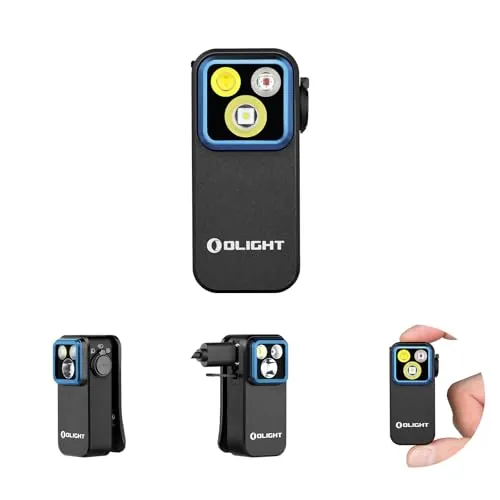
Olight
Olight Oclip Pro Rechargeable EDC Clip-on Flashlight, Black
Black Oclip Pro with separate spotlight, floodlight and red selector positions.
Model Oclip Pro
Amazon ASIN B0DDC4MH84
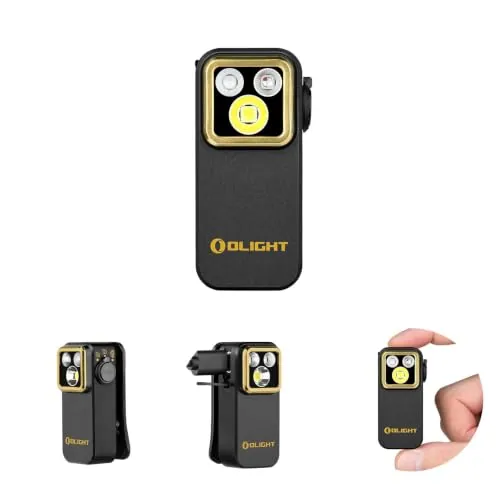
Olight
Olight Oclip Pro S Rechargeable EDC Clip-on Flashlight, Black
Black Oclip Pro S with white, RGB and UV selector positions documented in the manufacturer manual.
Model Oclip Pro S
Amazon ASIN B0GJ688L2V
Differences that matter
What matters most to you?
Choose a priority to see what it changes.
Sources for White-beam selector support
Sources for Auxiliary color and UV channels
Sources for Selector and dial interaction
Start with the beam you require
The Pro manual shows separate spotlight, floodlight and red positions. The Pro S manual shows white, RGB and UV. Look for the model with the direct selector positions you use most.
Decide whether RGB and UV modes belong in your kit
Olight's comparison describes red, green and blue channels plus UV for the Pro S; the Pro manual describes red alongside white flood and spot. That is a difference in documented mode options. No claim is made about finding leaks, identifying materials, improving visibility or making a situation safer with any color or UV mode.
Check controls and the box before ordering
Both official manuals show a USB-C charging port and list a cable. Match the printed model and check the seller’s box if a particular cable or accessory matters.
Olight’s Pro S manual and its U.S. comparison report different white-output ratings. Use the documentation attached to the exact offer if its rating matters.
Product details
Olight Oclip Pro Rechargeable EDC Clip-on Flashlight, Black
- Documented light positions
- The manual describes spotlight, floodlight and red-light selector positions. Source
- Charging and included cable
- The manual shows a USB-C charging port and lists an Oclip Pro USB-C charging cable in the box. Source
- Attachment
- The product overview identifies a clip; the manual does not establish the exact mounting options of the other model. Source
Before you buy
Community discussions
Checking whether the clip light fits in a pouch
Olight Oclip Pro Rechargeable EDC Clip-on Flashlight, Black
A shopper wanted to know if the Olight Oclip Pro would fit in their Alpaka Hub Pouch.
What to check
Measure the opening and depth of the pouch you use. Compare them with the dimensions of the light and its clip.
Choosing between pocket space and a clip
Olight Oclip Pro Rechargeable EDC Clip-on Flashlight, Black
A shopper asked how bulky an Oclip would feel in a jeans pocket. A reply described the Oclip Pro as large for carrying fully inside their pocket.
What to check
Check the space in the pocket or organizer where you carry similar gear and account for the clip.
Choosing a clip light for the modes you want
Olight Oclip Pro S Rechargeable EDC Clip-on Flashlight, Black
Someone replying in an Oclip Pro S discussion said they chose the light because they wanted particular auxiliary modes in one device.
What to check
List the modes you expect to use and compare the mode controls on the Pro and Pro S.
Common questions
Does the Oclip Pro S have a dedicated spotlight?
The Pro S manual shows one white-light selector position plus RGB and UV. The Oclip Pro manual shows separate spotlight and floodlight positions.Oclip Pro User ManualOlight Oclip Pro S User Manual, Selector and Package
What extra color modes does the Pro S list?
Olight's table lists RGB and UV for Pro S, and its text describes red, green and blue channels plus UV. This identifies available mode categories only; it is not evidence of inspection accuracy, visibility or safety outcomes.Olight Oclip Pro vs Pro S vs Ultra: Which EDC Clip Light?
Are the charging cable and control steps the same on both?
Both manuals show USB-C charging and list a cable. The selector positions differ by model; verify the seller’s box contents.Oclip Pro User ManualOlight Oclip Pro S User Manual, Selector and Package
Sources and scope
Olight’s regional Pro S manual and U.S. comparison list different white-output ratings. Check the documentation for the exact offer if rated output matters. The comparison here uses the documented selector layouts.
Related comparisons
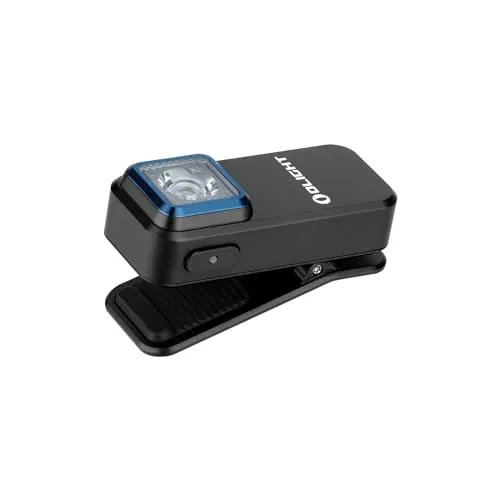
Olight Oclip Mini vs Oclip Pro: Which Clip Light Fits Your Routine?
The listing data-listed Oclip Mini (model OCLIP-BK-300000) uses a double-press to switch between white and red light in its manual; Oclip Pro uses a rotary selector for floodlight, spotlight and red-light modes. Both manuals show a clip and magnetic attachment option. Check the exact product label and intended attachment point before ordering.
Read comparison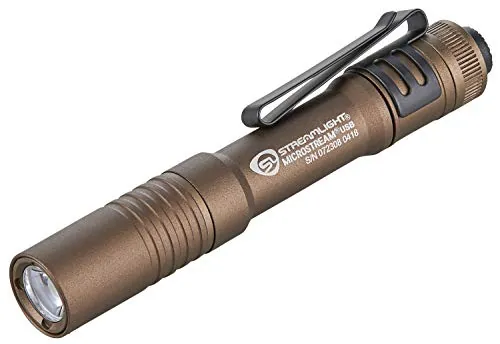
Olight Oclip Pro vs Streamlight MicroStream USB: Placement and Controls
The original black Olight Oclip Pro has a magnetic clip, lanyard hole, and selector for spotlight, floodlight, or red light. The Coyote Streamlight MicroStream USB 66608 has a removable pocket clip that Streamlight specifically describes for a hat brim, with high/low modes on its tail switch. The included 66608 info sheet lists a micro-USB cord; check the exact package if connector compatibility matters.
Read comparison