
Products compared
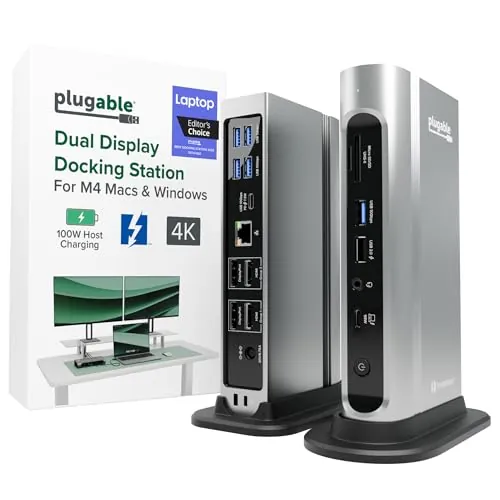
Plugable
Plugable TBT4-UDZ Thunderbolt 4 Dock
U.S. 16-in-1 dock with two HDMI 2.0 and two DisplayPort 1.2 outputs; the included host cable is 1 m.
Model TBT4-UDZ
Amazon ASIN B0BQJWKBMF
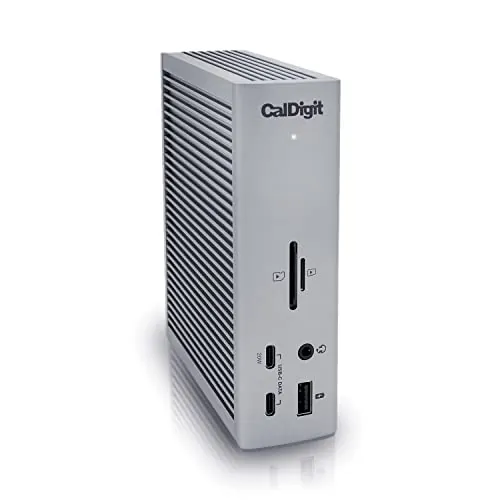
CalDigit
CalDigit TS4 Thunderbolt Station 4 Dock (TS4-US 500971)
U.S. TS4 dock with one DisplayPort 1.4 and two downstream Thunderbolt 4 ports after its host connection.
Model TS4-US 500971
Amazon ASIN B09GK8LBWS
Differences that matter
What matters most to you?
Choose a priority to see what it changes.
Sources for Direct monitor connectors and route
Sources for Published display ceiling and host conditions
Sources for Thunderbolt expansion after the laptop is connected
Sources for Ethernet and host charging labels
Sources for Included host cable and desk routing
Start with the laptop and the monitors, not the dock’s headline count
Plugable’s TBT4-UDZ is the more direct fit to a Windows desk whose screens already use HDMI or DisplayPort: the dock has two HDMI 2.0 and two DisplayPort 1.2 sockets, and its model-specific support page lists up to four 4K 60Hz extended screens on supported Windows Thunderbolt 4/USB4 systems with DP 1.4 HBR3 DSC and MST. CalDigit TS4 instead offers one DisplayPort 1.4 and routes another screen through a spare downstream Thunderbolt port or a video adapter. These are manufacturer-stated connection paths, not a test result.
First verify what the laptop can extend. Record the exact model and processor, OS, whether its lid will be open, and each monitor’s resolution and refresh rate. The same physical dock outputs can behave differently with a different host graphics controller or OS. Plugable’s own support article has detailed, model-specific limits; CalDigit likewise says host capabilities control functionality.
Count downstream Thunderbolt devices separately from USB ports
TS4 has three TB4/USB4 ports total: one connects to the laptop, leaving two for compatible downstream devices such as a Thunderbolt SSD, hub or monitor. CalDigit distinguishes these from its USB-C data ports, which do not carry monitor video.
TBT4-UDZ has one TB4 host port but no downstream Thunderbolt port. Plugable says its rear USB-C 10Gbps port is for USB data and charging only. So choose by your actual desk chain: if a Thunderbolt peripheral must sit after the dock, TS4 supplies those downstream connections; if your screens use HDMI/DP and the rest of the desk uses USB peripherals, TBT4-UDZ’s direct sockets may fit that layout.
Treat power, network and adapter numbers as different jobs
Both makers list 2.5GbE. Plugable says actual Ethernet rate depends on the OS and host and reaching 2.5Gbps requires a matching network switch or router. CalDigit limits TS4 Ethernet support to Thunderbolt hosts and USB4 hosts with PCIe support. Check both the computer and network side before counting on that port.
The host charging figures are also distinct from the dock’s external power supply: Plugable lists up to 100W USB Power Delivery (98W certified) with a 135W adapter; CalDigit lists up to 98W to a compatible host and a 230W supply. The adapter ratings describe the dock’s power brick, not the charge wattage delivered to your laptop. Cable route matters too: the included TB4 cable is 1m for TBT4-UDZ and 0.8m for TS4.
A practical pre-buy port map
Use this quick checklist before selecting either exact model: (1) write down your laptop’s full model/chip and OS; (2) list each monitor input, resolution and refresh target; (3) sketch which dock output or adapter each screen would use; (4) mark whether you need a downstream Thunderbolt SSD, hub or monitor; and (5) measure the host cable route and confirm the 2.5GbE path if relevant. This turns the published port lists into a plan while leaving host-specific display compatibility for the manufacturer’s exact matrix.
A special unresolved case is a base-M3 MacBook Pro with two external displays. Plugable’s TBT4-UDZ support page says two are possible with the lid closed on Sonoma 14.6 or later, while CalDigit’s TS4 page has broader single-display wording for base M1/M2/M3 Macs and a separate closed-lid M3 Air exception. These pages do not settle TS4 support for the exact base-M3 Pro setup; ask CalDigit about your Mac and monitor modes before choosing it for that requirement.
Product details
Plugable TBT4-UDZ Thunderbolt 4 Dock
- Video outputs
- 2× HDMI 2.0 and 2× DisplayPort 1.2; exact host limits apply. Source
- Downstream Thunderbolt
- No downstream Thunderbolt port; its rear 10Gbps USB-C port is USB data/charging only. Source
- Host power / dock adapter
- Up to 100W host Power Delivery (98W certified); 135W external power-supply rating. These are different ratings. Source
CalDigit TS4 Thunderbolt Station 4 Dock (TS4-US 500971)
- Video outputs
- 1× DisplayPort 1.4 plus video through downstream Thunderbolt 4 ports, subject to host support. Source
- Downstream Thunderbolt
- 3× TB4/USB4 total: one host connection and two downstream device ports. Source
- Host power / dock adapter
- Up to 98W Power Delivery to a compatible host; included external power supply is rated 230W. These are different ratings. Source
Before you buy
Community discussions
Where to put the dock on a crowded desk
CalDigit TS4 Thunderbolt Station 4 Dock (TS4-US 500971)
A CalDigit TS4 owner was deciding whether to keep the dock on the desk or put it underneath.
What to check
Mark where the dock would sit, then check which ports you reach every day and whether your cables will reach from there.
Matching monitor inputs to the TS4
CalDigit TS4 Thunderbolt Station 4 Dock (TS4-US 500971)
A shopper planning a multi-monitor workspace noticed the TS4 lacked an HDMI port and asked about adapters.
What to check
Check each monitor’s inputs and the exact laptop’s display support. List any cables or adapters you would need with the dock.
Making room for a dock in a two-laptop workspace
Plugable TBT4-UDZ Thunderbolt 4 Dock
Someone sharing a space used for both work and hobbies identified their dock as the Plugable TBT4-UDZ.
What to check
Draw out where both computers, the dock and the peripherals would sit. Identify which cables you would move when you switch computers.
Common questions
Will the TBT4-UDZ run four monitors on any laptop?
No. Plugable lists up to four 4K 60Hz extended displays on supported Windows TB4/USB4 hosts with DP 1.4 HBR3 DSC and MST. The exact computer and monitor modes control the usable configuration; USB4 support varies by system.What are the display output capabilities for the TBT4-UDZ?
Can the TS4 connect two HDMI monitors directly?
It has one built-in DisplayPort, not HDMI. CalDigit documents an active DisplayPort-to-HDMI adapter or a USB-C-to-HDMI video adapter for HDMI; the adapters are sold separately. Another display may use a supported downstream Thunderbolt route.Thunderbolt Station 4 (TS4) — product specifications, display guidance and box contents
Are the rear USB-C ports on both docks video-capable?
Do not treat every USB-C socket as video or Thunderbolt. Plugable says the TBT4-UDZ rear 10Gbps USB-C port is USB data and charging only and does not support Thunderbolt devices. CalDigit identifies its three TB4/USB4 ports separately from USB-C data ports; monitors must connect through a spare TB4/USB4 port.TBT4-UDZ Thunderbolt 4 Dock — U.S. product specifications and included itemsThunderbolt Station 4 (TS4) — product specifications, display guidance and box contents
Which one supports two external screens from a base-M3 MacBook Pro?
The published guidance is unresolved across these exact docks. Plugable’s support article documents up to two displays with the base-M3 MacBook Pro lid closed on macOS Sonoma 14.6 or later. CalDigit’s TS4 page gives broader single-display wording for base M1/M2/M3 Macs and a separate closed-lid M3 Air exception. Confirm the exact Mac, OS, lid state and monitor modes with CalDigit before relying on two screens through TS4.What are the display output capabilities for the TBT4-UDZ?Thunderbolt Station 4 (TS4) — product specifications, display guidance and box contents
Sources and scope
This is a source-based connection-planning guide, not a throughput or display-performance test. Port counts and vendor maximums do not guarantee that a particular computer can extend the same number of displays. Manufacturer guidance conflicts for a base-M3 MacBook Pro dual-display setup; confirm that exact computer, macOS version, lid state and monitor modes with CalDigit before relying on two screens from the TS4.
Related comparisons
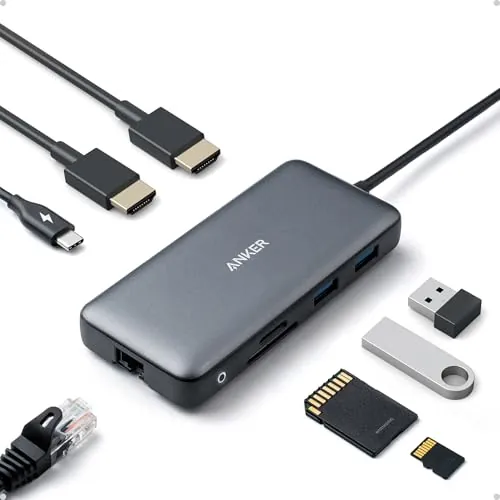
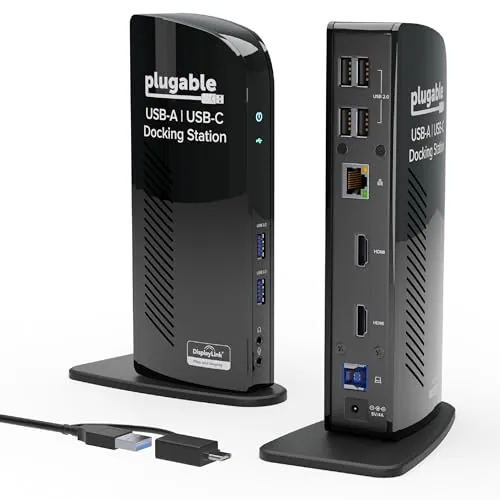
Anker A8380 vs Plugable UD-3900: Laptop Video Path and Charging
Anker PowerExpand 8-in-1 A8380 and the updated Plugable UD-3900 each support two HDMI displays and use different video paths. The original UD-3900 had one HDMI and one DVI port. A8380 needs USB-C DisplayPort Alt Mode; its listed dual-screen modes depend on the host's DisplayPort version. UD-3900 uses a USB-A/USB-C data connection with DisplayLink software and is listed for two displays up to 1920 × 1200 at 60 Hz. A8380 can pass through up to 85 W from a suitable PD setup; UD-3900 does not charge the laptop. Check your exact port, monitor mode, driver policy and the UD-3900's rear ports before ordering.
Read comparison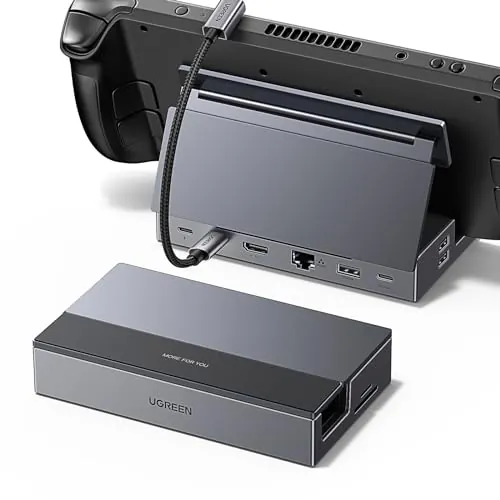
UGREEN 25869 Steam Deck Dock vs Revodok Pro 75028: Stand, Ports and Power
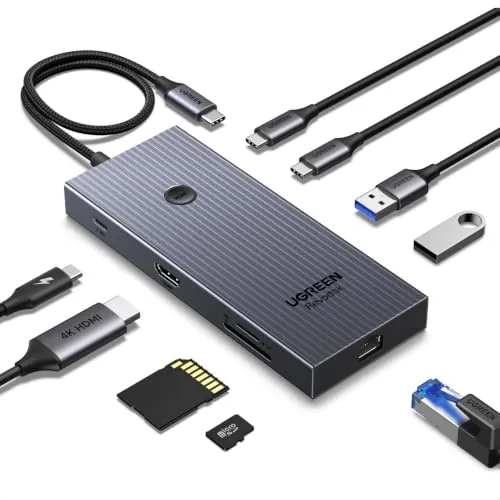
Both assigned UGREEN products are listed by the maker as Steam Deck compatible, but they are not the same kind of desktop setup. The 25869 is an adjustable folding stand dock with one USB-C and one USB-A port labeled 3.1 plus two USB-A 2.0 ports; UGREEN's page does not assign its 10 Gbps figure to individual ports. The Revodok 75028 has a smaller listed hub body and two USB-C data ports, plus a separate USB-C PD input. UGREEN says the 75028 can deliver up to 85 W to a host only with a compatible 100 W charger and cable; both are sold separately. Choose by how you support the handheld, what plugs into the data ports, and how you plan to supply power.
Read comparison