
Products compared
Razer
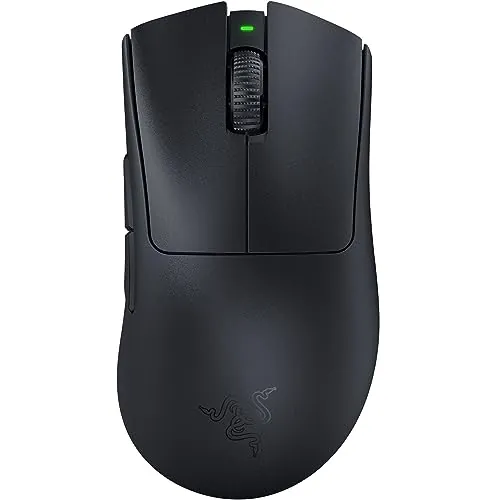
Razer DeathAdder V3 Pro Black
Black wireless model; the listing data also lists R3U1 in its part-number field, so confirm the exact suffix on the retailer listing.
Model RZ01-04630100-R3G1
Amazon ASIN B0B6XZLNHQ

Logitech G
Logitech G502 HERO Wired Gaming Mouse Black
Black wired version; Logitech lists a 2.1 m cable and a 121 g mouse-only weight.
Model 910-005469
Amazon ASIN B07GBZ4Q68
Differences that matter
What matters most to you?
Choose a priority to see what it changes.
Sources for Published mouse-only weight
Sources for Connection and desk cable
Sources for Physical controls
Sources for Optional high-polling accessory
Choose around connection and desk setup
The DeathAdder V3 Pro is the only wireless choice in this pair: its manual describes a 2.4 GHz receiver and a USB-C charging cable that also permits wired mode. Logitech specifies the G502 HERO as a wired USB mouse and lists a 2.1 m cable. If a cable crossing your mouse area would bother you, the Razer's receiver mode is the meaningful difference; if you prefer a direct connection and do not want a rechargeable mouse, the Logitech's setup is simpler.
For the Razer, the manual includes a standard receiver with adapter and a USB-A-to-USB-C cable, but the listing data's R3G1/R3U1 suffix disagreement means the exact retailer package still needs checking. Neither product fact establishes which will perform better in a game.
Map out the controls you will use
Logitech lists 11 programmable buttons on the G502 HERO. Its current product page says G HUB can assign commands or macros and save settings to onboard memory; the support specification says up to five onboard profiles when firmware 127.1.7 is installed. This option is worth considering if you already know you will map several actions or move profiles between PCs.
Razer's manual lists five programmable buttons plus a separate underside power/DPI-cycle control, with five factory DPI stages. The Razer page describes one onboard profile based on the last-used Synapse profile. Count the buttons you actually need and check which ones can be reached in your preferred grip; the listing data does not establish hand fit.
Treat weight and high-polling claims as configuration checks
Razer lists the black V3 Pro at 63 g excluding cable; Logitech lists G502 HERO at 121 g mouse-only and a five-piece optional 3.6 g weight kit. The numeric gap is large, but it is only a published mass comparison—not a prediction about comfort, precision, or personal control. If you want to tune the G502's mass, confirm that the weights and case are part of the exact offer.
The separate Razer HyperPolling accessory needs extra scrutiny. The older V3 Pro manual and launch newsroom describe a 4,000 Hz ceiling, but the current U.S. product page FAQ says 8,000 Hz even though its visual/recorded product copy says 4,000 Hz. Check with Razer for the exact R3G1 configuration and firmware before paying for the dongle based on its maximum rate.
Product details
Razer DeathAdder V3 Pro Black
Before you buy
Community discussions
Trying the mouse weight before choosing
Logitech G502 HERO Wired Gaming Mouse Black
A G502 HERO owner buying their first gaming mouse liked its controls but asked about the weight they felt in use.
What to check
Compare the weight and cable feel when you lift or move the mouse. Try it with the grip and desk surface you actually use.
Common questions
Which one has more programmable buttons?
Logitech lists 11 programmable G502 HERO buttons. Razer's V3 Pro manual lists five programmable buttons plus a separate underside button for power and DPI cycling.Logitech G502 HERO U.S. product page (910-005469)DeathAdder V3 Pro User Guide
Does the DeathAdder V3 Pro include its high-polling dongle?
Do not assume it does. The model manual lists the standard wireless receiver and adapter, while Razer describes the HyperPolling Wireless Dongle as sold separately. The exact included box contents for the listing data's R3G1 suffix remain unverified.DeathAdder V3 Pro User GuideDeathAdder V3 Pro product announcement and specifications
Is the Razer dongle's maximum polling rate definitely 4,000 or 8,000 Hz?
Razer's V3 Pro manual and newsroom say up to 4,000 Hz with the separate HyperPolling Wireless Dongle. Its current product page FAQ says 8,000 Hz, while the same page's graphic says 4,000 Hz. Confirm the precise rate for the exact SKU and firmware before treating it as a deciding feature.DeathAdder V3 Pro User GuideDeathAdder V3 Pro product announcement and specificationsRazer DeathAdder V3 Pro U.S. product page
Can I save custom controls for another PC?
Razer documents one onboard profile based on the last-used Synapse profile. Logitech's support specifications list up to five G502 HERO profiles with firmware 127.1.7; Logitech says saved settings can work on another PC without extra software. Verify the current software and firmware support for your computer.Razer DeathAdder V3 Pro U.S. product pageG502 HERO specifications — Logitech SupportLogitech G502 HERO U.S. product page (910-005469)
Sources and scope
Razer’s model-family material lists two different maximum rates for its optional HyperPolling dongle. Check the mouse, dongle and firmware before buying for a specific rate. The exact retail listing shows model RZ01-04630100-R3G1 and manufacturer part RZ01-04630100-R3U1. Compare the code printed on the box if the regional SKU matters. Published weights and configuration options explain the setup differences.
Related comparisons
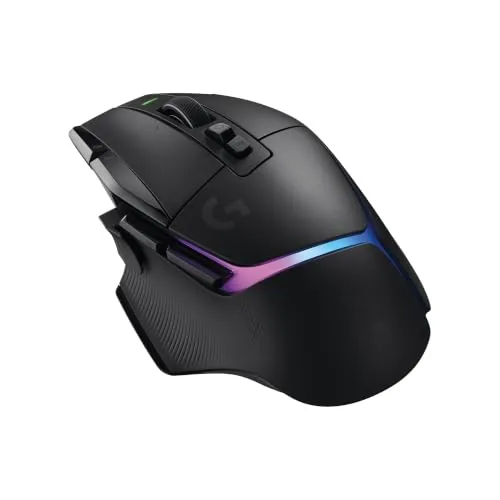
Logitech G502 HERO vs G502 X PLUS: Wired or Rechargeable Wireless?
These black U.S. models suit different desk routines. The G502 HERO 910-005469 stays connected by its 2.1 m cable and has Logitech-documented weight adjustment. The G502 X PLUS 910-006160 uses a LIGHTSPEED USB-A receiver, recharges over USB-C, and can switch to data-over-cable use when connected directly to a PC. Its DPI-Shift button can be repositioned or replaced by a cover. Decide whether cable-free movement and the X PLUS control adjustment are worth adding a receiver and charging routine.
Read comparison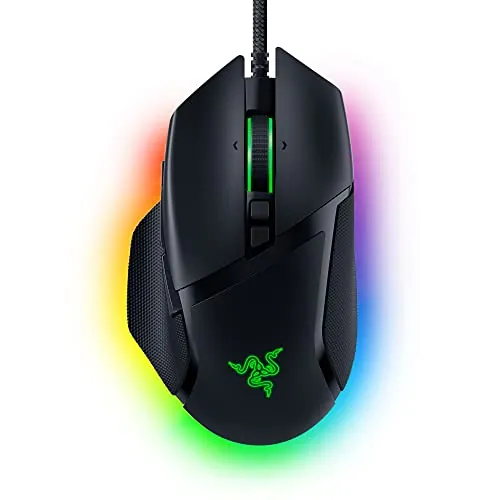
Logitech G502 HERO vs Razer Basilisk V3: Scroll Controls, Weights and Setup
Both are wired, right-handed gaming mice with tilt wheels and configurable controls. The Logitech G502 HERO uses a physical button to switch its wheel between notched and free-spin modes and accepts up to five removable weights. The original Razer Basilisk V3 has a four-way tilt wheel with electronically actuated notched/free-spin modes; its Smart-Reel behavior is enabled in Razer Synapse. Compare the control routine and software you can use on your computer, then check cable routing and the exact model code before buying.
Read comparison