
Products compared
Xiaomi
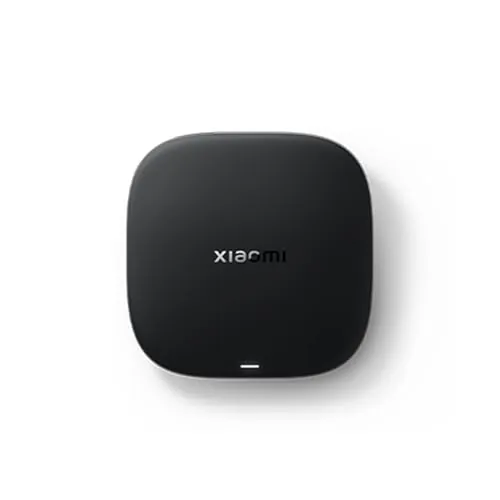
Xiaomi TV Box S (3rd Gen)
Xiaomi's global specifications identify Google TV, 4K output up to 60 fps, Dolby Vision, HDR10+, Dolby Audio and DTS:X. They list 2.4/5 GHz Wi-Fi, Bluetooth 5.2, HDMI 2.1 and USB 2.0. The page does not confirm Ethernet or local playback through USB, nor does it identify the exact US package or warranty for this offer.
Model TV Box S 3rd Gen
Amazon ASIN B0F3JWFL56
Roku
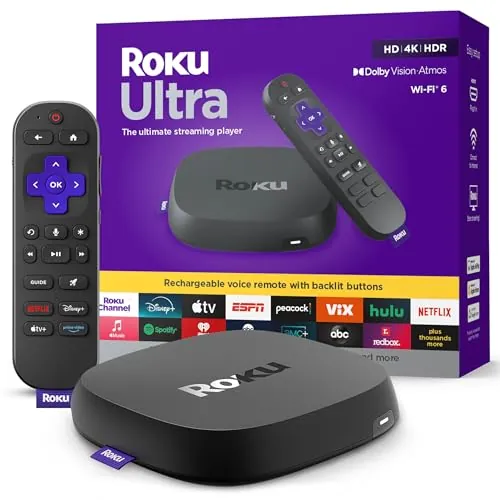
Roku Ultra (model 4850R)
Roku's US product page identifies model 4850R and lists Roku's streaming platform, dual-band Wi-Fi 6, 10/100 Ethernet, USB 3.0 with local media playback, and HDMI 2.1b. It lists 4K/HDR output and Dolby Atmos decoding over HDMI; Atmos requires compatible speakers. Roku's setup instructions also call for an HDMI-equipped TV and HDCP 2.2 support for 4K streaming.
Model 4850R
Amazon ASIN B0DF44RTTP
Differences that matter
Sources for Platform and service check
Sources for Internet connection options
Sources for USB port and local files
Sources for TV, HDR and audio chain
Sources for Offer identity and physical setup
Start with platform and must-have apps
Xiaomi identifies this generation as running Google TV. Roku's U.S. listing identifies Roku's streaming platform for Ultra 4850R. That is a real way to narrow the choice if you already prefer one interface, but it does not establish that every app, service, or subscription is available on both devices in your region.
Make a short list of the services you use most and check each one on the exact model and market before ordering. Do not choose based on a general platform label if one missing service would make the device unsuitable.
Treat ports as a setup checklist, not a speed ranking
The Xiaomi global spec page lists Wi-Fi, HDMI 2.1, USB 2.0 and a power interface. It does not confirm Ethernet or local media playback through USB. Roku's exact US page lists Wi-Fi 6, 10/100 Ethernet and USB 3.0 for local playback on 4850R. If wired networking or a USB drive is essential, Roku has the clearer published path; Xiaomi's missing detail remains an open question for the exact US offer.
For a USB drive, compare your file types with Roku's published container and codec list before you buy. For Ethernet, confirm the cable reaches the TV location and your router has a usable port. These listed options do not show which device will stream faster or more reliably in your home.
Check the TV input and the whole HDR/audio chain
Both manufacturers list 4K and Dolby Vision for these exact product families, while Xiaomi also lists HDR10+ and Roku lists HDR10, HDR10+ and HLG. Such labels do not mean every TV input, app, stream or receiver can pass every format. Roku's setup guidance says 4K streaming needs an HDMI input supporting HDCP 2.2. Xiaomi's product notes likewise require compatible content and display devices for its named formats.
If Atmos matters, Roku specifies Atmos decoding over HDMI only with compatible speakers. Before choosing for a soundbar or receiver, check the TV and audio-device manuals for the supported formats and connection path. Do not interpret the spec lists as a test of which picture or sound is better.
Verify the exact bundle and the space behind your TV
Xiaomi publishes a 97 × 97 × 17 mm body and lists a remote, power adapter, HDMI cable and manual on its global spec page. That is not proof that the US Amazon offer has the same adapter, warranty or bundle. Match the seller's exact model and regional package before checkout.
Roku identifies model 4850R on its U.S. page, lists an HDMI cable and power adaptor in the box, and publishes a 124.4 × 127 × 25.4 mm body. Measure the available shelf and leave room for cables to bend; use the seller listing to confirm the exact item being shipped.
Product details
Xiaomi TV Box S (3rd Gen)
- Platform and output
- Google TV; listed 4K output up to 60 fps, Dolby Vision and HDR10+. Compatible content and display are required for the named formats. Source
- Listed connections
- 2.4/5 GHz Wi-Fi, Bluetooth 5.2, one HDMI 2.1 port and one USB 2.0 port. Ethernet and local USB playback are not established by the cited global specs. Source
- Physical size
- 97 × 97 × 17 mm; 91.2 g listed without packaging. Confirm clearance behind the TV and cable bend space. Source
Roku Ultra (model 4850R)
- Platform and display formats
- Roku streaming platform; up to 2160p/60 on 4K TVs, with Dolby Vision, HDR10/HDR10+ and HLG listed. 4K streaming requires an HDMI input supporting HDCP 2.2. Source
- Network and media connections
- Dual-band Wi-Fi 6, 10/100 Ethernet, USB 3.0 with local playback, and HDMI 2.1b. Roku lists playback formats by container and codec; check your actual files against its supported list. Source
- Audio and box connection
- Digital stereo and DTS Digital Surround pass-through over HDMI; Dolby Atmos decode via HDMI requires compatible speakers. Roku lists a Premium High Speed HDMI cable and power adaptor in the box. Source
Before you buy
Community discussions
USB playback as a reason to choose a streamer
Roku Ultra (model 4850R)
In a thread asking whether the 2024 Roku Ultra is the right upgrade, a commenter says a USB port is useful for their external media library. The commenter does not identify their Ultra revision, so treat this as a use case to check rather than a claim about the specific 4850R.
What to check
If local files on a USB drive matter, verify Roku’s current USB playback documentation for the exact 4850R offer and compare it with the exact Xiaomi model’s documented support before choosing.
Common questions
Does the Xiaomi TV Box S (3rd Gen) have Ethernet?
The Xiaomi global source lists Wi-Fi, HDMI, USB and power but does not state whether this product supports Ethernet. That makes Ethernet unconfirmed in the cited material, not a verified absence. Check the exact seller model if you need a wired connection. Roku's page explicitly lists 10/100 Ethernet for model 4850R.Xiaomi TV Box S (3rd Gen) Specs — Xiaomi GlobalRoku Ultra — US product page, model 4850R
Can both streamers use the apps I already watch?
The reviewed manufacturer pages identify Google TV and Roku but do not verify every app for both exact devices in every region. Check each must-have app and subscription on the device and market you plan to use.Xiaomi TV Box S (3rd Gen) Specs — Xiaomi GlobalRoku Ultra — US product page, model 4850R
Which is the better choice for USB media?
Roku explicitly documents local media playback through USB and lists supported formats for model 4850R. Xiaomi lists a USB 2.0 host port, but the reviewed exact-model sources do not describe local playback. If USB files decide the purchase, match your file formats to Roku's list and ask Xiaomi about the exact retail model before relying on its port.Xiaomi TV Box S (3rd Gen) FAQ — Xiaomi UKRoku Ultra — US product page, model 4850R
Will Roku Ultra 4850R deliver 4K and Dolby Atmos on any TV?
Roku says 4K streaming requires a TV HDMI input that supports HDCP 2.2. Its Dolby Atmos decode is via HDMI and requires compatible speakers. Check the exact input and audio chain; the feature listing is not a guarantee that every TV setup exposes those formats.Roku Ultra — US product page, model 4850RHow to set up your Roku Ultra — Official Roku Support
Sources and scope
This guide compares manufacturer-published platform and connection details, not measured speed, picture or sound quality. Xiaomi's cited specification is global and does not verify the selected US retail package, warranty or whether that offer supports Ethernet or USB local playback. A feature missing from a page is treated as unconfirmed, not absent. Check app and service support for your device and region, and verify the exact seller model and bundle.
Related comparisons
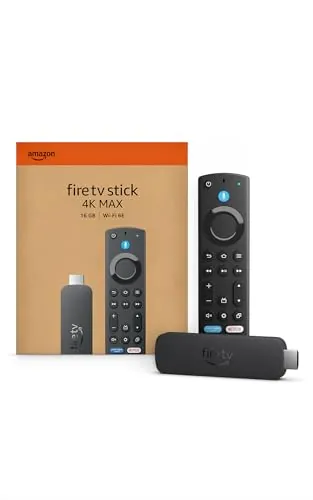
Roku Ultra 4850R vs Fire TV Stick 4K Max: Ethernet, Remote and Setup
These exact U.S. models both list 4K video with Dolby Vision, HDR10+ and Dolby Atmos. Their practical differences are the Roku box with built-in Ethernet and rechargeable Voice Remote Pro versus the Fire stick with Wi-Fi 6E, a voice remote with dedicated TV controls and Ethernet only through a separately sold adapter. Check your TV's HDMI/HDCP support, wired-network parts, remote habits and streaming apps before choosing.
Read comparison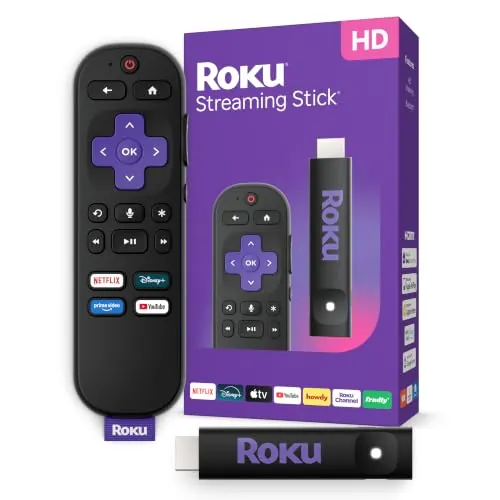
Roku Streaming Stick HD 3840R vs Roku Ultra 4850R
The 3840R is a compact, TV-powered HD stick with a voice remote using included AAA batteries. The 4850R is a separate player with up-to-4K output, Ethernet, a rechargeable Voice Remote Pro, power adapter, and HDMI cable. Pick by your TV and connection path: Ultra's 4K output still depends on compatible HDMI/HDCP equipment, content, and network conditions.
Read comparison