
Products compared
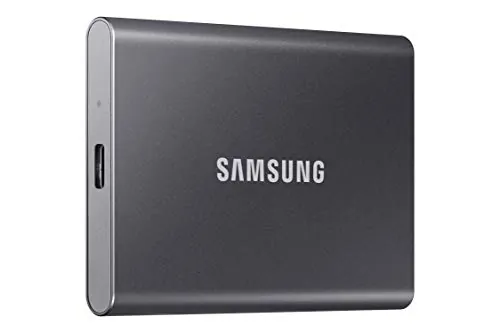
Samsung
Samsung T7 Portable SSD 1TB, Titan Gray
The assigned item is the standard 1TB Titan Gray T7, not T7 Shield. Samsung's US datasheet names MU-PC1T0T/AM and lists USB-C-to-C and USB-C-to-A cables in the box. Samsung documents AES-256 hardware encryption and an optional password security mode managed through Samsung's T7 software. The password mode adds an unlock step and has no password recovery without a destructive factory reset.
Model MU-PC1T0T/AM
Amazon ASIN B0874XN4D8
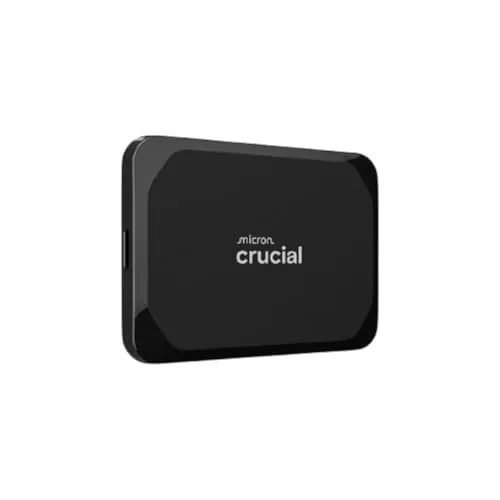
Crucial
Crucial X9 Portable SSD 1TB, Black
The selected listing listing is the black 1TB Crucial X9 with model suffix CT1000X9SSD902. Crucial's official 1TB family flyer instead prints CT1000X9SSD9 and lists a USB-C-to-C cable and quick-start guide; it does not establish the current box contents for the extra-suffix retail listing. The same flyer says the X9 ships exFAT and works with Windows File History, Apple Time Machine and Acronis True Image. It does not document a drive-level password/encryption workflow.
Model CT1000X9SSD902
Amazon ASIN B0CGW1FQV4
Differences that matter
What matters most to you?
Choose a priority to see what it changes.
Sources for What is documented in the box
Sources for Drive password versus backup workflow
Sources for Host and file-system setup
Sources for Rated speed and the host ceiling
A T7 cable kit that covers both common host ports
For the assigned Samsung part MU-PC1T0T/AM, the manufacturer's US datasheet lists both USB-C-to-A and USB-C-to-C cables. That makes the T7 easier to plan for if you move between older USB-A computers and newer USB-C devices without carrying an adapter.
Crucial's flyer lists one USB-C-to-C cable for its 1TB X9 family. Its printed part number is CT1000X9SSD9, whereas this guide's Amazon listing is CT1000X9SSD902. Because the manufacturer material does not repeat that retail suffix, inspect the exact offer's package details before assuming what is in that box.
The T7 has a documented password workflow; X9 security remains unverified here
Samsung documents AES-256 hardware encryption for T7 and an optional password mode managed in its T7 software. The user manual describes PC/Mac installation and an Android app path. When password mode is on, the drive has to be unlocked before protected files appear; Samsung says forgotten-password recovery requires factory restoration that erases the data.
The official standard X9 flyer reviewed here documents exFAT and backup tools, but it does not describe drive-level hardware encryption or a password unlock application. That is an evidence gap, not proof that every possible X9 configuration lacks hardware encryption. If a portable-drive password is non-negotiable, choose the T7's documented feature or get Crucial confirmation for the exact X9 listing before buying.
Check file-system and app requirements before moving a drive between devices
Crucial says X9 ships exFAT and can be reformatted, and lists Windows File History, Apple Time Machine and Acronis True Image as supported backup workflows. Those are backup choices; they do not mean the portable SSD itself is password-locked. Check the target device's file-system support before reformatting, especially if you plan to use one drive on a computer and a console or tablet.
For T7, password mode adds Samsung software and an unlock step. Samsung's manual warns that some non-PC and non-mobile hosts cannot enter the password and may not recognize the drive or all of its features. Disable the security mode or confirm host support before depending on a TV, console or other appliance to read it.
Product details
Samsung T7 Portable SSD 1TB, Titan Gray
- Assigned model and included cables
- Samsung's US datasheet lists exact 1TB model MU-PC1T0T/AM; box contents list one USB-C-to-A cable, one USB-C-to-C cable, and a quick user manual/warranty statement. Source
- Hardware encryption and password mode
- AES-256 hardware encryption; optional password security mode is enabled and unlocked with Samsung's T7 software. A forgotten password cannot be recovered through a normal reset without losing the stored data. Source
- Official performance ceiling
- Up to 1,050 MB/s sequential read and 1,000 MB/s sequential write on USB 3.2 Gen 2 (10 Gbps); actual transfer speeds depend on host, cable and workload. Source
Crucial X9 Portable SSD 1TB, Black
- 1TB X9 cable listing and suffix check
- Crucial's official 1TB family flyer (part number CT1000X9SSD9) lists a USB Type-C-to-C cable and quick-start guide. The flyer does not include the 02 suffix recorded for the selected ASIN, so confirm the exact seller box before counting on those contents; no USB-A cable is listed. Source
- Format and backup software
- The official flyer says the X9 ships exFAT and works with Windows File History, Apple Time Machine and Acronis True Image. These are backup/file-system notes, not evidence of drive-level password protection. Source
- Official performance ceiling
- Up to 1,050 MB/s sequential read for the X9 family; the flyer does not list a matching write-speed figure. Manufacturer ceiling, not a matched comparison test. Source
Before you buy
Community discussions
A MacBook Air buyer’s checklist for the 1TB drives
Samsung T7 Portable SSD 1TB, Titan Gray
An M2 MacBook Air owner shopping for a 1TB external drive asked about day-to-day mounting before choosing between the Crucial X9 and Samsung T7.
What to check
Check the exact 1TB listings and the format you need. Try disconnecting, reconnecting and waking your Mac with the drive attached during the return period.
Common questions
Does the exact Samsung T7 MU-PC1T0T/AM include a cable for USB-A computers?
Samsung's US T7 datasheet lists a USB-C-to-A cable and a USB-C-to-C cable in the box for model MU-PC1T0T/AM. Check the seller listing still matches that model code and standard T7 family.Samsung Portable SSD T7 US datasheet, Rev. 2.0
Does the Crucial X9 CT1000X9SSD902 include the same cable bundle?
Crucial's official 1TB X9 family flyer lists a USB-C-to-C cable and quick-start guide for CT1000X9SSD9, but the assigned retail model adds an 02 suffix. The flyer does not verify the exact seller bundle for that suffix, so confirm the current ASIN offer contents before purchase. It does not list a USB-A cable.Crucial X9 Portable SSD official product flyer
Can I password-protect the T7?
Samsung documents optional password Security Mode using its T7 software and AES-256 hardware encryption. If the password is forgotten, Samsung says the drive must be factory-reset, which erases data; test the unlock workflow on the host devices you will use.Samsung Portable SSD T7 US datasheet, Rev. 2.0Samsung Portable SSD T7 User Manual (English)
Does the standard Crucial X9 have the same hardware encryption as X9 Pro?
The official standard X9 flyer reviewed here does not document hardware encryption or a drive password utility, so this guide cannot confirm a T7-style drive lock for the assigned X9. Do not transfer X9 Pro security claims to the standard X9; verify with Crucial if drive-level encryption is essential.Crucial X9 Portable SSD official product flyer
Which one is faster?
Samsung publishes up to 1,050/1,000 MB/s read/write for T7, while Crucial lists up to 1,050 MB/s read for X9. Those manufacturer ceilings are not a matched test and do not prove equal sustained writes or a universal speed winner.Samsung Portable SSD T7 US datasheet, Rev. 2.0Crucial X9 Portable SSD official product flyer
Sources and scope
listing identity confirms B0874XN4D8 is the Titan Gray 1TB T7 MU-PC1T0T/AM and B0CGW1FQV4 is the black 1TB Crucial X9 CT1000X9SSD902. Samsung's US T7 datasheet explicitly lists the assigned /AM model and its box contents. Crucial's official flyer describes the 1TB X9 family as CT1000X9SSD9, without the extra 02 suffix in the assigned retail model; it supports family-level 1TB X9 behavior but does not independently verify the current seller package for ASIN B0CGW1FQV4. The official X9 material checked here does not document drive-level encryption or a password-unlock utility, so this guide treats that capability as unverified for the assigned X9 rather than asserting universal absence. Samsung sources use both Samsung Portable SSD Software and Samsung Magician names in product documents; the T7 user manual is the source for the optional password setup and unlock workflow. Rated transfer ceilings are manufacturer claims, not a matched sustained-speed result. Do not transfer T7 Shield or X9 Pro dust/water, enclosure or encryption claims to these standard models.
Related comparisons
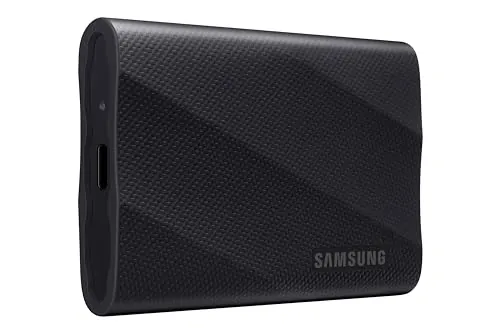
Samsung T7 1TB vs T9 1TB: Check Your USB Port Before Upgrading
These are both regular 1TB drives: the gray T7 MU-PC1T0T/AM uses USB 3.2 Gen 2 (10Gbps), while the black T9 MU-PG1T0B/AM uses Gen 2x2 (20Gbps). Samsung's peak sequential figures come from internal testing; they are not independent real-world results. The T9's maximum tier requires a Gen 2x2 host, suitable cable, and UASP. If your device has only Gen 2 or older, its headline speed advantage is not available.
Read comparison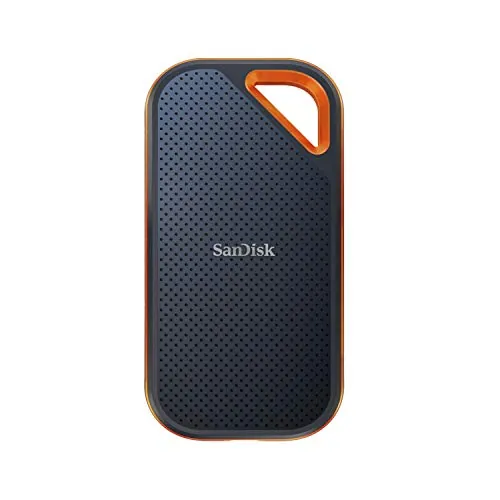
Samsung T7 1TB vs SanDisk Extreme PRO V2 1TB: Check Your USB Port and Pocket
For Samsung's Titan Gray T7 MU-PC1T0T/AM and SanDisk Extreme PRO Portable SSD SDSSDE81-1T00-G25, first check the host's actual USB standard, then compare the supplied cables and the drive's dimensions against your setup. The SanDisk's stated 2,000 MB/s ceiling depends on a compatible USB 3.2 Gen 2x2 host; USB-C shape or a USB4 label alone does not establish that support. Both manufacturers list USB-C-to-C and USB-C-to-A cables. Samsung lists the smaller device footprint. Published speed ratings are not a head-to-head test.
Read comparison