
Products compared
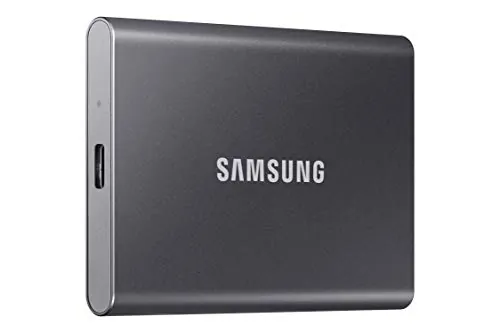
Samsung
Samsung Portable SSD T7 1TB
USB 3.2 Gen 2 (10Gbps) portable SSD. Samsung lists USB-C-to-C and USB-C-to-A cables for the selected 1TB model code.
Model MU-PC1T0T/AM (Titan Gray)
Amazon ASIN B0874XN4D8
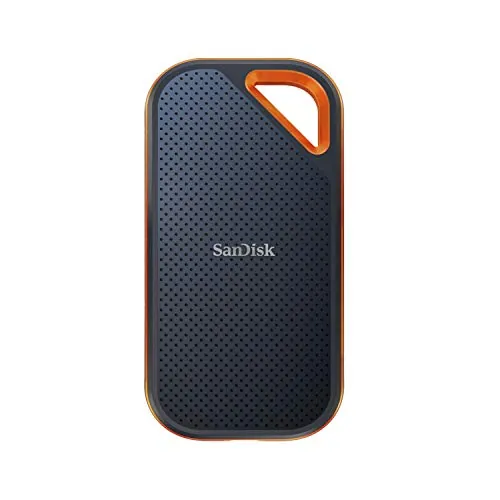
SanDisk
SanDisk Extreme PRO Portable SSD 1TB
USB 3.2 Gen 2x2 portable SSD. SanDisk lists USB-C-to-C and USB-C-to-A cables; its maximum stated 2,000 MB/s read/write mode requires a compatible Gen 2x2 host.
Model SDSSDE81-1T00-G25
Amazon ASIN B08GV9M64L
Differences that matter
Sources for Included cable choices
Sources for Bare-drive dimensions
Sources for Published speed ceiling (not a same-condition result)
Identify the port standard before comparing speed labels
The selected 1TB T7 MU-PC1T0T/AM uses USB 3.2 Gen 2 (10Gbps). The selected SanDisk SDSSDE81-1T00-G25 uses USB 3.2 Gen 2x2 (20Gbps) and lists up to 2,000 MB/s sequential read and write. SanDisk's host guidance says Gen 2x2 support is required for that maximum; some USB4 hosts support only Gen 2. A USB-C socket or USB4 marking alone does not tell you which USB 3.2 mode your machine implements.
Before choosing based on the SanDisk ceiling, find the exact host model's data-port table or manual and look specifically for Gen 2x2 / 20Gbps support. The USB-IF explains that USB 3.2 20Gbps uses two 10Gbps lanes and that devices operate at the lowest common supported speed. That standard context explains compatibility behavior; it does not promise a particular copy time.
Cable connector choice is similar on the two boxes
For the exact 1TB T7 model code, Samsung's current datasheet lists a USB Type-C-to-A cable and a USB Type-C-to-C cable. SanDisk's exact 1TB SDSSDE81 page lists a USB-C-to-USB-A and a USB-C-to-USB-C cable. So either maker documents a cable choice for common USB-A and USB-C host connectors.
The connector match is only the first check. The cable and host must both support the mode you intend to use, and seller-created bundles, used units, or incomplete boxes can differ. Confirm the exact model code, condition, and included items on the offer before buying.
Compare the bare-drive footprint with your actual storage space
Samsung lists the T7 body as 85 × 57 × 8 mm. SanDisk lists the selected Extreme PRO as 4.34 × 2.26 × 0.4 inches, roughly 110 × 57 × 10 mm. The T7 is notably shorter and slightly thinner by those listed figures.
Use the interior dimensions of your camera pouch, laptop sleeve, or organizer rather than the product's marketing image. Leave room for the attached plug and cable bend, and include any protective sleeve you plan to use. The published body dimensions alone cannot tell whether a particular case will close or protect the drive.
Treat manufacturer speed ratings as ceilings, not a pair test
Samsung lists up to 1,050 MB/s sequential read and 1,000 MB/s write for the T7, while SanDisk lists up to 2,000 MB/s for both sequential read and write on this Extreme PRO. Samsung says results depend on host configuration, cable, and system environment; SanDisk also qualifies its figures by host, interface, and usage conditions.
Those maximums do not show what either drive will deliver with a particular computer, file mix, or workload, and they do not establish same-condition superiority. This guide uses the ratings to explain why the host-port check matters, not to predict transfer time.
Product details
Samsung Portable SSD T7 1TB
Before you buy
Community discussions
A MacBook setup with a 4TB T7
Samsung Portable SSD T7 1TB
A MacBook owner describes mounting a 4TB Samsung T7 for photography and video files; in that setup, a right-angle adapter affected charging-port access and the attached drive felt bulkier than desired.
What to check
For a drive that will stay attached to a laptop, check cable routing, access to the ports you use for charging, and the combined profile in your bag.
A 1TB T7 attached to a Steam Deck
Samsung Portable SSD T7 1TB
A Steam Deck owner describes using a 1TB Samsung T7 as a game library, secured to the device with Velcro and connected by a short USB-C cable.
What to check
If you plan to keep a drive attached while using a handheld, check how the cable sits and whether the setup leaves the charging connection available.
Common questions
Will the SanDisk Extreme PRO reach 2,000 MB/s on any USB-C port?
No. SanDisk says its USB 3.2 Gen 2x2 host support is required for the maximum stated speed. Some USB4 hosts support only USB 3.2 Gen 2; check the host specifications rather than relying on USB-C shape or the USB4 label.SanDisk support: host USB speed and Gen 2x2 requirements for SDSSDE81
What cables come with these 1TB models?
Samsung's 2024 T7 datasheet lists Type-C-to-A and Type-C-to-C cables for the 1TB MU-PC1T0T/AM code. SanDisk's SDSSDE81-1T00-G25 page lists USB-C-to-USB-A and USB-C-to-USB-C cables.Samsung Portable SSD T7 2024 Data Sheet, Revision 2.0SanDisk Extreme PRO Portable SSD 1TB, SKU SDSSDE81-1T00-G25
Which drive has the smaller body?
Samsung lists the T7 at 85 × 57 × 8 mm. SanDisk lists its Extreme PRO at 4.34 × 2.26 × 0.4 inches, about 110 × 57 × 10 mm. This compares bare-body dimensions only; measure the actual pocket or case.Samsung Portable SSD T7 2024 Data Sheet, Revision 2.0SanDisk Extreme PRO Portable SSD 1TB, SKU SDSSDE81-1T00-G25
Does a higher published speed rating prove the SanDisk is faster for my files?
No. These are manufacturer maximum specifications, not a controlled test of both drives on your host, with the same cable and workload. Host support and real conditions affect results.Samsung Portable SSD T7 2024 Data Sheet, Revision 2.0SanDisk Extreme PRO Portable SSD 1TB, SKU SDSSDE81-1T00-G25
Sources and scope
Manufacturer maximum-speed ratings do not establish real transfer times or comparative performance. Host-port names and implementations vary; check the exact computer or camera manual. Dimensions are the drive bodies only and do not guarantee fit in a pocket, case, or with a connected cable.
Related comparisons
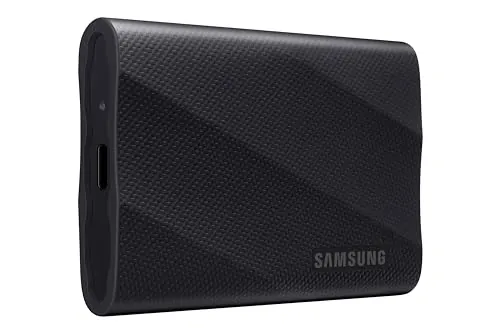
Samsung T7 1TB vs T9 1TB: Check Your USB Port Before Upgrading
These are both regular 1TB drives: the gray T7 MU-PC1T0T/AM uses USB 3.2 Gen 2 (10Gbps), while the black T9 MU-PG1T0B/AM uses Gen 2x2 (20Gbps). Samsung's peak sequential figures come from internal testing; they are not independent real-world results. The T9's maximum tier requires a Gen 2x2 host, suitable cable, and UASP. If your device has only Gen 2 or older, its headline speed advantage is not available.
Read comparison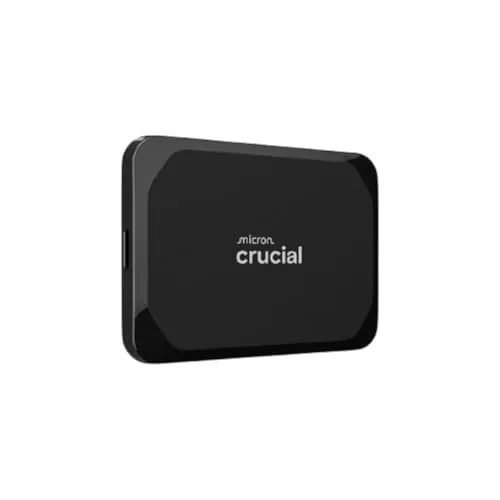
Samsung T7 1TB MU-PC1T0T/AM vs Crucial X9 CT1000X9SSD902
This guide compares the exact 1TB Samsung T7 in Titan Gray (MU-PC1T0T/AM, ASIN B0874XN4D8) with the black Crucial X9 listing (CT1000X9SSD902, ASIN B0CGW1FQV4). Samsung's US-specific T7 datasheet lists both USB-C-to-C and USB-C-to-A cables and AES-256 hardware encryption with optional password mode in Samsung software. Crucial's X9 1TB family flyer lists a USB-C-to-C cable, exFAT formatting and Windows File History, Apple Time Machine and Acronis True Image workflows. The Crucial flyer names CT1000X9SSD9, without the 02 suffix in the assigned retail model, so confirm the exact seller box before relying on its package list. This is a feature and setup comparison, not a speed test.
Read comparison