
Products compared
Samsung
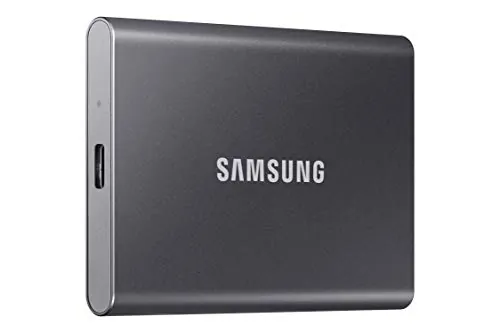
Samsung Portable SSD T7 1TB Titan Gray
Regular T7, US gray 1TB variant; not T7 Shield or T7 Touch
Model T7 1TB (MU-PC1T0T/AM)
Amazon ASIN B0874XN4D8
Samsung
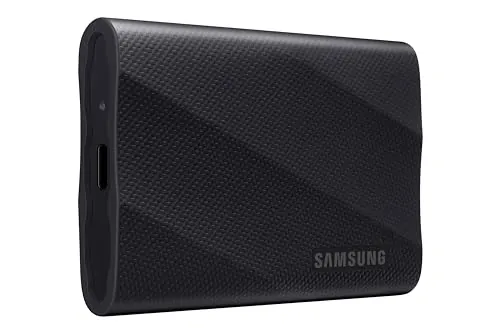
Samsung Portable SSD T9 1TB Black
Regular T9, US black 1TB variant; not a different capacity or product bundle
Model T9 1TB (MU-PG1T0B/AM)
Amazon ASIN B0CHFSWM2P
Differences that matter
What matters most to you?
Choose a priority to see what it changes.
Sources for USB interface and maximum sequential rate
Sources for Body size and limited warranty
First check the connection your device actually supports
This comparison holds capacity and product family constant: the 1TB regular T7 MU-PC1T0T/AM versus the 1TB regular T9 MU-PG1T0B/AM. Samsung lists T7 at USB 3.2 Gen 2 (10 Gbps) and T9 at USB 3.2 Gen 2x2 (20 Gbps). A USB-C connector alone does not tell you whether a computer supports Gen 2x2.
For the T9's maximum sequential tier, Samsung says the host and cable must support Gen 2x2 and UASP must be enabled. Samsung also documents backward compatibility with older USB generations; that means the drive can connect, not that an older port can deliver 20Gbps. If you cannot verify the port and UASP path, treat the T9 headline tier as unavailable when deciding whether the upgrade makes sense.
Read the speed figures as manufacturer test ceilings
For these exact 1TB variants, Samsung's data sheets list the T7 up to 1,050 MB/s sequential read and 1,000 MB/s write. The T9's capacity-specific table lists up to 2,000 MB/s read and 1,950 MB/s write. Samsung says these maximum rates come from its own internal testing with the enclosed cable and can vary with host configuration, cable, and system environment. They are not independent head-to-head results or guaranteed file-copy speeds.
There is a wording difference to watch: the Samsung US T9 page headline says 2,000 MB/s read and write, while its exact 1TB data sheet lists 1,950 MB/s write. This guide uses the capacity-specific datasheet value for the 1TB SKU and preserves that caveat so a buyer does not mistake a family-level headline for a precise tested result. No source here proves how much faster either drive will feel on your workload.
Match the drive to a real workflow, not just a spec headline
If you mainly keep a backup, game library, or project files on a USB 3.2 Gen 2 or older device, the T7's listed interface may already fit the connection. If you repeatedly move large files and have a verified Gen 2x2 host, compatible cable, and UASP, the T9 is the one of these two designed for the higher interface tier. Confirm whether your specific device and software can use that path before buying.
The T7 is also the thinner drive in Samsung's published dimensions: 8 mm versus 14 mm for the T9. Both datasheets list C-to-C and C-to-A cables; confirm the exact listing's contents and your port type. Samsung publishes a three-year limited warranty for the T7 and five years for the T9, but duration is not a real-world reliability result and does not cover physical damage. The best fit therefore depends on your host, repeated-transfer needs, carrying space, and the terms you value.
Product details
Samsung Portable SSD T7 1TB Titan Gray
For routine backup, storage, or hosts with USB 3.2 Gen 2 or older, the T7's own 10Gbps interface may already match the connection. Samsung's peak numbers describe internal test results under stated conditions, not a guaranteed transfer rate for your computer.
- Capacity and code
- 1 TB; MU-PC1T0T/AM Source
- Interface
- USB 3.2 Gen 2 (10 Gbps) Source
- Peak sequential rate
- Up to 1,050 MB/s read and 1,000 MB/s write; Samsung says its maxima are internally measured and vary with host, cable, and system Source
- Size and warranty
- 85 × 57 × 8 mm; three-year limited warranty Source
Samsung Portable SSD T9 1TB Black
The T9 is the upgrade to consider for repeated large transfers only if your host path supports USB 3.2 Gen 2x2, the cable is suitable, and UASP is enabled. Samsung says it is backward compatible with older USB generations, but that does not make the Gen 2x2 peak tier available on those hosts.
- Capacity and code
- 1 TB; MU-PG1T0B/AM Source
- Interface
- USB 3.2 Gen 2x2 (20 Gbps) Source
- Peak sequential rate, 1TB model
- Up to 2,000 MB/s read and 1,950 MB/s write in Samsung's capacity-specific table; internal test maxima vary with host, cable, and system Source
- Size and warranty
- 88 × 60 × 14 mm; five-year limited warranty Source
Before you buy
Community discussions
Check the host port before judging T7 transfer speed
Samsung Portable SSD T7 1TB Titan Gray
A 1TB T7 owner reported transfer speeds around 75 MB/s but gave no host-port, cable, format, or test details.
What to check
Before comparing speeds, identify the actual host port and cable and repeat a transfer under a consistent setup. This post does not isolate a drive limitation.
Test the T9 on the host port you plan to use
Samsung Portable SSD T9 1TB Black
A 1TB T9 owner described failures on one PC’s USB 3.2 Gen 2 ports after using the drive elsewhere without trouble. The issue persisted after a motherboard replacement, while other ports worked. The owner could not determine whether the drive or controller was responsible.
What to check
Check the exact host port/controller and cable with the intended workload before relying on the T9’s higher speed tier. This single unresolved setup does not establish a general compatibility or reliability rate.
Common questions
Are both drives 1TB in this comparison?
Yes. The exact assigned variants are the regular T7 1TB Titan Gray MU-PC1T0T/AM and regular T9 1TB Black MU-PG1T0B/AM. T7 Shield, T7 Touch, and other capacities are excluded.1TB Portable SSD T7 USB 3.2 Gen 2 (Gray) | Samsung US1TB Portable SSD T9 USB 3.2 Gen 2x2 (Black) | Samsung USSamsung Portable SSD T7 Datasheet Rev. 2.0Samsung Portable SSD T9 Datasheet Rev. 1.0
Will a USB-C port let the T9 reach its headline speed?
Not by itself. Samsung says the T9's maximum sequential tier requires a USB 3.2 Gen 2x2 host and connection cable with UASP enabled. A USB-C connector does not identify the protocol or speed tier.1TB Portable SSD T9 USB 3.2 Gen 2x2 (Black) | Samsung US
Are the listed speeds independent benchmark results?
No. Samsung's datasheets describe maximum sequential transfer rates measured using its internal test standards with the enclosed cable, and say performance varies with the host, cable, and system. No independent T7-versus-T9 test is represented here.Samsung Portable SSD T7 Datasheet Rev. 2.0Samsung Portable SSD T9 Datasheet Rev. 1.0
What is the 1TB T9's maximum write figure?
Samsung's capacity-specific T9 datasheet table lists up to 1,950 MB/s sequential write for 1TB; its product-page headline rounds the T9 family read/write headline to 2,000 MB/s. This guide uses the exact 1TB table and treats both as internal-test maxima.Samsung Portable SSD T9 Datasheet Rev. 1.01TB Portable SSD T9 USB 3.2 Gen 2x2 (Black) | Samsung US
Does the T9 work with an older USB host?
Samsung documents backward compatibility with USB 3.2, USB 3.1, USB 3.0 and USB 2.0. However, an older host does not provide the T9's 20Gbps Gen 2x2 path; actual throughput will depend on the connected host and cable.Samsung Announces T9 Portable SSD | Samsung Newsroom US
Sources and scope
The speed figures are Samsung's maximum sequential rates measured under Samsung's internal test standards with the enclosed cable; they are not an independent head-to-head benchmark or a promise for every host or workload. For the 1TB T9, its capacity-specific datasheet gives up to 2,000 MB/s read and 1,950 MB/s write; the US page headline generalizes both to 2,000 MB/s, so this guide uses the more specific 1TB table and records the discrepancy. No independent bilateral real-world performance or long-term reliability test is represented.
- 1TB Portable SSD T7 USB 3.2 Gen 2 (Gray) | Samsung US
- Samsung Portable SSD T7 Datasheet Rev. 2.0
- 1TB Portable SSD T9 USB 3.2 Gen 2x2 (Black) | Samsung US
- Samsung Portable SSD T9 Datasheet Rev. 1.0
- Portable SSD Product Information | Samsung Semiconductor
- SSD Product Warranty | Samsung Semiconductor
- Samsung Announces T9 Portable SSD | Samsung Newsroom US
Related comparisons
Samsung T7 1TB MU-PC1T0T/AM vs Crucial X9 CT1000X9SSD902
This guide compares the exact 1TB Samsung T7 in Titan Gray (MU-PC1T0T/AM, ASIN B0874XN4D8) with the black Crucial X9 listing (CT1000X9SSD902, ASIN B0CGW1FQV4). Samsung's US-specific T7 datasheet lists both USB-C-to-C and USB-C-to-A cables and AES-256 hardware encryption with optional password mode in Samsung software. Crucial's X9 1TB family flyer lists a USB-C-to-C cable, exFAT formatting and Windows File History, Apple Time Machine and Acronis True Image workflows. The Crucial flyer names CT1000X9SSD9, without the 02 suffix in the assigned retail model, so confirm the exact seller box before relying on its package list. This is a feature and setup comparison, not a speed test.
Read comparison
Samsung T7 1TB vs SanDisk Extreme PRO V2 1TB: Check Your USB Port and Pocket
For Samsung's Titan Gray T7 MU-PC1T0T/AM and SanDisk Extreme PRO Portable SSD SDSSDE81-1T00-G25, first check the host's actual USB standard, then compare the supplied cables and the drive's dimensions against your setup. The SanDisk's stated 2,000 MB/s ceiling depends on a compatible USB 3.2 Gen 2x2 host; USB-C shape or a USB4 label alone does not establish that support. Both manufacturers list USB-C-to-C and USB-C-to-A cables. Samsung lists the smaller device footprint. Published speed ratings are not a head-to-head test.
Read comparison